- Altersfreigabe4+
- KategorieProduktivität
- EntwicklerHolden International Inc.
- SprachenTradit. Chinesisch+ 1 weitere
- Größe1,3 MB
Verlinkt auf die offizielle App Store-Seite
Download.org hostet keine Datei von M4BeaconConfig. Die Schaltfläche öffnet die App-Seite bei App Store, wo Holden International Inc. die App veröffentlicht. Eintrag zuletzt geprüft am 18.11.2026.
Screenshots

Info
Der Entwickler hat diesen Text nicht in Ihrer Sprache bereitgestellt.
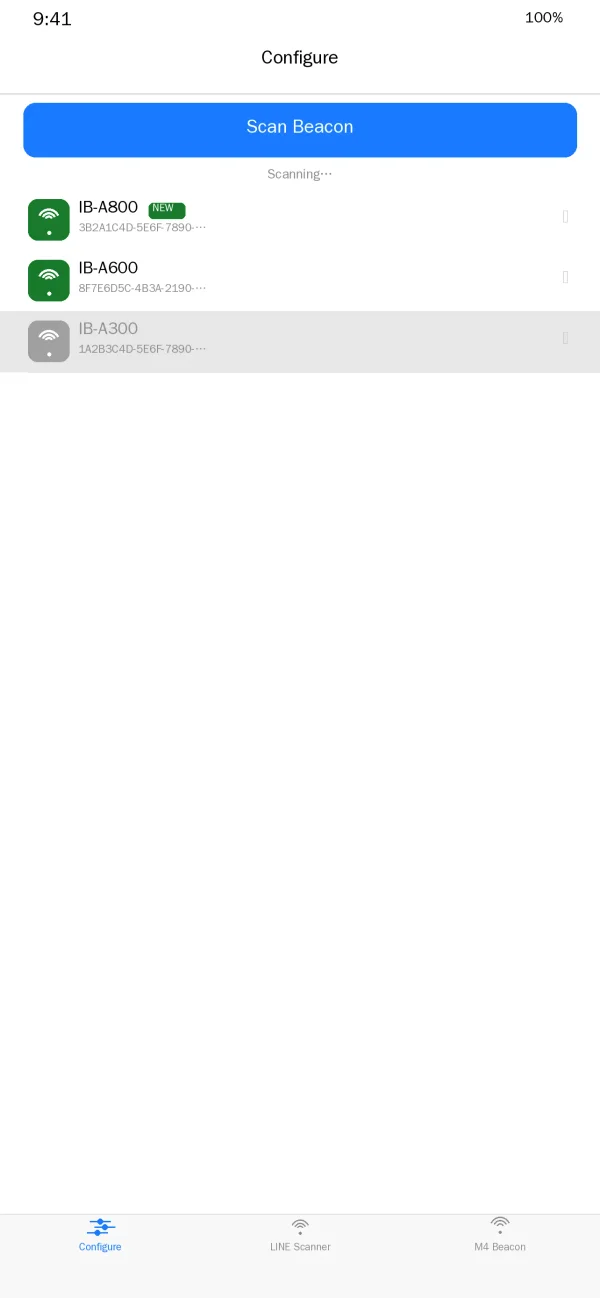
M4 Beacon Config is the official configuration tool for Holden International M4 IB-A series BLE beacons, including the IB-A300, IB-A600, IB-A700, and IB-A800 models.
Supports both M4 Line Simple Beacon and M4 Security Beacon firmware. The app automatically detects which parameters are available on each connected device and shows only the relevant controls.
KEY FEATURES
• Scan and connect to M4 IB-A series beacons via Bluetooth Low Energy (BLE)
• Read and write all GATT configuration parameters
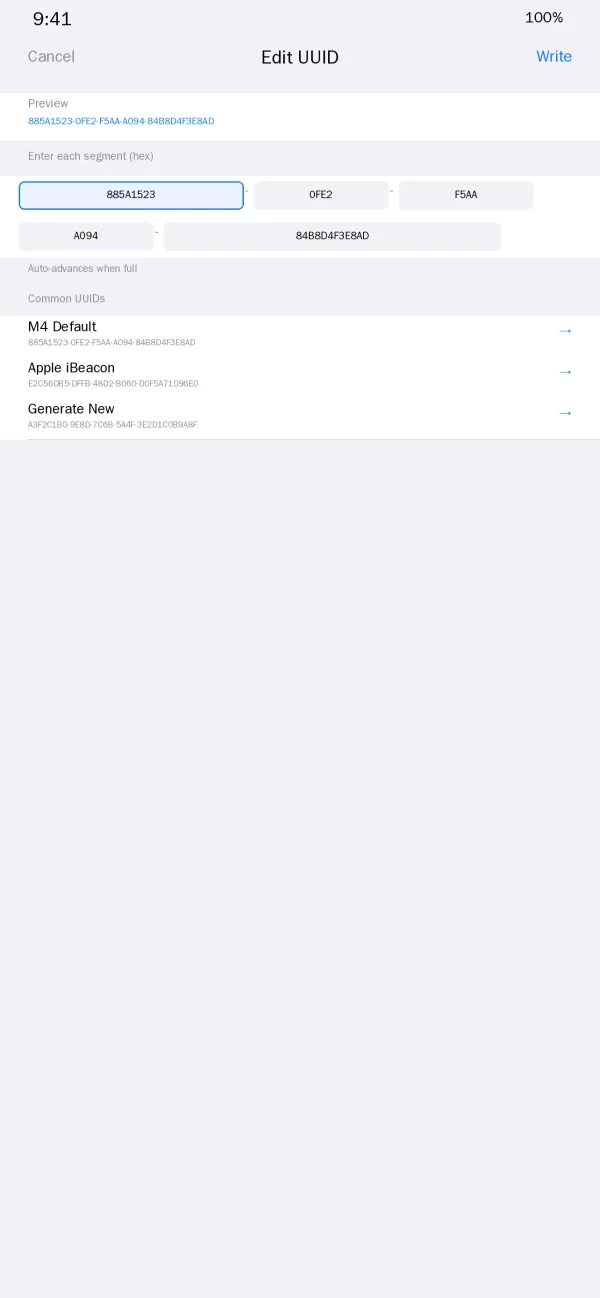
• Configure UUID, Major/Minor, RSSI Calibration, Manufacturer ID, Advertising Interval, TX Power, and LED
• Access Hardware ID (HWID), Inventory ID, and Device Message (Line Simple Beacon firmware only)
• Automatic GATT attribute detection — fields shown only when supported by the connected device
• Traditional Chinese (繁體中文) language support
• No internet connection required during configuration
SUPPORTED DEVICES
• IB-A300 — Compact beacon, battery or Micro-USB power
• IB-A600 — Waterproof sealed beacon, ER14505 battery
• IB-A700 — USB-C powered beacon
• IB-A800 — Advanced sensor beacon with built-in buzzer and temperature/humidity sensor (Gainta G519B enclosure)
HOW TO USE
1. Place the beacon in configuration mode by pressing its button or power cycling.
2. Open the app and tap Scan Beacon to find nearby M4 beacons.
3. Tap a beacon to connect. The app reads all current settings automatically.
4. Tap any parameter to edit and write the new value.
5. Disconnect — the beacon immediately broadcasts with the new settings.
For technical documentation and firmware information, visit www.m4grid.com.
Neue Funktionen
Version 1.3 · 11.05.2026
NEW IN VERSION 1.3
Scanner Tabs
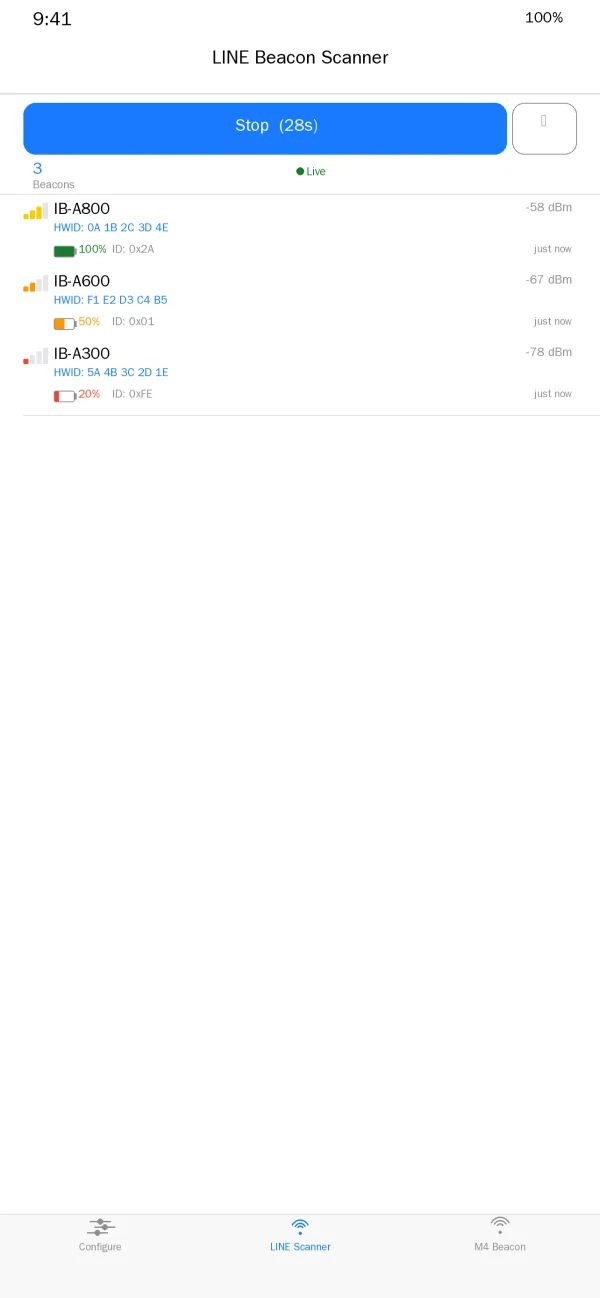
• LINE Beacon Scanner — detects LINE Simple Beacons (0xFE6F), showing Hardware ID, battery, and inventory ID
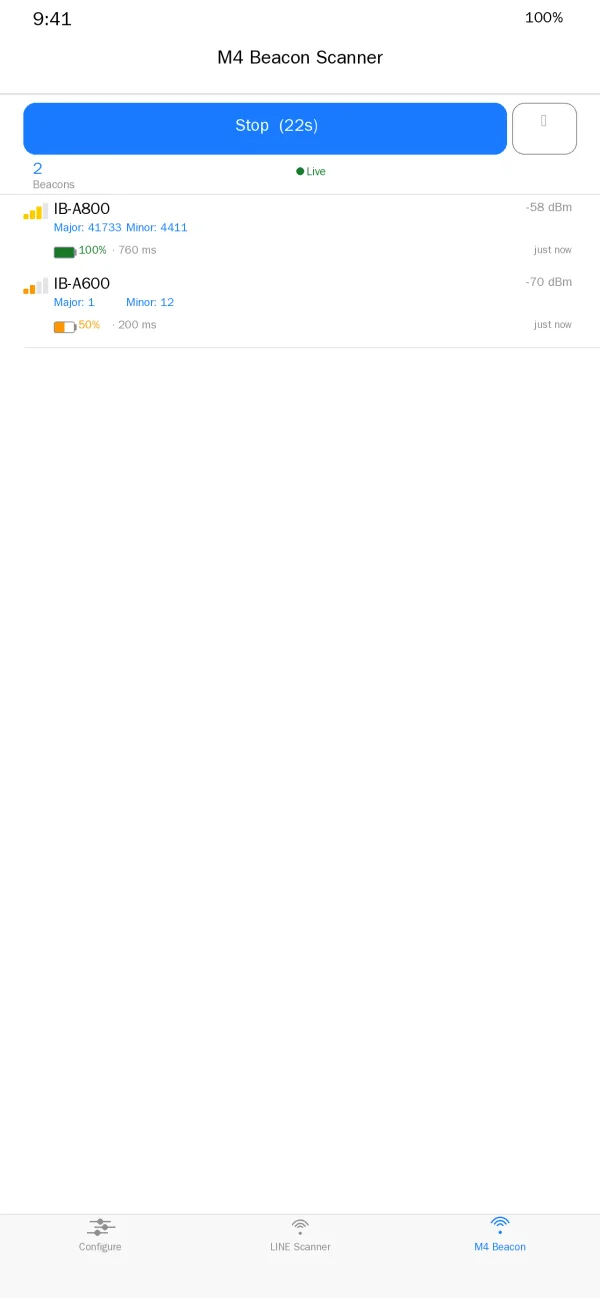
• M4 Beacon Scanner — detects M4 IB-A series beacons in iBeacon mode with Major, Minor, battery, and adv interval Power Saving
• Scanning auto-stops after 30 seconds (countdown shown on button)
• Beacons inactive for 60 seconds are automatically removed
• Scanning stops when switching tabs Configuration
• UUID editor split into 5 segments (8-4-4-4-12) with auto-advance
• Advertising Interval: logarithmic slider 100ms–100,000ms with presets
• TX Power: signal bar indicator with per-level descriptions
• Device Message: dual ASCII/Hex editor with live preview
• Connection: Cancel button and 15-second timeout
• Pairing PIN 668866 shown during connection
App-Datenschutz
Was Holden International Inc. im App Store zum Umgang dieser App mit Daten angibt.
-
Keine Daten erfasst
Der Entwickler erfasst keine Daten von dieser App.
Die Datenschutzpraktiken können variieren, zum Beispiel je nach den von Ihnen verwendeten Funktionen oder Ihrem Alter.
Informationen
- Anbieter
- Matrix Strategy Inc.
- Kategorie
- Produktivität
- Version
- 1.3
- Aktualisiert
- 11.05.2026
- Veröffentlicht
- 08.05.2026
- Größe
- 1,3 MB
- Erfordert
- iOS 16.6 oder neuer
- Altersfreigabe
- 4+
- Preis
- Kostenlos
- Sprachen
- Tradit. Chinesisch, Englisch
- Copyright
- © 2026 Holden International Inc.
Das könnte Ihnen auch gefallen
-
 TimerBar: Presentation TimerProduktivität
-
 Stikkr: Niimbot/Phomemo LabelsProduktivität
-
 The Presentation TimerProduktivität
-
 Kopfhörer Finder: BluetoothGeräte in der Nähe finden
-
 SIGNL4 - Mobile AlarmierungAlarm. Quittierung. Eskalation
-
 SupportPay: Split ExpensesProduktivität
-
 @Mail2000Produktivität
-
 Air Printer: Print & Scanner.Produktivität
-
 Touch PortalProduktivität
-
 Wildix Collaboration MobileProduktivität