- Độ tuổi4+
- Danh mụcNhạc
- Nhà phát triểnArduino Martini
- Ngôn ngữTiếng Anh+ 8 ngôn ngữ khác
- Kích thước108,9 MB
Liên kết đến trang App Store chính thức
Download.org không lưu trữ tệp nào của Maestro Score. Nút này mở trang ứng dụng trên App Store, nơi Arduino Martini phát hành ứng dụng. Trang được kiểm tra lần cuối: 28/11/2026.
Ảnh chụp màn hình

Giới thiệu
Nhà phát triển chưa cung cấp nội dung này bằng ngôn ngữ của bạn.
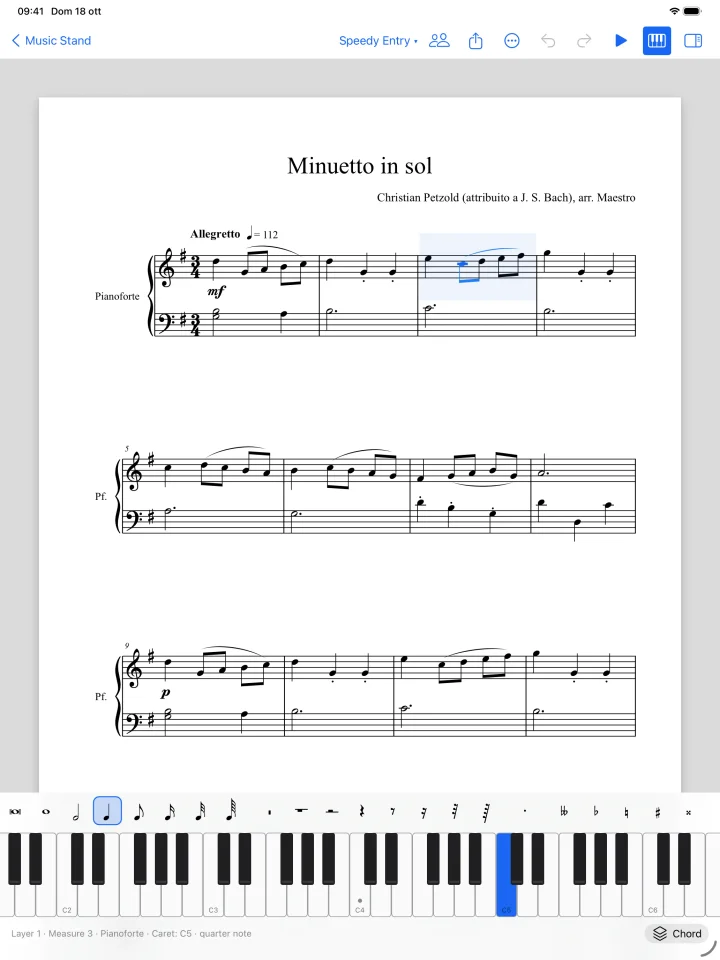
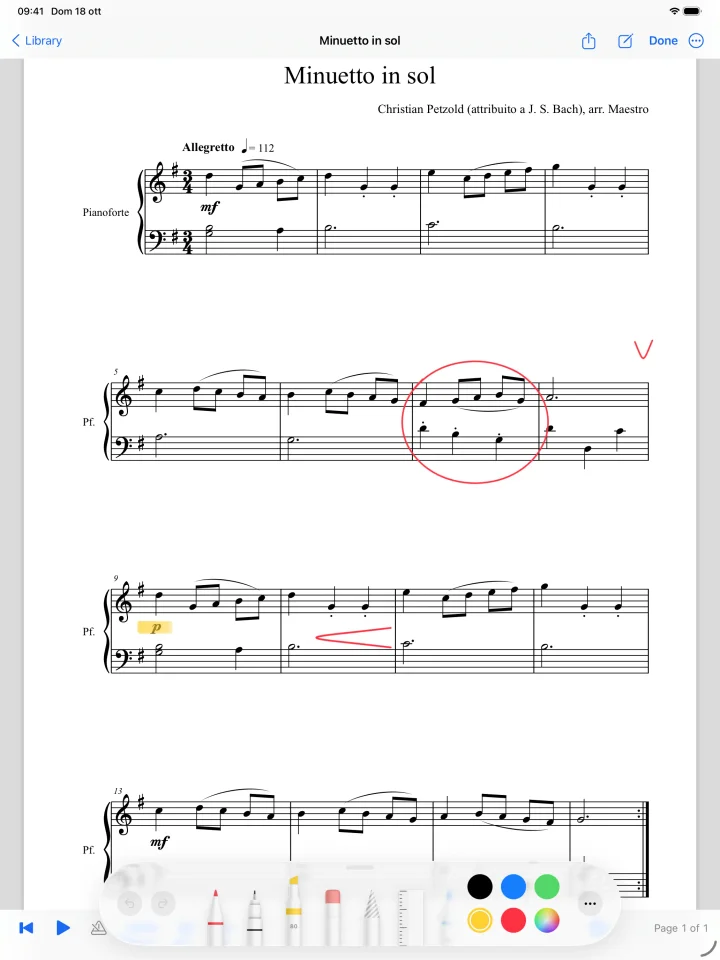
Maestro is a notation editor and a music stand for iPad: write your scores, read them full screen, turn pages with a tap or a Bluetooth pedal, and listen to them while you practice. Free, with no account and no ads.
It opens the files you already have: Maestro scores, Finale documents (.musx and .mus), MusicXML, MuseScore, Guitar Pro, MIDI and PDF, from Files, iCloud Drive or any app that shares them.
WRITE
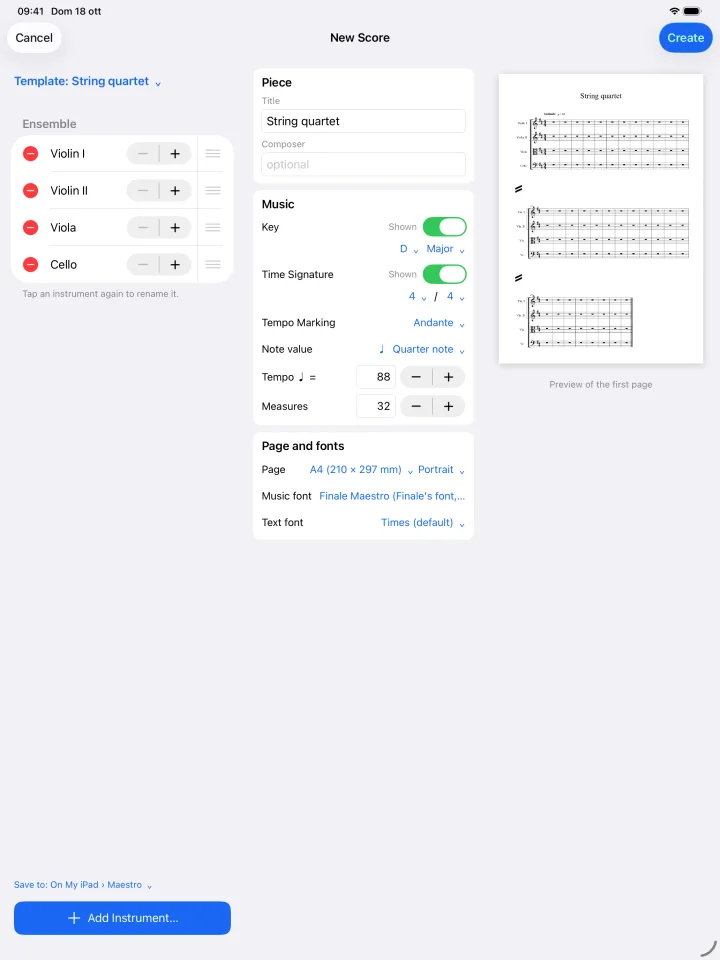
• A new score in a few taps: template, instruments, key, time signature, tempo and page
• Notes with the on-screen piano or guitar neck, chords too, or with a hardware keyboard and the same shortcuts as on the Mac
• Select with a finger, drag notes and markings, undo and redo
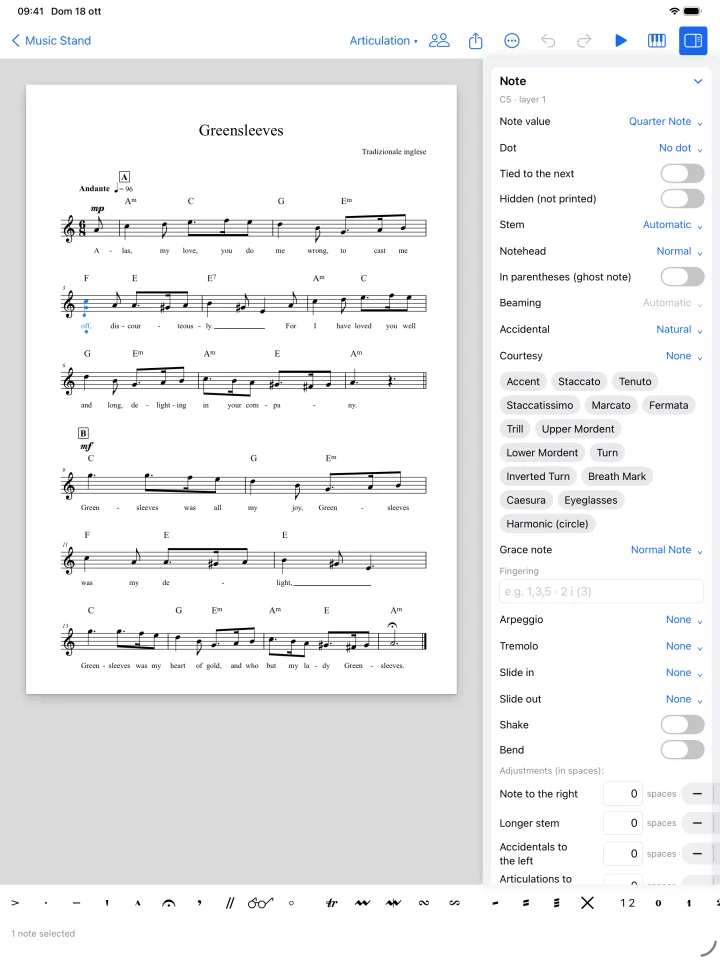
• Articulations, dynamics, hairpins, slurs, tuplets, repeats, chord symbols, lyrics, text and layout from palettes and the inspector
• Parts for each instrument, and parts with several instruments
• Saves in place, also in iCloud Drive, so the same file opens on your Mac
• Export and share as PDF, Maestro, MusicXML, Finale (.musx), LilyPond, MEI or MIDI, all parts in PDF in one go
• VoiceOver reads the score and every note you write
READ
• Full-screen pages, two side by side when you turn the iPad
• Turn pages with a tap, a swipe or a Bluetooth pedal, with a half-page turn
• Pinch to zoom up to 4×; every piece reopens where you left it
• Setlists for rehearsals and gigs, recent scores with thumbnails and search
• Write on the pages with Apple Pencil, saved for each piece and each part
LISTEN
• Playback with General MIDI sounds; the playhead follows the music and turns the page for you
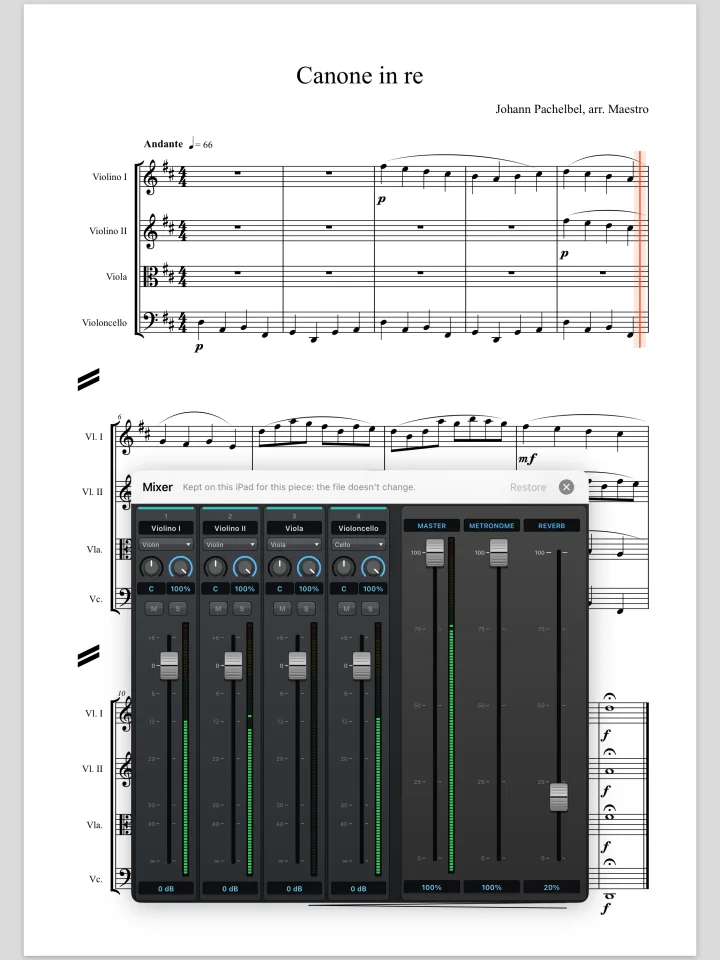
• Metronome, tempo from 50% to 150%, and a mixer with volume, pan, reverb, mute, solo and sound for each instrument
THE SAME SCORES ON YOUR MAC
Maestro for Mac has the same editor with every engraving option: start a score on one, finish it on the other.
No account, no ads and no data collected.
Maestro speaks English, Italian, German, French, Spanish, Japanese, Brazilian Portuguese, Simplified Chinese and Korean.
Có gì mới
Phiên bản 1.21.0 · 27/11/2026
What’s new in 1.21.0
• French snare drum: the new Snare Drum (French style) instrument has a one-line staff with the right hand above and the left hand below, stems down and horizontal beams. Number of Strokes… writes how many strokes a roll has, French style below the beam or Swiss style inside the arc, and the roll plays exactly those strokes. Stem-down percussion grace notes (the Swiss doublés) have the beam below, and back-to-back repeats with the thick barline have wings crossed in an X.
• Grace notes and rolls in playback: in custom playback styles the Grace notes and rolls group sets how long acciaccaturas, flams and drags last in milliseconds, whether grace note groups come before the beat, how soft they are, how many strokes per second three-slash rolls play and how much softer the strokes after the first are.
• Finale files: snare drum solos open almost as in Finale, with articulations written in EngraverFontSet or with text fonts, Petrucci tremolos, the number of strokes of rolls and stems down. A staff that hides clefs, key and time signatures, barlines or measure numbers in Finale hides them in Maestro too; markings repeated on every staff only for the parts no longer appear in the score; a file without a title no longer prints the file name; “quarter = 69 // 72” reads as written.
• Page text: the Number of pages field ({pages}, like Finale’s ^totpages) writes how many pages the score or part has, for example “page 1 of 2”.
• Measures and hairpins: Dashed Barline Before This Note splits the measure without adding a measure to the numbering (Count in Measure Numbering in the inspector), and Remove the Barline Before This Note joins it again; the staff size can be chosen in one part only. Select the Same Hairpins in Other Staves takes the same hairpins on every staff, and dragging the end of one lengthens or shortens them all together.
• Engraving: long slurs that rise a lot pass over the whole phrase instead of crossing the notes, and a fermata on a rest at the end of the measure no longer touches the barline.
Quyền riêng tư của ứng dụng
Những gì Arduino Martini khai báo trên App Store về cách ứng dụng này xử lý dữ liệu.
-
Dữ liệu không được thu thập
Nhà phát triển không thu thập bất kỳ dữ liệu nào từ ứng dụng này.
Phương thức đảm bảo quyền riêng tư có thể khác nhau, chẳng hạn như tuỳ theo các tính năng bạn sử dụng hoặc độ tuổi của bạn.
Thông tin
- Người bán
- Arduino Martini
- Danh mục
- Nhạc
- Phiên bản
- 1.21.0
- Cập nhật
- 27/11/2026
- Phát hành
- 30/10/2026
- Kích thước
- 108,9 MB
- Yêu cầu
- iOS 17.0 trở lên
- Độ tuổi
- 4+
- Giá
- Miễn phí
- Ngôn ngữ
- Tiếng Anh, Tiếng Pháp, Tiếng Đức, Tiếng Ý, Tiếng Nhật, Tiếng Hàn, Tiếng Bồ Đào Nha, Tiếng Trung Giản thể, Tiếng Tây Ban Nha
- Bản quyền
- © 2026 Arduino Martini