
Moki - Markdown Editor
Code, PDF, Image & Text Viewer
Được thiết kế cho iPhone, iPad, Mac
Miễn phí · Mua hàng trong ứng dụng
- Độ tuổi4+
- Danh mụcCông Cụ Nhà Phát Triển
- Nhà phát triểnLayerz Corp.
- Ngôn ngữTiếng Anh+ 5 ngôn ngữ khác
- Kích thước17,9 MB
Liên kết đến trang App Store chính thức
Download.org không lưu trữ tệp nào của Moki - Markdown Editor. Nút này mở trang ứng dụng trên App Store, nơi Layerz Corp. phát hành ứng dụng. Trang được kiểm tra lần cuối: 17/11/2026.
Ảnh chụp màn hình
Giới thiệu
Nhà phát triển chưa cung cấp nội dung này bằng ngôn ngữ của bạn.
### Description
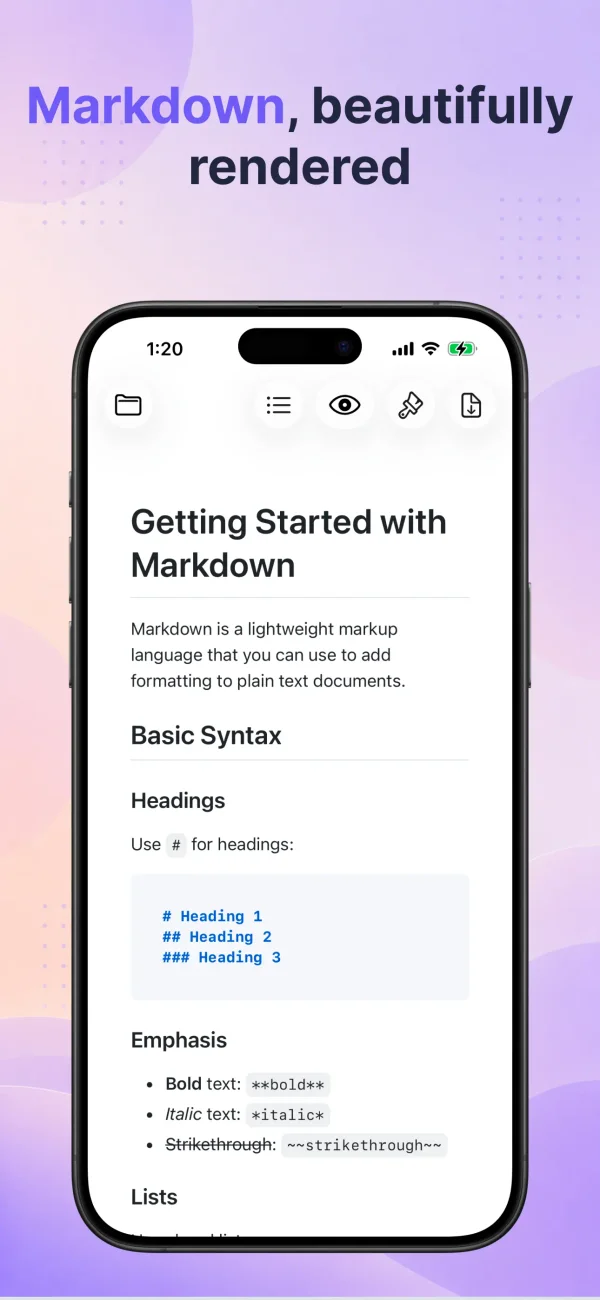
Moki is a warm, simple home for your Markdown on iPhone and iPad — a lovely place to read it and write it.
**Reading is a pleasure**
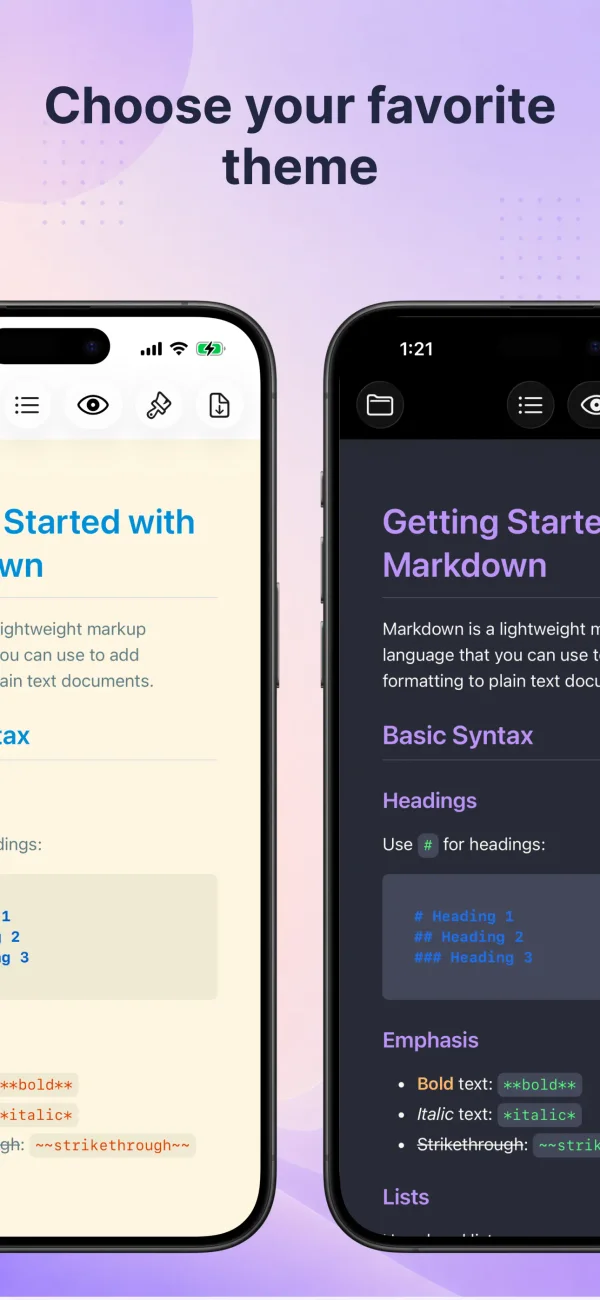
- 10 built-in themes to choose from — with colorful code blocks, math, and diagrams
- A comfy, centered reading width keeps long lines easy on the eyes
- A Table of Contents to hop between headings
- Light or dark, whichever you like
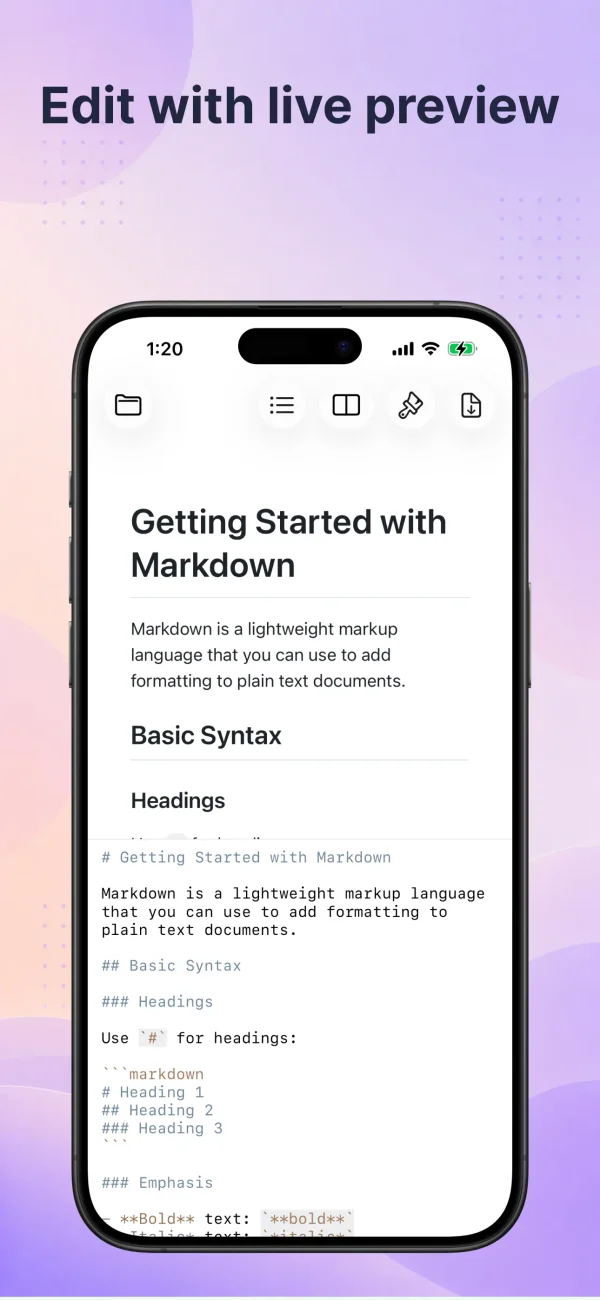
**Writing feels easy**
- Your preview sits right beside the editor as you type — scroll either side and the other keeps pace
- A handy formatting toolbar above the keyboard
- Gentle syntax colors, and lists that keep themselves going
- Everything saves on its own
**Made for Vibe Coding**
- Open a folder and all your Markdown shows up in the sidebar
- When a file changes, it re-renders in a blink — so you can watch your notes, plans, and AI-written docs update live, all in one place
- Local images just show up — even blog posts that use site-absolute paths like /images/photo.png
- Find files by name, and create, rename, or delete files and folders with ease
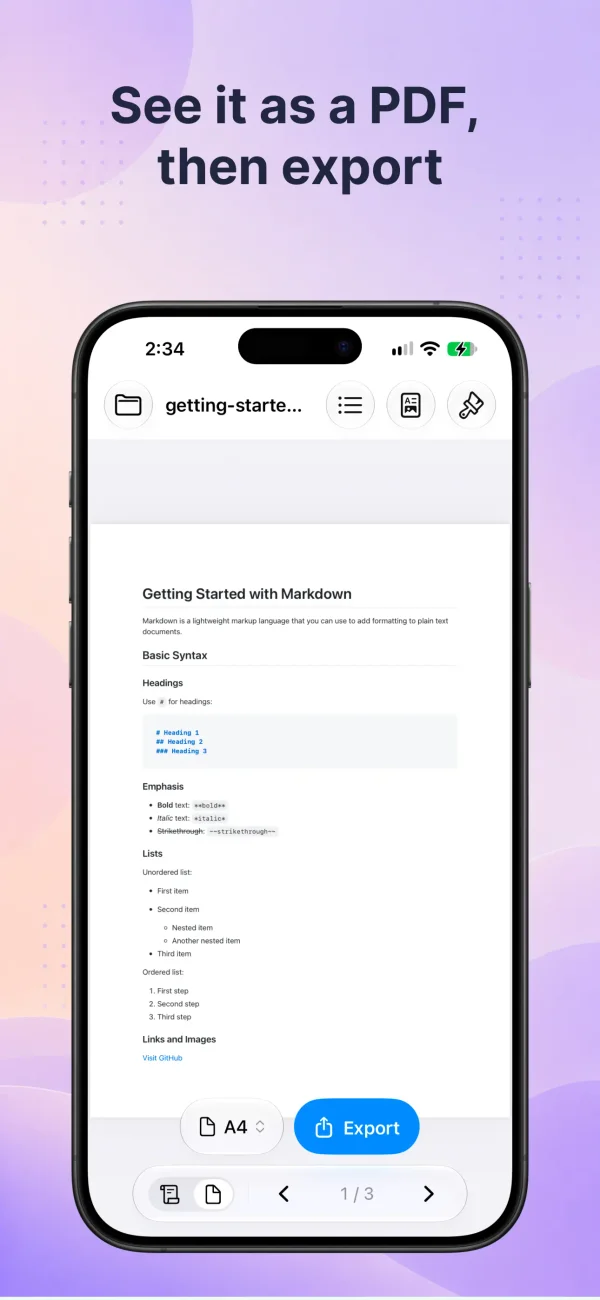
**See the PDF before you share it**
- PDF Preview shows your note exactly as it will print — paginated A4 or Letter, tall images fitted to a page, lines never split, and your own page breaks honored
- Flip through the pages right in the reader, then export with one click (Moki Pro)
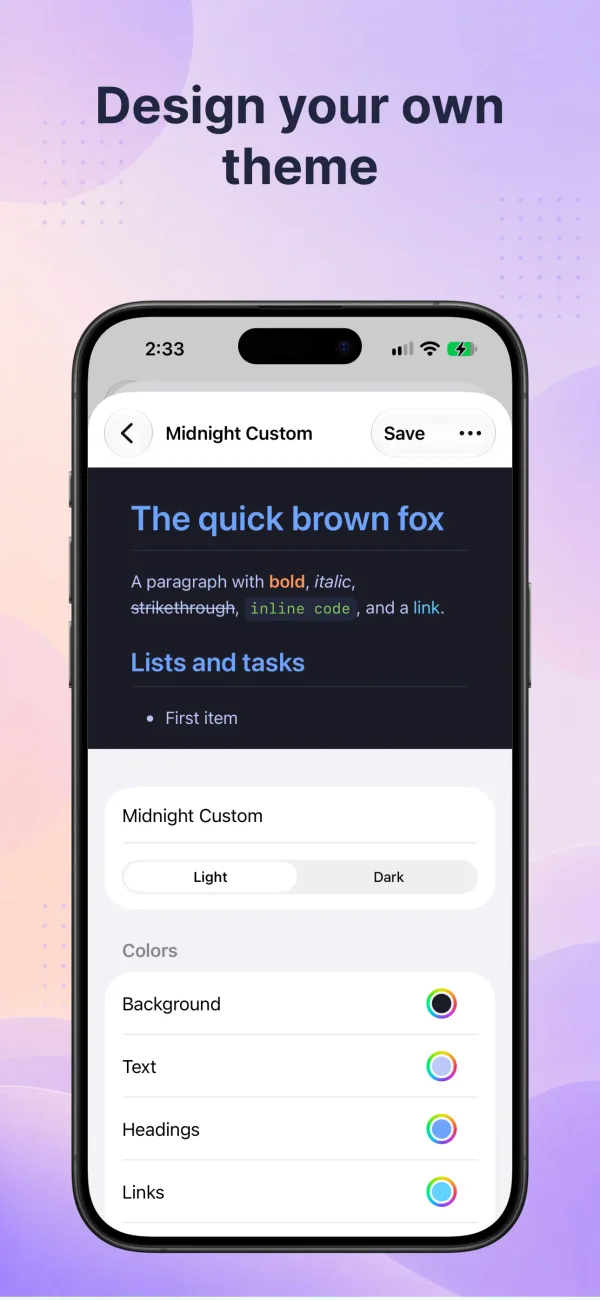
**Make it yours with Moki Pro**
One-time purchase:
- Export polished, paginated PDFs
- Design your own theme — colors, fonts, line spacing, and reading width — with a live preview
- Import Markdown CSS themes, fonts and images included, and export your themes as CSS to share or fine-tune
**And there's more — beyond Markdown**
- Source code in living color in a dark editor — Swift, Python, JavaScript, JSON, and more
- A built-in PDF viewer with page layouts and navigation
- An image viewer with zoom and animated GIFs, plus video playback
- Take a peek at any other file type with QuickLook
- iCloud files download whenever you need them, with a clear indicator
- Three display modes: read, write, or both
Có gì mới
Phiên bản 1.9.1 · 03/11/2026
- Moki now speaks German, Simplified Chinese and Traditional Chinese
Quyền riêng tư của ứng dụng
Những gì Layerz Corp. khai báo trên App Store về cách ứng dụng này xử lý dữ liệu.
-
Dữ liệu không liên kết với bạn
Có thể được thu thập nhưng không liên kết với danh tính của bạn.
- Dữ liệu sử dụng
Phương thức đảm bảo quyền riêng tư có thể khác nhau, chẳng hạn như tuỳ theo các tính năng bạn sử dụng hoặc độ tuổi của bạn.
Thông tin
- Người bán
- Layerz Corp.
- Danh mục
- Công Cụ Nhà Phát Triển
- Phiên bản
- 1.9.1
- Cập nhật
- 03/11/2026
- Phát hành
- 28/04/2026
- Kích thước
- 17,9 MB
- Yêu cầu
- iOS 26.0 trở lên
- Độ tuổi
- 4+
- Giá
- Miễn phí
- Mua hàng trong ứng dụng
- Có
- Ngôn ngữ
- Tiếng Anh, Tiếng Đức, Tiếng Nhật, Tiếng Hàn, Tiếng Trung Giản thể, Tiếng Trung Phồn thể
- Bản quyền
- © 2026 Layerz Corp.
Có thể bạn cũng thích
-
 ADRs for AICông Cụ Nhà Phát Triển
-
 CSVMagicCông Cụ Nhà Phát Triển
-
 FlonnoCông Cụ Nhà Phát Triển
-
 Git PlannerCông Cụ Nhà Phát Triển
-
 QuotaKit: AI Usage TrackerCông Cụ Nhà Phát Triển
-
 AgentDeck DashboardCông Cụ Nhà Phát Triển
-
 Read Markdown: Fast & LightKiểu GitHub, chạy offline
-
 SyntacticCông Cụ Nhà Phát Triển
-
 .md viewer & editor: NanoFileCông Cụ Nhà Phát Triển
-
 LocalRockCông Cụ Nhà Phát Triển