
Moki - Markdown Editor
Code, PDF, Image & Text Viewer
Projetado para iPhone, iPad, Mac
Grátis · Compras no app
- Classificação etária4+
- CategoriaPara desenvolvedores
- DesenvolvedorLayerz Corp.
- IdiomasInglêse mais 5
- Tamanho17,9 MB
Leva à página oficial na App Store
O Download.org não hospeda nenhum arquivo de Moki - Markdown Editor. O botão abre a página do app na App Store, onde Layerz Corp. o publica. Página verificada pela última vez em 17/11/2026.
Capturas de tela
Sobre
O desenvolvedor não forneceu este texto no seu idioma.
### Description
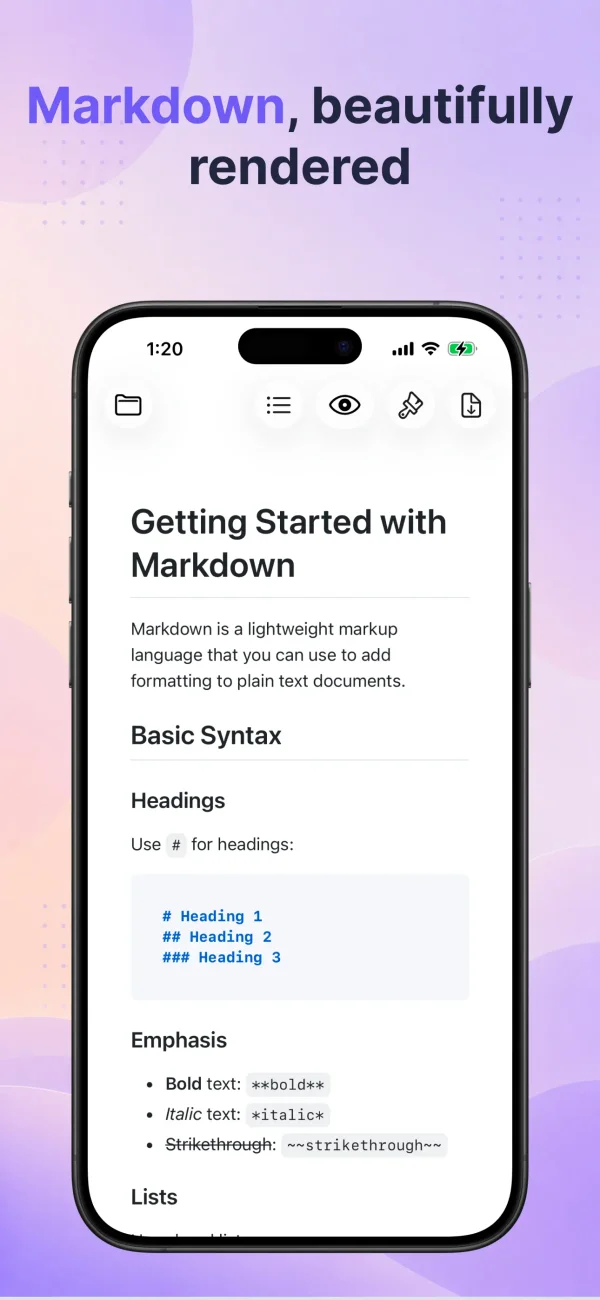
Moki is a warm, simple home for your Markdown on iPhone and iPad — a lovely place to read it and write it.
**Reading is a pleasure**
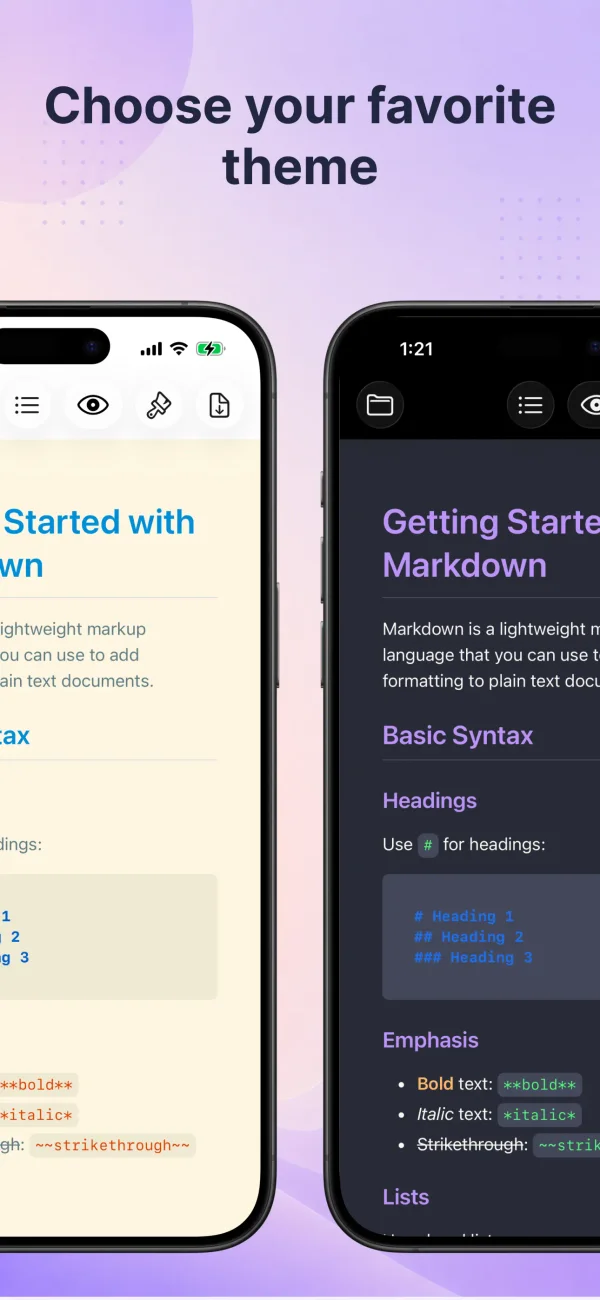
- 10 built-in themes to choose from — with colorful code blocks, math, and diagrams
- A comfy, centered reading width keeps long lines easy on the eyes
- A Table of Contents to hop between headings
- Light or dark, whichever you like
**Writing feels easy**
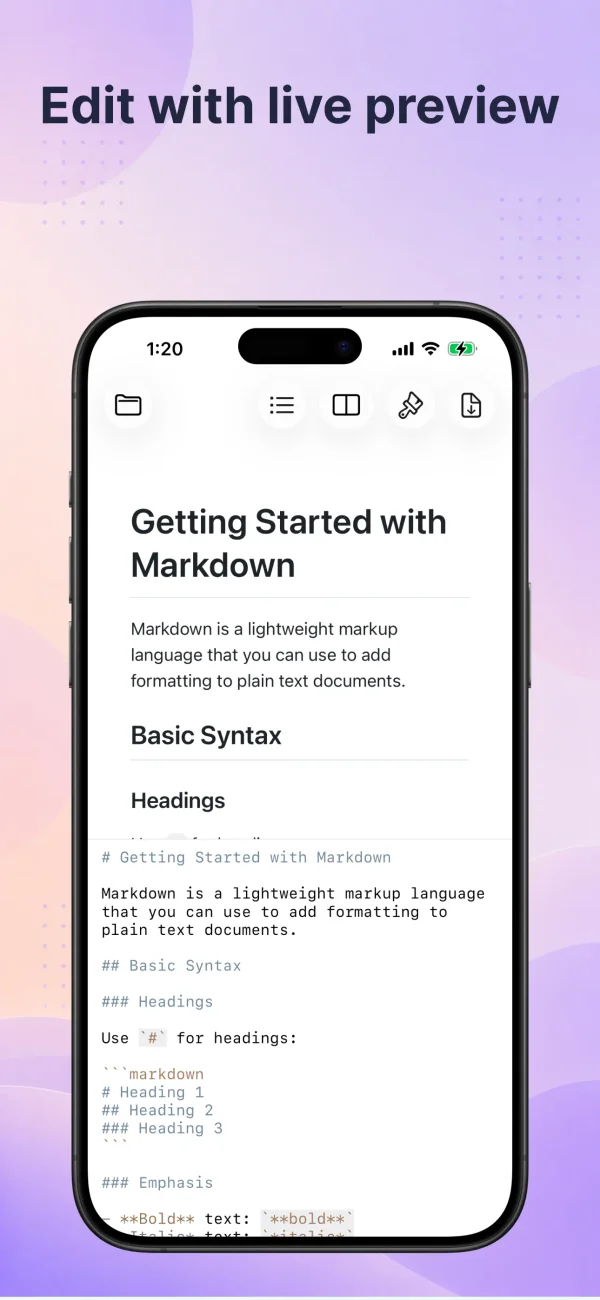
- Your preview sits right beside the editor as you type — scroll either side and the other keeps pace
- A handy formatting toolbar above the keyboard
- Gentle syntax colors, and lists that keep themselves going
- Everything saves on its own
**Made for Vibe Coding**
- Open a folder and all your Markdown shows up in the sidebar
- When a file changes, it re-renders in a blink — so you can watch your notes, plans, and AI-written docs update live, all in one place
- Local images just show up — even blog posts that use site-absolute paths like /images/photo.png
- Find files by name, and create, rename, or delete files and folders with ease
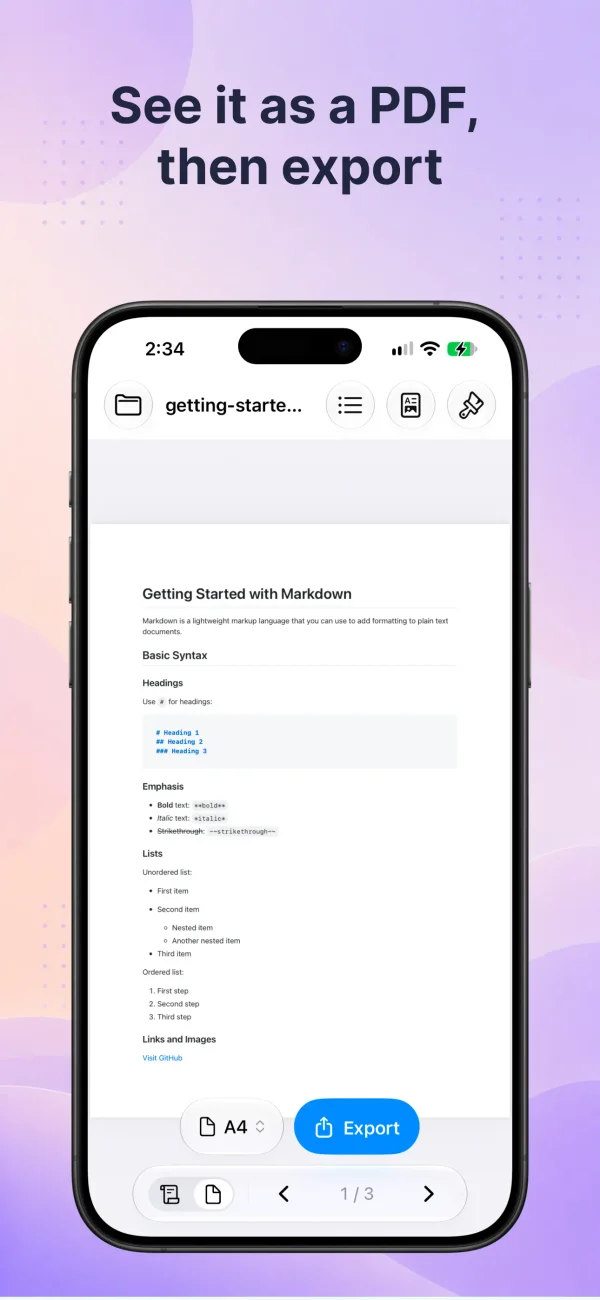
**See the PDF before you share it**
- PDF Preview shows your note exactly as it will print — paginated A4 or Letter, tall images fitted to a page, lines never split, and your own page breaks honored
- Flip through the pages right in the reader, then export with one click (Moki Pro)
**Make it yours with Moki Pro**
One-time purchase:
- Export polished, paginated PDFs
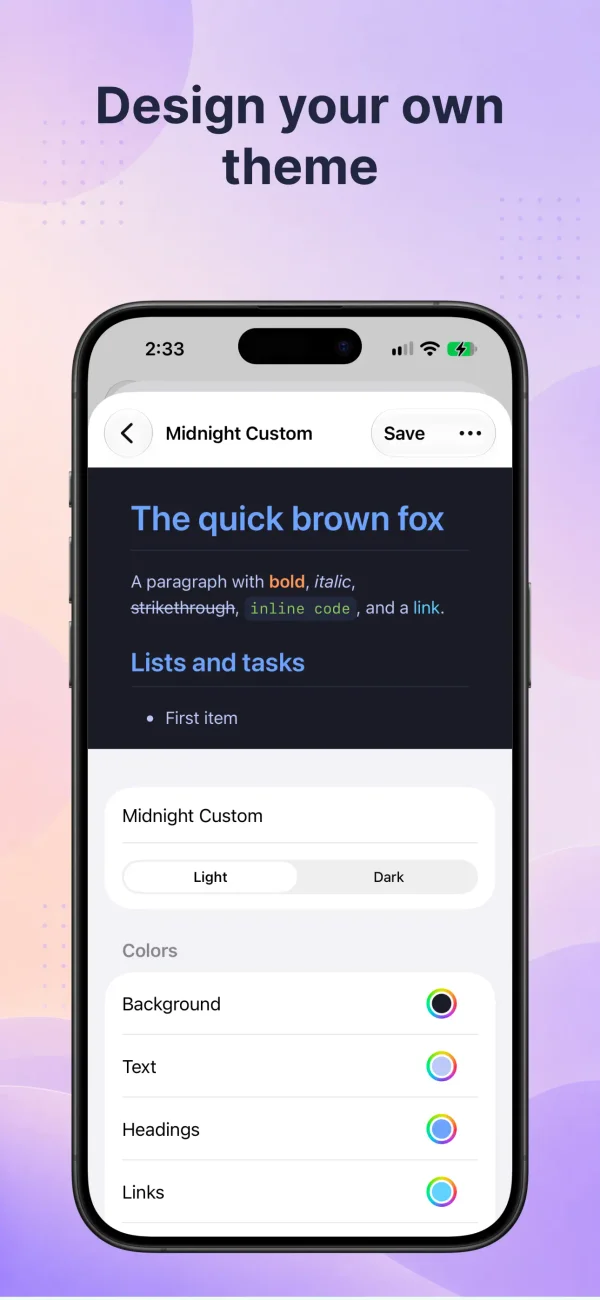
- Design your own theme — colors, fonts, line spacing, and reading width — with a live preview
- Import Markdown CSS themes, fonts and images included, and export your themes as CSS to share or fine-tune
**And there's more — beyond Markdown**
- Source code in living color in a dark editor — Swift, Python, JavaScript, JSON, and more
- A built-in PDF viewer with page layouts and navigation
- An image viewer with zoom and animated GIFs, plus video playback
- Take a peek at any other file type with QuickLook
- iCloud files download whenever you need them, with a clear indicator
- Three display modes: read, write, or both
Novidades
Versão 1.9.1 · 03/11/2026
- Moki now speaks German, Simplified Chinese and Traditional Chinese
Privacidade do app
O que Layerz Corp. declara na App Store sobre como este app lida com os dados.
-
Dados não vinculados a você
Podem ser coletados, mas não são vinculados à sua identidade.
- Dados de uso
As práticas de privacidade podem variar, por exemplo, com base nos recursos que você usa ou na sua idade.
Informações
- Vendedor
- Layerz Corp.
- Categoria
- Para desenvolvedores
- Versão
- 1.9.1
- Atualizado
- 03/11/2026
- Lançamento
- 28/04/2026
- Tamanho
- 17,9 MB
- Requer
- iOS 26.0 ou posterior
- Classificação etária
- 4+
- Preço
- Grátis
- Compras no app
- Sim
- Idiomas
- Inglês, Alemão, Japonês, Coreano, Chinês simplificado, Chinês tradicional
- Copyright
- © 2026 Layerz Corp.
Você também pode gostar
-
 ADRs for AIPara desenvolvedores
-
 CSVMagicPara desenvolvedores
-
 FlonnoPara desenvolvedores
-
 Git PlannerPara desenvolvedores
-
 QuotaKit: AI Usage TrackerPara desenvolvedores
-
 AgentDeck DashboardPara desenvolvedores
-
 Read Markdown: Fast & LightPara desenvolvedores
-
 SyntacticPara desenvolvedores
-
 .md viewer & editor: NanoFilePara desenvolvedores
-
 LocalRockPara desenvolvedores