Mori - Markdown Editor
See your Markdown as you type
Được thiết kế cho iPhone, iPad, Mac
Miễn phí · Mua hàng trong ứng dụng
- Độ tuổi4+
- Danh mụcHiệu Suất
- Nhà phát triểnGAGASOFT
- Ngôn ngữTiếng Hàn+ 1 ngôn ngữ khác
- Kích thước2,8 MB
Liên kết đến trang App Store chính thức
Download.org không lưu trữ tệp nào của Mori - Markdown Editor. Nút này mở trang ứng dụng trên App Store, nơi GAGASOFT phát hành ứng dụng. Trang được kiểm tra lần cuối: 10/11/2026.
Ảnh chụp màn hình
Giới thiệu
Nhà phát triển chưa cung cấp nội dung này bằng ngôn ngữ của bạn.
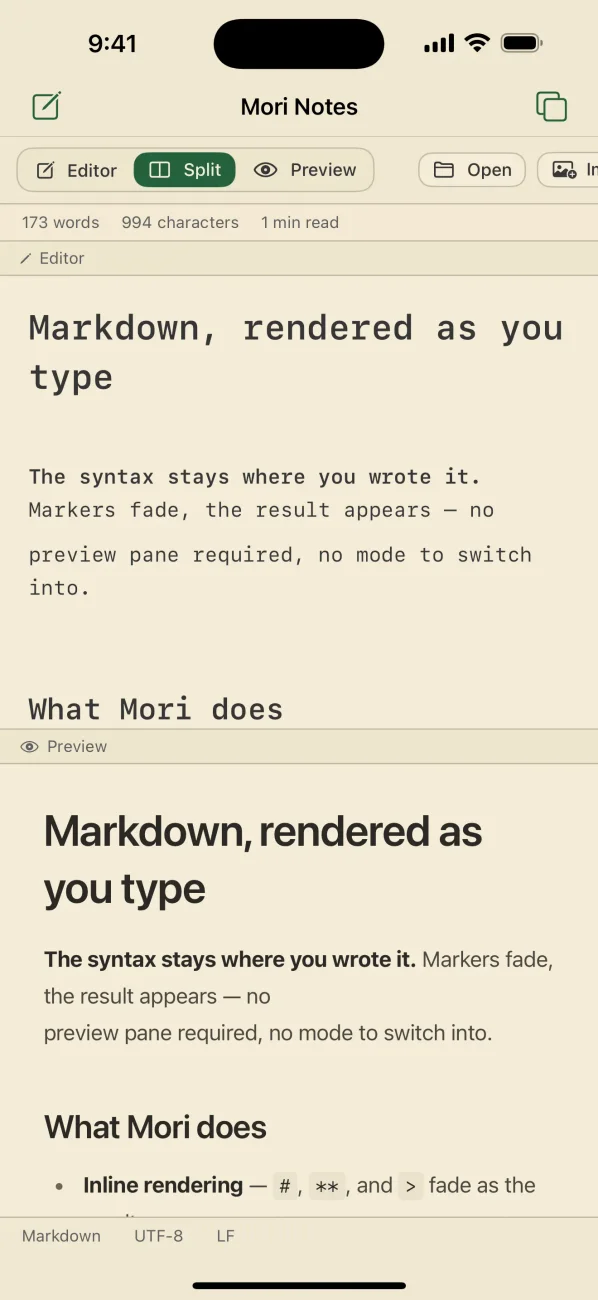
Mori is a Markdown editor that shows you the result while you are still typing it.
Type a heading and it grows into a heading right there in the editor. Mark a word bold and it turns bold. The Markdown source stays exactly where it is, so you can always go back and edit the syntax by hand. You do not need a separate preview window open to know how your document looks.
Three view modes
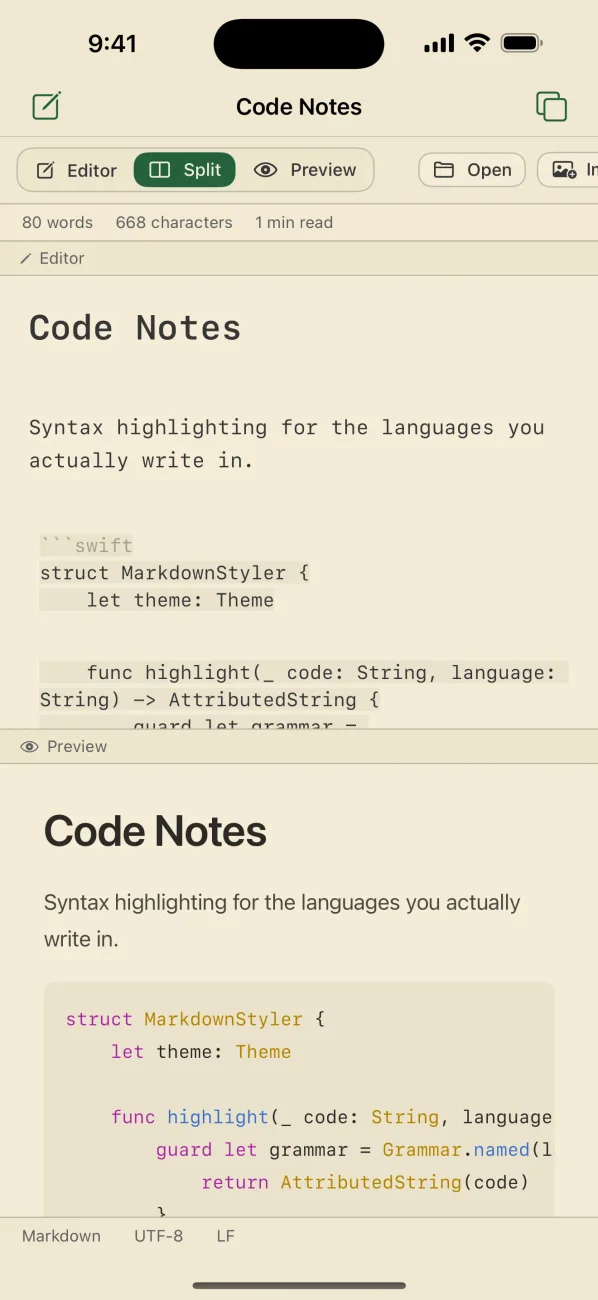
Choose the editor alone, a side-by-side split, or the preview alone. In split mode the preview follows along as you scroll the editor, so you never have to hunt for the paragraph you are working on in a long document.
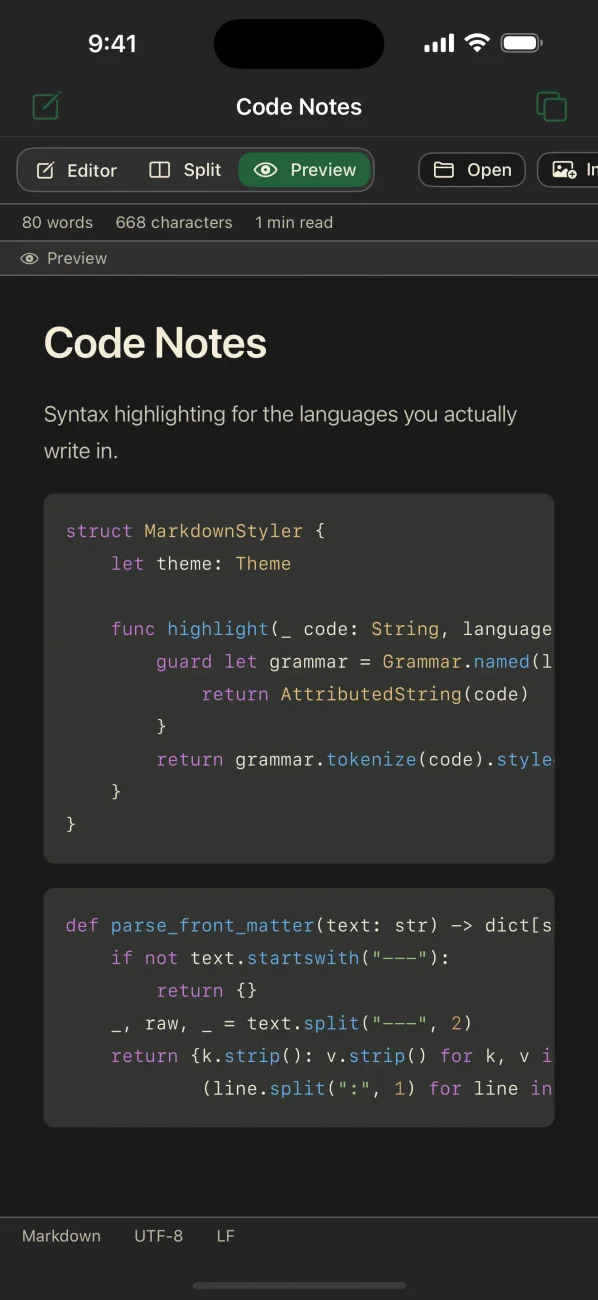
Syntax highlighting
Code blocks are colored by language. Swift, Kotlin, Java, JavaScript, TypeScript, Python, C, C++, Go, Rust, Ruby, PHP, SQL, Bash, JSON, YAML, TOML, HTML and CSS are all supported. Blocks with no language tag are read and identified automatically, so pasted code gets colored too.
Export to the format you need
Save as Markdown, HTML, PDF, PNG image, or plain text. On macOS you can export to Word as well. You can also copy straight to the clipboard and paste into another app without creating a file at all.
Attach images
Drag an image onto the window and it is inserted into your document. When you export to PDF or HTML the images travel inside the exported file, so you only have to send one file for the pictures to show up on the other end.
Conversion tools
Turn CSV and JSON into Markdown tables. Go the other way to convert a table into CSV, HTML into Markdown, or Markdown into unformatted plain text. Copy the result or drop it straight into your document.
Documents in tabs
Keep several documents open as tabs in one window. Drag a tab out and it becomes its own window; drag it onto another window's tab bar and it joins that window. It works the way your web browser does. (macOS)
Easy on the eyes
A warm cream light theme and a comfortable dark theme are both included. Exported PDFs and images follow the theme you picked, so working in a light window never produces a dark PDF.
No account, no internet
Everything happens on your device. There is no sign-up, and your documents are never uploaded to a server. It works the same on a plane as it does at your desk.
Free to read, one purchase to write
Opening and reading Markdown is free forever - no account, no time limit. When you
want to edit, export, attach images or insert converter output, start the 7-day free
trial from inside the app. After the trial, Mori stays a full-featured reader; unlock
writing permanently with a single $4.99 purchase. It is a one-time purchase, not a
subscription.
Available on Mac, iPhone and iPad.
Có gì mới
Phiên bản 1.0.2 · 26/10/2026
Bug fixes and usability improvements
Quyền riêng tư của ứng dụng
Những gì GAGASOFT khai báo trên App Store về cách ứng dụng này xử lý dữ liệu.
-
Dữ liệu không được thu thập
Nhà phát triển không thu thập bất kỳ dữ liệu nào từ ứng dụng này.
Phương thức đảm bảo quyền riêng tư có thể khác nhau, chẳng hạn như tuỳ theo các tính năng bạn sử dụng hoặc độ tuổi của bạn.
Thông tin
- Người bán
- GAGASOFT
- Danh mục
- Hiệu Suất
- Phiên bản
- 1.0.2
- Cập nhật
- 26/10/2026
- Phát hành
- 10/09/2026
- Kích thước
- 2,8 MB
- Yêu cầu
- iOS 17.0 trở lên
- Độ tuổi
- 4+
- Giá
- Miễn phí
- Mua hàng trong ứng dụng
- Có
- Ngôn ngữ
- Tiếng Hàn, Tiếng Anh
- Bản quyền
- © 2026 HanilSoft
Có thể bạn cũng thích
-
 LocalBrain AIHiệu Suất
-
 ExplorePDF: Read, Fill & SignHiệu Suất
-
 Markdown Reader & Editor - MDSơ đồ Mermaid, xuất PDF
-
 Offprint: Web to PDF & EPUBHiệu Suất
-
 OfflineGPTAI riêng tư, nhanh, an toàn
-
 Serval: Finest Ollama ClientHiệu Suất
-
 Daygraph: Nhật Ký Đơn GiảnĐơn giản, ngày mai tốt hơn
-
 Markdown Viewer MobileHiệu Suất
-
 Simpleum Safe EncryptionHiệu Suất
-
 Wallabag ReaderHiệu Suất