
MTerm - SSH Terminal
AI Dev Terminal for iOS
Được thiết kế cho iPhone, iPad
Miễn phí · Mua hàng trong ứng dụng
- Độ tuổi17+
- Danh mụcCông Cụ Nhà Phát Triển
- Nhà phát triểnkazuki oinuma
- Ngôn ngữTiếng Anh+ 13 ngôn ngữ khác
- Kích thước22,6 MB
Liên kết đến trang App Store chính thức
Download.org không lưu trữ tệp nào của MTerm - SSH Terminal. Nút này mở trang ứng dụng trên App Store, nơi kazuki oinuma phát hành ứng dụng. Trang được kiểm tra lần cuối: 16/11/2026.
Ảnh chụp màn hình

Giới thiệu
Nhà phát triển chưa cung cấp nội dung này bằng ngôn ngữ của bạn.
Run Claude Code, Codex, and AI agents from your iPad or iPhone — without being tied to a desk.
MTerm is a professional SSH client and iOS terminal emulator built specifically for AI-driven remote development. If you need serious developer tools on mobile, MTerm delivers a stable, persistent, and fully featured terminal environment for modern workflows.
Designed for developers who manage Linux, Mac, and cloud servers, MTerm combines a powerful SSH terminal, remote IDE, workspace persistence, and AI-focused tooling into one seamless experience.
PERFECT FOR DEVELOPERS WHO
- Run Claude Code, Codex, or other AI CLI tools remotely
- Search for a professional SSH client for iPad or iPhone
- Need a reliable iOS terminal emulator
- Work in remote development environments
- Manage servers via SSH daily
- Build AI-driven workflows on the go
MTerm is optimized for uninterrupted AI coding and serious remote development.
――――――――――――
AI DEVELOPMENT WORKSPACE
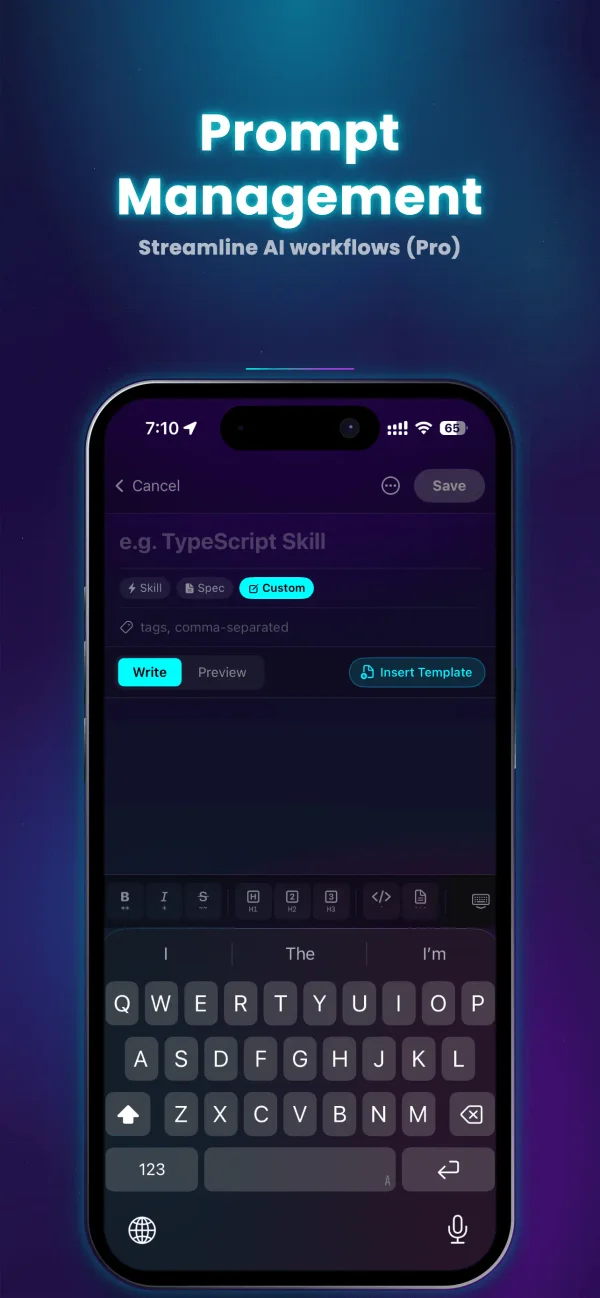
- Integrated SSH terminal + remote IDE + prompt manager
- Multi-window and multi-pane support for parallel AI workflows
- Workspace saving with CMD + S
- Restore native pane layouts instantly on reconnect
- Built for long-running development sessions
PERSISTENT SSH SESSIONS
- Keep SSH sessions alive when switching apps
- Designed for sustained remote development
- Active sessions visible in Notification Center
- Monitor running sessions with Live Activities
ADVANCED SSH CLIENT
- Password, SSH Key, and Keychain authentication
- Jump Host (bastion) support
- Local and Remote Port Forwarding
- Secure, stable connections for Linux, macOS, and cloud servers
- Mosh support for resilient connections on unstable mobile networks
MTERM PLUGIN SYSTEM
- Extend terminal capabilities with MTerm Plugins
- Integrate your Mac or remote server environment
- Session persistence powered by abduco
- Reconnect to long-running terminal sessions safely
- Display the current Git branch directly in the terminal footer
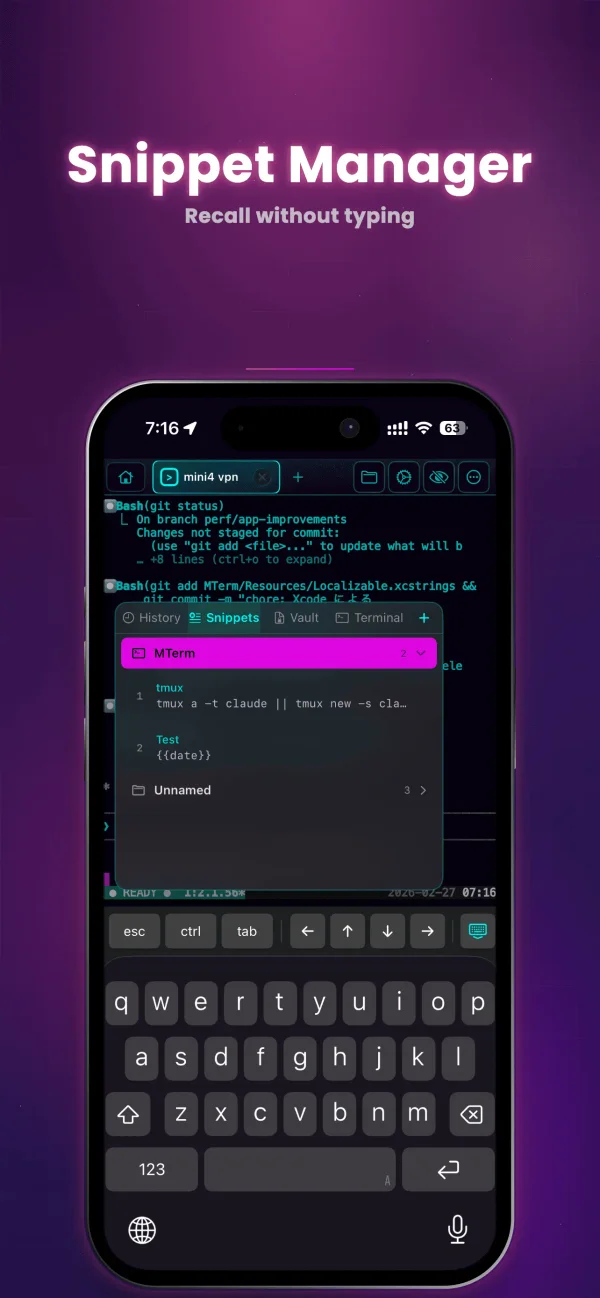
SNIPPETS & CLIPBOARD HISTORY
- Save commands and code as reusable snippets
- Quickly paste from clipboard history
- Ideal for repetitive development and AI prompt workflows
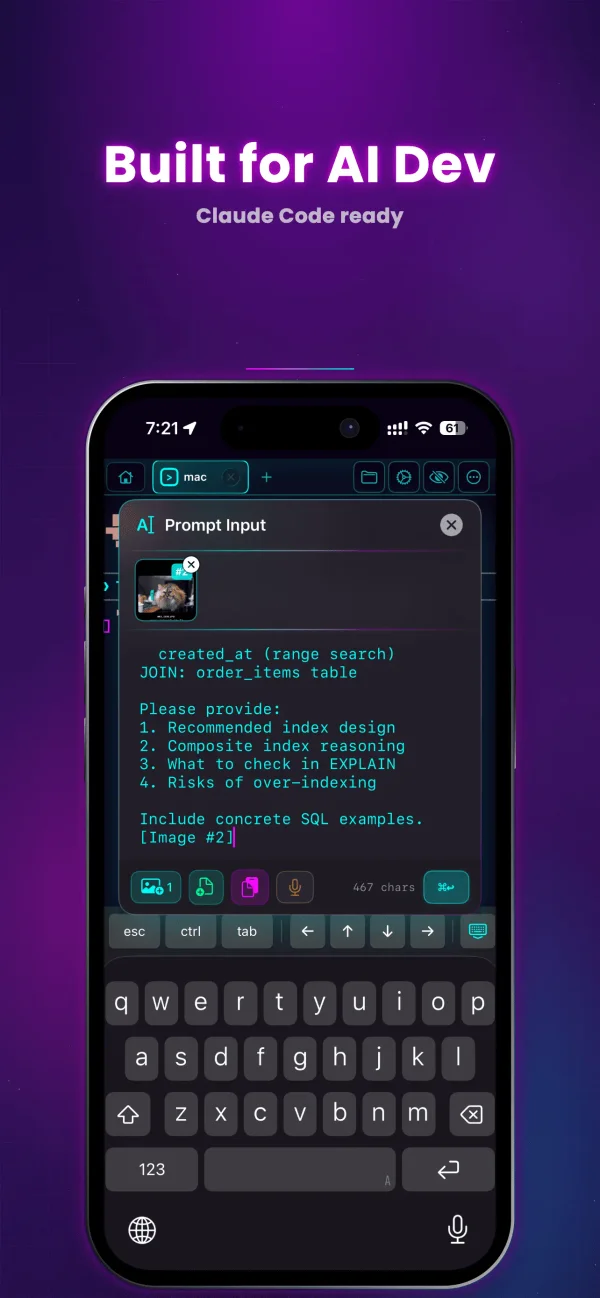
ENHANCED AI PROMPT INPUT
- Attach images and files directly in the prompt editor
- Optimized for Claude Code and AI CLI usage
- Seamless integration with the SSH terminal
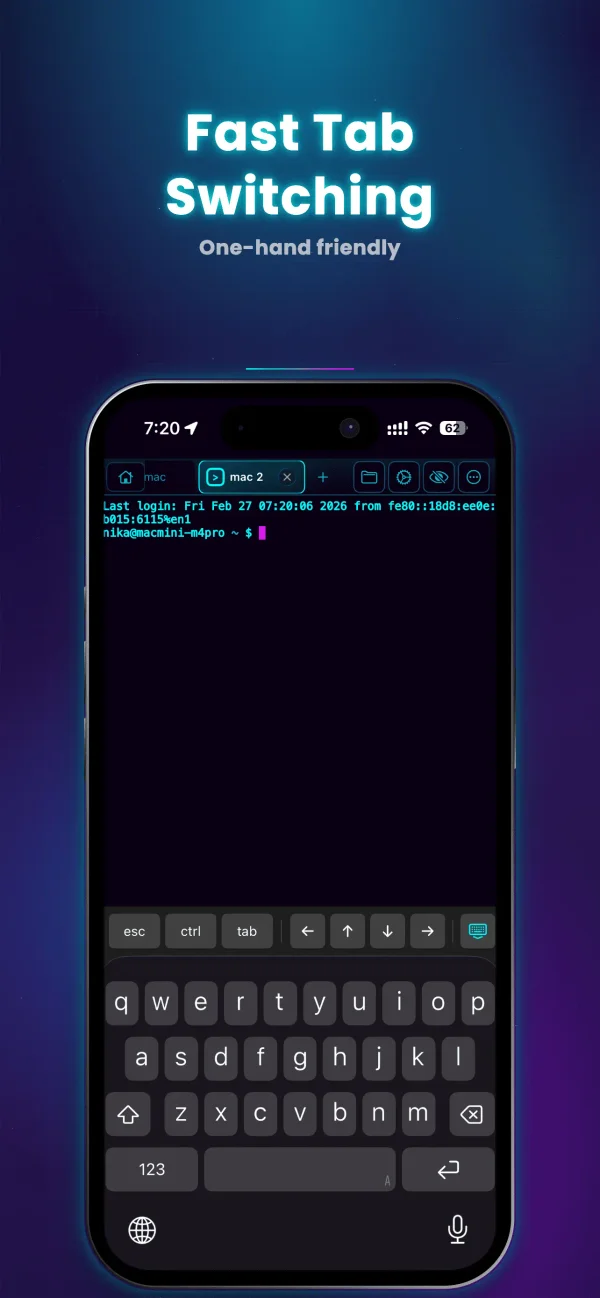
MULTI-PANE & TAB MANAGEMENT
- Native split-view terminal emulator
- Connect to multiple servers simultaneously
- Organize sessions with tabs
- Independent layouts per tab
- Vertical tab mode for better session navigation
- Unlimited panes (Pro)
CUSTOMIZABLE ACCESSORY BAR
- Configure shortcut buttons in the software keyboard toolbar
- Improve command efficiency without external tools
- Designed for fast command input on touch devices
BUILT-IN REMOTE EDITOR (Pro)
- Edit code, JSON, and Markdown directly on remote servers
- Designed for uninterrupted development
IMAGE PREVIEW (Pro)
- Instantly preview files
- Useful for reviewing AI-generated assets
FULL CJK & IME SUPPORT
- Accurate rendering for Japanese, Chinese, and Korean text
- Full IME input compatibility
- Stable long-form text input in terminal environments
MAGIC KEYBOARD & HARDWARE KEYBOARD SUPPORT
- Full keyboard shortcuts
- Optimized for professional iPad development
- Turn your iPad or iPhone into a serious developer workstation
――――――――――――
MTerm is not just another SSH client.
It’s an AI-focused iOS terminal built for real remote development.
Advanced features are unlocked with Pro.
Privacy Policy: https://mterm.app/en/privacy
Terms of Use: https://www.apple.com/legal/internet-services/itunes/dev/stdeula/
Có gì mới
Phiên bản 1.8.0 · 20/07/2026
v1.8.0
Preview web projects directly in MTerm.
The server file editor can now preview HTML with project-relative CSS, JavaScript, images, ES modules, dynamic imports, and JSON fetches—without starting a local web server.
With mterm-shell v0.2, run `mterm view index.html` over SSH to open the page in MTerm while keeping your terminal connected. Install the Agent Skill and ask Codex, Claude Code, Gemini CLI, or Antigravity CLI to open an HTML file for you.
Also new:
- Keep tabs and sessions separated by registered host and switch between multiple SSH hosts more reliably.
- Return to existing terminal tabs after visiting Home.
- Optionally prevent device sleep while MTerm is in the foreground.
- Configure scrollback history from 500 to 50,000 lines.
- Stronger SSH host-key checks, safer remote-file saves, and many stability fixes.
Quyền riêng tư của ứng dụng
Những gì kazuki oinuma khai báo trên App Store về cách ứng dụng này xử lý dữ liệu.
-
Dữ liệu không liên kết với bạn
Có thể được thu thập nhưng không liên kết với danh tính của bạn.
- Mã định danh
- Dữ liệu sử dụng
- Chẩn đoán
Phương thức đảm bảo quyền riêng tư có thể khác nhau, chẳng hạn như tuỳ theo các tính năng bạn sử dụng hoặc độ tuổi của bạn.
Thông tin
- Người bán
- kazuki oinuma
- Danh mục
- Công Cụ Nhà Phát Triển
- Phiên bản
- 1.8.0
- Cập nhật
- 20/07/2026
- Phát hành
- 17/02/2026
- Kích thước
- 22,6 MB
- Yêu cầu
- iOS 17.0 trở lên
- Độ tuổi
- 17+
- Giá
- Miễn phí
- Mua hàng trong ứng dụng
- Có
- Ngôn ngữ
- Tiếng Anh, Tiếng Pháp, Tiếng Đức, Hindi, Tiếng Ý, Tiếng Nhật, Tiếng Hàn, Tiếng Bồ Đào Nha, Tiếng Nga, Tiếng Trung Giản thể, Tiếng Tây Ban Nha, Tiếng Thái + 2 ngôn ngữ khác
- Bản quyền
- © kazuki oinuma
Có thể bạn cũng thích
-
 VibeTermCông Cụ Nhà Phát Triển
-
 Termova - SSH Agent ClientCông Cụ Nhà Phát Triển
-
 IM.codesCông Cụ Nhà Phát Triển
-
 MT - Mosh TerminalCông Cụ Nhà Phát Triển
-
 clux - Remote SSH TerminalCông Cụ Nhà Phát Triển
-
 Hermit SSHCông Cụ Nhà Phát Triển
-
 Redock - SSH / Mosh TerminalCông Cụ Nhà Phát Triển
-
 NetShell - SSH TerminalCông Cụ Nhà Phát Triển
-
 DevToolkit - SSH & FTPCông Cụ Nhà Phát Triển
-
 AgentShellCông Cụ Nhà Phát Triển