- Độ tuổi4+
- Danh mụcHiệu Suất
- Nhà phát triểnHolger Heidkamp
- Ngôn ngữTiếng Anh
- Kích thước26,5 MB
Liên kết đến trang App Store chính thức
Download.org không lưu trữ tệp nào của Next Deck. Nút này mở trang ứng dụng trên App Store, nơi Holger Heidkamp phát hành ứng dụng. Trang được kiểm tra lần cuối: 20/11/2026.
Ảnh chụp màn hình
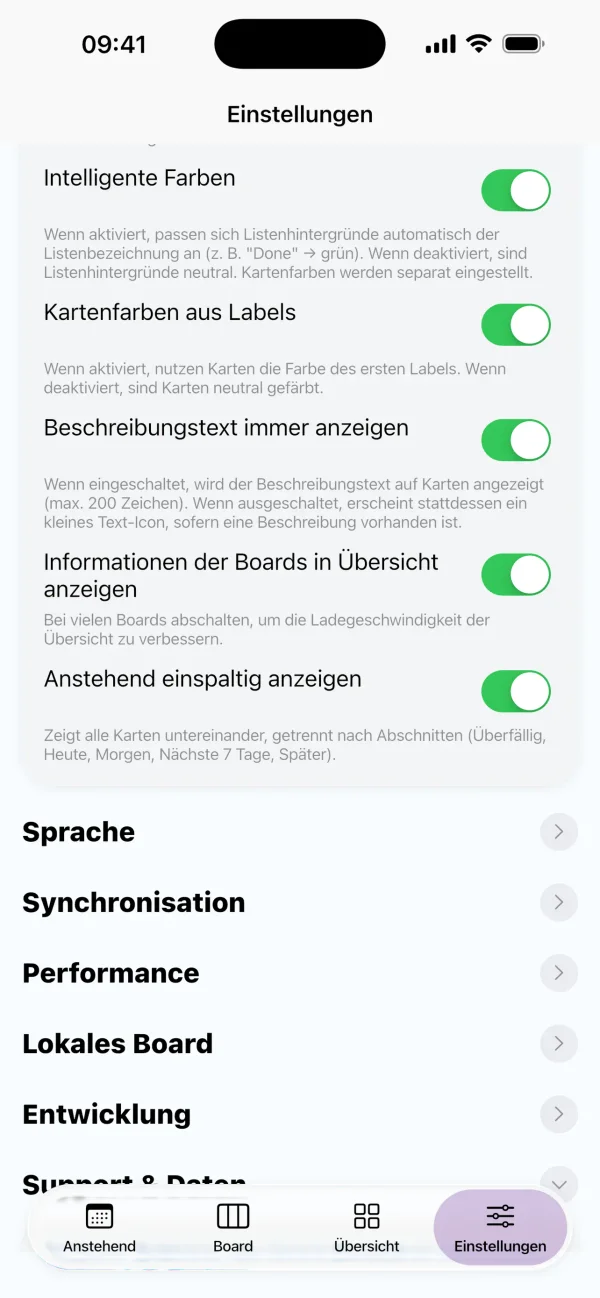

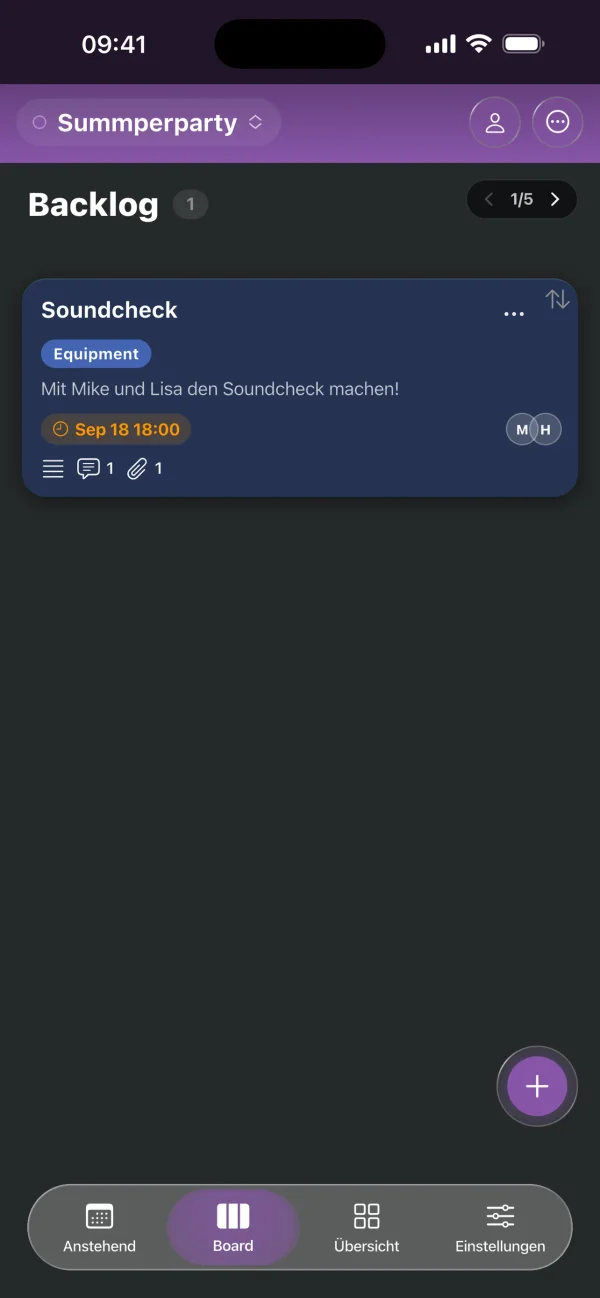
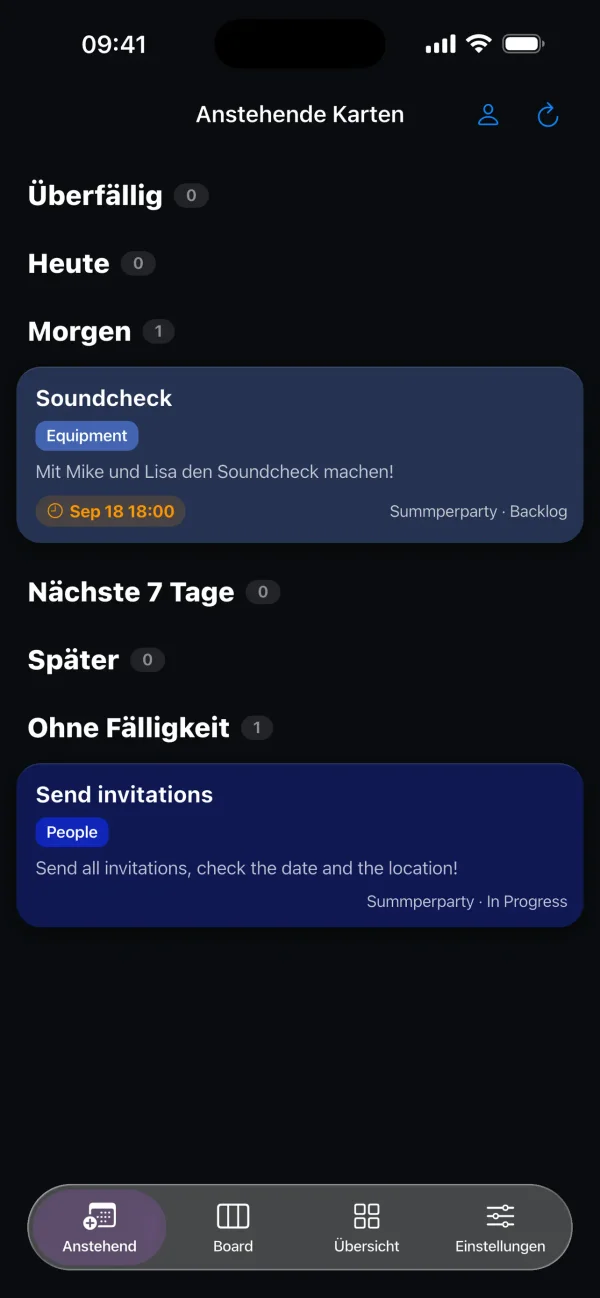

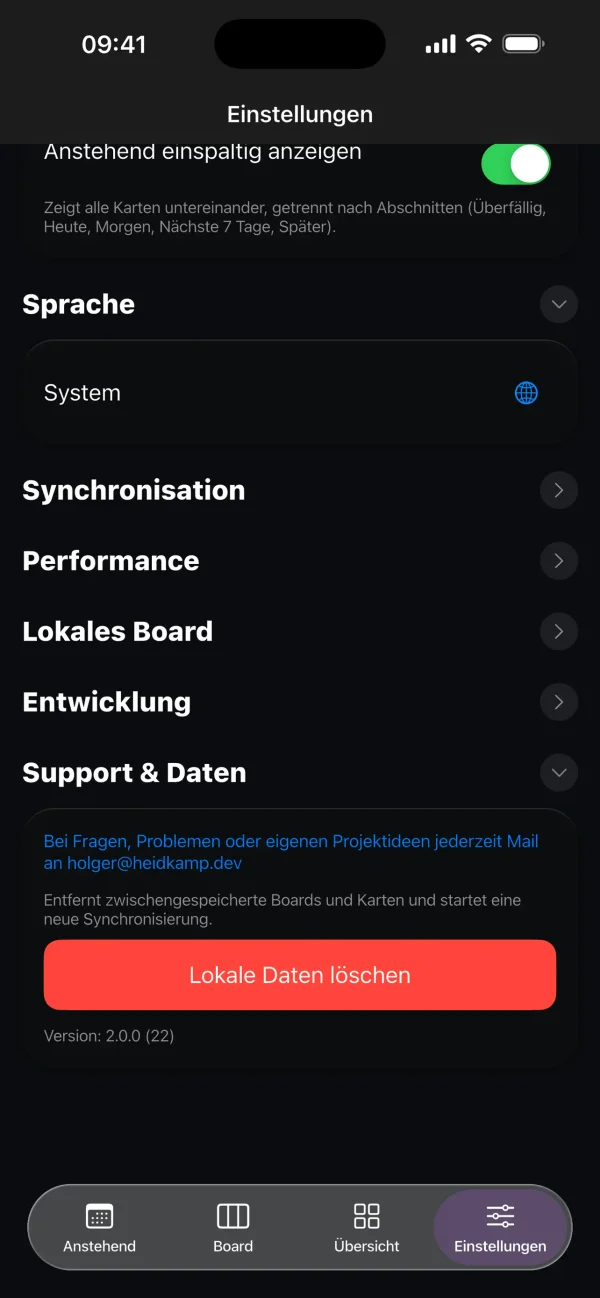
Giới thiệu
Nhà phát triển chưa cung cấp nội dung này bằng ngôn ngữ của bạn.
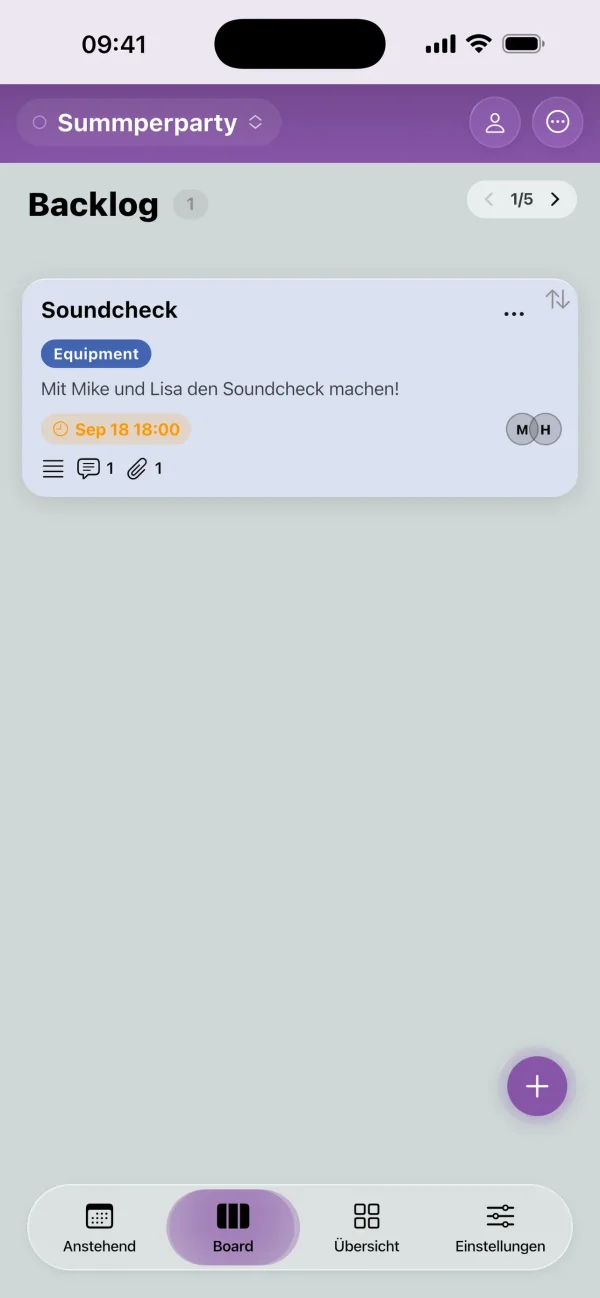
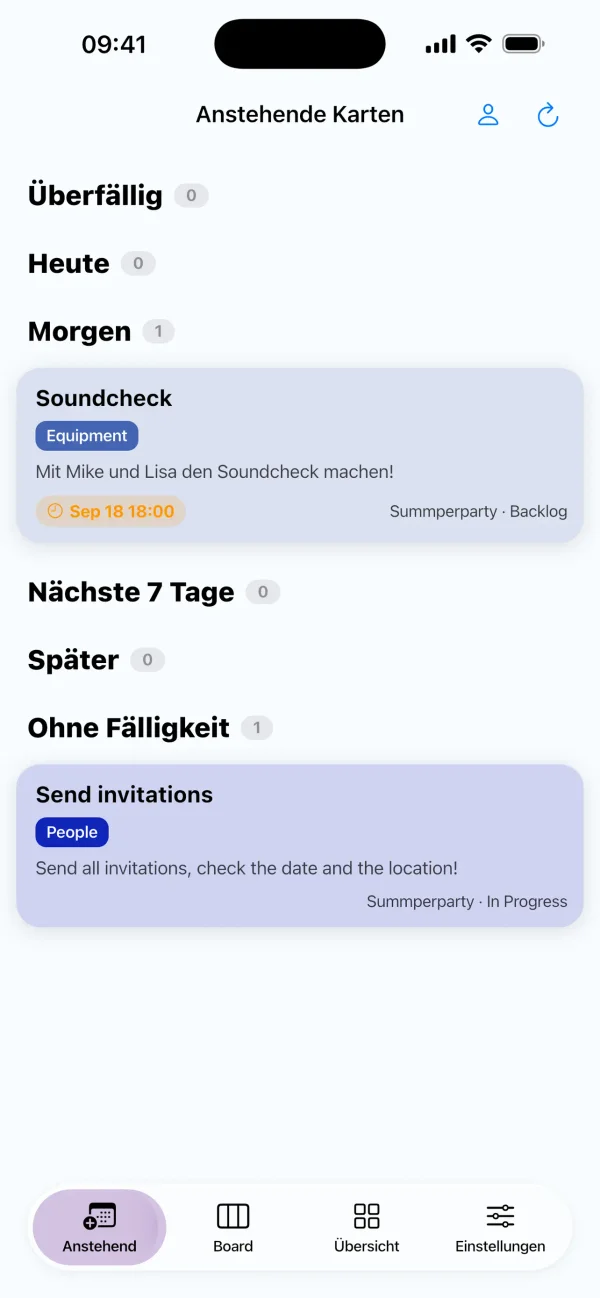
Nextdeck is the modern, lightning‑fast client for Nextcloud Deck — perfect for Kanban, tasks, and projects. Keep boards, columns, and cards under control at all times: move cards via drag and drop, edit details, and keep your overview — on iPhone and iPad, in light and dark mode.
Highlights
- Drag & drop: move cards within a column or across columns — precise and intuitive.
- Reorder & positions: insert cards exactly before another card or move up/down.
- Labels & colors: instant orientation with color coding.
- Due dates: clear urgency colors for upcoming deadlines.
- Assignees: assign teammates and make responsibility visible.
- Markdown description: jot down details, neatly previewed on the card tile.
- Comments & attachments: compact counters right on the card.
- Search: find cards quickly without endless scrolling.
- Optimized for iPhone & iPad: compact lists on iPhone, wide columns on iPad.
- Dark mode & smart colors: pleasant contrast and great readability.
- Privacy‑friendly: your data stays on your own Nextcloud server.
Why Nextdeck?
- Speed focus: smooth scrolling, snappy interactions, minimal waiting.
- Clean, native UI: feels right from the first tap.
- Reliable sync: changes persist cleanly with Nextcloud Deck.
Requirement: a running Nextcloud instance with the Deck app enabled. Sign in with server URL, username, and app password — done.
Có gì mới
Phiên bản 2.6 · 18/11/2026
- Sign in with Nextcloud: enter your server, sign in on your familiar Nextcloud page (two-factor authentication included) — done. The app now creates the app password automatically, no more copying.
- At a glance: Settings now show at the top which Nextcloud and which user you are signed in with — or that you are not.
- Attachments are now stored in your Nextcloud Files (folder "Deck"), just like in the Deck web interface — edited PDFs included. You can always find them again in the Files app.
- New ⋯ menu on every attachment: view details, copy or move it to another card — even on another board — and delete it with confirmation.
- Fixed: some attachments, such as edited PDF copies, could not be deleted.
- Fixed: in rare cases, opening an attachment could open a different file with the same name.
Quyền riêng tư của ứng dụng
Những gì Holger Heidkamp khai báo trên App Store về cách ứng dụng này xử lý dữ liệu.
-
Dữ liệu không được thu thập
Nhà phát triển không thu thập bất kỳ dữ liệu nào từ ứng dụng này.
Phương thức đảm bảo quyền riêng tư có thể khác nhau, chẳng hạn như tuỳ theo các tính năng bạn sử dụng hoặc độ tuổi của bạn.
Thông tin
- Người bán
- Holger Heidkamp
- Danh mục
- Hiệu Suất
- Phiên bản
- 2.6
- Cập nhật
- 18/11/2026
- Phát hành
- 23/09/2025
- Kích thước
- 26,5 MB
- Yêu cầu
- iOS 26.2 trở lên
- Độ tuổi
- 4+
- Giá
- 119.000đ
- Ngôn ngữ
- Tiếng Anh
- Bản quyền
- © Holger Heidkamp