
- Độ tuổi4+
- Danh mụcTiện Ích
- Nhà phát triển笑天 刘
- Ngôn ngữTiếng Anh+ 1 ngôn ngữ khác
- Kích thước10,9 MB
Liên kết đến trang App Store chính thức
Download.org không lưu trữ tệp nào của Nota6. Nút này mở trang ứng dụng trên App Store, nơi 笑天 刘 phát hành ứng dụng. Trang được kiểm tra lần cuối: 15/11/2026.
Ảnh chụp màn hình
Giới thiệu
Nhà phát triển chưa cung cấp nội dung này bằng ngôn ngữ của bạn.
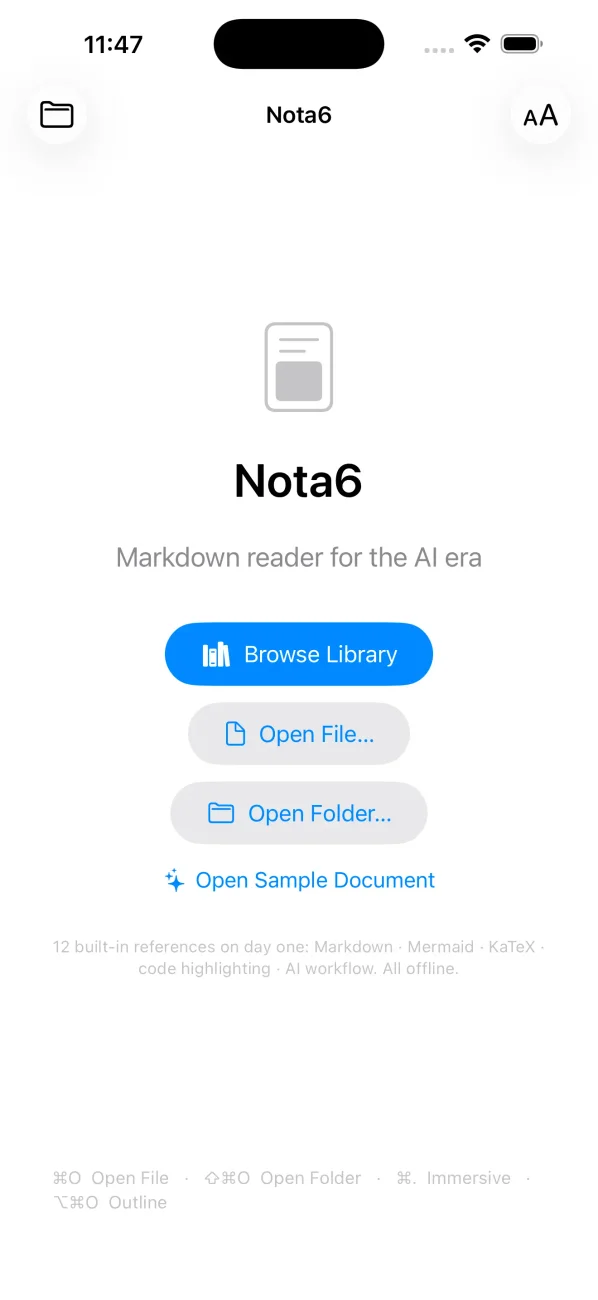
Reader-first Markdown app for the AI era — with a built-in Reference Library so it's useful the moment you open it.
BUILT-IN LIBRARY (12 references, all offline)
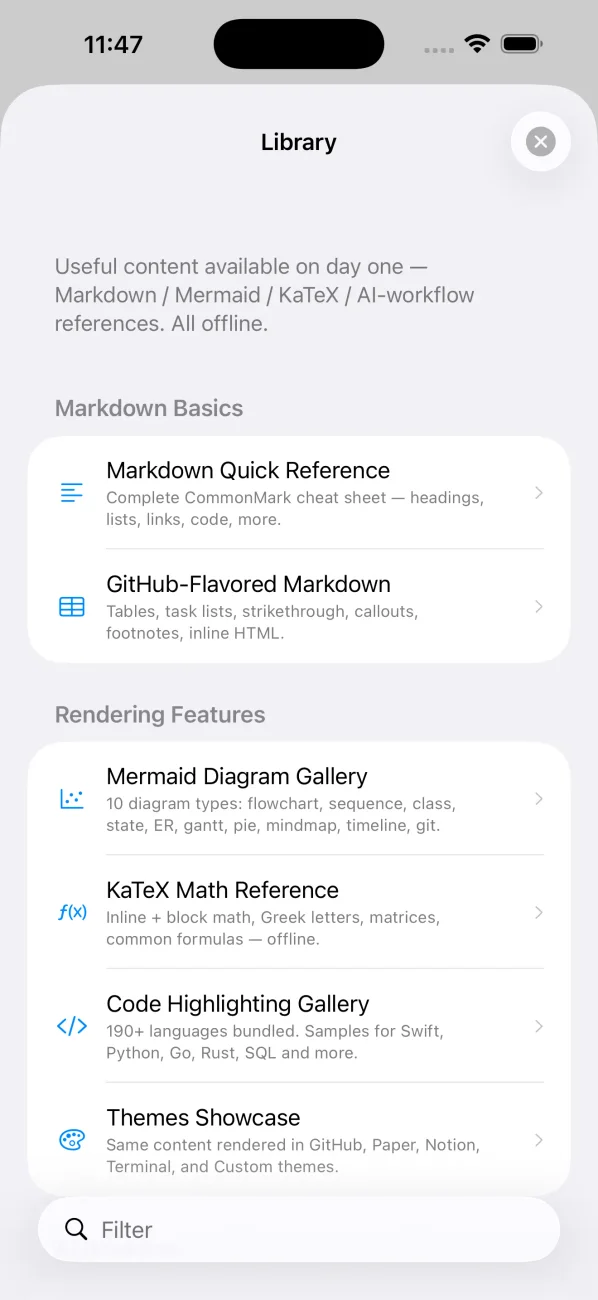
The welcome screen has a "Browse Library" button. Tap it and you have 12 curated documents available immediately, in English and Simplified Chinese:
• Markdown / GFM syntax references
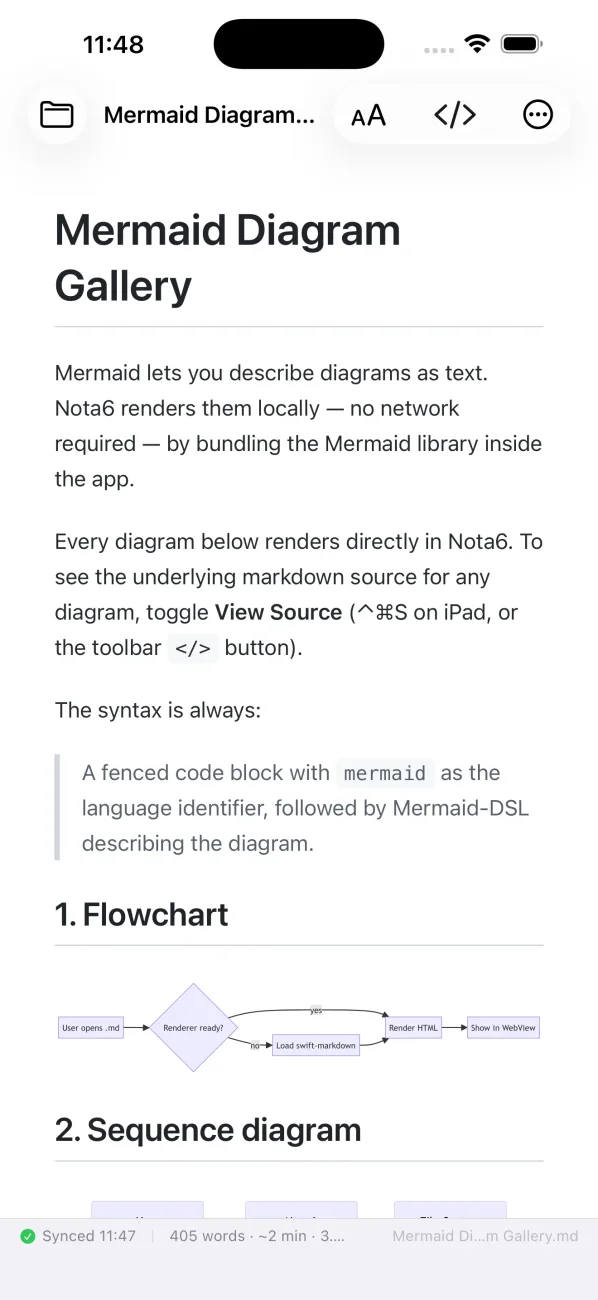
• Mermaid Diagram Gallery — 10 diagram types (flowchart, sequence, class, state, ER, gantt, pie, mindmap, timeline, git graph), each with source + rendered output
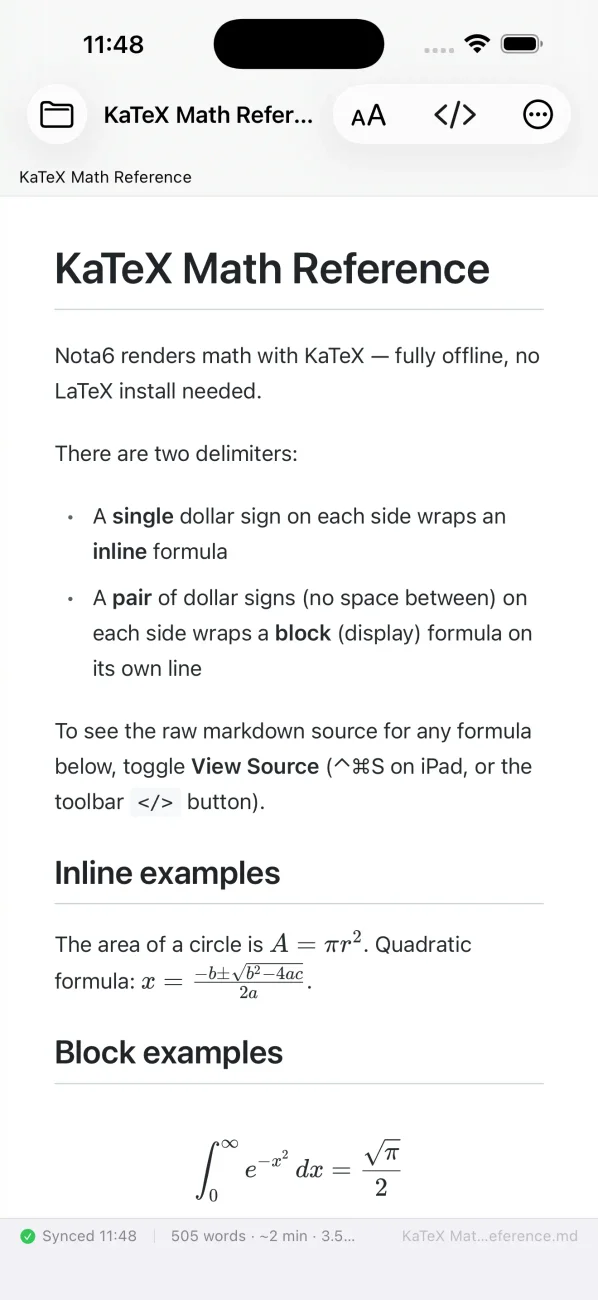
• KaTeX Math Reference — symbols, operators, matrices, common formulas
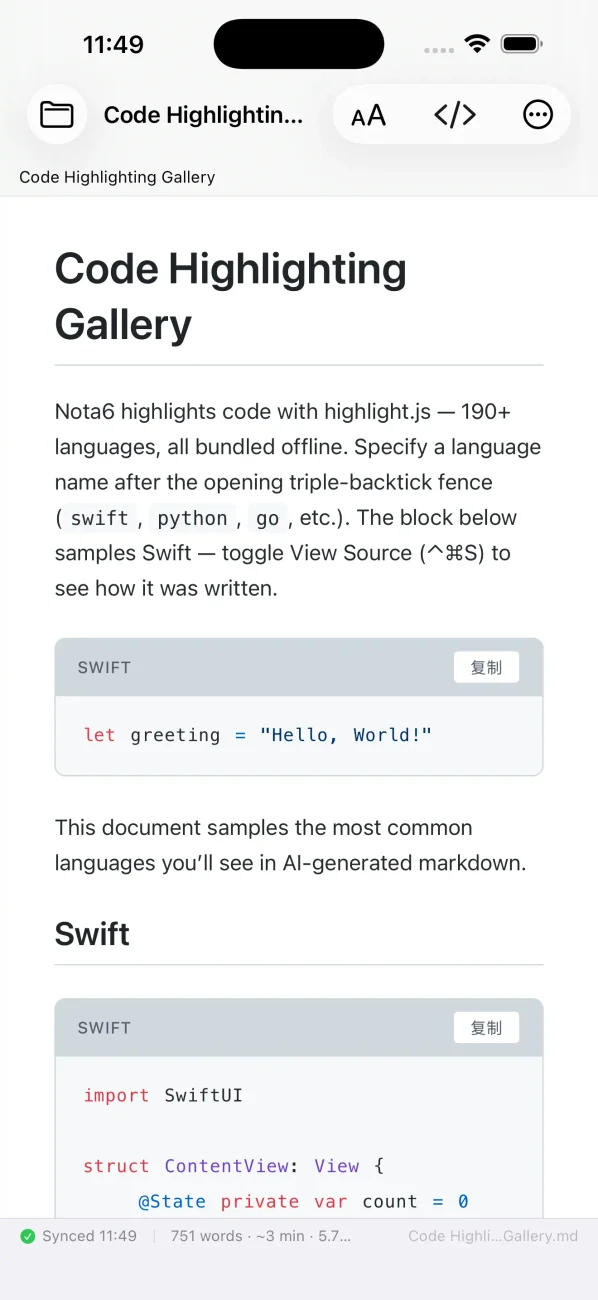
• Code Highlighting Gallery — Swift, Python, TypeScript, Go, Rust, SQL, and more (190+ languages bundled)
• Reading AI-Generated Markdown — four shapes of agent output and how to read each
• CLAUDE.md & AGENTS.md spec — how AI-instruction files work
• README Patterns, Design Doc & RFC Patterns
• Nota6 Tips & Tricks, iPad Keyboard Shortcuts, Themes Showcase
These aren't placeholders — they're useful reading material for anyone who works with AI coding assistants and the .md files they produce.
WHAT MAKES IT DIFFERENT FROM A BROWSER
• Mermaid diagrams, KaTeX math, syntax-highlighted code, all rendered offline. No network requests during rendering. Safari Reader can't do Mermaid; Nota6 can.
• Auto-refresh on file change with smart scroll anchoring: when an external editor rewrites the file, the preview re-renders in place and stays at the same heading even if the document length shifts.
• Open files from anywhere via the system share sheet, Files, iCloud Drive, or the "Open in Nota6" action.
iOS-NATIVE INTEGRATIONS
• Shortcuts / App Intents: "Open Markdown File" and "Export Markdown as HTML" are first-class Shortcuts actions. Automate from Siri or your iPad keyboard.
• iCloud sync: your theme, font, width, and Custom-theme colors follow you across iPhone, iPad, and Mac.
• Workspace full-text search (⌘⇧F) across an entire folder of .md files.
• Bookmark self-heal: if AI tooling renames or moves files in your workspace, Nota6 reattaches by content fingerprint instead of breaking.
READING EXPERIENCE
• Quick Edit: switch to Source, correct raw Markdown, and save with Command-S on a hardware keyboard. Nota6 preserves the original encoding, BOM, and line endings, and warns before overwriting external changes.
• 5 themes: GitHub · Paper · Notion · Terminal · Custom. Custom lets you pick body + monospace fonts and 4 colors (background, text, heading, code block) right inside the app.
• 4 font sizes, 3 reading widths, Light / Dark / Auto appearance.
• Outline panel with live filter and scroll-synced active heading; floating breadcrumb when the outline is closed.
• Per-file reading-progress dots in the workspace sidebar.
• Click-to-zoom for Mermaid diagrams and images; long-press to Copy or Save as PNG.
iPAD HARDWARE KEYBOARD
Full shortcut set: ⌘O · ⇧⌘O · ⌘F · ⌘P · ⌥⌘O · ⌘R · ⌘[ / ⌘] · ⌘W. Press-and-hold ⌘ for the discoverability HUD.
EXPORT
PDF or self-contained HTML via the system share sheet — straight to Files, Mail, Slack, Notion, or any other destination.
PRIVACY
No analytics. No third-party SDKs. No network requests unless the document itself references remote images. Rendering libraries (KaTeX, Mermaid, highlight.js) are bundled offline. English + Simplified Chinese.
Có gì mới
Phiên bản 1.7.1 · 13/10/2026
Improved the compact iPhone toolbar with direct access to Source and a clearer More menu. Added bounded preview recovery when web content is interrupted. Improved PDF export reliability, timeout handling, and error reporting.
Quyền riêng tư của ứng dụng
Những gì 笑天 刘 khai báo trên App Store về cách ứng dụng này xử lý dữ liệu.
-
Dữ liệu không được thu thập
Nhà phát triển không thu thập bất kỳ dữ liệu nào từ ứng dụng này.
Phương thức đảm bảo quyền riêng tư có thể khác nhau, chẳng hạn như tuỳ theo các tính năng bạn sử dụng hoặc độ tuổi của bạn.
Thông tin
- Người bán
- 笑天 刘
- Danh mục
- Tiện Ích
- Phiên bản
- 1.7.1
- Cập nhật
- 13/10/2026
- Phát hành
- 27/05/2026
- Kích thước
- 10,9 MB
- Yêu cầu
- iOS 17.0 trở lên
- Độ tuổi
- 4+
- Giá
- Miễn phí
- Ngôn ngữ
- Tiếng Anh, Tiếng Trung Giản thể
- Bản quyền
- © Liu XT