PC Remote & Mouse: NotchPixel
Phone mouse, keyboard & remote
Được thiết kế cho iPhone, iPad, iPod touch
Miễn phí
- Độ tuổi4+
- Danh mụcTiện Ích
- Nhà phát triểnChanpreet Kaur
- Kích thước68,1 MB
Liên kết đến trang App Store chính thức
Download.org không lưu trữ tệp nào của PC Remote & Mouse: NotchPixel. Nút này mở trang ứng dụng trên App Store, nơi Chanpreet Kaur phát hành ứng dụng. Trang được kiểm tra lần cuối: 28/11/2026.
Ảnh chụp màn hình
Giới thiệu
Nhà phát triển chưa cung cấp nội dung này bằng ngôn ngữ của bạn.
Turn your iPhone or iPad into a wireless mouse, keyboard and remote control for your Windows PC. NotchPixel Deck is a PC remote with a real trackpad, media controls, shortcut keys and power buttons, and it connects straight to your computer over your own Wi-Fi.
Use your phone as a mouse from the couch, control music and videos from bed, click through slides in a meeting, or lock and shut down your PC from across the room. It works with Windows 11 and Windows 10 desktops and laptops running NotchPixel.
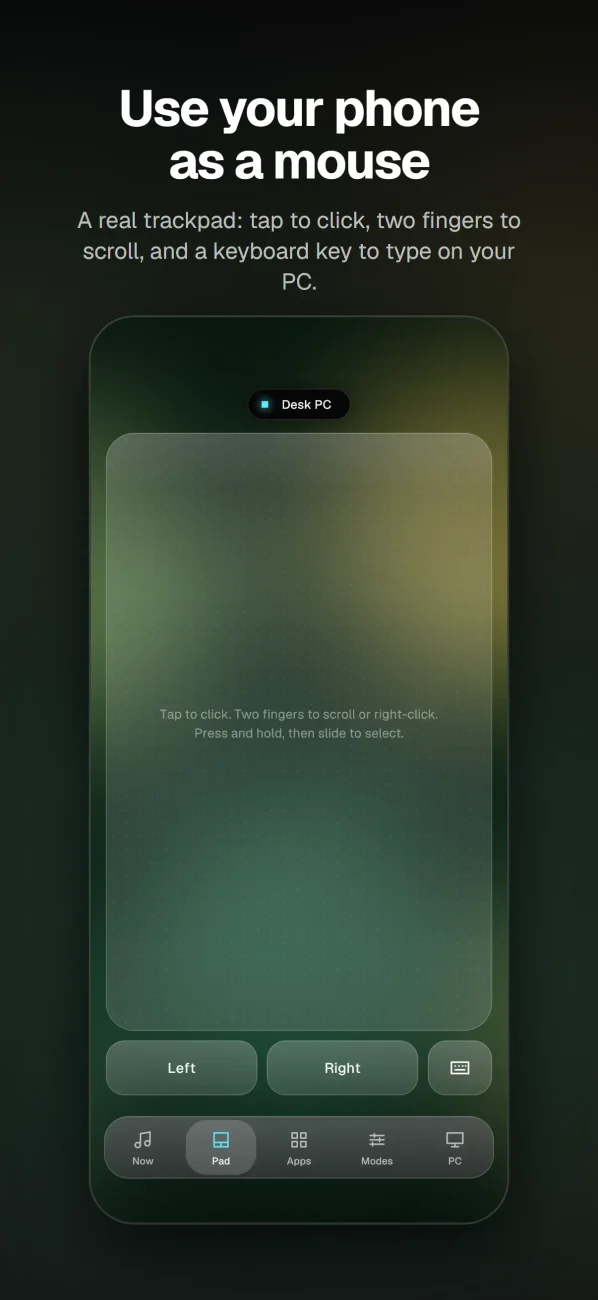
USE YOUR PHONE AS A MOUSE AND TOUCHPAD
• A big trackpad: move the pointer, tap to left-click, two-finger tap to right-click
• Two-finger scroll, like a laptop touchpad
• Press and hold to drag, select text or move windows
• Left and Right mouse buttons, with gentle haptics
USE YOUR PHONE AS A KEYBOARD
• Type on your PC with your phone's keyboard: search boxes, chats, documents and video sites
• Copy, Paste and Undo keys one tap away
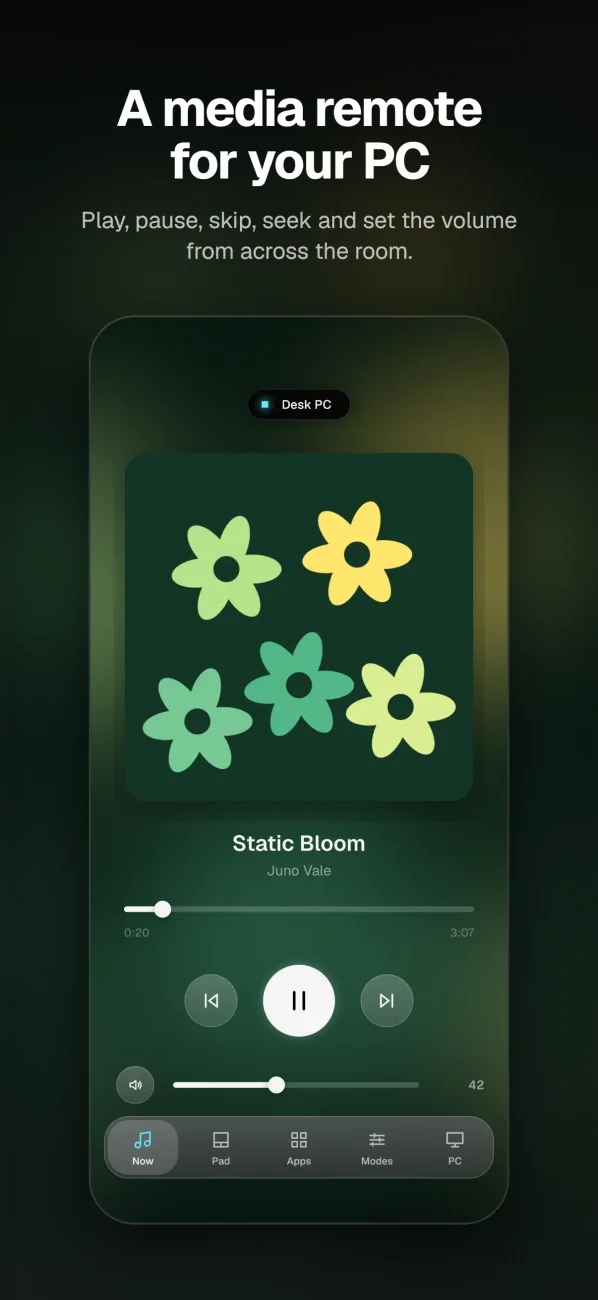
MEDIA REMOTE AND VOLUME CONTROL
• See what is playing on your PC, with cover art, title and artist
• Play, pause, next, previous and seek
• PC volume slider and mute
• Works with music and video apps and browsers that show their playback in Windows
PRESENTATION REMOTE
• A slide clicker for your talks: start, next slide, back, black screen and end, with a timer for your talk
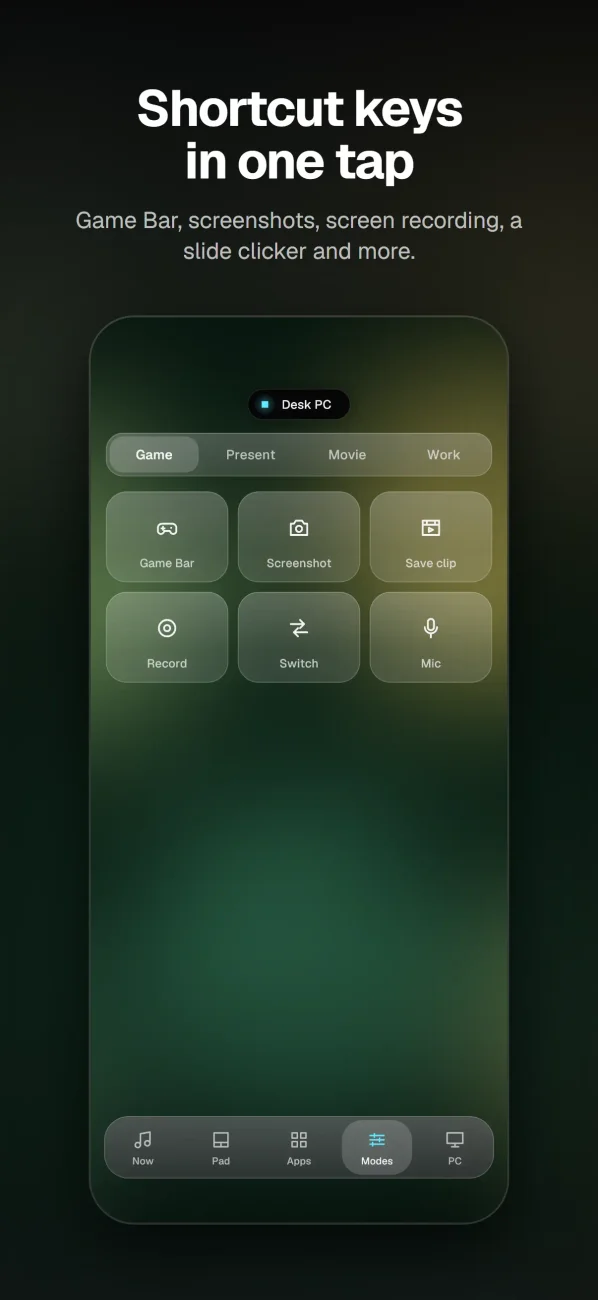
SHORTCUT KEYS FOR GAMES, MOVIES AND WORK
• Game: Game Bar, screenshot, save clip, screen recording with a live timer, switch windows, mic mute
• Movie: play, skip back and forward, mute, full screen
• Work: snip, all windows, switch, copy, paste, undo, close window, show desktop
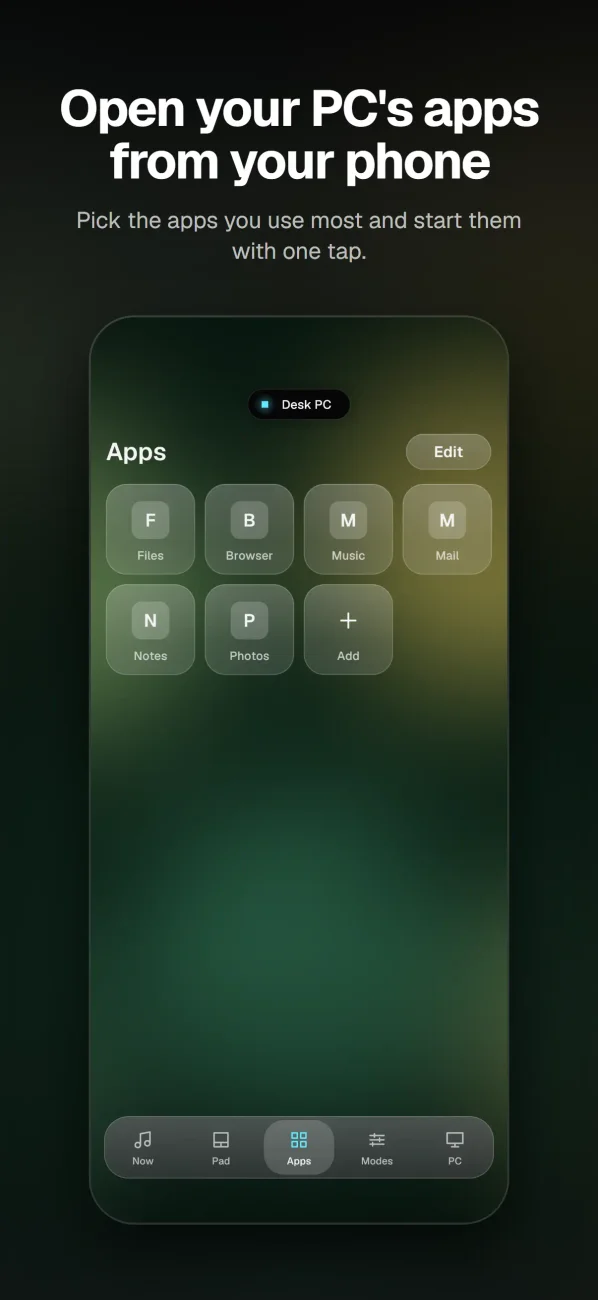
APP LAUNCHER
• Open the apps you use most on your PC with one tap, and choose which ones appear
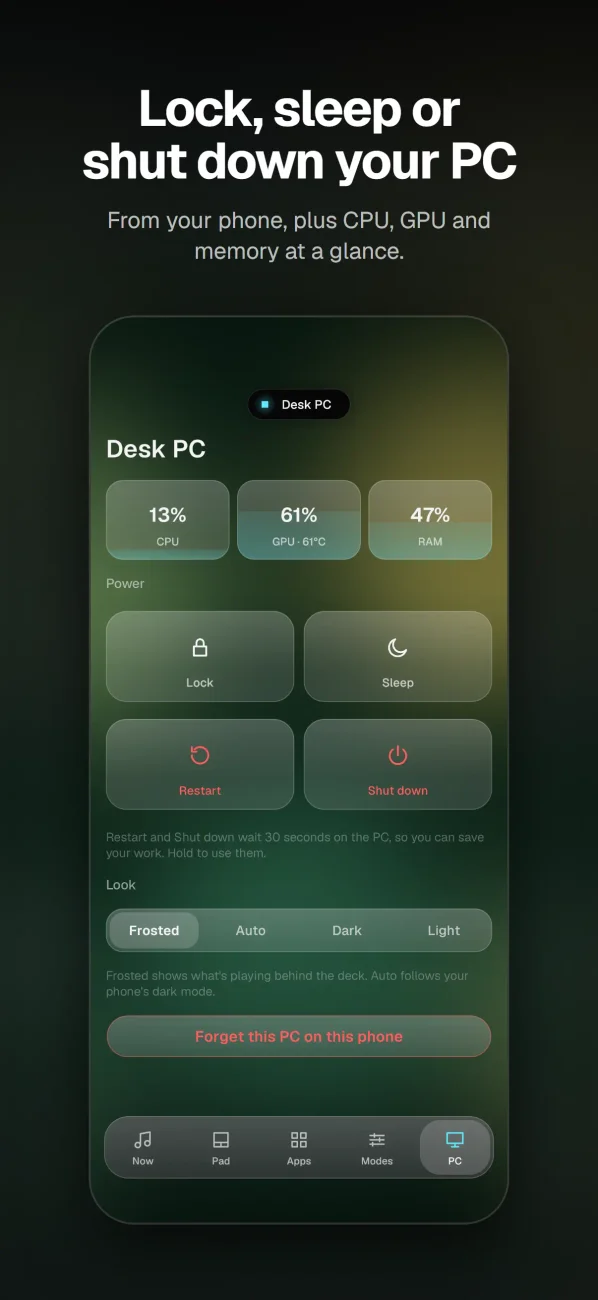
PC POWER AND STATS
• Lock, Sleep, Restart and Shut down your PC from your phone. Restart and Shut down need a hold, so nothing happens by accident
• CPU, GPU and memory use, with temperatures where the PC reports them
PRIVATE AND SECURE
• Connects directly to your PC on your local Wi-Fi. No account, no cloud, no ads, no tracking
• Every connection is encrypted and checked against your PC's own certificate
• Each phone has to be allowed on the PC, and you can remove it at any time
SET UP IN ABOUT TWO MINUTES
1. Get NotchPixel for Windows from the Microsoft Store
2. On the PC, move the mouse onto the island at the top of the screen, open the Deck tab and press Turn on
3. Scan the code it shows with this app
4. Press Allow on the PC
New to NotchPixel? The app walks you through it, or open notchpixel.com/deck on your PC.
Works in portrait and landscape on iPhone and iPad, with Frosted, Dark, Light and Auto looks.
What you need: a Windows 11 or Windows 10 PC with NotchPixel installed and PC Deck turned on, on the same Wi-Fi network as your phone. It does not work over mobile data or from outside your home network.
Có gì mới
Phiên bản 1.0.6 · 27/11/2026
The camera turns off as soon as the pairing scan is done or cancelled.
Quyền riêng tư của ứng dụng
Những gì Chanpreet Kaur khai báo trên App Store về cách ứng dụng này xử lý dữ liệu.
-
Dữ liệu không được thu thập
Nhà phát triển không thu thập bất kỳ dữ liệu nào từ ứng dụng này.
Phương thức đảm bảo quyền riêng tư có thể khác nhau, chẳng hạn như tuỳ theo các tính năng bạn sử dụng hoặc độ tuổi của bạn.
Thông tin
- Người bán
- Chanpreet Kaur
- Danh mục
- Tiện Ích
- Phiên bản
- 1.0.6
- Cập nhật
- 27/11/2026
- Phát hành
- 09/11/2026
- Kích thước
- 68,1 MB
- Yêu cầu
- iOS 15.0 trở lên
- Độ tuổi
- 4+
- Giá
- Miễn phí
- Bản quyền
- © 2026 NotchPixel
Có thể bạn cũng thích
-
 Tap Stick: Remote TrackpadTiện Ích
-
 Remote Trackpad and KeyboardTiện Ích
-
 PocketTrackpad: Mac RemoteTiện Ích
-
 Lazy Mouse - trackpadTiện Ích
-
 Sway: Chia sẻ màn hìnhĐiều khiển máy tính từ xa
-
 K2 Fitness GymTiện Ích
-
 LAN Screen ControlTiện Ích
-
 PointerDeck: Trackpad for MacTiện Ích
-
 Voltage Drop Calc NEC & IECTiện Ích
-
 Money Manager LifeTiện Ích