PC Remote & Mouse: NotchPixel
Phone mouse, keyboard & remote
iPhone, iPad, iPod touch向けに設計
無料
- 対象年齢4+
- カテゴリユーティリティ
- 開発元Chanpreet Kaur
- サイズ68.1 MB
App Storeの公式ページにリンクしています
Download.orgはPC Remote & Mouse: NotchPixelのファイルを一切ホストしていません。ボタンを押すと、Chanpreet Kaurが公開しているApp Storeのアプリページが開きます。ページの最終確認:2026/11/28。
スクリーンショット
概要
開発元はこのテキストをお使いの言語で提供していません。
Turn your iPhone or iPad into a wireless mouse, keyboard and remote control for your Windows PC. NotchPixel Deck is a PC remote with a real trackpad, media controls, shortcut keys and power buttons, and it connects straight to your computer over your own Wi-Fi.
Use your phone as a mouse from the couch, control music and videos from bed, click through slides in a meeting, or lock and shut down your PC from across the room. It works with Windows 11 and Windows 10 desktops and laptops running NotchPixel.
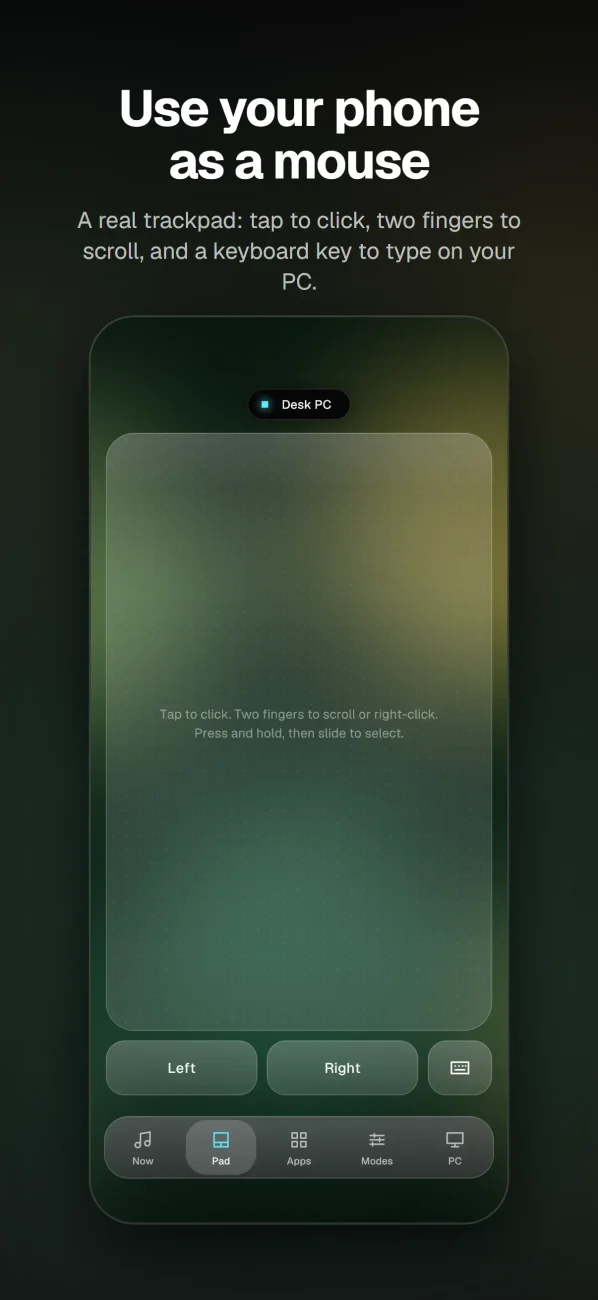
USE YOUR PHONE AS A MOUSE AND TOUCHPAD
• A big trackpad: move the pointer, tap to left-click, two-finger tap to right-click
• Two-finger scroll, like a laptop touchpad
• Press and hold to drag, select text or move windows
• Left and Right mouse buttons, with gentle haptics
USE YOUR PHONE AS A KEYBOARD
• Type on your PC with your phone's keyboard: search boxes, chats, documents and video sites
• Copy, Paste and Undo keys one tap away
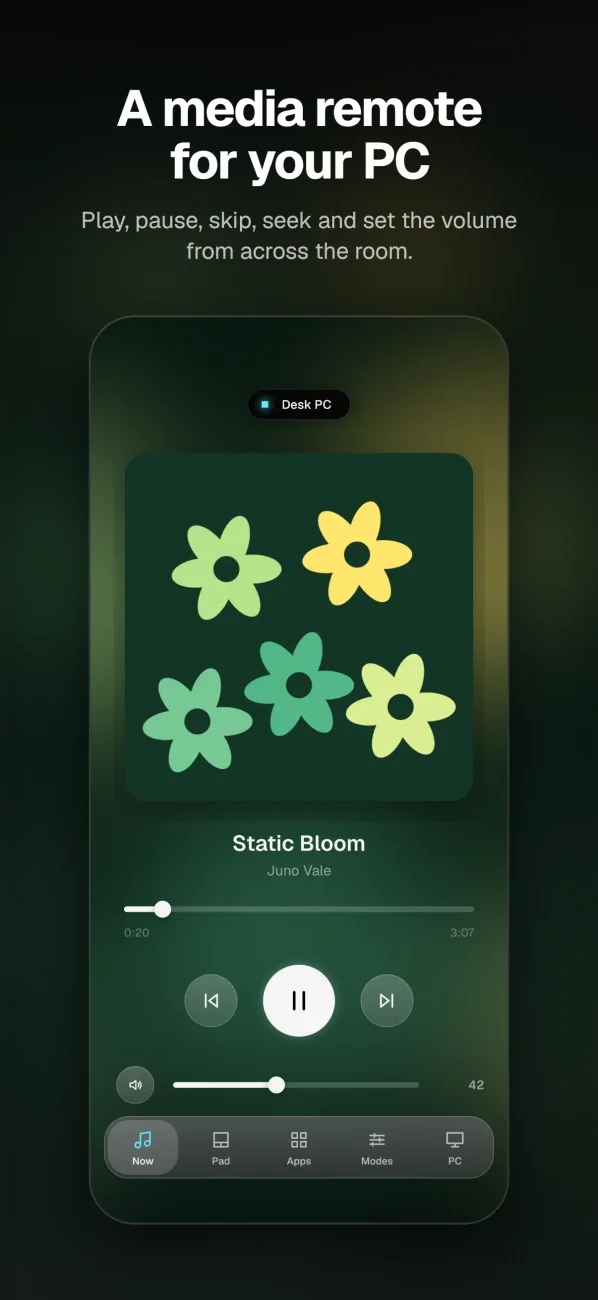
MEDIA REMOTE AND VOLUME CONTROL
• See what is playing on your PC, with cover art, title and artist
• Play, pause, next, previous and seek
• PC volume slider and mute
• Works with music and video apps and browsers that show their playback in Windows
PRESENTATION REMOTE
• A slide clicker for your talks: start, next slide, back, black screen and end, with a timer for your talk
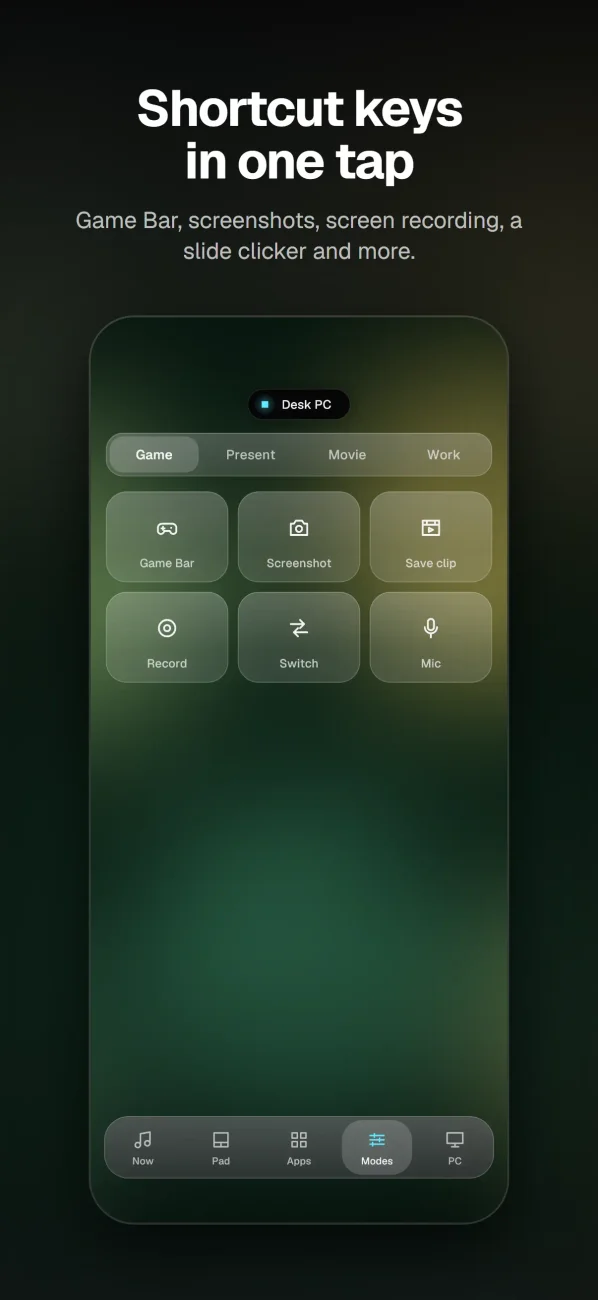
SHORTCUT KEYS FOR GAMES, MOVIES AND WORK
• Game: Game Bar, screenshot, save clip, screen recording with a live timer, switch windows, mic mute
• Movie: play, skip back and forward, mute, full screen
• Work: snip, all windows, switch, copy, paste, undo, close window, show desktop
APP LAUNCHER
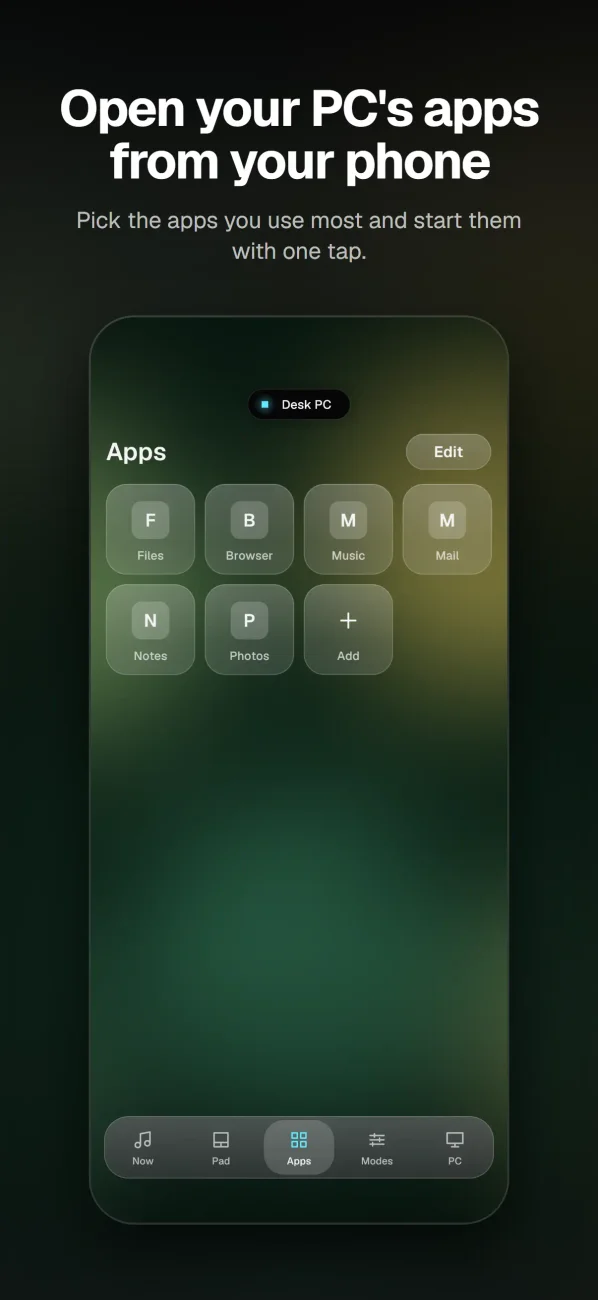
• Open the apps you use most on your PC with one tap, and choose which ones appear
PC POWER AND STATS
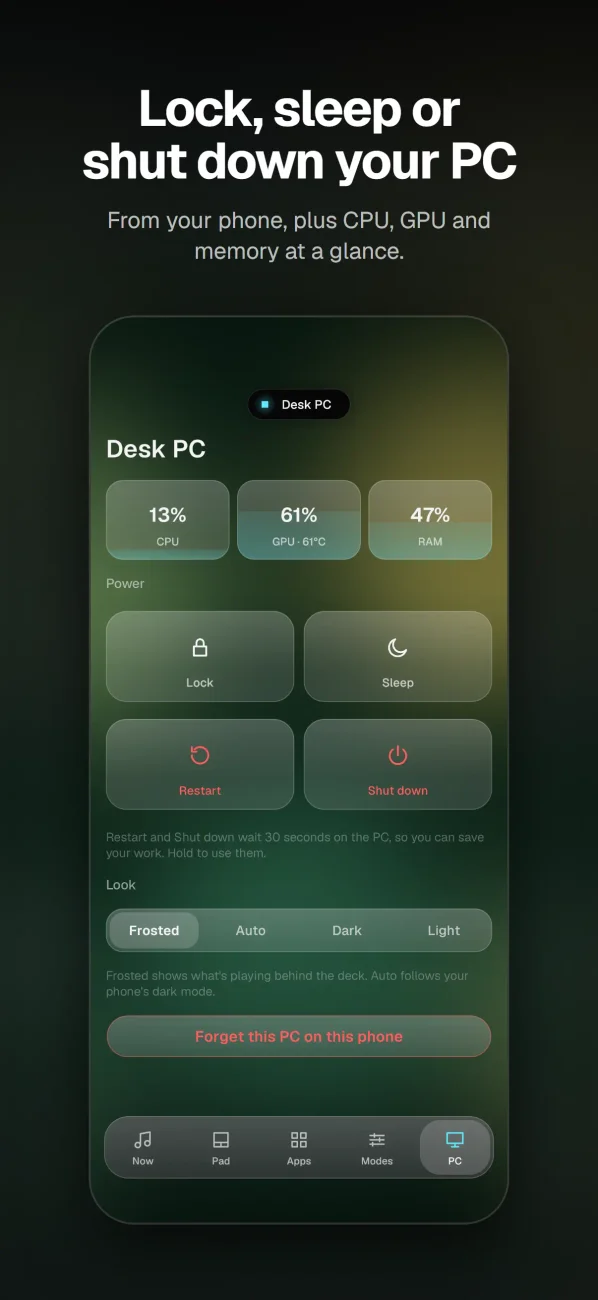
• Lock, Sleep, Restart and Shut down your PC from your phone. Restart and Shut down need a hold, so nothing happens by accident
• CPU, GPU and memory use, with temperatures where the PC reports them
PRIVATE AND SECURE
• Connects directly to your PC on your local Wi-Fi. No account, no cloud, no ads, no tracking
• Every connection is encrypted and checked against your PC's own certificate
• Each phone has to be allowed on the PC, and you can remove it at any time
SET UP IN ABOUT TWO MINUTES
1. Get NotchPixel for Windows from the Microsoft Store
2. On the PC, move the mouse onto the island at the top of the screen, open the Deck tab and press Turn on
3. Scan the code it shows with this app
4. Press Allow on the PC
New to NotchPixel? The app walks you through it, or open notchpixel.com/deck on your PC.
Works in portrait and landscape on iPhone and iPad, with Frosted, Dark, Light and Auto looks.
What you need: a Windows 11 or Windows 10 PC with NotchPixel installed and PC Deck turned on, on the same Wi-Fi network as your phone. It does not work over mobile data or from outside your home network.
新機能
バージョン 1.0.6 · 2026/11/27
The camera turns off as soon as the pairing scan is done or cancelled.
アプリのプライバシー
このアプリのデータの取り扱いについて、Chanpreet KaurがApp Storeで申告している内容です。
-
データの収集なし
開発元はこのアプリからデータを収集しません。
プライバシーの取り扱いは、ご利用の機能やお客様の年齢などに応じて異なる場合があります。
情報
- 販売元
- Chanpreet Kaur
- カテゴリ
- ユーティリティ
- バージョン
- 1.0.6
- 更新日
- 2026/11/27
- リリース
- 2026/11/9
- サイズ
- 68.1 MB
- 必要条件
- iOS 15.0以降
- 対象年齢
- 4+
- 価格
- 無料
- 著作権
- © 2026 NotchPixel
こちらもおすすめ
-
 Tap Stick: Remote TrackpadiPhone を Mac のトラックパッドに
-
 Remote Trackpad and Keyboardユーティリティ
-
 PocketTrackpad: Mac Remoteユーティリティ
-
 Lazy Mouse - trackpadユーティリティ
-
 Sway: 画面共有・遠隔操作リモート操作とトラックパッド
-
 K2 Fitness Gymユーティリティ
-
 LAN Screen Controlユーティリティ
-
 PointerDeck: Trackpad for Macユーティリティ
-
 電圧降下計算 NEC & IEC電線サイズ・Cu/Al・降下率
-
 Money Manager Lifeユーティリティ