
PCBAtlas
PCB & Gerber Viewer
Được thiết kế cho iPhone, iPad, Mac
Miễn phí · Mua hàng trong ứng dụng
- Độ tuổi4+
- Danh mụcĐồ Họa & Thiết Kế
- Nhà phát triểnShanghai Astroform Software Ltd.
- Ngôn ngữTiếng Anh+ 11 ngôn ngữ khác
- Kích thước160,1 MB
Liên kết đến trang App Store chính thức
Download.org không lưu trữ tệp nào của PCBAtlas. Nút này mở trang ứng dụng trên App Store, nơi Shanghai Astroform Software Ltd. phát hành ứng dụng. Trang được kiểm tra lần cuối: 17/11/2026.
Ảnh chụp màn hình
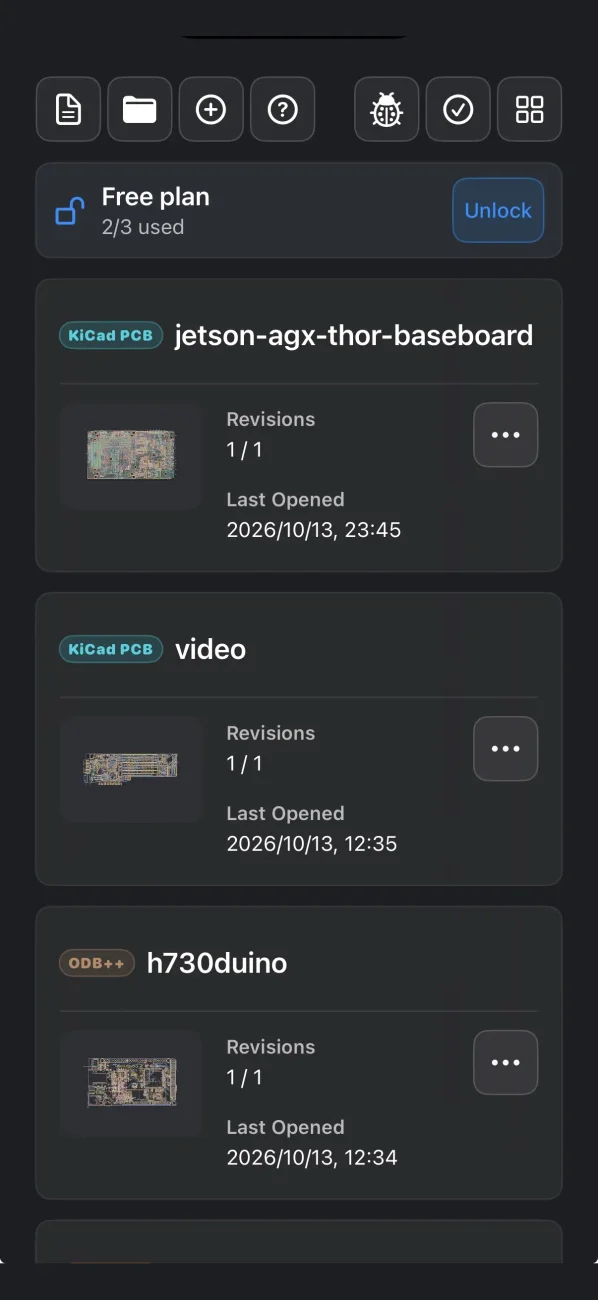
Giới thiệu
Nhà phát triển chưa cung cấp nội dung này bằng ngôn ngữ của bạn.
Open and review PCB design and manufacturing files locally on iPhone, iPad, and Mac.
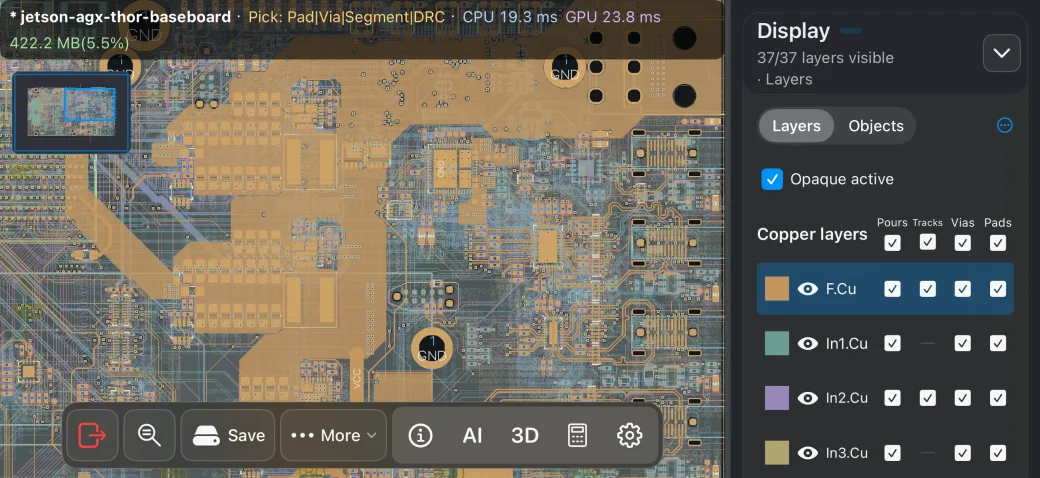
PCBAtlas is a local-first PCB viewer and review workspace for hardware teams, PCB designers, firmware engineers, QA reviewers, and anyone who needs to inspect real board data away from a full EDA station.
Import supported KiCad projects, schematics, board files, DSN, IPC-2581 XML, ODB++ archives or directories, and recognized manufacturing packages. Keep board revisions in managed PCB workspaces, inspect layouts in 2D, browse project and schematic context where available, and use board-level 3D when spatial context helps.
What PCBAtlas helps with:
- Open supported PCB design and manufacturing files without uploading them to a web viewer
- Organize board revisions in a local library
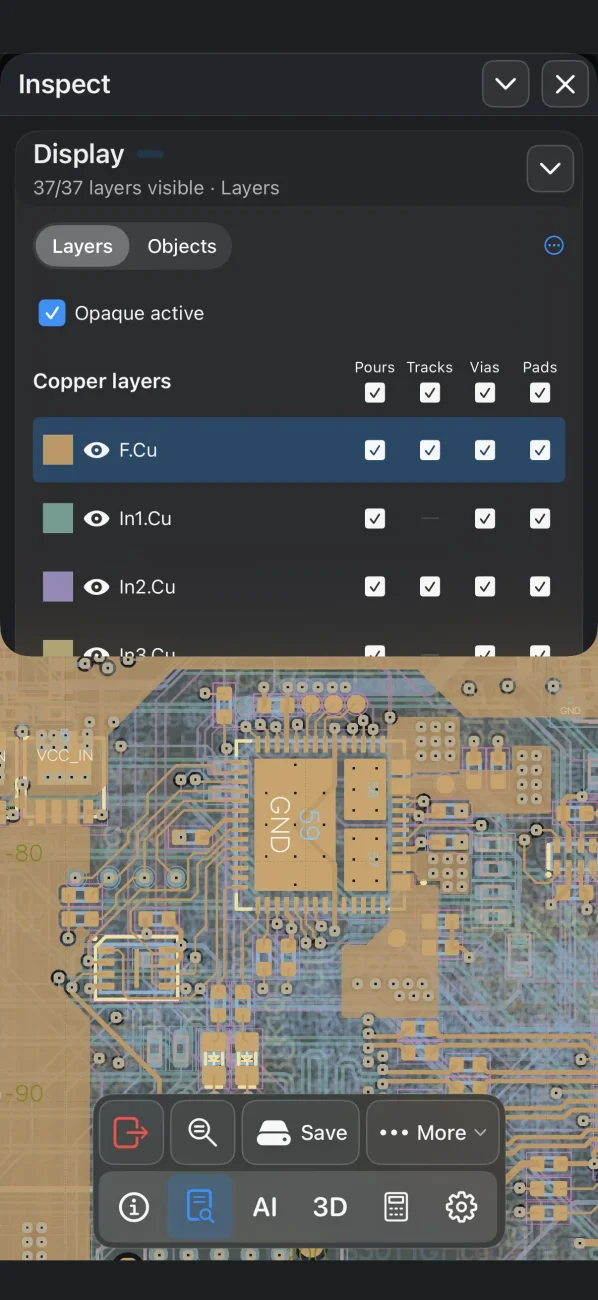
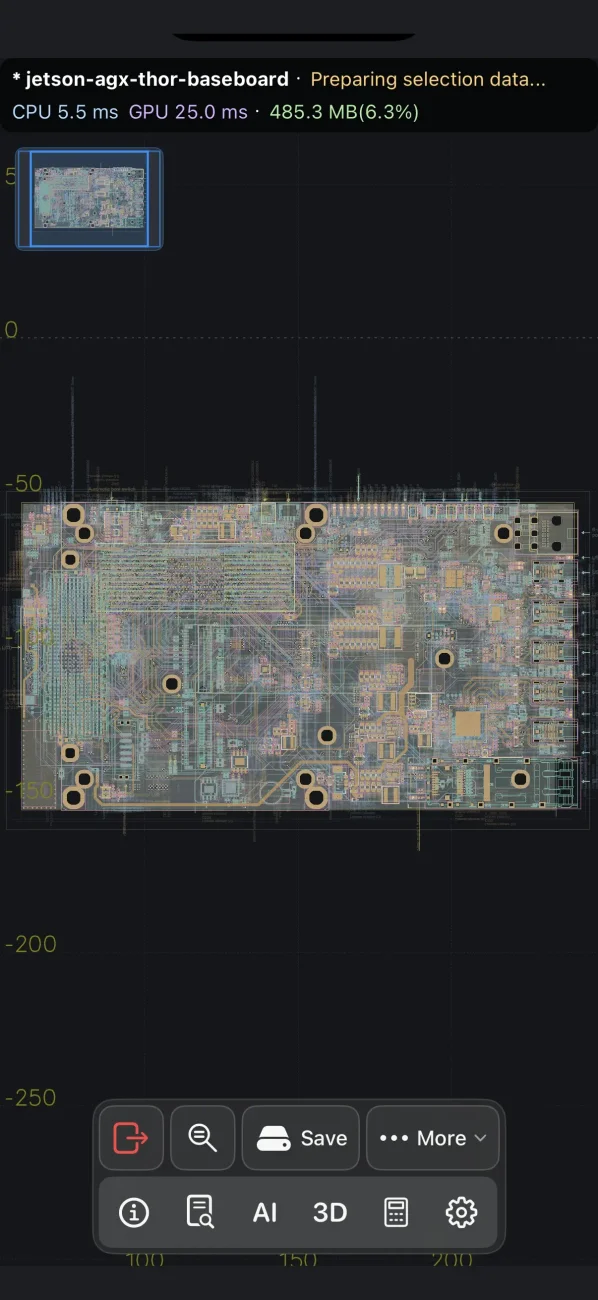
- Inspect dense boards with pan, zoom, layer controls, search, object details, and selection tools
- Review project data, schematic context, statistics, and import status in Data views
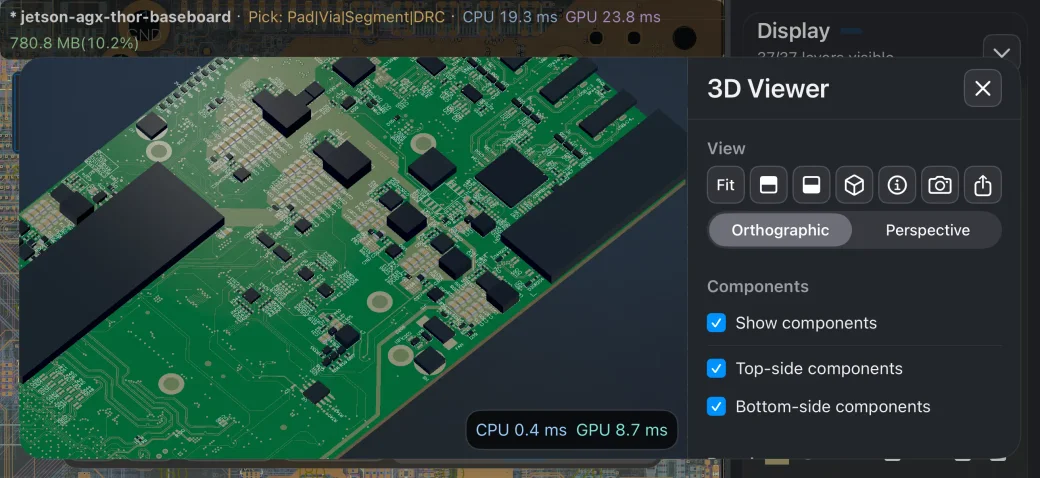
- Use board-level 3D for supported board sessions
- Export PNG/PDF captures, original source packages, converted board outputs, and shareable handoff materials with PCBAtlas Plus
The free tier lets you import and review boards with up to three PCB workspaces. PCBAtlas Plus is a one-time in-app purchase that unlocks unlimited workspaces, export, source delivery, converted outputs, and sharing workflows.
PCBAtlas is built for review, inspection, QA, and delivery workflows.
Có gì mới
Phiên bản 1.3.1 · 26/10/2026
- Move tracks and vias with Slide without waiting for automatic rule checks or copper refill. Refill copper manually when ready, with separate undo support.
- Fixed missing Slide controls and kept connected traces attached to vias after saving and reopening native documents.
- Improved Allegro board import compatibility, including pad layer ranges, surface pads, and legacy annotations.
- Enjoy a steadier toolbar, better landscape 3D layouts, and consistent menu colors when switching themes.
- Fixed a crash during repeated schematic-to-PCB navigation.
Quyền riêng tư của ứng dụng
Những gì Shanghai Astroform Software Ltd. khai báo trên App Store về cách ứng dụng này xử lý dữ liệu.
-
Dữ liệu không được thu thập
Nhà phát triển không thu thập bất kỳ dữ liệu nào từ ứng dụng này.
Phương thức đảm bảo quyền riêng tư có thể khác nhau, chẳng hạn như tuỳ theo các tính năng bạn sử dụng hoặc độ tuổi của bạn.
Thông tin
- Người bán
- Shanghai Astroform Software Ltd.
- Danh mục
- Đồ Họa & Thiết Kế
- Phiên bản
- 1.3.1
- Cập nhật
- 26/10/2026
- Phát hành
- 01/06/2026
- Kích thước
- 160,1 MB
- Yêu cầu
- iOS 17.0 trở lên
- Độ tuổi
- 4+
- Giá
- Miễn phí
- Mua hàng trong ứng dụng
- Có
- Ngôn ngữ
- Tiếng Anh, Tiếng Pháp, Tiếng Đức, Tiếng Indonesia, Tiếng Nhật, Tiếng Hàn, Tiếng Bồ Đào Nha, Tiếng Trung Giản thể, Tiếng Tây Ban Nha, Tiếng Trung Phồn thể, Tiếng Thổ Nhĩ Kỳ, Tiếng Ukraina
- Bản quyền
- © 2026 Astroform Software Ltd.
Có thể bạn cũng thích
-
 Protoboard: PCB Design & CADĐồ Họa & Thiết Kế
-
 KiCAD PCB ViewerĐồ Họa & Thiết Kế
-
 Trình thiết kế tủ điệnSơ đồ tủ phân phối điện
-
 Shapr 3D CAD modelingĐồ Họa & Thiết Kế
-
 Qlone 3D ScannerĐồ Họa & Thiết Kế
-
 Lazy LightingProjection Mapping
-
 3D modeling: Design my modelĐồ Họa & Thiết Kế
-
 Affinity Publisher 2 for iPadĐồ Họa & Thiết Kế
-
 MagiScan - AI 3D Scanner appVirtual floor plans creator
-
 Google FlowĐồ Họa & Thiết Kế