
PDF Extender
Add writing space to PDFs
Được thiết kế cho iPhone, iPad
Miễn phí · Mua hàng trong ứng dụng
- Độ tuổi4+
- Danh mụcGiáo Dục
- Nhà phát triểnSB Labs
- Ngôn ngữTiếng Đức+ 1 ngôn ngữ khác
- Kích thước7,4 MB
Liên kết đến trang App Store chính thức
Download.org không lưu trữ tệp nào của PDF Extender. Nút này mở trang ứng dụng trên App Store, nơi SB Labs phát hành ứng dụng. Trang được kiểm tra lần cuối: 23/11/2026.
Ảnh chụp màn hình


Giới thiệu
Nhà phát triển chưa cung cấp nội dung này bằng ngôn ngữ của bạn.
Exercise sheets, lecture notes, past exams: they arrive as PDFs laid out for paper — packed full, with no room beside them. On paper, you still had your notebook. On an iPad, you squeeze your calculations between two lines or create a second document for the solutions.
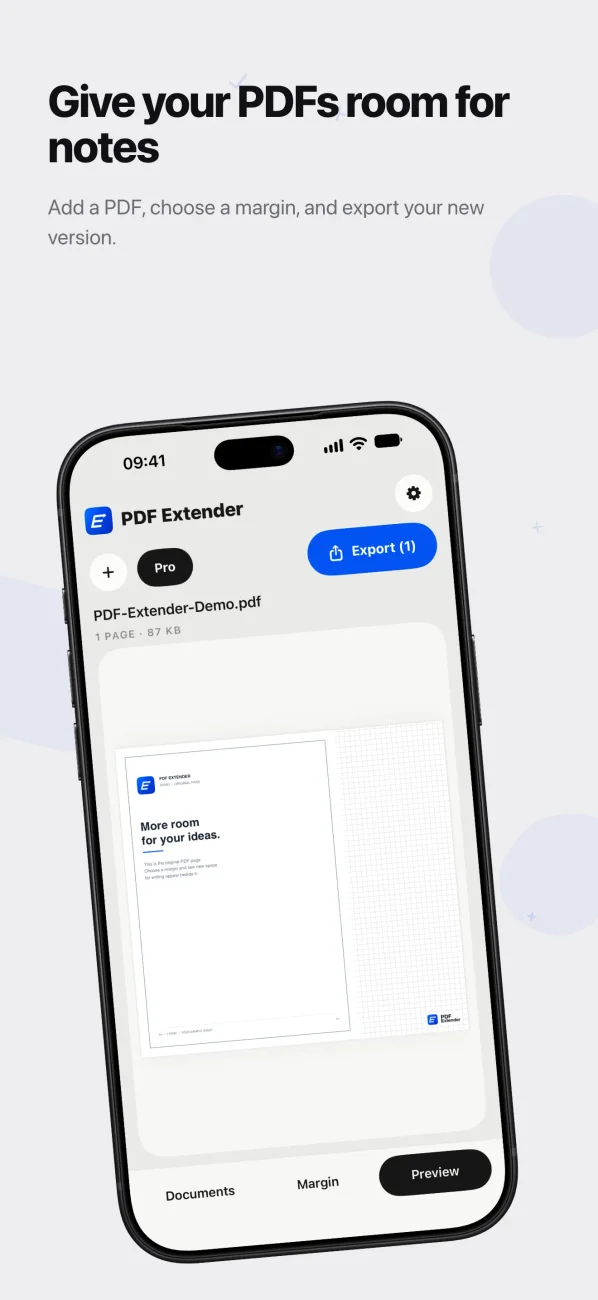
PDF Extender makes every page wider. The app adds a margin on the right, left or both sides — blank, grid, lined or dotted. The question and your working sit side by side, just the way you want to see them when revising for an exam.
The page content stays intact: nothing is scaled, shifted within the original page area or covered. A new PDF is created; your original stays as it was.
IN FOUR STEPS
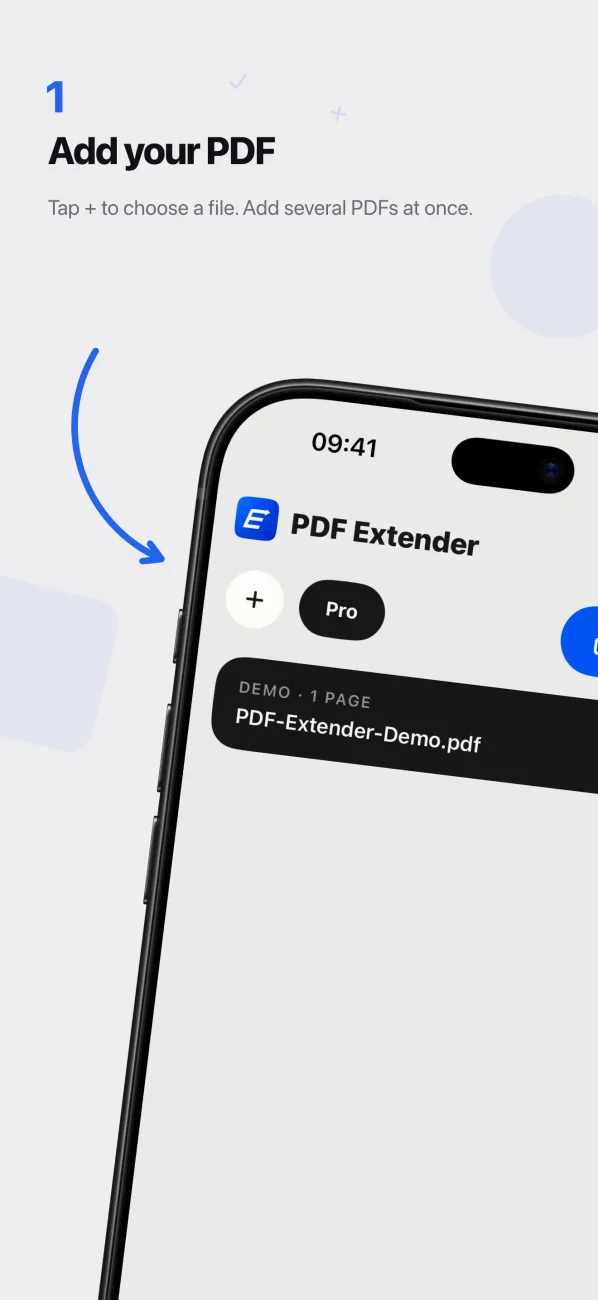
1. Add PDFs — one at a time or several exercise sheets together.
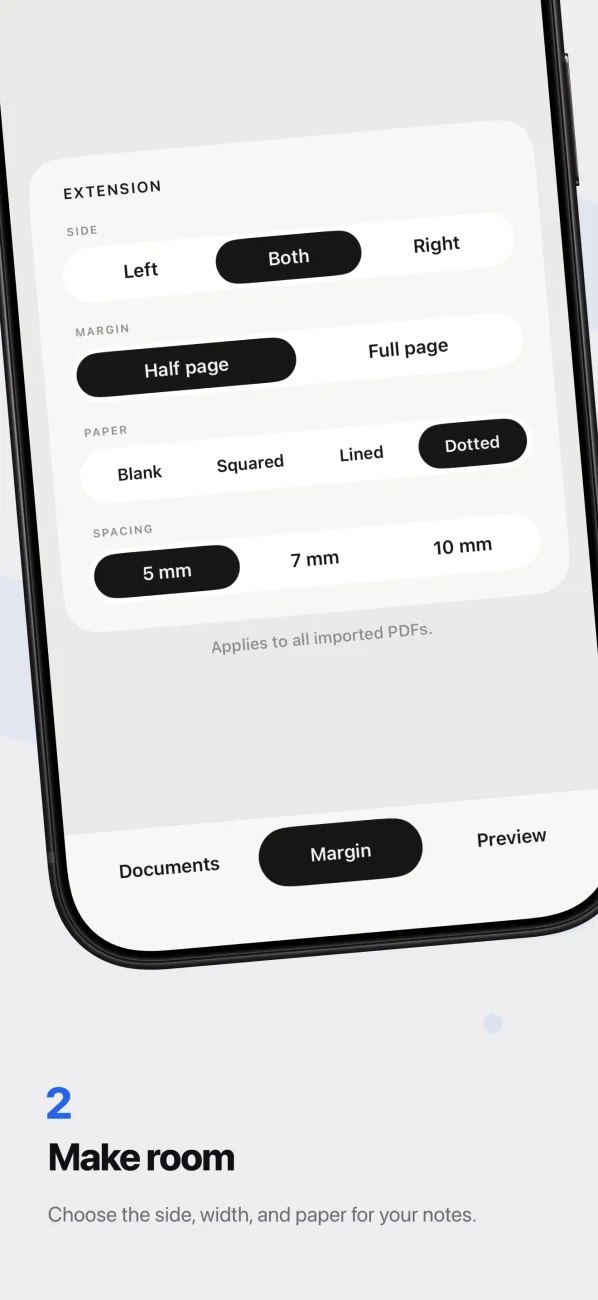
2. Choose a margin — right, left or both sides, half or full page width.
3. Choose paper — blank, grid, lined or dotted, with 5, 7 or 10 mm spacing.
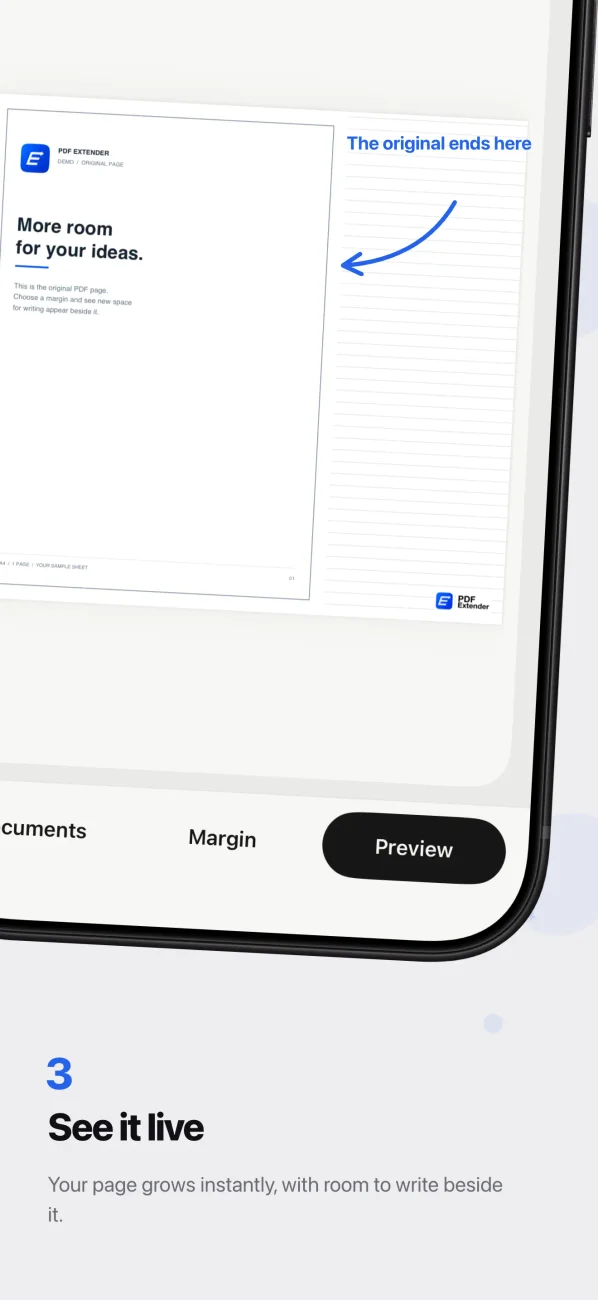
4. Export — the live preview shows you the exact result first.
Then keep writing where you already use your Apple Pencil: Notes, GoodNotes, Notability or Files.
WHY IT WORKS
• Live preview — see every change right away, with no surprises after export.
• Several exercise sheets at once — import multiple PDFs, choose one setting and export them together.
• Fits every format — A4, US Letter, landscape and mixed page sizes.
• Never overwrites — each result is saved as a separate file with the “-extended” suffix.
• Fixed export folder — exports go straight into your study folder structure.
• Quickshare (Pro) — share a PDF from Mail or Safari and get an extended copy back without opening the app.
• Presets (Pro) — save three combinations, such as lined on the right or grid on both sides, and apply one with a single tap, in the app and in Quickshare.
• Three looks — Studio, Billet and Kontor.
Handy for teachers, too: add a defined solution area to worksheets before handing them out, or a notes column to handouts. One batch, one setting, one export.
WHAT THE APP ISN’T
It isn’t an annotation tool — you write in your notes app. It isn’t a PDF editor or scanner. On larger iPad screens, the document list and preview sit side by side in two columns; on iPhone and in narrow iPad windows, a compact view guides you through the same steps.
FREE AND PRO
All margin formats, paper styles, the preview and all designs are free. Only the volume is limited: 10 exports to start, then 3 per week, with a subtle watermark.
Pro removes those limits — unlimited exports, a watermark you can turn off, Quickshare and three saved presets. One-time purchase, no subscription.
PRIVACY
Your PDFs, filenames and page contents are never sent to us or the analytics provider. No account, no advertising tracking. Only if you agree does the app send usage events and a hashed installation identifier to TelemetryDeck. You can withdraw consent in Settings at any time. PDF processing works fully offline — on the train, in the lecture hall or in the library.
Có gì mới
Phiên bản 2.1 · 22/10/2026
New in Pro: Presets. Save three combinations of side, margin width and paper, such as lined on the right or grid on both sides, and apply one with a single tap. Presets sit above the margin settings and are also available in the share menu (Quickshare). Set them up in Settings.
Quyền riêng tư của ứng dụng
Những gì SB Labs khai báo trên App Store về cách ứng dụng này xử lý dữ liệu.
-
Dữ liệu không liên kết với bạn
Có thể được thu thập nhưng không liên kết với danh tính của bạn.
- Mục mua
- Mã định danh
- Dữ liệu sử dụng
Phương thức đảm bảo quyền riêng tư có thể khác nhau, chẳng hạn như tuỳ theo các tính năng bạn sử dụng hoặc độ tuổi của bạn.
Thông tin
- Người bán
- SB Labs
- Danh mục
- Giáo Dục
- Phiên bản
- 2.1
- Cập nhật
- 22/10/2026
- Phát hành
- 12/09/2026
- Kích thước
- 7,4 MB
- Yêu cầu
- iOS 17.0 trở lên
- Độ tuổi
- 4+
- Giá
- Miễn phí
- Mua hàng trong ứng dụng
- Có
- Ngôn ngữ
- Tiếng Đức, Tiếng Anh
- Bản quyền
- © 2026 SB Labs
Có thể bạn cũng thích
-
 Hazelnote: AI Note TakerGiáo Dục
-
 StudyTrackGiáo Dục
-
 Lecture Recorder – EarnoteGiáo Dục
-
 UniDecks: Uni FlashcardsGiáo Dục
-
 StudytestGiáo Dục
-
 Rechenweg ElektrotechnikGiáo Dục
-
 Pitchroom: Study Out LoudGiáo Dục
-
 Fischerprüfung lernenGiáo Dục
-
 DiggiDuell AI Quiz & FlashcardGiáo Dục
-
 StudyBrief: Snap & StudyGiáo Dục