
- Age rating4+
- CategoryEducation
- DeveloperSB Labs
- LanguagesGerman+ 1 more
- Size7.4 MB
Links to the official App Store page
Download.org hosts no file of PDF Extender. The button opens its official App Store page, published by SB Labs. Listing last checked on Nov 23, 2026.
Screenshots


About
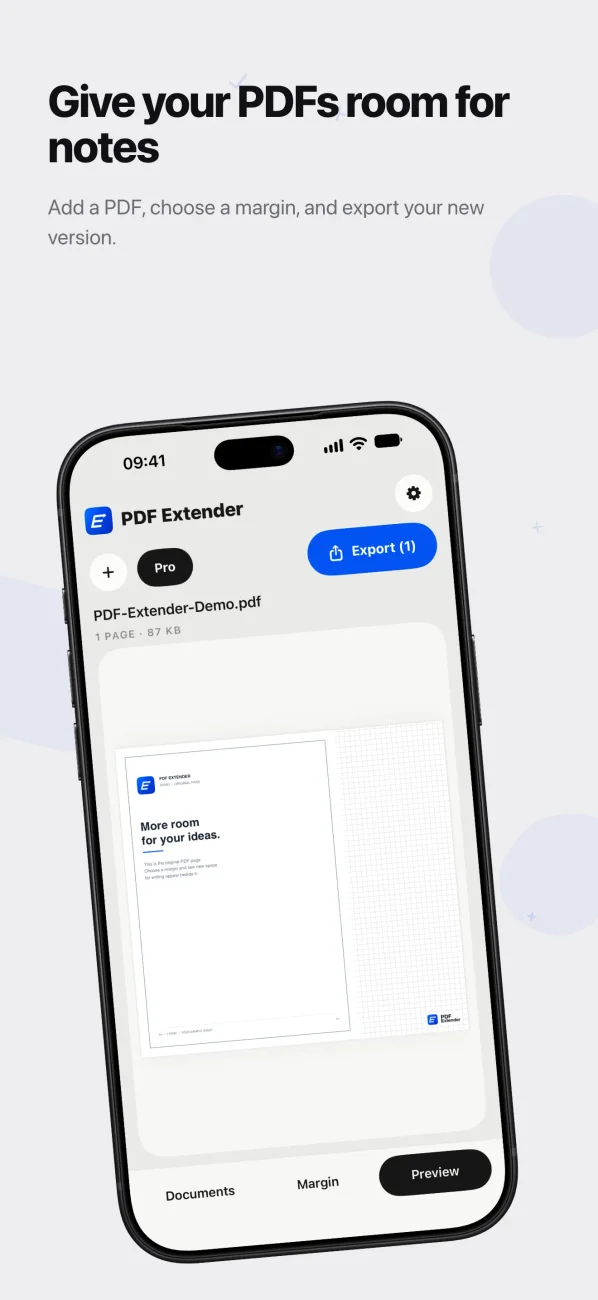
Exercise sheets, lecture notes, past exams: they arrive as PDFs laid out for paper — packed full, with no room beside them. On paper, you still had your notebook. On an iPad, you squeeze your calculations between two lines or create a second document for the solutions.
PDF Extender makes every page wider. The app adds a margin on the right, left or both sides — blank, grid, lined or dotted. The question and your working sit side by side, just the way you want to see them when revising for an exam.
The page content stays intact: nothing is scaled, shifted within the original page area or covered. A new PDF is created; your original stays as it was.
IN FOUR STEPS
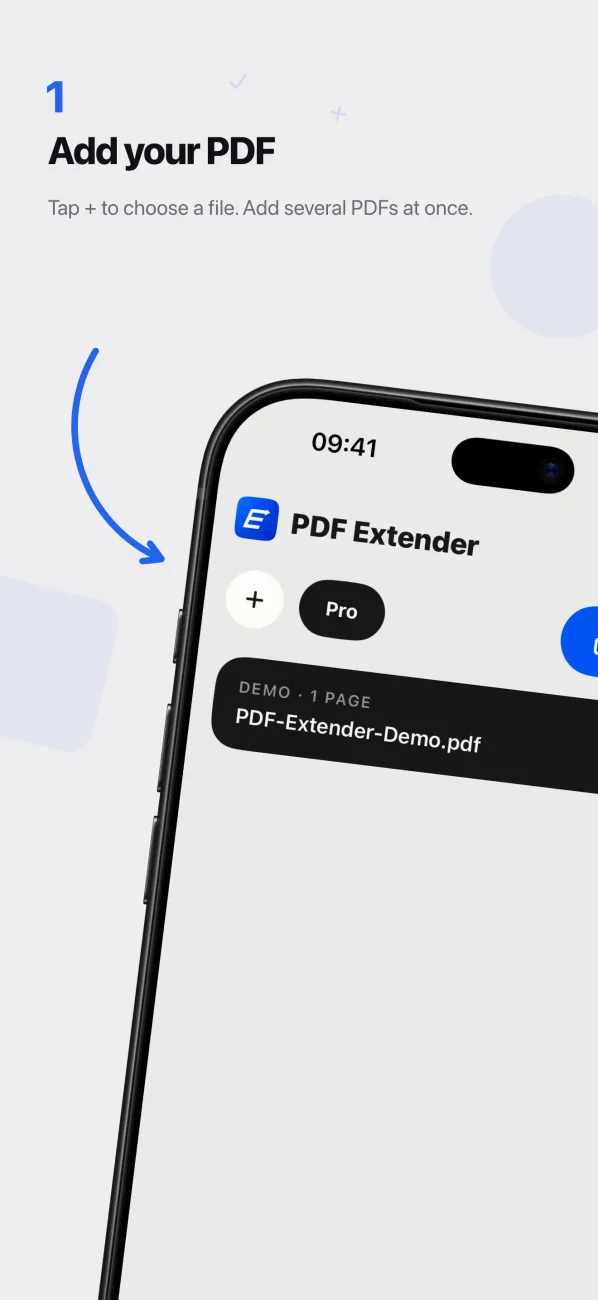
1. Add PDFs — one at a time or several exercise sheets together.
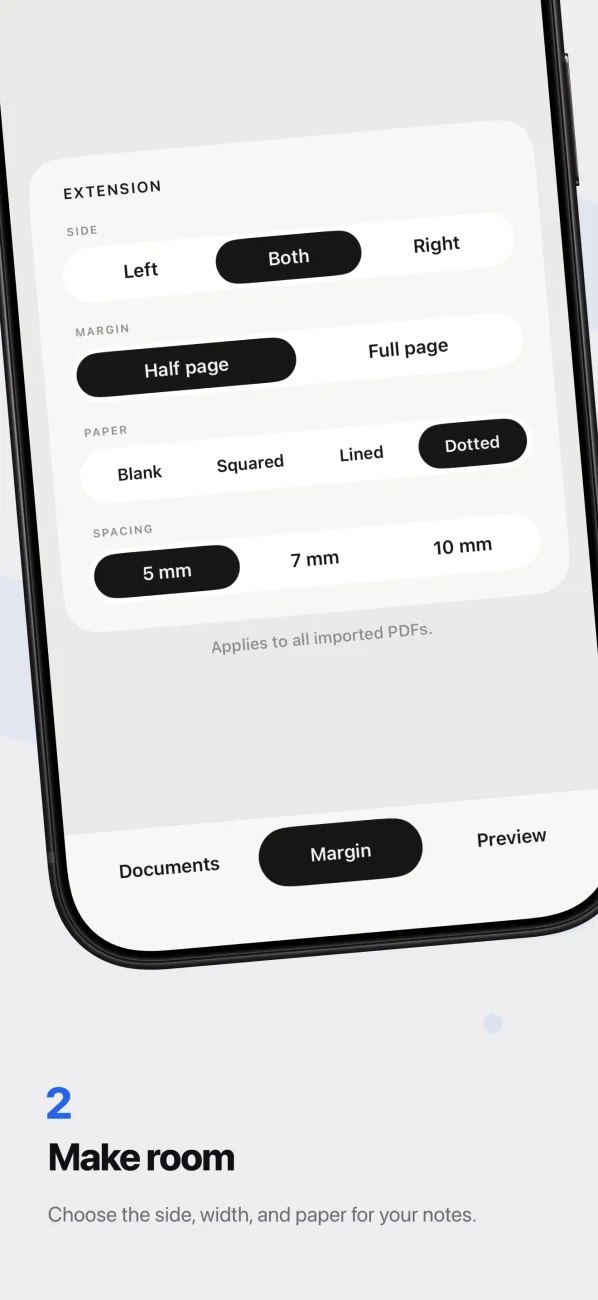
2. Choose a margin — right, left or both sides, half or full page width.
3. Choose paper — blank, grid, lined or dotted, with 5, 7 or 10 mm spacing.
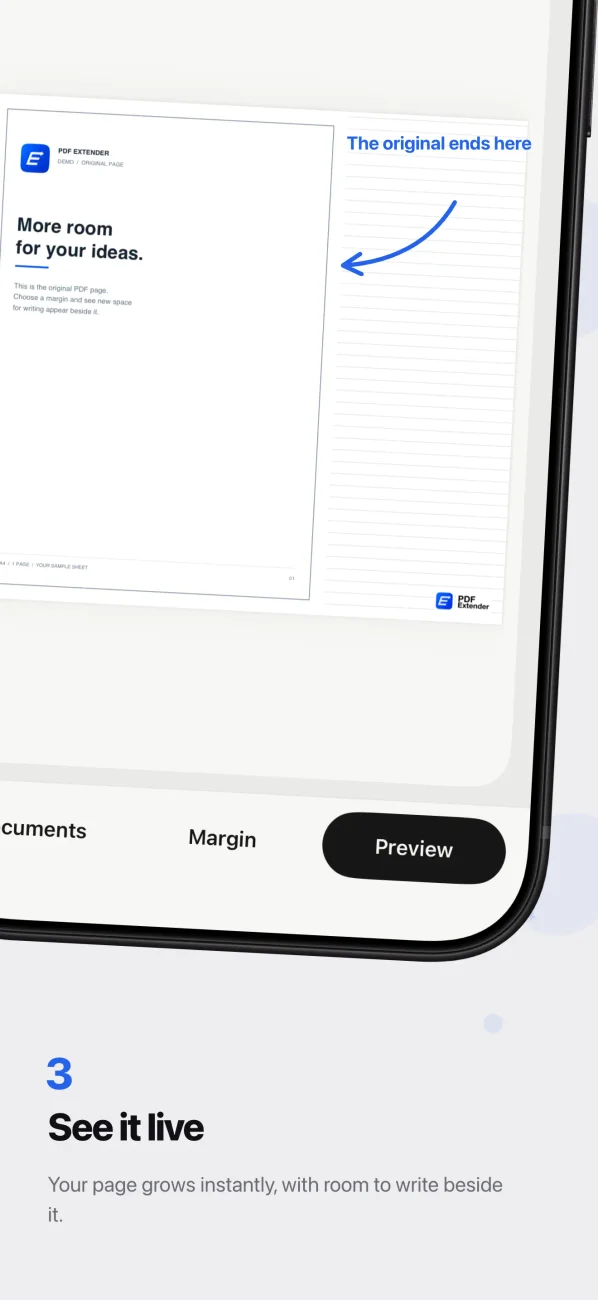
4. Export — the live preview shows you the exact result first.
Then keep writing where you already use your Apple Pencil: Notes, GoodNotes, Notability or Files.
WHY IT WORKS
• Live preview — see every change right away, with no surprises after export.
• Several exercise sheets at once — import multiple PDFs, choose one setting and export them together.
• Fits every format — A4, US Letter, landscape and mixed page sizes.
• Never overwrites — each result is saved as a separate file with the “-extended” suffix.
• Fixed export folder — exports go straight into your study folder structure.
• Quickshare (Pro) — share a PDF from Mail or Safari and get an extended copy back without opening the app.
• Presets (Pro) — save three combinations, such as lined on the right or grid on both sides, and apply one with a single tap, in the app and in Quickshare.
• Three looks — Studio, Billet and Kontor.
Handy for teachers, too: add a defined solution area to worksheets before handing them out, or a notes column to handouts. One batch, one setting, one export.
WHAT THE APP ISN’T
It isn’t an annotation tool — you write in your notes app. It isn’t a PDF editor or scanner. On larger iPad screens, the document list and preview sit side by side in two columns; on iPhone and in narrow iPad windows, a compact view guides you through the same steps.
FREE AND PRO
All margin formats, paper styles, the preview and all designs are free. Only the volume is limited: 10 exports to start, then 3 per week, with a subtle watermark.
Pro removes those limits — unlimited exports, a watermark you can turn off, Quickshare and three saved presets. One-time purchase, no subscription.
PRIVACY
Your PDFs, filenames and page contents are never sent to us or the analytics provider. No account, no advertising tracking. Only if you agree does the app send usage events and a hashed installation identifier to TelemetryDeck. You can withdraw consent in Settings at any time. PDF processing works fully offline — on the train, in the lecture hall or in the library.
What’s new
Version 2.1 · Oct 22, 2026
New in Pro: Presets. Save three combinations of side, margin width and paper, such as lined on the right or grid on both sides, and apply one with a single tap. Presets sit above the margin settings and are also available in the share menu (Quickshare). Set them up in Settings.
App privacy
What SB Labs declares on the App Store about how this app handles data.
-
Data not linked to you
May be collected but is not linked to your identity.
- Purchases
- Identifiers
- Usage data
Privacy practices may vary, for example with the features you use or your age.
Information
- Seller
- SB Labs
- Category
- Education
- Version
- 2.1
- Updated
- Oct 22, 2026
- Released
- Sep 12, 2026
- Size
- 7.4 MB
- Requires
- iOS 17.0 or later
- Age rating
- 4+
- In-app purchases
- Yes
- Languages
- German, English
- Copyright
- © 2026 SB Labs
You might also like
-
 Hazelnote: AI Note TakerLecture & Meeting Notebook
-
 StudyTrackEducation
-
 Lecture Recorder – EarnoteAI notes, flashcards, study
-
 UniDecks: Uni FlashcardsCards from your own course
-
 StudytestEducation
-
 Rechenweg ElektrotechnikStudy aid: Ohm's law, Bode
-
 Pitchroom: Study Out LoudExplain topics & prep exams
-
 Fischerprüfung lernenEducation
-
 DiggiDuell AI Quiz & FlashcardDuel, don't procrastinate!
-
 StudyBrief: Snap & StudyAI Study Sheets in Seconds