- Độ tuổi4+
- Danh mụcHiệu Suất
- Nhà phát triểnVansh Parihar
- Ngôn ngữTiếng Anh
- Kích thước2,7 MB
Liên kết đến trang App Store chính thức
Download.org không lưu trữ tệp nào của PhoneDeck. Nút này mở trang ứng dụng trên App Store, nơi Vansh Parihar phát hành ứng dụng. Trang được kiểm tra lần cuối: 12/11/2026.
Ảnh chụp màn hình
Giới thiệu
Nhà phát triển chưa cung cấp nội dung này bằng ngôn ngữ của bạn.
PhoneDeck needs two free apps to work : this iPhone app + the Mac companion app at phonedeck.io .
Both are 100% free, forever. No account needed.
Stuck or something not working? DM me directly on Instagram @PhoneDeckApp - I reply personally, usually within a few hours.
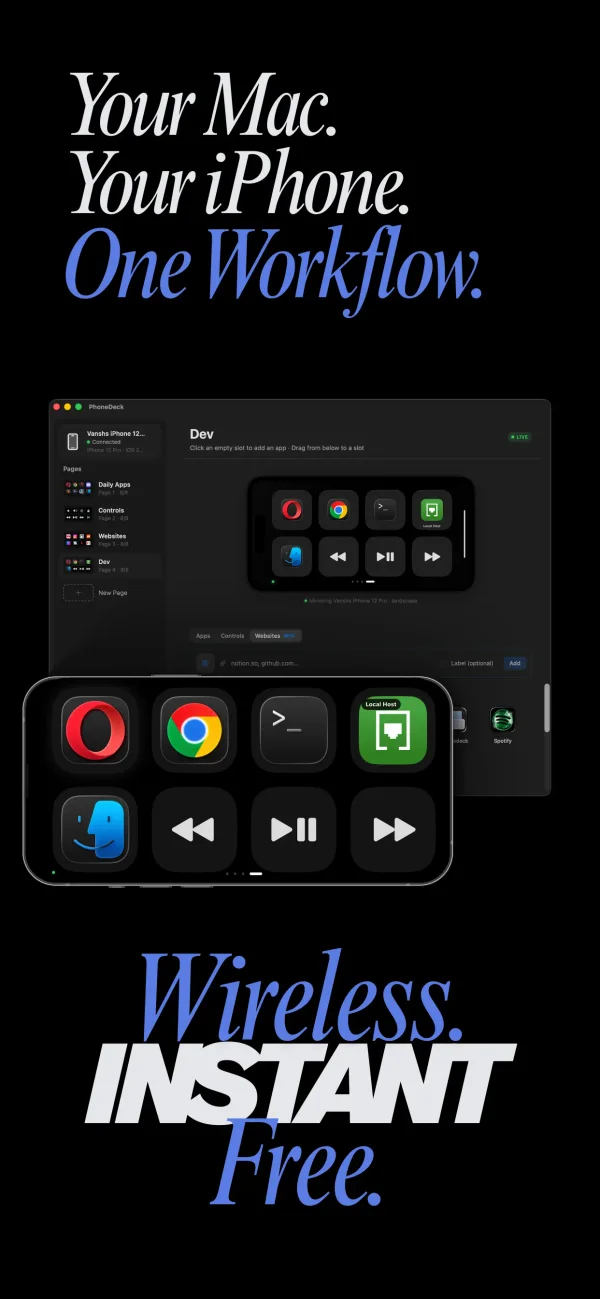
Turn your iPhone into a wireless Mac controller. Launch any Mac app, trigger system controls, open any website all with one tap.
Think Stream Deck, but you already own the hardware.
--------------------------
HOW IT WORKS
--------------------------
• Install this app on your iPhone
• Download the Mac app from phonedeck.io (free DMG)
• Open both apps on the same WiFi - they pair automatically
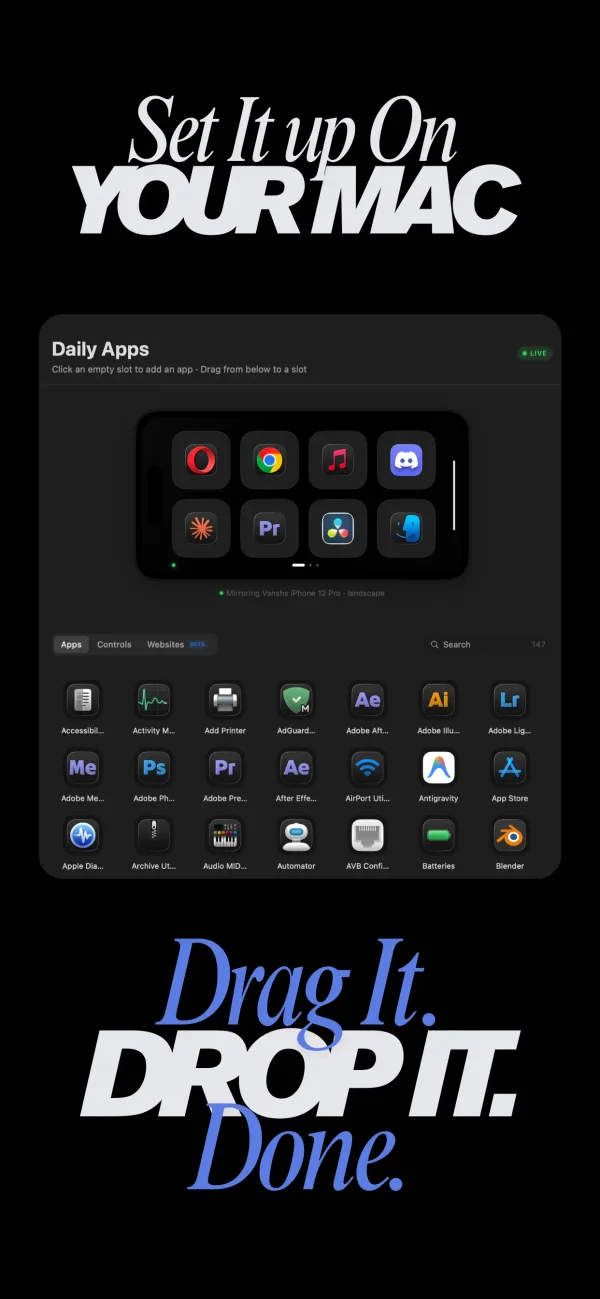
• Drag any Mac app, control, or website onto a tile
• Tap your iPhone to launch
No account. No cloud. No subscription. No data leaves your devices.
--------------------------
WHAT YOU CAN DO
--------------------------
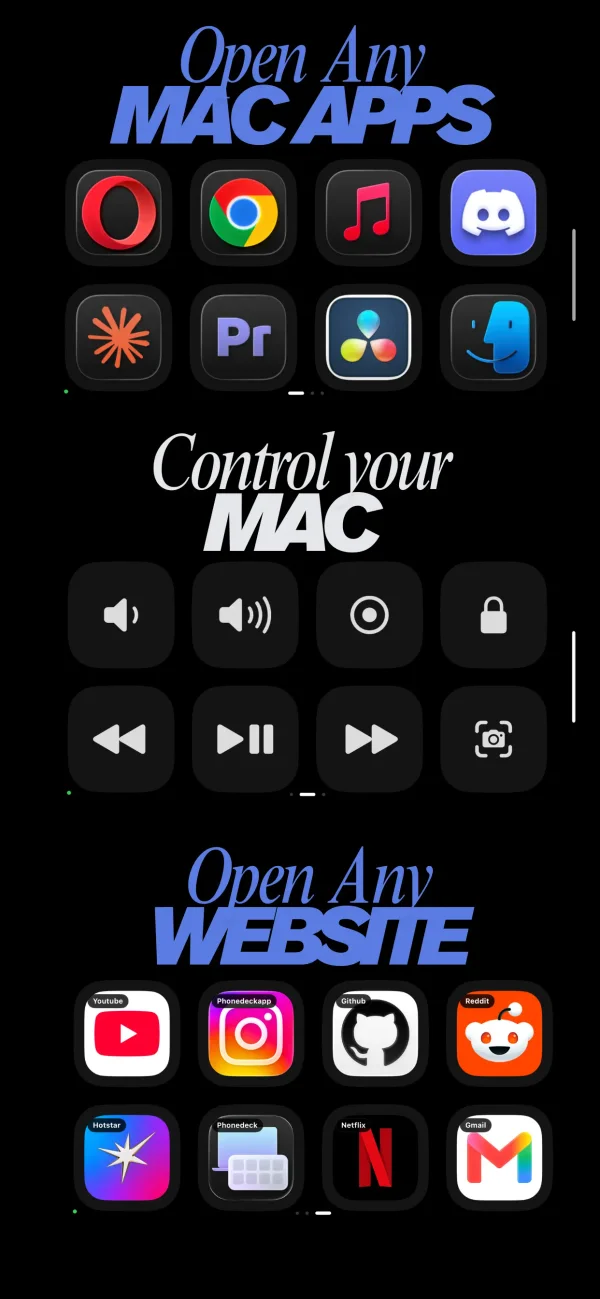
APPS : Launch any Mac app with one tap. VS Code, Figma, Cursor, Premiere, Photoshop, Slack — anything installed on your Mac.
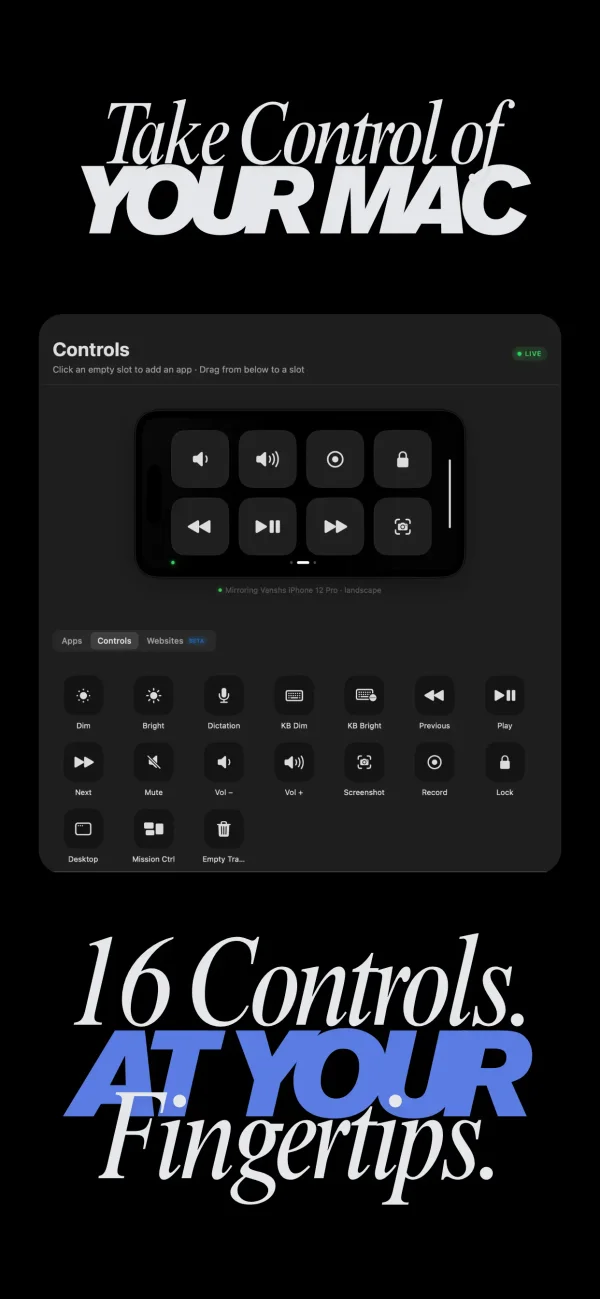
CONTROLS : 16 built-in Mac controls: volume, brightness, keyboard backlight, media play/pause/next/previous, screenshot, screen recording, dictation, lock screen, show desktop, mission control, empty trash.
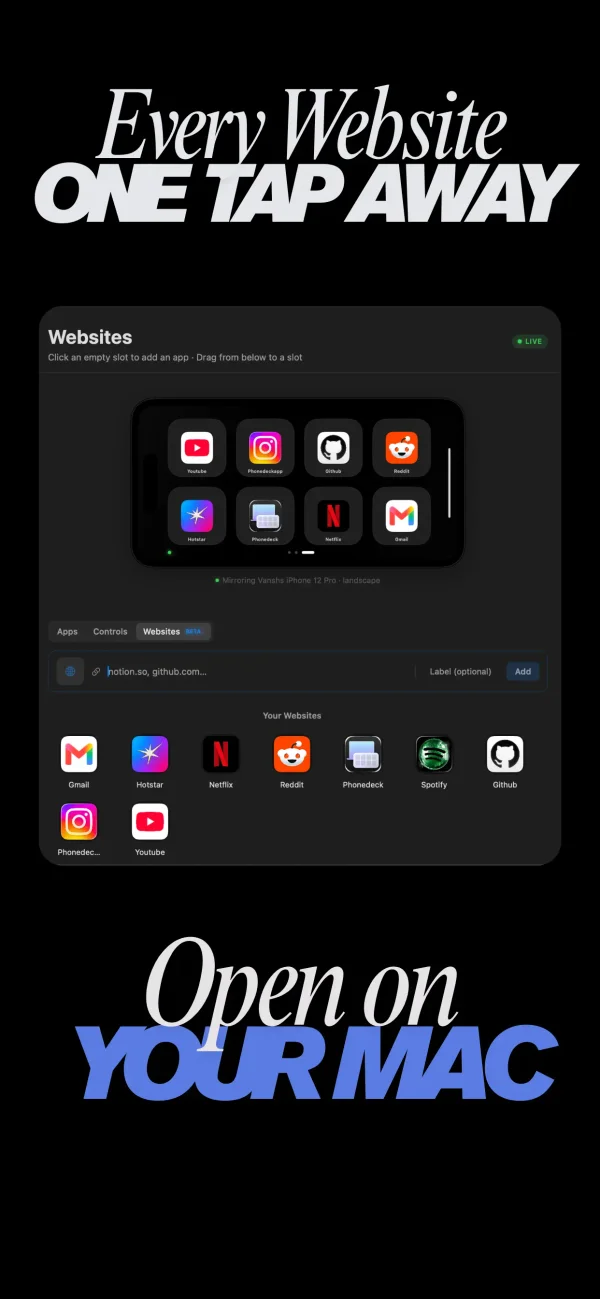
WEBSITES : Drag any URL onto a tile. YouTube, ChatGPT, Linear, Figma files, your dashboards — one tap and it opens on your Mac.
PAGES : Organize tiles into pages. One for Design, one for Dev, one for Music. Swipe between them on your iPhone.
--------------------------
WHY IT'S DIFFERENT
--------------------------
• Free forever. No subscription, no Pro tier, no ads, no tracking.
• Works over local WiFi. No account, no cloud, no data collection.
• Auto-updates on Mac : bug fixes ship the same day.
• Built by one indie developer. Every feature is something a user asked for.
--------------------------
WHAT YOU NEED
--------------------------
• An iPhone running iOS 17 or later
• A Mac running macOS 14+ or later
• Both devices on the same WiFi network
• The PhoneDeck Mac app from phonedeck.io (free download)
--------------------------
Made by one developer in Mumbai. Constantly updated. Feature requests welcome at phonedeck.io/request-feature or DM @PhoneDeckApp on Instagram.
Có gì mới
Phiên bản v1.4 · 14/08/2026
• Keyboard shortcuts, in beta.
• Put a key combination on a tile and fire it from your phone ⇧⌘4 to snip a screenshot, ⌃→ to switch desktops, ⌘⇧T to reopen the tab you just closed.
• Record any shortcut by pressing the keys you want. PhoneDeck captures them exactly, even the combinations your Mac normally swallows, like ⌘Q and ⌘Space.
• Or pick from 28 ready-made shortcuts, grouped by what they do windows and desktops, screenshots, tabs, view, editing. Name them whatever you like.
• Anything you record is saved, so it outlives the tile you made it for.
• It's beta for a reason: a shortcut goes to whichever app is in front, so whether it lands is that app's decision. There's a report link built in for the ones that miss.
• Your menu-bar apps are back. Tailscale, Docker, Stream Deck and others were being hidden from your app list — they're all there now.
• A Refresh button for the app list, so newly installed apps show up without restarting PhoneDeck.
• Keyboard tiles no longer blink when your phone connects.
• Your saved websites and shortcuts can no longer be wiped by a single unreadable entry.
• The Controls tab now tells you when a macOS permission is stopping a control from working, and which one.
Quyền riêng tư của ứng dụng
Những gì Vansh Parihar khai báo trên App Store về cách ứng dụng này xử lý dữ liệu.
-
Dữ liệu không được thu thập
Nhà phát triển không thu thập bất kỳ dữ liệu nào từ ứng dụng này.
Phương thức đảm bảo quyền riêng tư có thể khác nhau, chẳng hạn như tuỳ theo các tính năng bạn sử dụng hoặc độ tuổi của bạn.
Thông tin
- Người bán
- Vansh Parihar
- Danh mục
- Hiệu Suất
- Phiên bản
- v1.4
- Cập nhật
- 14/08/2026
- Phát hành
- 30/05/2026
- Kích thước
- 2,7 MB
- Yêu cầu
- iOS 17.0 trở lên
- Độ tuổi
- 4+
- Giá
- Miễn phí
- Ngôn ngữ
- Tiếng Anh
- Bản quyền
- © 2026 Vansh Parihar
Có thể bạn cũng thích
-
 Parallax: Multi-Model AIHiệu Suất
-
 MySendTransfer at Lightning Speed
-
 Papyrus: Research LibraryHiệu Suất
-
 Offprint: Web to PDF & EPUBHiệu Suất
-
 PDF Editor: Document AssistantHiệu Suất
-
 DeckPilot - Workflow ControlHiệu Suất
-
 FileMaster: Offline ScannerHiệu Suất
-
 WeekPad: Weekly Planner DiaryHiệu Suất
-
 NobodyWho ChatHiệu Suất
-
 Neuro HiveHiệu Suất