PDF Editor: Document Assistant
Edit, Sign & PDF Converter App
Được thiết kế cho iPhone, iPad, Mac
Miễn phí · Mua hàng trong ứng dụng
- Độ tuổi4+
- Danh mụcHiệu Suất
- Nhà phát triểnArima Jain
- Ngôn ngữTiếng Anh
- Kích thước11,1 MB
Liên kết đến trang App Store chính thức
Download.org không lưu trữ tệp nào của PDF Editor: Document Assistant. Nút này mở trang ứng dụng trên App Store, nơi Arima Jain phát hành ứng dụng. Trang được kiểm tra lần cuối: 17/11/2026.
Ảnh chụp màn hình
Giới thiệu
Nhà phát triển chưa cung cấp nội dung này bằng ngôn ngữ của bạn.
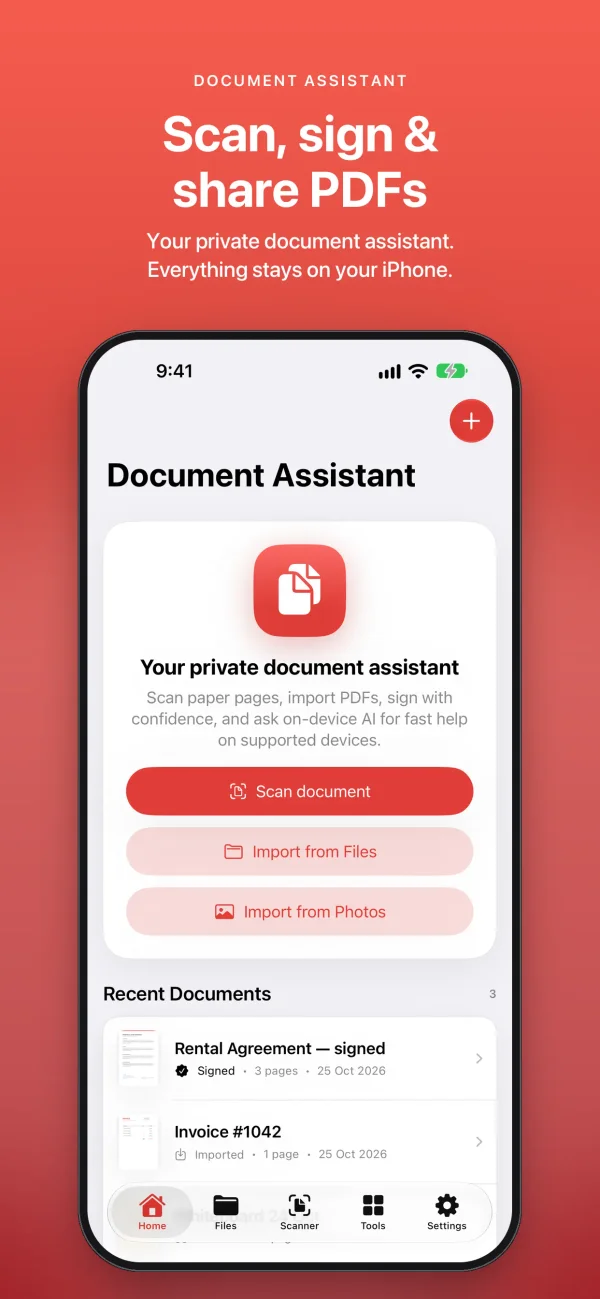
Document Assistant is the all-in-one PDF toolkit that lives on your device. Scan paper, sign contracts, edit, convert and organize documents in seconds. Your files are processed on your iPhone or iPad and never uploaded to a server.
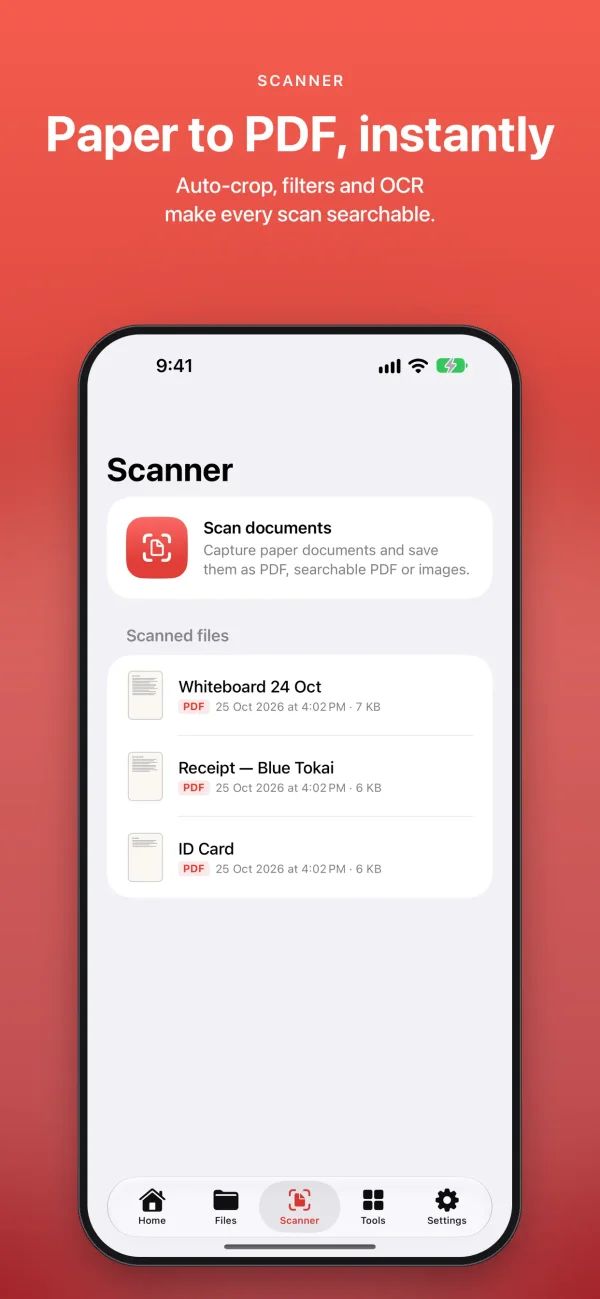
SCAN PAPER TO PDF
• Capture documents with your camera, with automatic edge detection and cropping
• Save as PDF, searchable PDF with text recognition (OCR), or images
• OCR in multiple languages makes scanned text searchable and selectable
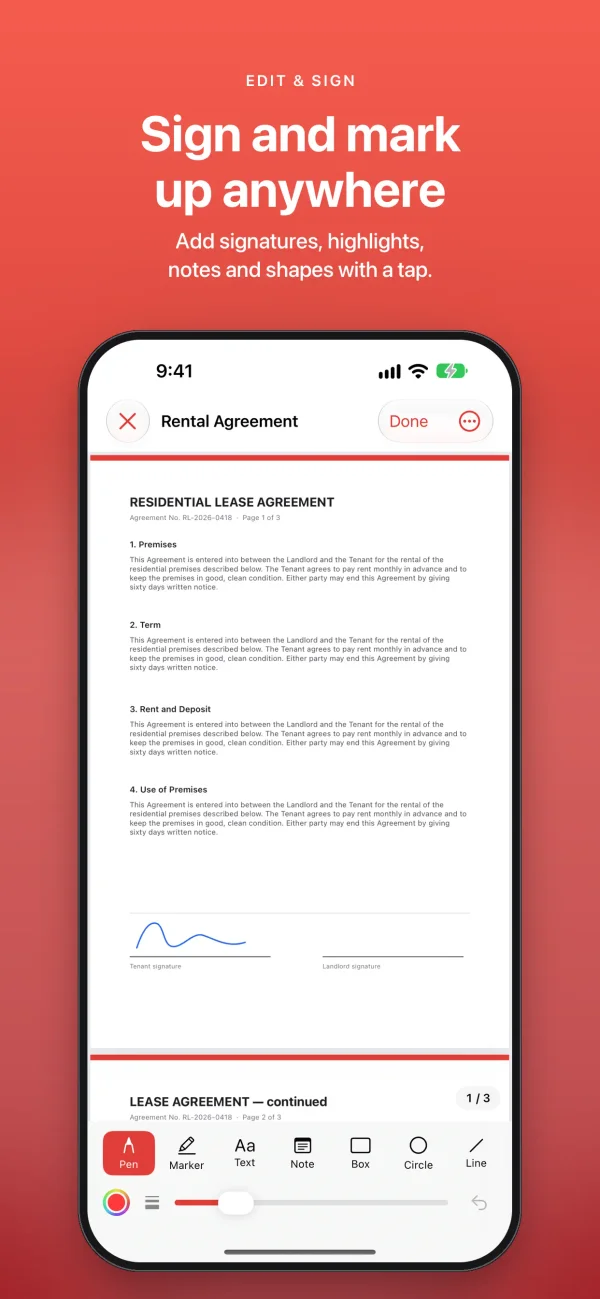
SIGN AND MARK UP
• Draw your signature once and place it on any page
• Highlight, underline, add text, notes, shapes and freehand drawings
• Redact to permanently black out sensitive information
• Works beautifully with Apple Pencil on iPad
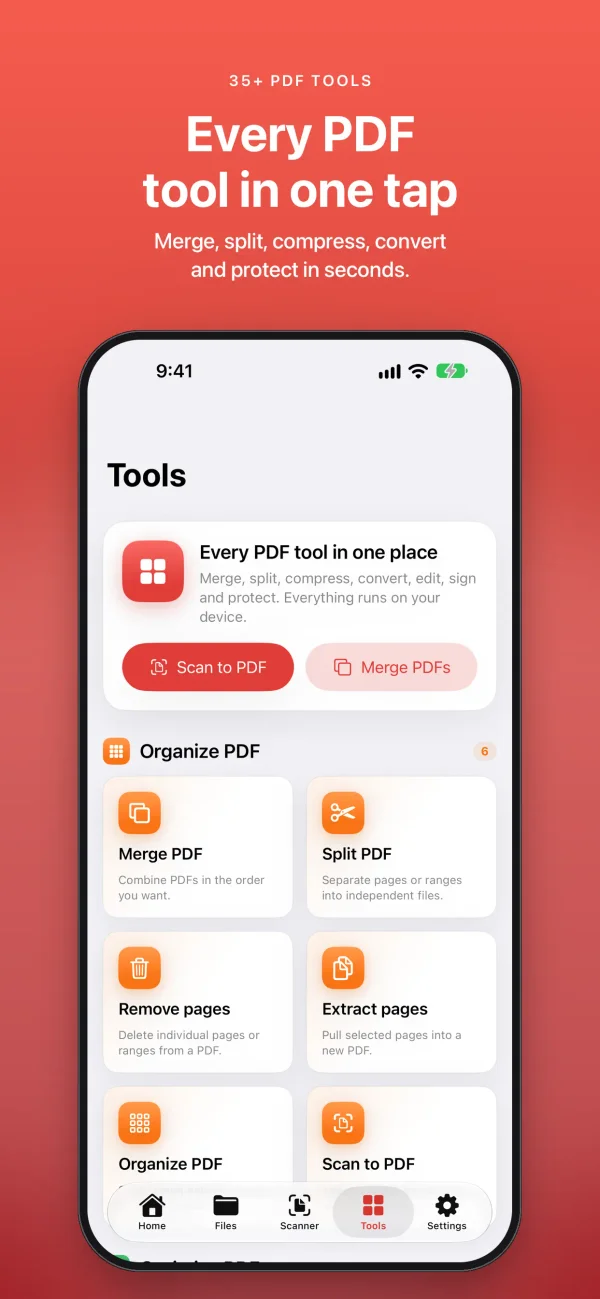
35+ PDF TOOLS
• Organize: merge, split, remove or extract pages, reorder, rotate and duplicate
• Optimize: compress PDFs, repair damaged files, run OCR
• Convert to PDF: images, Word, Excel, PowerPoint, RTF, text and HTML
• Convert from PDF: Word (DOCX), Excel (XLSX), text and JPG, or extract images
• Edit: add watermarks, page numbers and rotations
• Security: protect PDFs with a password or remove one you know
IMAGE TOOLS
• Compress, resize, crop and rotate images
• Convert to and from JPG, PNG, HEIC, GIF and TIFF
• Add watermarks, upscale images, blur faces automatically, or make a meme
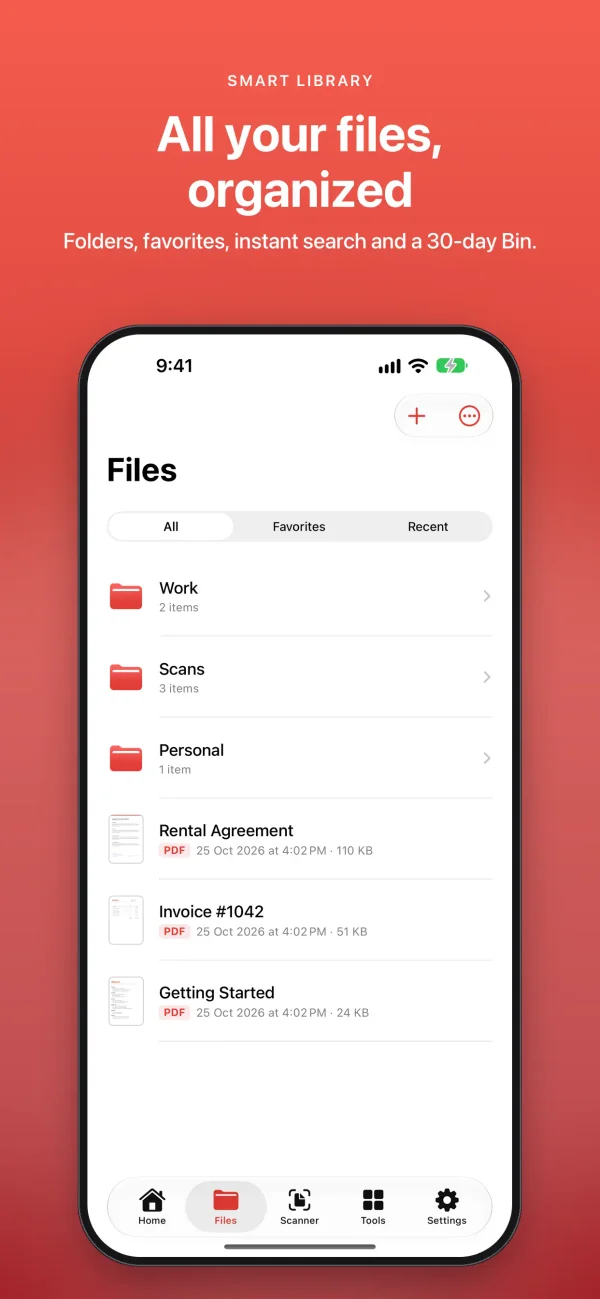
SMART FILE LIBRARY
• Folders, favorites, recent files and instant search
• Create new PDFs from ready-made templates
• A 30-day Bin so nothing is lost by accident
• Your library is also available in the Files app
ASK YOUR DOCUMENTS
• Chat with a PDF to get summaries, key points and answers
• Runs on-device with Apple Intelligence on supported devices
DESIGNED FOR EVERY SCREEN
• iPhone, iPad and iPhone Duo, in portrait and landscape
• Light and Dark Mode
PRIVATE BY DESIGN
No account needed. Your documents are processed on your device and are never uploaded.
Privacy policy: https://digitalhole.github.io/DHPrivacy.html
Standard Apple Terms of Use (EULA): https://www.apple.com/legal/internet-services/itunes/dev/stdeula/
Có gì mới
Phiên bản 1.3 · 25/10/2026
• Performance improvement
• Improved User Experience
• New Features Added
Quyền riêng tư của ứng dụng
Những gì Arima Jain khai báo trên App Store về cách ứng dụng này xử lý dữ liệu.
-
Dữ liệu được sử dụng để theo dõi bạn
Có thể được sử dụng để theo dõi bạn trên các ứng dụng và trang web do công ty khác sở hữu.
- Dữ liệu sử dụng
-
Dữ liệu không liên kết với bạn
Có thể được thu thập nhưng không liên kết với danh tính của bạn.
- Dữ liệu sử dụng
Phương thức đảm bảo quyền riêng tư có thể khác nhau, chẳng hạn như tuỳ theo các tính năng bạn sử dụng hoặc độ tuổi của bạn.
Thông tin
- Người bán
- Arima Jain
- Danh mục
- Hiệu Suất
- Phiên bản
- 1.3
- Cập nhật
- 25/10/2026
- Phát hành
- 13/07/2026
- Kích thước
- 11,1 MB
- Yêu cầu
- iOS 17.0 trở lên
- Độ tuổi
- 4+
- Giá
- Miễn phí
- Mua hàng trong ứng dụng
- Có
- Ngôn ngữ
- Tiếng Anh
- Bản quyền
- © Arima Jain
Có thể bạn cũng thích
-
 Private Writer Markdown EditorHiệu Suất
-
 Current: Visual Focus TimerHiệu Suất
-
 WeekPad: Weekly Planner DiaryHiệu Suất
-
 MySendTransfer at Lightning Speed
-
 Petsa PawHiệu Suất
-
 FileMaster: Offline ScannerHiệu Suất
-
 Trading Journal ProTài Chính
-
 Just a Simple Video ConverterHiệu Suất
-
 PatchDoc:File & Code EditorHiệu Suất
-
 Hexa Timer: Focus & PomodoroHiệu Suất