picaroa
Your homelab PicoShare client
Được thiết kế cho iPhone
Miễn phí · Mua hàng trong ứng dụng
- Độ tuổi4+
- Danh mụcTiện Ích
- Nhà phát triểnSven Uwe Hanold
- Ngôn ngữTiếng Anh+ 1 ngôn ngữ khác
- Kích thước4,9 MB
Liên kết đến trang App Store chính thức
Download.org không lưu trữ tệp nào của picaroa. Nút này mở trang ứng dụng trên App Store, nơi Sven Uwe Hanold phát hành ứng dụng. Trang được kiểm tra lần cuối: 18/11/2026.
Ảnh chụp màn hình
Giới thiệu
Nhà phát triển chưa cung cấp nội dung này bằng ngôn ngữ của bạn.
Share files from your own server. No cloud required.
picaroa is the native iOS client for PicoShare, the self-hosted file sharing service. Upload a file, pick an expiry date, and have the link in your clipboard in seconds – no cloud account, no subscription, no tracking.
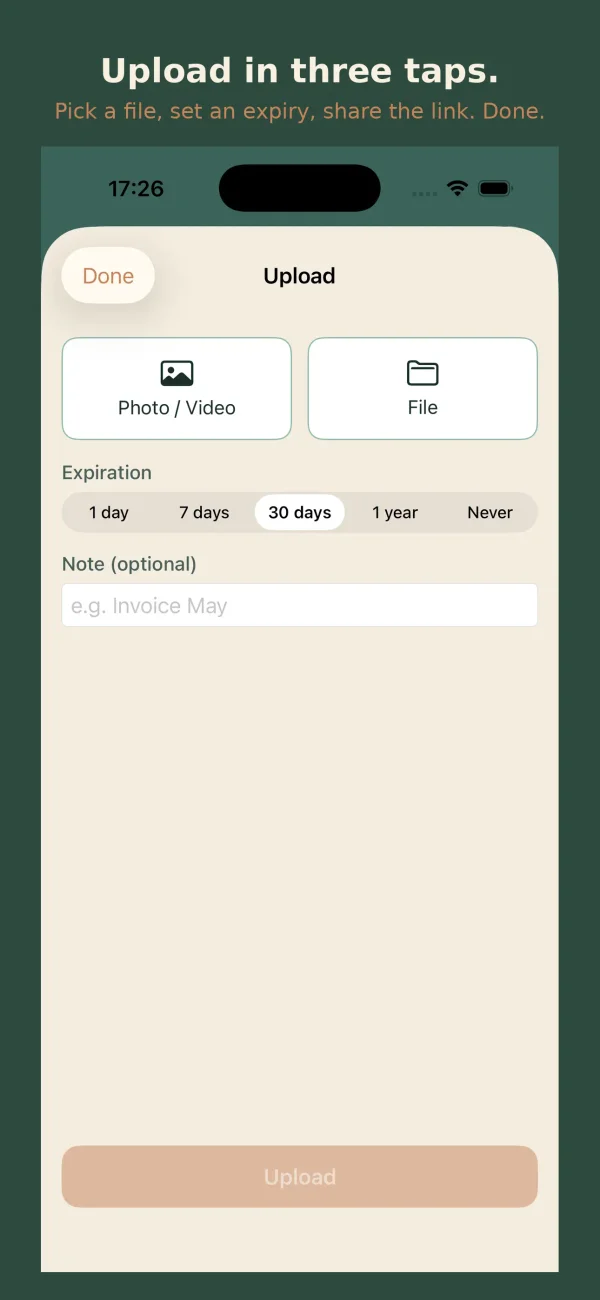
UPLOAD IN THREE STEPS
Pick a file from your photo library or the Files app, set an expiry, tap upload. The share link lands in your clipboard automatically.
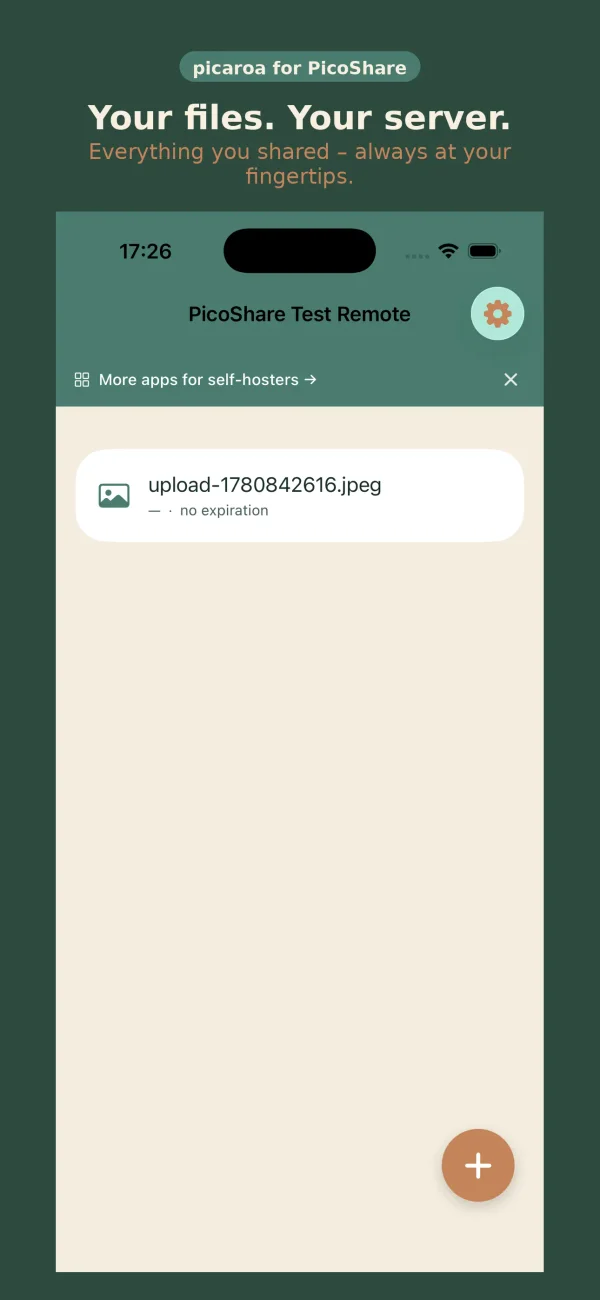
YOUR FILES. YOUR SERVER.
picaroa connects exclusively to your own PicoShare instance. No data is sent to third parties. Your shared secret is stored securely in the iOS Keychain – never in plain text.
ALL YOUR FILES AT A GLANCE
Every uploaded file in a clean list. Tap any entry to copy the link, open it in Safari, or delete the file. Swipe left to delete directly from the list.
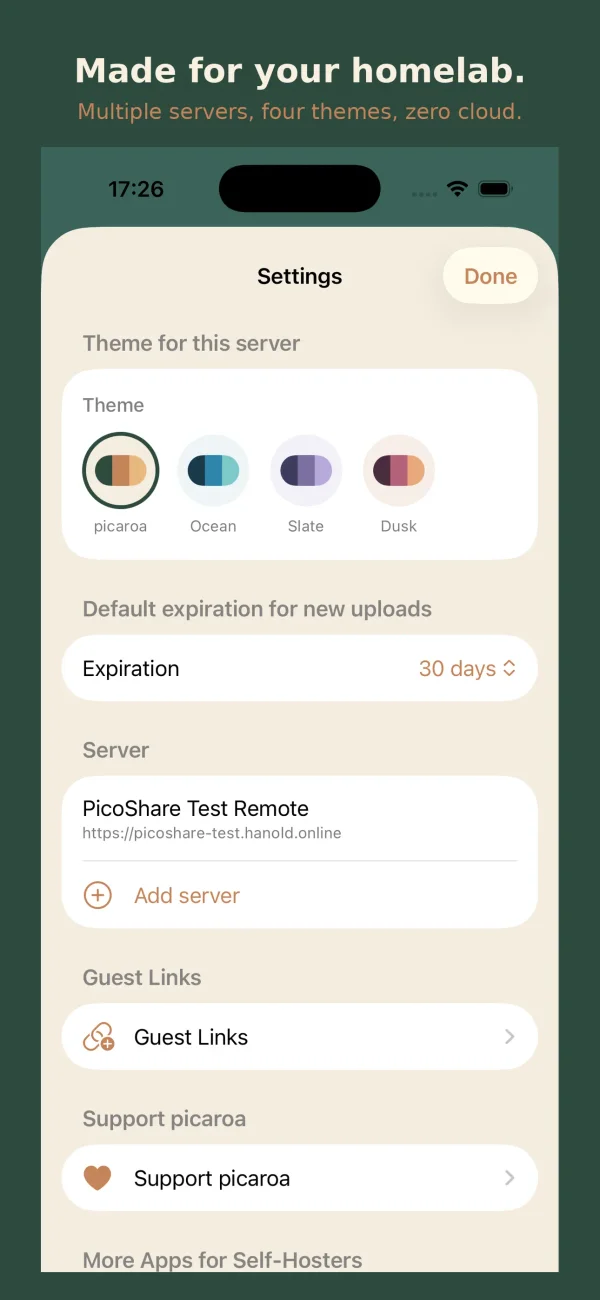
MULTIPLE SERVERS, MULTIPLE THEMES
Manage several PicoShare instances in one app. Each server gets its own colour theme – Picaroa, Ocean, Slate, or Dusk.
EXPIRY OPTIONS
1 day · 7 days · 30 days · 1 year · Never
REQUIREMENTS
A reachable PicoShare instance (home network, VPN, or public). PicoShare is free, open source, and runs with Docker in minutes.
picaroa is free and contains no advertising.
Có gì mới
Phiên bản 1.1 · 06/07/2026
New in version 1.1:
• Multi-upload: Select several files and upload them in a single step.
• ZIP archives: Bundle multiple files into one download link — optionally password-protected.
• File preview: View images, PDFs and videos right in the app, no browser needed.
• QR codes: Show any share link as a QR code and hand files from one device to another.
• Search & filter: Search and sort your file list by name, date, size or file type.
• Offline queue: If the server is unreachable, uploads are saved and sent automatically once you're back online.
• EXIF stripping: Optionally remove GPS and camera metadata from images before uploading.
• Download counter: See how often a file has been accessed (when your server supports it).
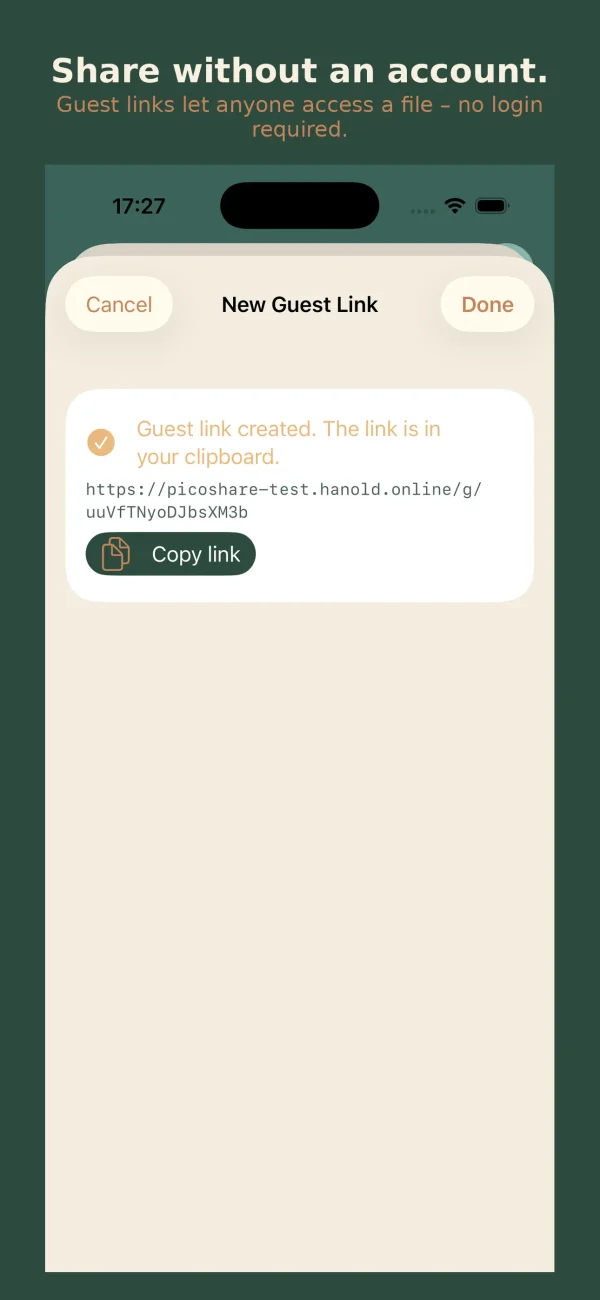
• Guest links: Share, test and edit upload links — plus a streamlined guest upload screen.
• Easier server management: switch between servers and reveal credentials to check them.
• Many refinements across the interface and translations.
Quyền riêng tư của ứng dụng
Những gì Sven Uwe Hanold khai báo trên App Store về cách ứng dụng này xử lý dữ liệu.
-
Dữ liệu không được thu thập
Nhà phát triển không thu thập bất kỳ dữ liệu nào từ ứng dụng này.
Phương thức đảm bảo quyền riêng tư có thể khác nhau, chẳng hạn như tuỳ theo các tính năng bạn sử dụng hoặc độ tuổi của bạn.
Thông tin
- Người bán
- Sven Uwe Hanold
- Danh mục
- Tiện Ích
- Phiên bản
- 1.1
- Cập nhật
- 06/07/2026
- Phát hành
- 02/07/2026
- Kích thước
- 4,9 MB
- Yêu cầu
- iOS 26.5 trở lên
- Độ tuổi
- 4+
- Giá
- Miễn phí
- Mua hàng trong ứng dụng
- Có
- Ngôn ngữ
- Tiếng Anh, Tiếng Đức
- Bản quyền
- © Sven Hanold