
Plans: Notes & To-Do Lists
Minimalist reminders & widget
Được thiết kế cho iPhone, iPad
Miễn phí · Mua hàng trong ứng dụng
- Độ tuổi4+
- Danh mụcHiệu Suất
- Nhà phát triểnLunus Technologies
- Ngôn ngữTiếng Anh+ 7 ngôn ngữ khác
- Kích thước15,5 MB
Liên kết đến trang App Store chính thức
Download.org không lưu trữ tệp nào của Plans: Notes & To-Do Lists. Nút này mở trang ứng dụng trên App Store, nơi Lunus Technologies phát hành ứng dụng. Trang được kiểm tra lần cuối: 23/11/2026.
Ảnh chụp màn hình
Giới thiệu
Nhà phát triển chưa cung cấp nội dung này bằng ngôn ngữ của bạn.
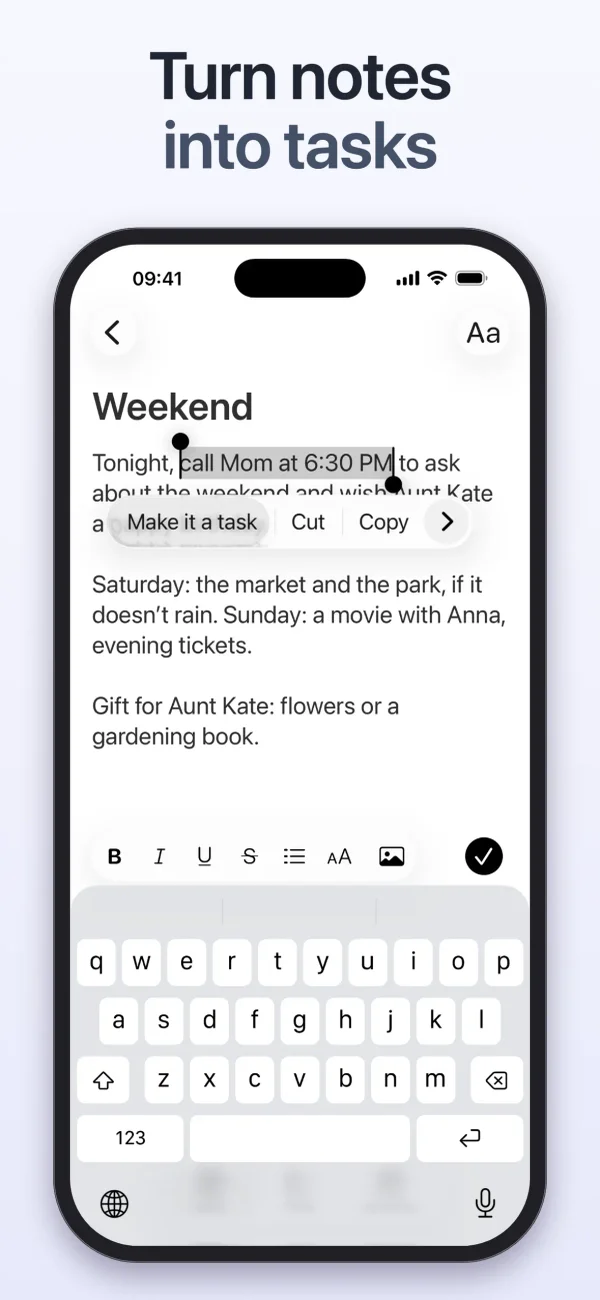
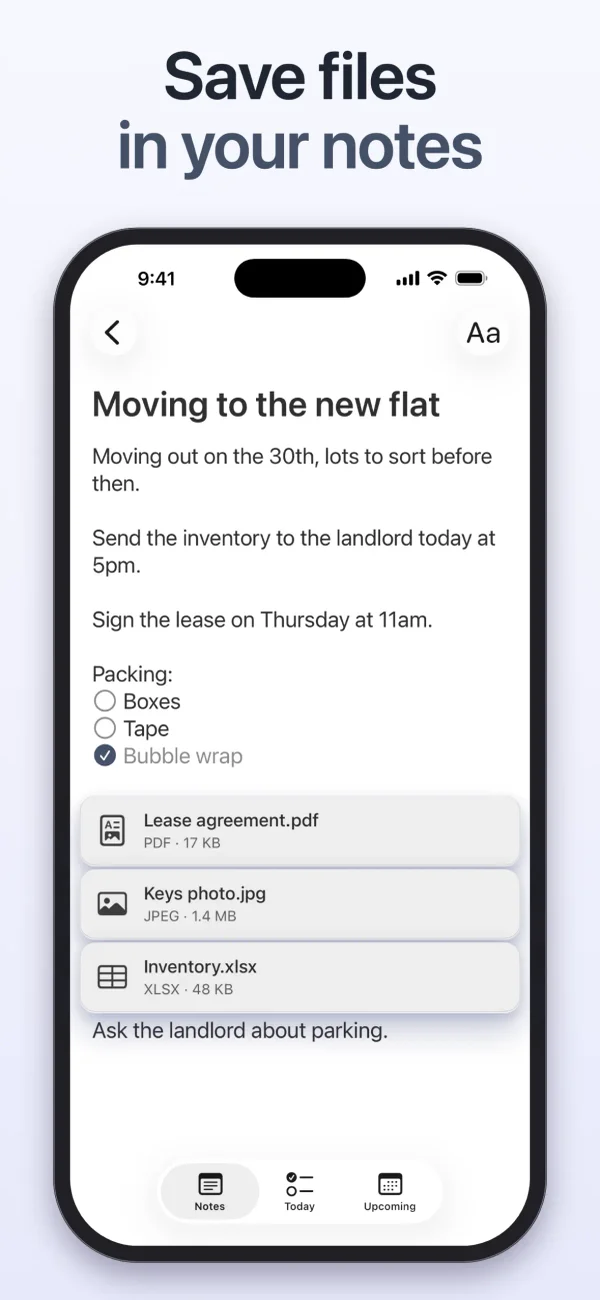
Your to-dos hide in your notes. Plans helps you get them out: select any sentence, tap "Make it a task", and it lands on the right day with the time already set. Notes, tasks and your calendar, together in one minimalist app — now on Apple Watch too.
NOTES
• Write freely: formatting, checklists, photos and scanned documents
• Attach PDFs and any other files with the paperclip
• Select any text and turn it into a task. Plans reads the date and time from your words
• Select a list and it becomes a checklist task
• Folders, pinning and search
• Save text, links and files from other apps with the share sheet
TASKS
• Add a task in a single line, with the date and time right in the text
• Lists with subtasks
• Time, reminders and daily repeat
• Move a task to another day with a swipe
• Every task links back to the note it came from
PLANNING
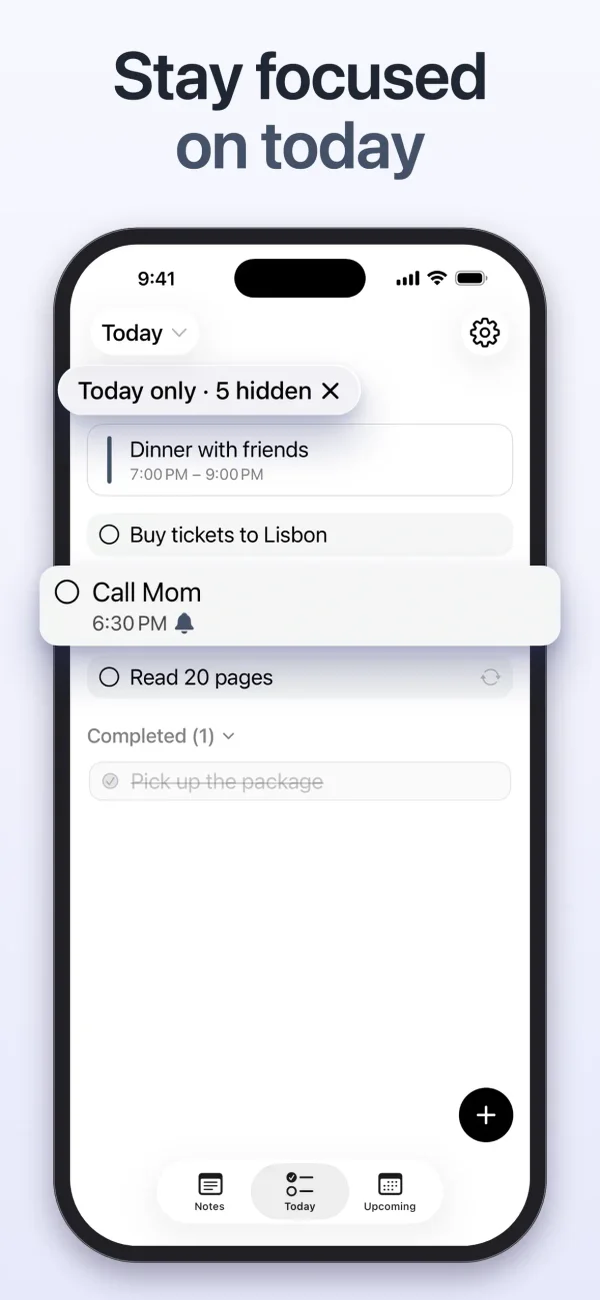
• Today — only what needs doing now. Tap Today again to hide everything else
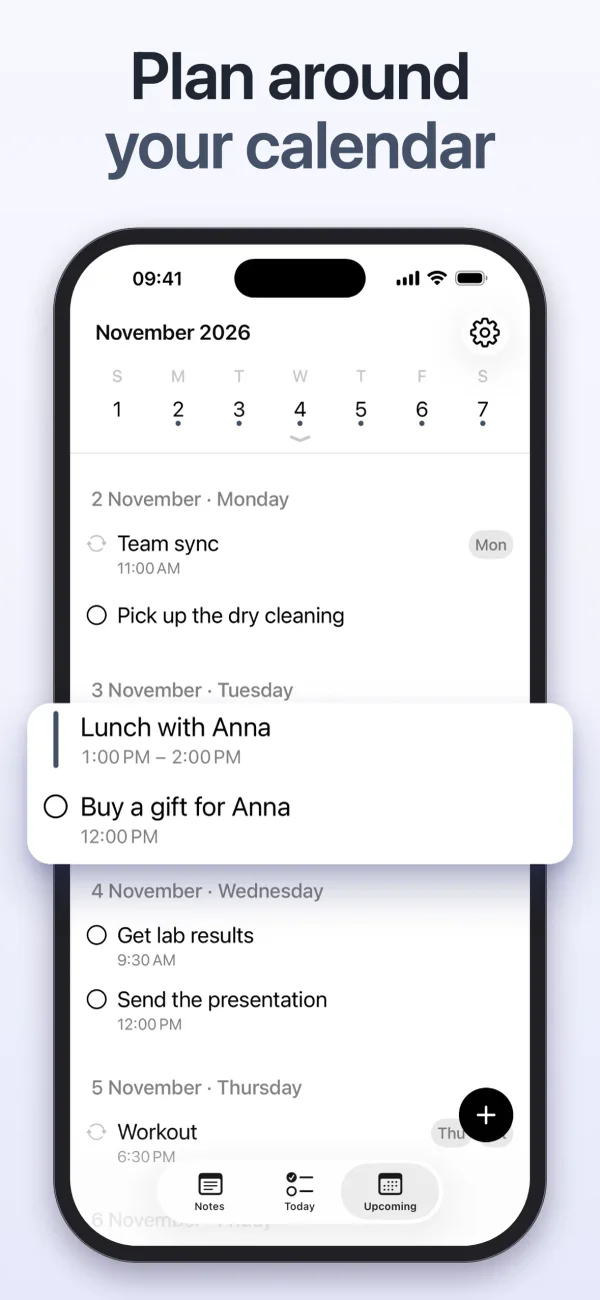
• Upcoming — the whole week on one screen, plus a month calendar
• Events from your iPhone Calendar next to your tasks, including Google Calendar
• A daily summary of overdue tasks at the time you choose
WIDGETS AND QUICK ACCESS
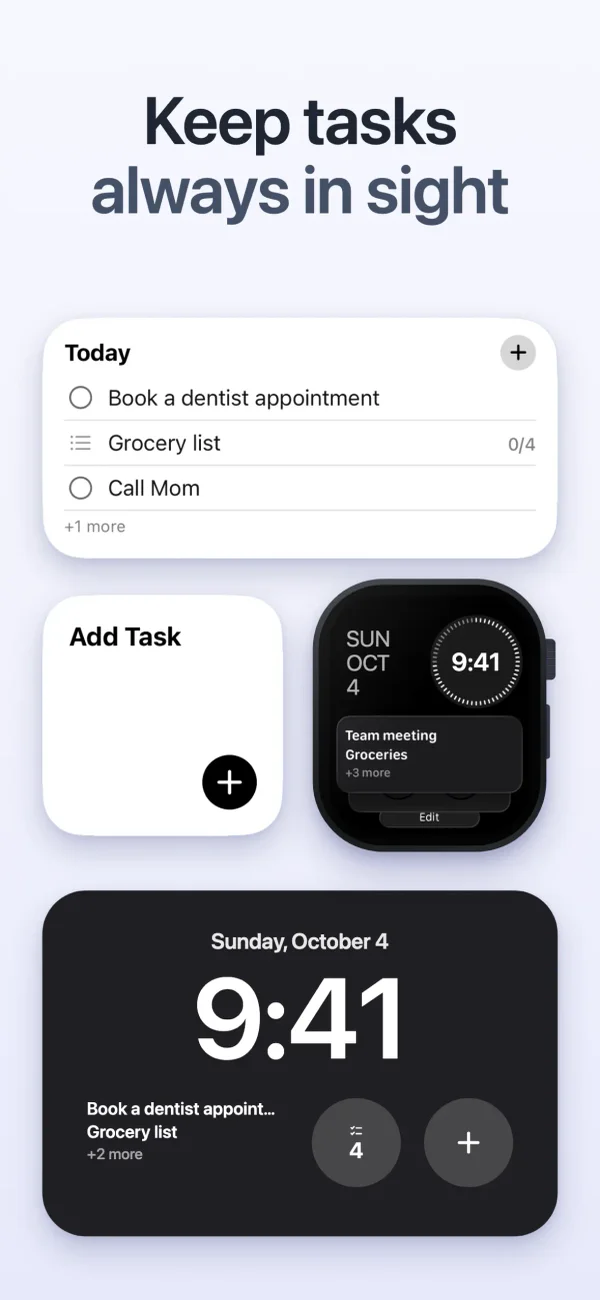
• Today's tasks on the Home Screen and Lock Screen, checked off right there
• A new task or note from the app icon, or by voice with Siri
APPLE WATCH
• Today's tasks and the week ahead on your wrist
• Check tasks off and add new ones by voice
• Today's tasks on your watch face and in the Smart Stack
PLANS PRO
A one-time purchase, no subscription:
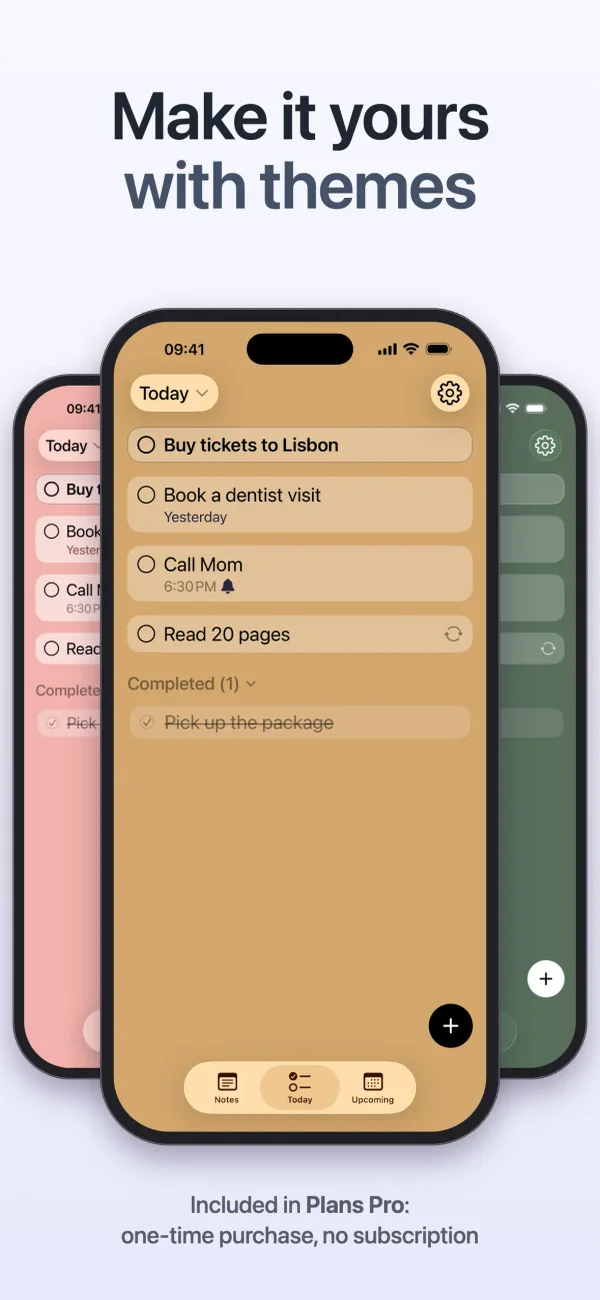
• Six color themes and app icons
• Plans on Apple Watch
• Unlimited files in notes (10 files are free)
• Reminders ahead of time — an hour, a day, or any moment you set
• Repeat on weekdays, weekends or any days you choose
• Task duration — see when it starts and ends
• Note fonts: Rounded, Monospaced, Charter and Avenir Next
• Export all notes to Markdown
Works on iPhone, iPad and Apple Watch, synced with your own iCloud. Light, dark and Lavender themes and the Lavender icon are free.
Có gì mới
Phiên bản 1.9.2 · 22/11/2026
New in Plans Pro: paper texture — a subtle grain on backgrounds and cards that works with any theme.
Quyền riêng tư của ứng dụng
Những gì Lunus Technologies khai báo trên App Store về cách ứng dụng này xử lý dữ liệu.
-
Dữ liệu không liên kết với bạn
Có thể được thu thập nhưng không liên kết với danh tính của bạn.
- Dữ liệu sử dụng
Phương thức đảm bảo quyền riêng tư có thể khác nhau, chẳng hạn như tuỳ theo các tính năng bạn sử dụng hoặc độ tuổi của bạn.
Thông tin
- Người bán
- Lunus Technologies, TOO
- Danh mục
- Hiệu Suất
- Phiên bản
- 1.9.2
- Cập nhật
- 22/11/2026
- Phát hành
- 19/07/2026
- Kích thước
- 15,5 MB
- Yêu cầu
- iOS 17.6 trở lên
- Độ tuổi
- 4+
- Giá
- Miễn phí
- Mua hàng trong ứng dụng
- Có
- Ngôn ngữ
- Tiếng Anh, Tiếng Pháp, Tiếng Đức, Tiếng Nhật, Tiếng Bồ Đào Nha, Tiếng Nga, Tiếng Trung Giản thể, Tiếng Tây Ban Nha
- Bản quyền
- © 2025 ТОО Lunus Technologies
Có thể bạn cũng thích
-
 WishNote: Notes & To-DoHiệu Suất
-
 Prazo: Calendar & To-Do ListHiệu Suất
-
 Anythings: To-Do List & TasksHiệu Suất
-
 Vibelist: Sequential TodolistHiệu Suất
-
 WeekOS: Weekly Planner & GoalsHiệu Suất
-
 Ordo: Brain DumpHiệu Suất
-
 PlanThat: Shared PlannerHiệu Suất
-
 Visual Mind Map & GTD - VisuelHiệu Suất
-
 Clair AppHiệu Suất
-
 Totalist: Smart Shopping listHiệu Suất