PresentCast: Playlist Casting
Phone Preview & Local Cast
Được thiết kế cho iPhone, iPad, iPod touch
Miễn phí · Mua hàng trong ứng dụng
- Độ tuổi4+
- Danh mụcHiệu Suất
- Nhà phát triển雷 陈
- Ngôn ngữTiếng Anh+ 1 ngôn ngữ khác
- Kích thước8,4 MB
Liên kết đến trang App Store chính thức
Download.org không lưu trữ tệp nào của PresentCast: Playlist Casting. Nút này mở trang ứng dụng trên App Store, nơi 雷 陈 phát hành ứng dụng. Trang được kiểm tra lần cuối: 18/11/2026.
Ảnh chụp màn hình

Giới thiệu
Nhà phát triển chưa cung cấp nội dung này bằng ngôn ngữ của bạn.
PresentCast turns multiple PDFs, photos, and videos into reusable presentation playlists you can prepare, rehearse, and present from your iPhone or iPad.
Plan the order before the session, keep the current and next content visible in Presenter View, follow elapsed time, and control the presentation without rebuilding a queue for every meeting, lesson, pitch, or event.
The audience sees only the content you selected. Your phone remains your private presenter workspace instead of mirroring messages, notifications, or unrelated apps.
BUILD A REUSABLE PRESENTATION PLAYLIST
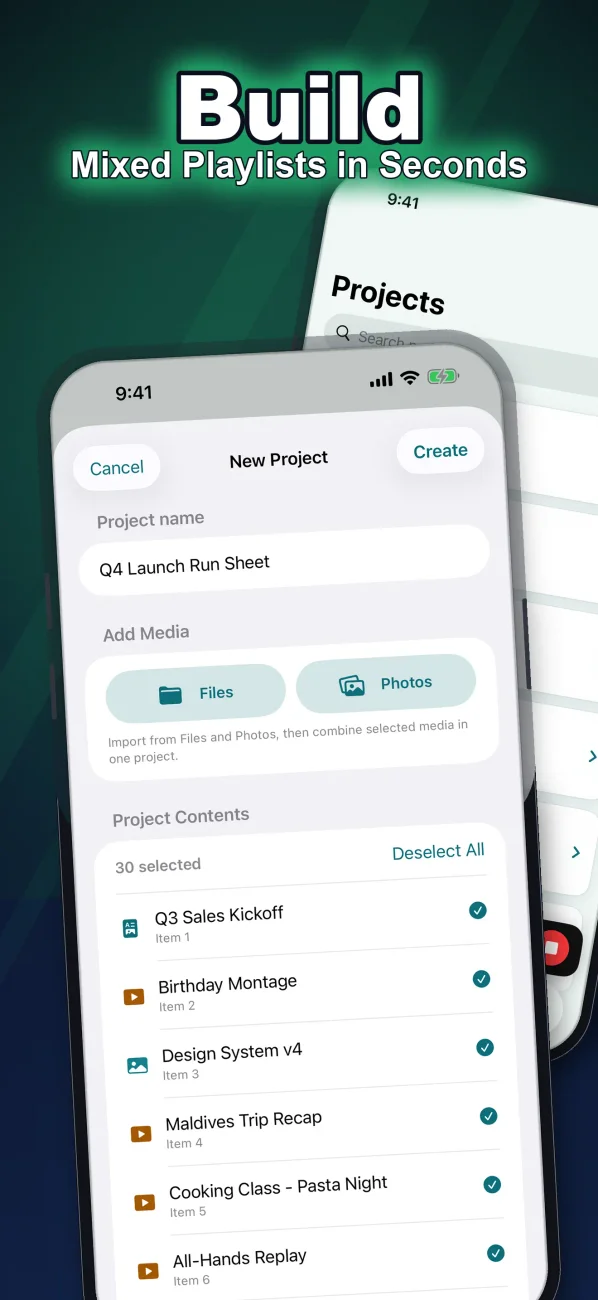
1. Import multiple PDFs, photos, or videos from Files and Photos.
2. Combine mixed media in one Project and drag items into the exact order you want.
3. Save, rename, duplicate, and revise Projects for repeat sessions.
4. Present from top to bottom and continue across PDF pages, still images, and videos.
5. Jump to another item or edit the live order without rebuilding the presentation.
PRESENTER VIEW ON YOUR PHONE
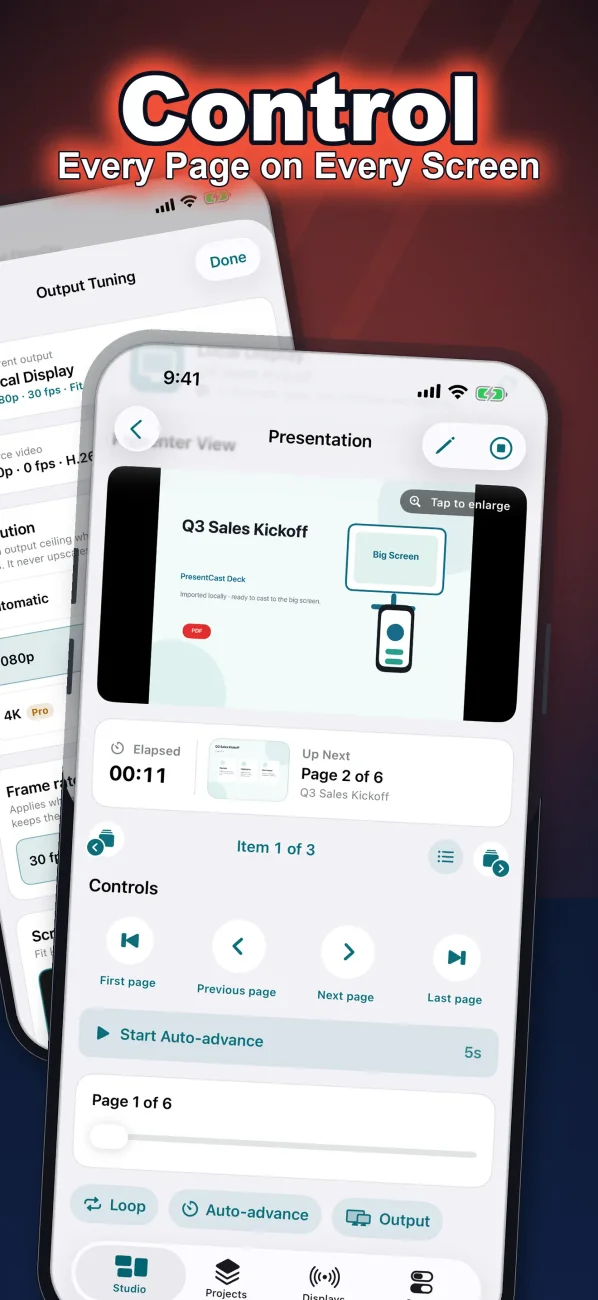
1. See the current PDF page, image, or synchronized muted video preview.
2. Preview the actual next PDF page or next item's thumbnail before the audience sees it.
3. Know whether the playlist will continue, loop to the start, or finish.
4. Follow an elapsed presentation clock that stays continuous when you move the same session to another supported display.
5. Turn pages, jump between items, play, pause, seek, adjust volume or speed, and loop where the receiver supports each action.
REHEARSE WITHOUT SETUP
No files ready? Try Sample Project creates a local two-page PDF, four-second video, and image. Pair it with Demo Display to experience ordered playback, automatic handoff, Presenter View, and remote controls without downloads or an external screen. Delete the Project and generated media whenever you finish.
PRESENT SELECTED CONTENT, NOT YOUR WHOLE SCREEN
PresentCast sends only the PDF, photo, or video you choose. It does not mirror the entire iPhone or iPad screen, so private notifications and unrelated apps stay out of the presentation.
CHOOSE A COMPATIBLE DISPLAY
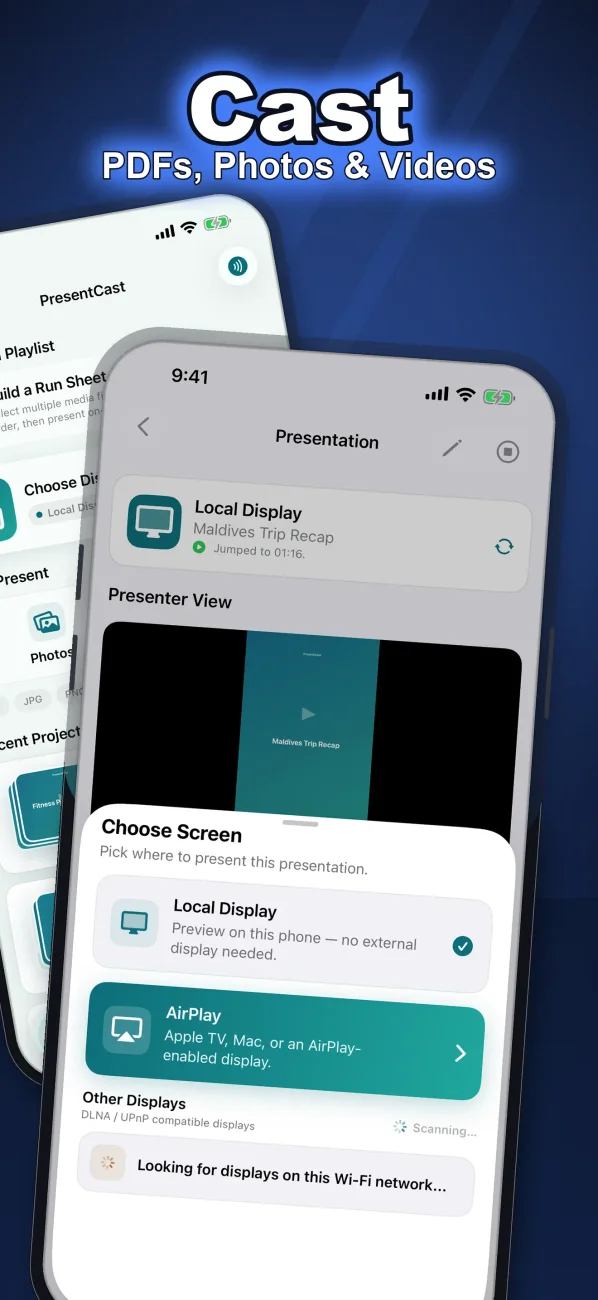
1. AirPlay: use Apple's system picker with a compatible Mac, Apple TV, AirPlay-enabled TV, or projector.
2. DLNA/UPnP: discover a compatible MediaRenderer TV or set-top box on the same Wi-Fi network.
3. Demo Display: rehearse the workflow inside PresentCast without an external receiver.
4. Switch a live presentation to another supported display while keeping the Project, current item or page, playback intent, and presenter clock.
SUPPORTED LOCAL CONTENT
• PDF documents
• JPEG, PNG, HEIC, HEIF, TIFF, and WebP images
• MP4, M4V, and MOV video containers
• Import from Files, Photos, or Open In
TUNE THE PRESENTATION
Choose Fit or Smart Fill, rotation, output resolution, and frame rate. Free includes output up to 1080p. PresentCast Pro adds advanced playback speeds, Smart Fill, 2K/4K page output, and 60 fps where supported, plus full recent history, unlimited favorites, and a remembered display.
PRIVATE BY DESIGN
No account is required. Projects, imported media, and settings stay on your device. PresentCast has no ads, tracking, analytics SDKs, or ZelonAI cloud storage. During DLNA casting, only the selected media is made available temporarily on your local network to the receiver you chose.
RECEIVER COMPATIBILITY
Formats, timing, and optional controls vary by receiver, model, and network. Presenter View is a synchronized local view of the selected content, not a frame-perfect capture of the external display. PresentCast supports AirPlay and compatible DLNA/UPnP MediaRenderer devices. Chromecast and Miracast are not supported.
CONTACT & LINKS
Email: sectojoy@gmail.com
Privacy Policy: https://zelonai.com/app/presentcast/privacy-policy
Terms of Use: https://www.apple.com/legal/internet-services/itunes/dev/stdeula/
Có gì mới
Phiên bản 1.1 · 17/09/2026
PresentCast 1.1 adds DLNA casting alongside AirPlay.
• Discover compatible DLNA/UPnP TVs and set-top boxes on your local network.
• Cast PDFs and images page by page, and play supported MP4, M4V, and MOV videos.
Quyền riêng tư của ứng dụng
Những gì 雷 陈 khai báo trên App Store về cách ứng dụng này xử lý dữ liệu.
-
Dữ liệu không được thu thập
Nhà phát triển không thu thập bất kỳ dữ liệu nào từ ứng dụng này.
Phương thức đảm bảo quyền riêng tư có thể khác nhau, chẳng hạn như tuỳ theo các tính năng bạn sử dụng hoặc độ tuổi của bạn.
Thông tin
- Người bán
- 雷 陈
- Danh mục
- Hiệu Suất
- Phiên bản
- 1.1
- Cập nhật
- 17/09/2026
- Phát hành
- 17/08/2026
- Kích thước
- 8,4 MB
- Yêu cầu
- iOS 15.0 trở lên
- Độ tuổi
- 4+
- Giá
- Miễn phí
- Mua hàng trong ứng dụng
- Có
- Ngôn ngữ
- Tiếng Anh, Tiếng Trung Giản thể
- Bản quyền
- © 2026 Chen Lei