- Độ tuổi4+
- Danh mụcẢnh & Video
- Nhà phát triểnLukasz Majda
- Ngôn ngữTiếng Anh+ 11 ngôn ngữ khác
- Kích thước25,3 MB
Liên kết đến trang App Store chính thức
Download.org không lưu trữ tệp nào của PrintRight. Nút này mở trang ứng dụng trên App Store, nơi Lukasz Majda phát hành ứng dụng. Trang được kiểm tra lần cuối: 15/11/2026.
Ảnh chụp màn hình

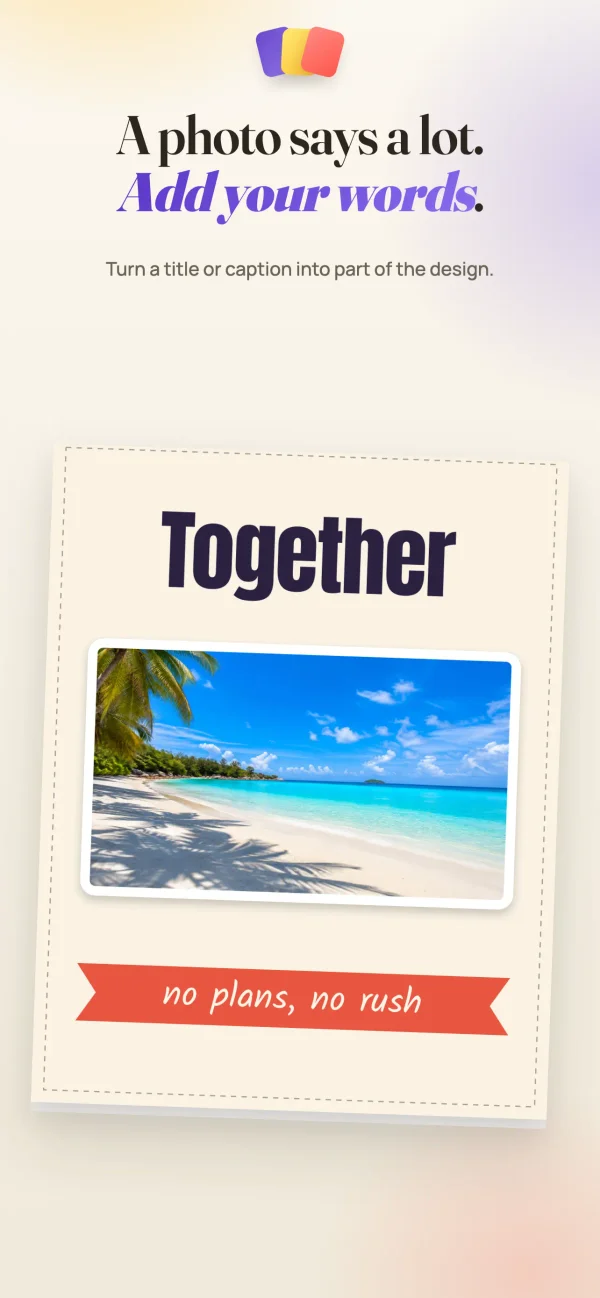


Giới thiệu
Nhà phát triển chưa cung cấp nội dung này bằng ngôn ngữ của bạn.
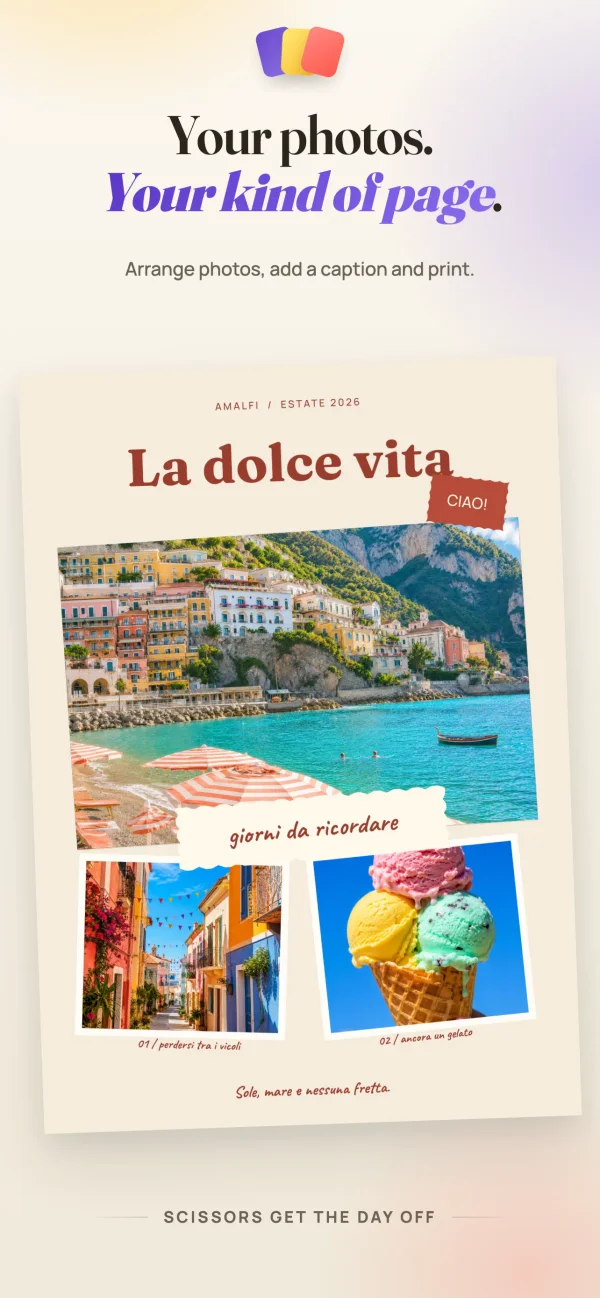
Put your favorite photos on one sheet and print a page worth keeping. Make a collage, add a caption and give those memories a place on the fridge.
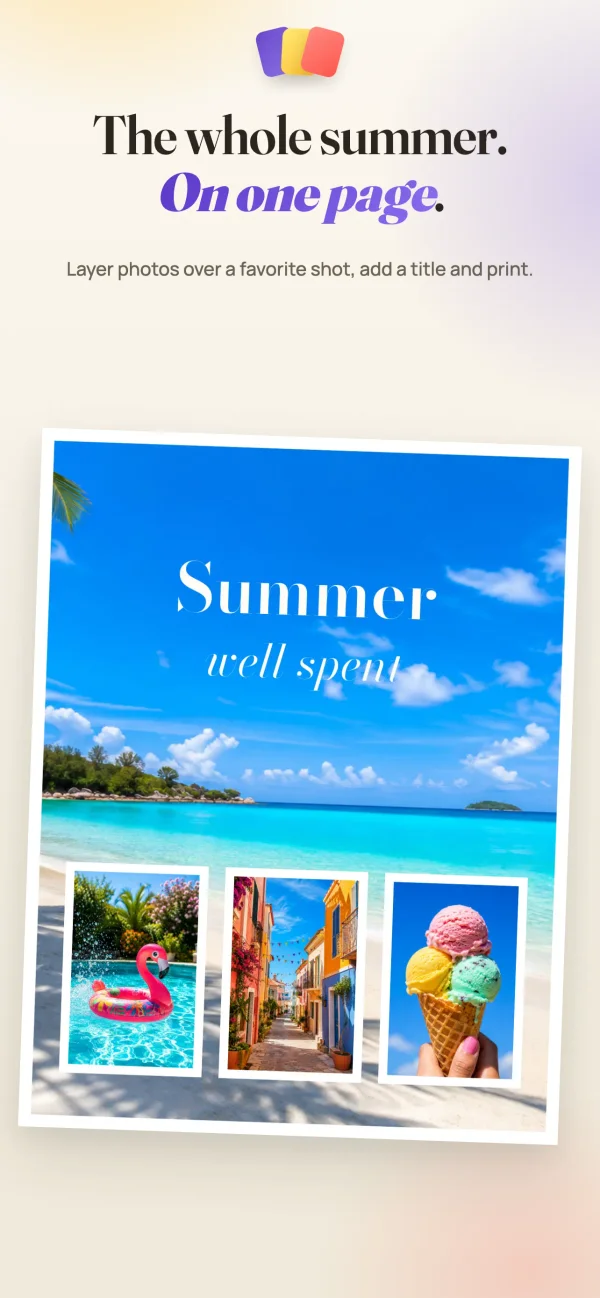
PrintRight turns your photos into scrapbook pages, travel memories and little gifts. Start with a collage layout or arrange each photo yourself. Scissors and glue can take the day off.
Bring your photos together
• Choose a collage layout or use Arrange for me to find a composition for your photos.
• Drag the dividers to give a favorite photo more room. Swap photos and adjust each crop.
• Set the spacing, add a color or gradient between photos, and style the whole collage with corners, a border or a shadow.
• Move, resize and rotate a collage as one piece, with room for captions and decorations around it.
Make the page yours
• Add several photos at once from Photos or Files.
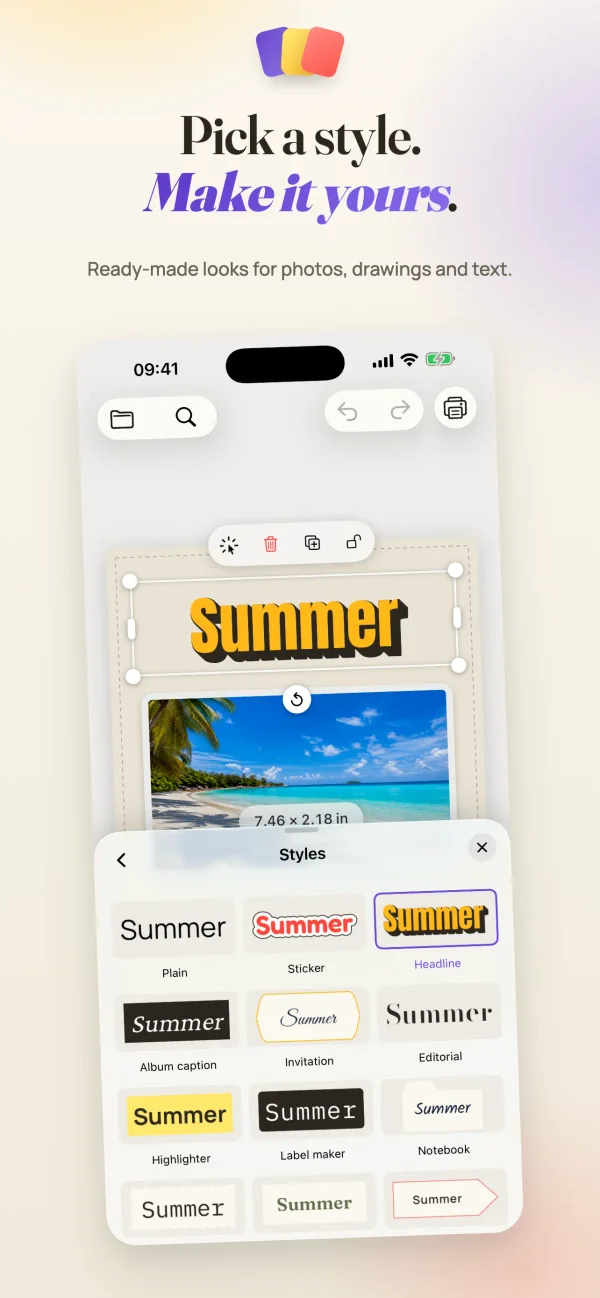
• Add titles and captions with bundled fonts, adjustable spacing and shaped text backgrounds.
• Choose built-in symbols or import supported SVG artwork.
• Try ready-made styles, photo filters, borders, shadows and decorative paper effects.
• Fill text, text backgrounds and drawings with colors, gradients or patterns. Choose a color or gradient for the page itself.
Get everything into place
• Crop photos, adjust light and color, or remove a photo's background.
• Use alignment guides or enter sizes in millimeters, centimeters or inches.
• Select several elements to move, resize or rotate them together. Duplicate, lock and change their stacking order.
Print it. Keep it. Make another.
• Choose A4, US Letter, photo paper or a custom page size.
• Print with a compatible AirPrint printer, or export a PDF or high resolution JPEG. Very large pages use PDF export.
• Save an editable page as a PrintRight file and open it again later, including its collage layouts.
Photo editing happens on your device. No account, advertising, analytics or in-app purchases.
Add the photos. Make the page yours. Print it.
Có gì mới
Phiên bản 1.3 · 19/09/2026
Meet your new favorite way to bring photos together: collages.
• Choose a layout or let Arrange for me find a composition for your photos.
• Drag dividers to change the layout, swap photos and crop each one just how you like it.
• Adjust spacing, colors, corners, borders and shadows for the whole collage.
• Move, resize, rotate and duplicate a collage as one piece. Save it to edit later, export it or print it.
• Turn a photo inside its frame with the new Rotate left action in Crop.
Moving photos and adjusting styles also feels smoother.
Quyền riêng tư của ứng dụng
Những gì Lukasz Majda khai báo trên App Store về cách ứng dụng này xử lý dữ liệu.
-
Dữ liệu không được thu thập
Nhà phát triển không thu thập bất kỳ dữ liệu nào từ ứng dụng này.
Phương thức đảm bảo quyền riêng tư có thể khác nhau, chẳng hạn như tuỳ theo các tính năng bạn sử dụng hoặc độ tuổi của bạn.
Thông tin
- Người bán
- Lukasz Majda
- Danh mục
- Ảnh & Video
- Phiên bản
- 1.3
- Cập nhật
- 19/09/2026
- Phát hành
- 27/08/2026
- Kích thước
- 25,3 MB
- Yêu cầu
- iOS 17.0 trở lên
- Độ tuổi
- 4+
- Giá
- Miễn phí
- Ngôn ngữ
- Tiếng Anh, Tiếng Pháp, Tiếng Đức, Tiếng Ý, Tiếng Nhật, Tiếng Hàn, Tiếng Ba Lan, Tiếng Bồ Đào Nha, Tiếng Nga, Tiếng Trung Giản thể, Tiếng Tây Ban Nha, Tiếng Thổ Nhĩ Kỳ
- Bản quyền
- © 2026 Łukasz Majda. All rights reserved.
Có thể bạn cũng thích
-
 Timeless CamẢnh & Video
-
 Folilay: Photo Layout & PrintẢnh & Video
-
 Rovo Pix: Photo CleanerẢnh & Video
-
 nado BoothẢnh & Video
-
 Action Cam Hub: Multi CameraẢnh & Video
-
 DAKAA - A Concept CameraẢnh & Video
-
 PhotoSSDẢnh & Video
-
 # Simple Photo CollageGhép nhiều ảnh thành ảnh ghép
-
 FotoNest - Travel AlbumsẢnh & Video
-
 Twineye: VR Player & ConverterẢnh & Video