
PVBLIC Events
Your event pass wallet
Được thiết kế cho iPhone, iPod touch
Miễn phí
- Độ tuổi4+
- Danh mụcLối Sống
- Nhà phát triểnPVBLIC Foundation
- Ngôn ngữTiếng Anh
- Kích thước5,1 MB
Liên kết đến trang App Store chính thức
Download.org không lưu trữ tệp nào của PVBLIC Events. Nút này mở trang ứng dụng trên App Store, nơi PVBLIC Foundation phát hành ứng dụng. Trang được kiểm tra lần cuối: 14/11/2026.
Ảnh chụp màn hình
Giới thiệu
Nhà phát triển chưa cung cấp nội dung này bằng ngôn ngữ của bạn.
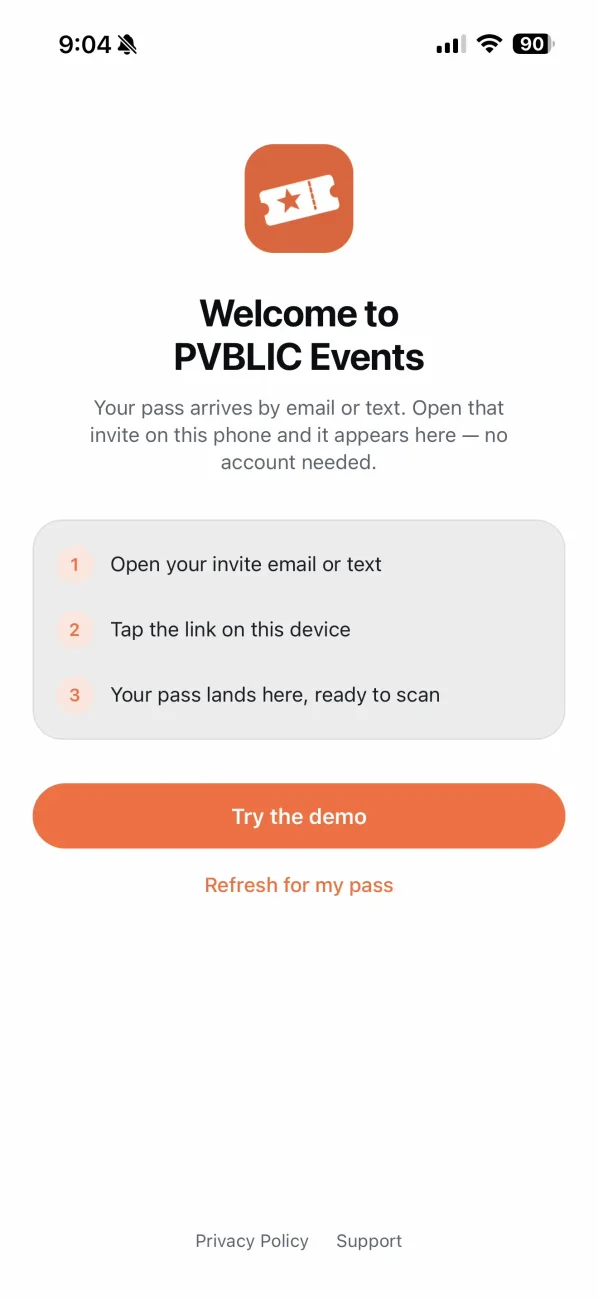
PVBLIC Events is your pass wallet for invite-only events hosted by the PVBLIC Foundation.
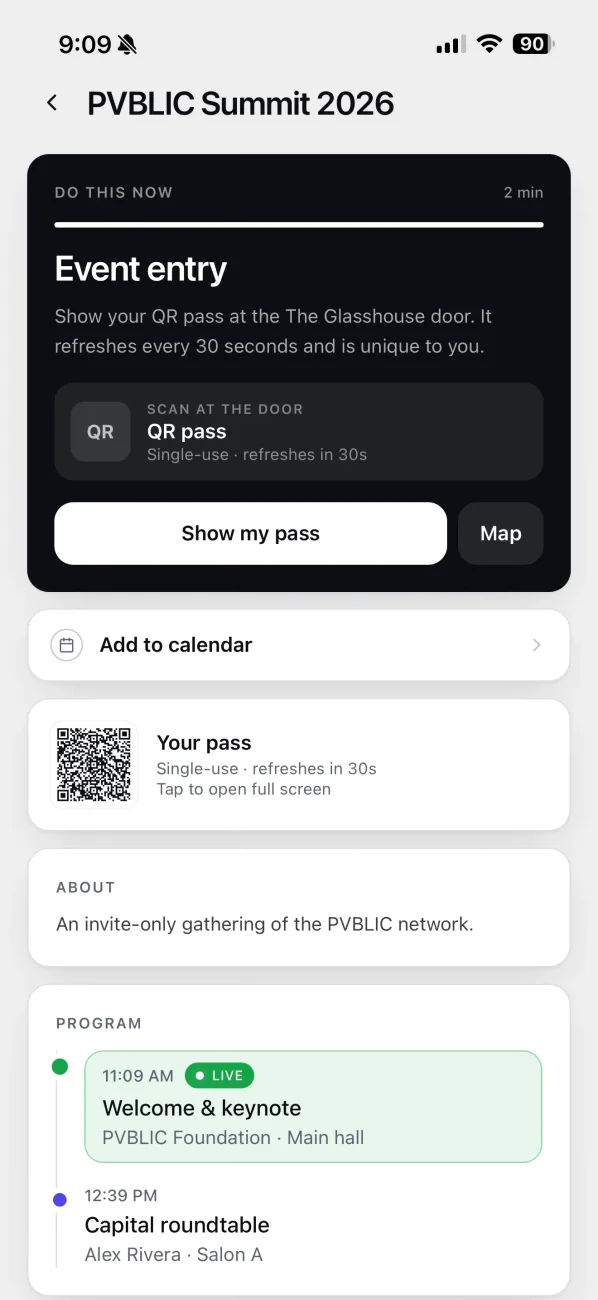
Open the invite you were sent and your pass appears on this iPhone — no account, no password. At the door, hold up a rotating, device-bound QR code. While it is on screen the app raises brightness and keeps the display awake so scanners can read it. After you have opened a pass once, the code still rotates in airplane mode.
What you can do:
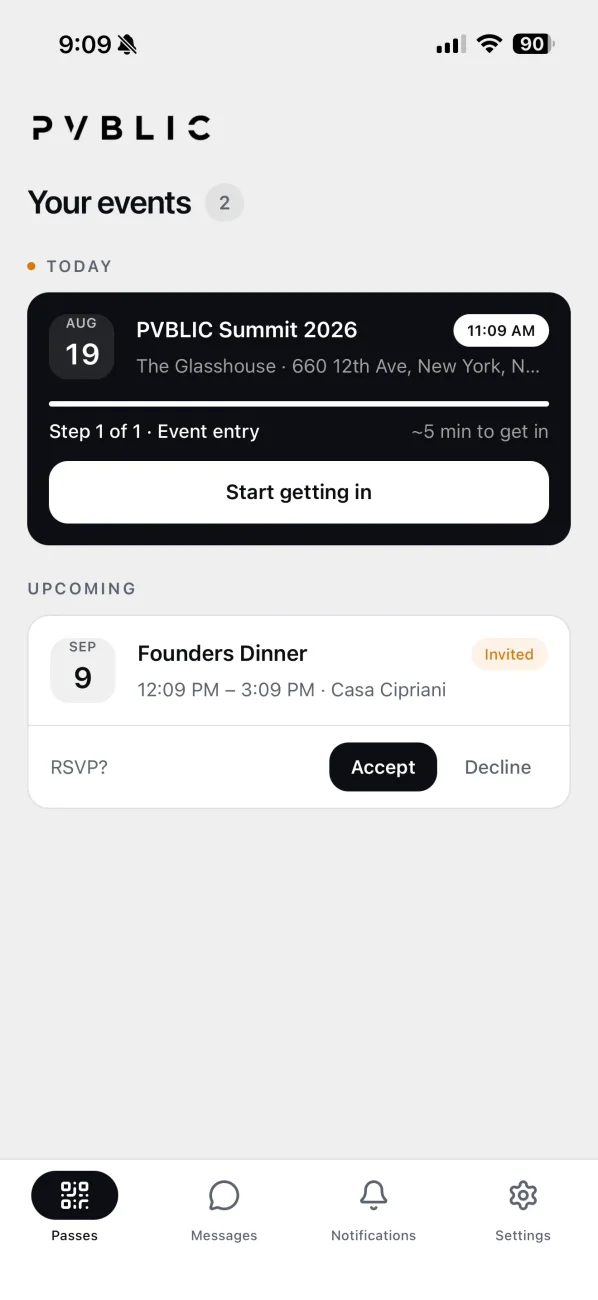
• See events happening now and what is coming next
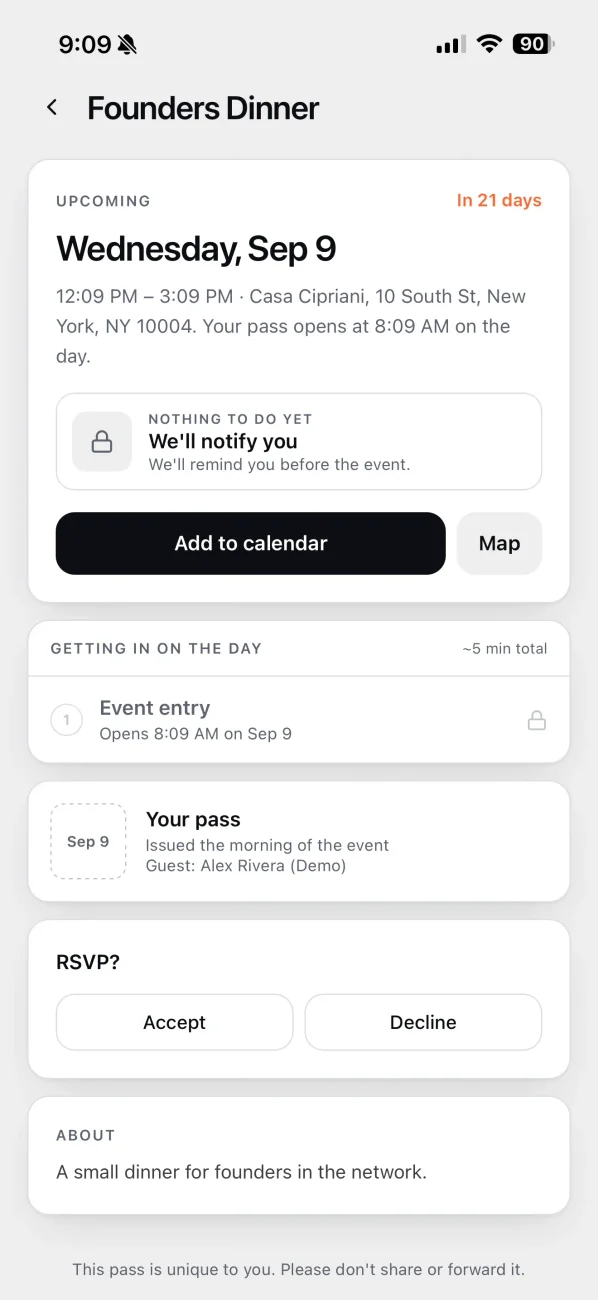
• RSVP, view the agenda, and get directions in Maps
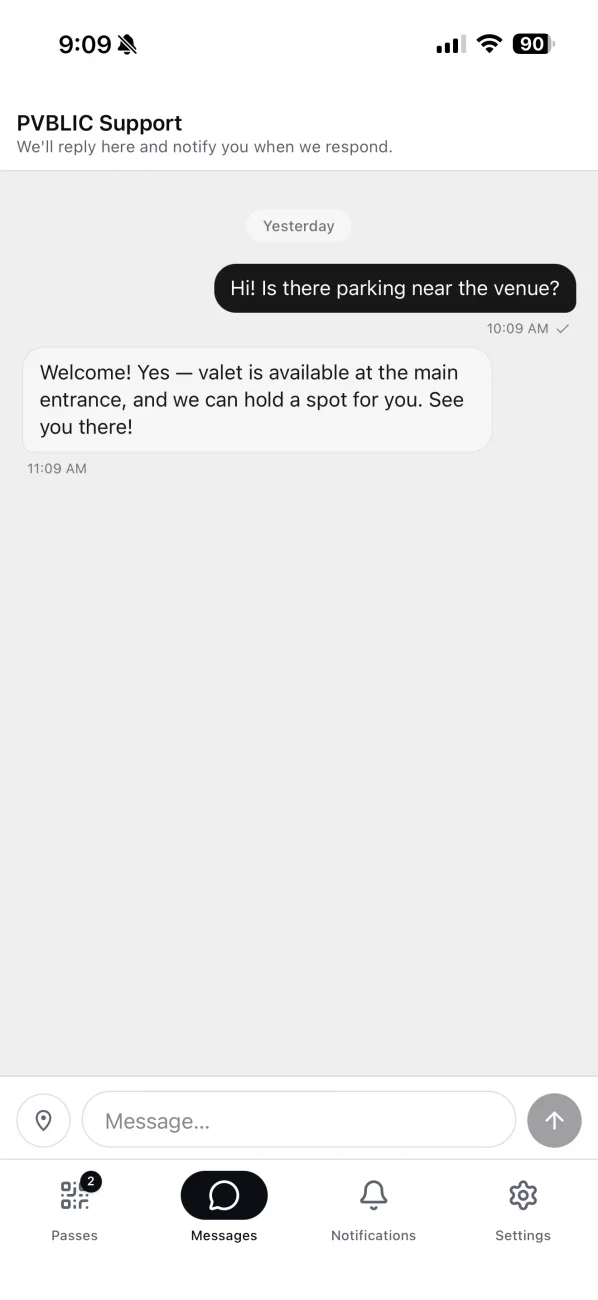
• Message event staff, and share your location if you need to be found on a large site
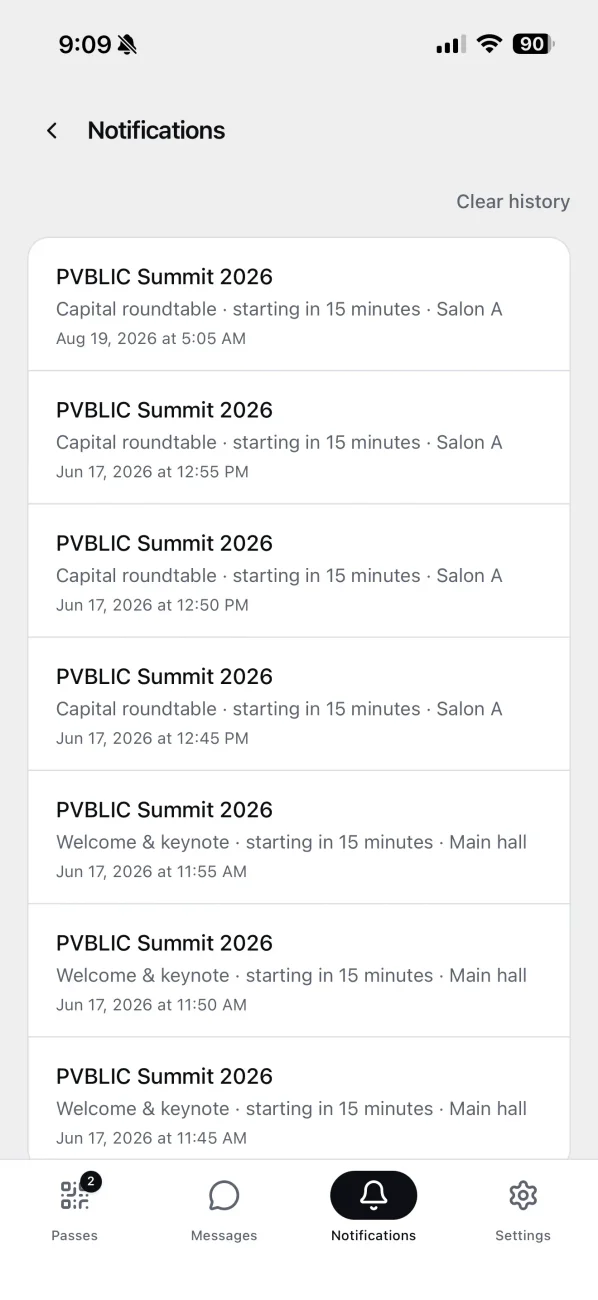
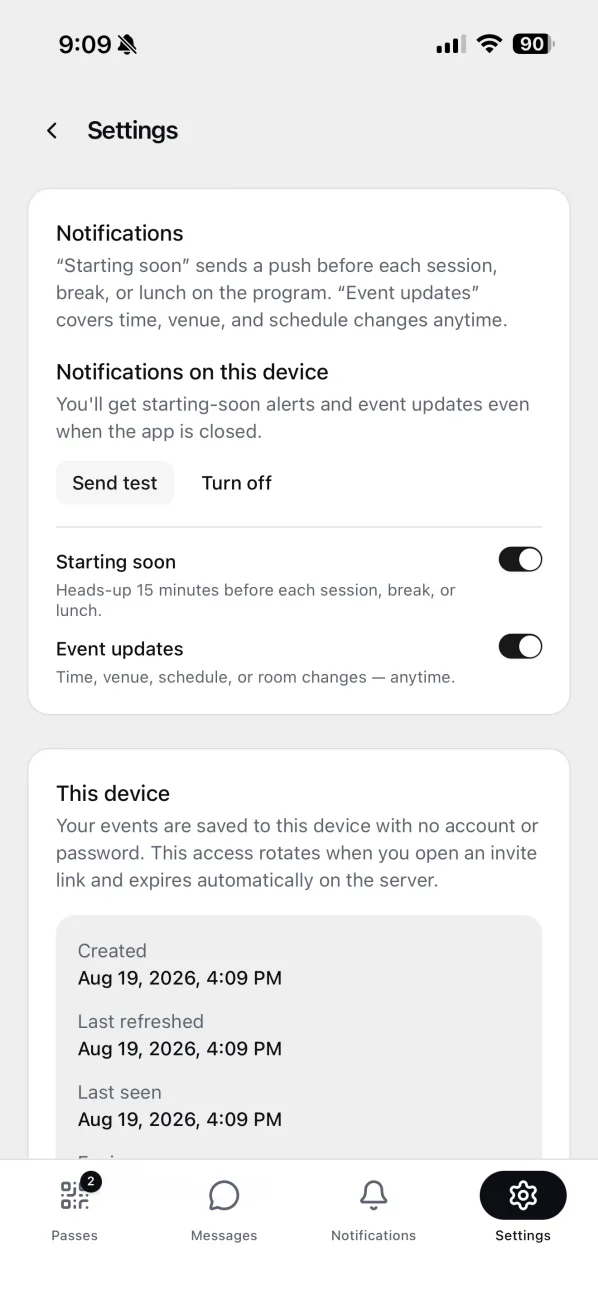
• Get notifications for starting-soon and event updates
Có gì mới
Phiên bản 1.1 · 29/08/2026
A. Live Activity / Dynamic Island (new)
On the pass, tap “Begin step 1”. Lock the phone or check the Dynamic Island. You should see the event name, the current instruction (e.g. “Show my pass”), and a countdown (“Doors” / “Starts” / “Up next”).
The Island does not start on launch — only after Begin. If missing: Settings → PVBLIC Events → Live Activities (iOS 16.2+). Older iOS runs the rest of the app without it.
Tap the card to return to the pass. Its Map chip opens Apple Maps. We never put the guest’s name, street address, or QR on the Lock Screen.
B. Add to calendar
Same pass → “Add to calendar”. We request WRITE-ONLY (“Add Events Only” on iOS 17+), write this one event, and never read others. Denial falls back to ICS / Google / Outlook so the control is never dead.
C. Share location
Tab → Messages → sample thread → compose → “Share location”.
ONLY location use: one shot, when-in-use, after that tap. No background, no watch, no Always request.
D. Maps
Pass → Map or “Apple Maps”. Apple Maps opens in the Maps app. Google Maps opens in the in-app browser (Done to return). We do not assign comgooglemaps:// — that scheme does nothing if Google Maps is not installed (prior 2.1(a) on iPad Air).
Quyền riêng tư của ứng dụng
Những gì PVBLIC Foundation khai báo trên App Store về cách ứng dụng này xử lý dữ liệu.
-
Dữ liệu không được thu thập
Nhà phát triển không thu thập bất kỳ dữ liệu nào từ ứng dụng này.
Phương thức đảm bảo quyền riêng tư có thể khác nhau, chẳng hạn như tuỳ theo các tính năng bạn sử dụng hoặc độ tuổi của bạn.
Thông tin
- Người bán
- PVBLIC Foundation, Inc.
- Danh mục
- Lối Sống
- Phiên bản
- 1.1
- Cập nhật
- 29/08/2026
- Phát hành
- 27/08/2026
- Kích thước
- 5,1 MB
- Yêu cầu
- iOS 15.0 trở lên
- Độ tuổi
- 4+
- Giá
- Miễn phí
- Ngôn ngữ
- Tiếng Anh
- Bản quyền
- © 2026 PVBLIC Foundation
Có thể bạn cũng thích
-
 CGI 2026Lối Sống
-
 Intro - Talk with expertsLối Sống
-
 Luma: Sự kiện & Lời mờiKhám phá và tổ chức sự kiện
-
 Soho HouseLối Sống
-
 Parlor Social ClubLối Sống
-
 Global Citizen: Create ChangeLối Sống
-
 Amata: Matchmaking ClubLối Sống
-
 Virgin Red: The Rewards ClubLối Sống
-
 StreetEasy NYC Rentals & SalesLối Sống
-
 RayaLối Sống