
qCurving
Vector Editor, AI Image Trace
Được thiết kế cho iPhone, iPad, Mac
199.000đ
- Độ tuổi4+
- Danh mụcĐồ Họa & Thiết Kế
- Nhà phát triểnUSHIO FUJIMURA
- Ngôn ngữTiếng Anh+ 5 ngôn ngữ khác
- Kích thước6,5 MB
Liên kết đến trang App Store chính thức
Download.org không lưu trữ tệp nào của qCurving. Nút này mở trang ứng dụng trên App Store, nơi USHIO FUJIMURA phát hành ứng dụng. Trang được kiểm tra lần cuối: 23/11/2026.
Ảnh chụp màn hình
Giới thiệu
Nhà phát triển chưa cung cấp nội dung này bằng ngôn ngữ của bạn.
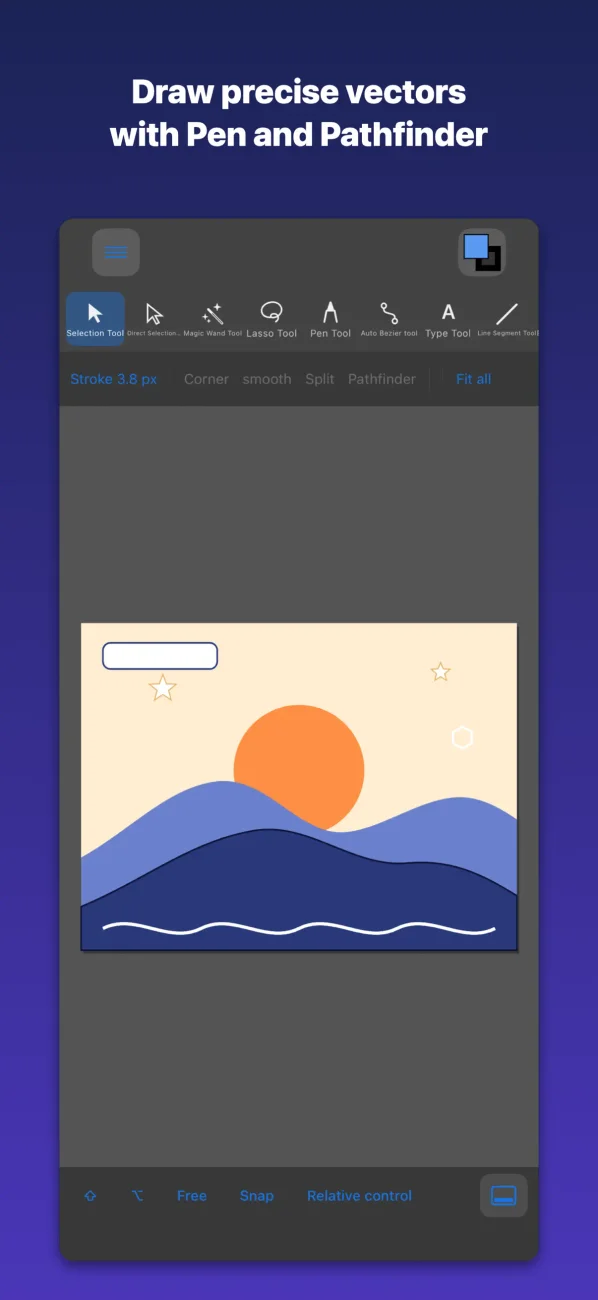
qCurving is a vector graphics editor for iPhone, iPad and Mac.
Draw paths with the pen tool, fine-tune anchor points and handles right at your fingertips, and create logos, icons, diagrams and illustrations with precision, wherever you are.
NO MORE TYPING NUMBERS
• Fix lengths to whole units while dragging, so rectangles, lines and polygons come out with round dimensions
DRAW WITH PRECISION
• Pen, pencil, line, rectangle, rounded rectangle, ellipse, polygon, star
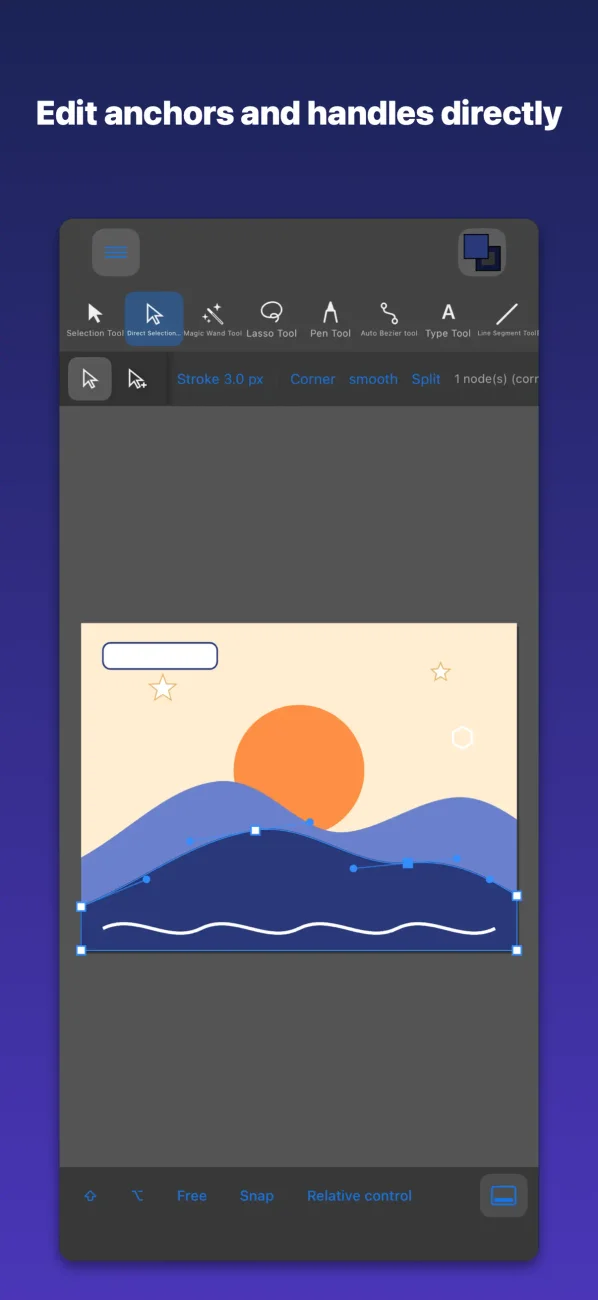
• Add, delete and convert anchor points; edit nodes and handles directly
• Snap to points; move and rotate in set increments
• Connectors between objects (snap to end points and centers; lines follow when shapes move)
WORK WITH TYPE
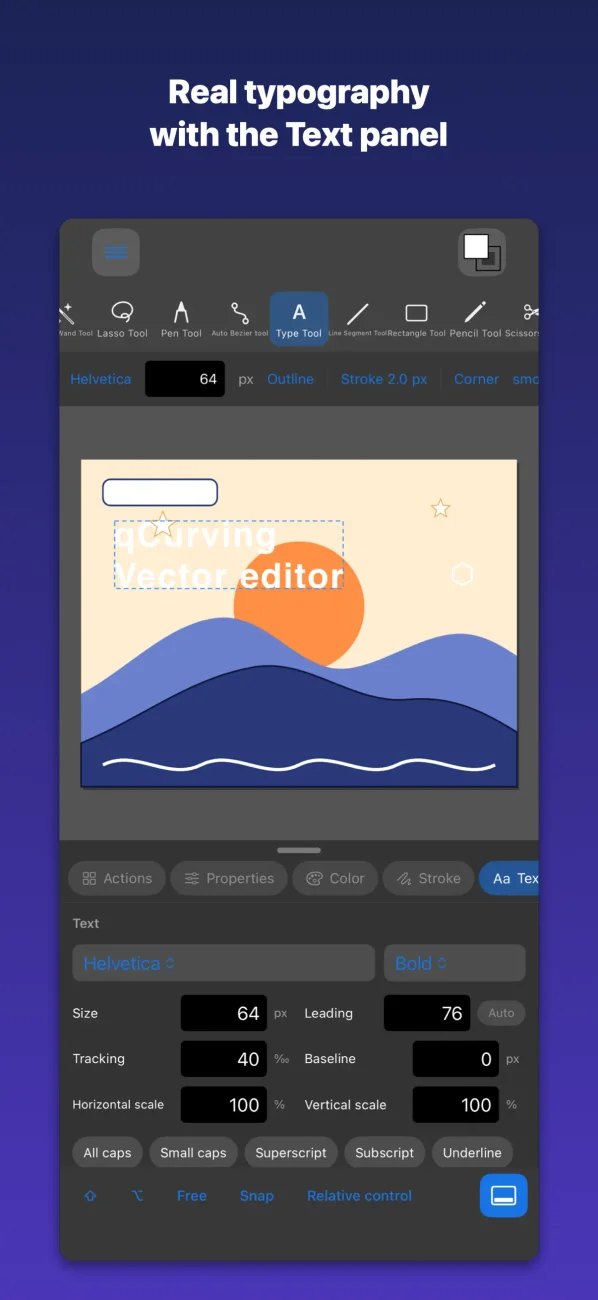
• Text panel: font, size, leading, tracking, horizontal and vertical scale, baseline shift
• All caps, small caps, superscript, subscript, underline, strikethrough
• Paragraph: left, center, right and justified alignment; left, right and first-line indents; space before and after
• Convert text to outlines and edit it as paths
BUILD SHAPES
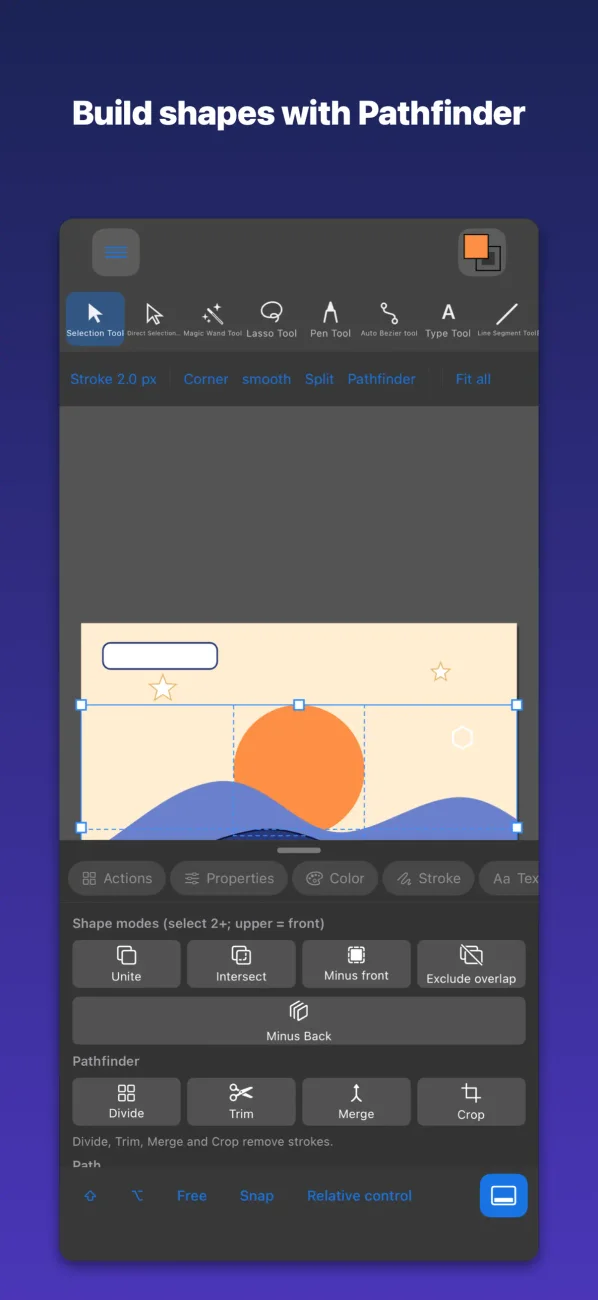
• Pathfinder (unite, intersect, minus front, exclude)
• Outline stroke, offset path, round corners, reverse path direction
• Align and distribute, compound paths, stacking order, flip
• Layers (show/hide, lock, reorder, merge)
• Fill and stroke (RGB / CMYK, width, caps, corners, dashes)
• Numeric input for position, size, move, rotate and scale
OPEN AND EXPORT
• Open and edit SVG and PDF files (choose which pages to import from a multi-page PDF)
• Export to SVG, PDF (millimeter units, CMYK supported), PNG / JPEG / BMP, and for the web
• Default stroke width is 1 mm in PDF and 1 px in SVG, so dimensions are ready for print and technical drawing
PHOTOS TO VECTOR
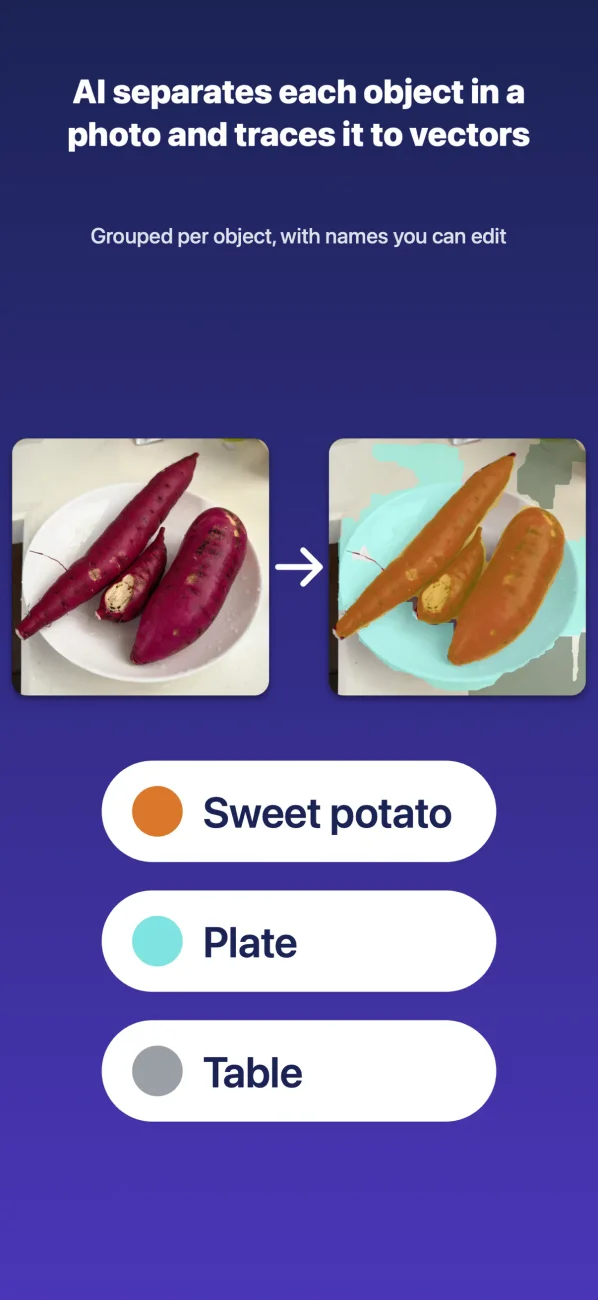
• Trace Image: turns a placed image into stacked vector shapes, one per color, with a live preview
• Detect Objects: AI guesses what each object is (person, animal, plant, text, graphic, sky) and tunes the trace to match. Every object gets its own group; rename or skip any of them
• Split Finely with AI: an on-device model separates plate, table, food and more. Downloaded once (about 86 MB), only after you confirm; your images never leave your device
NEW DRAWING TOOLS
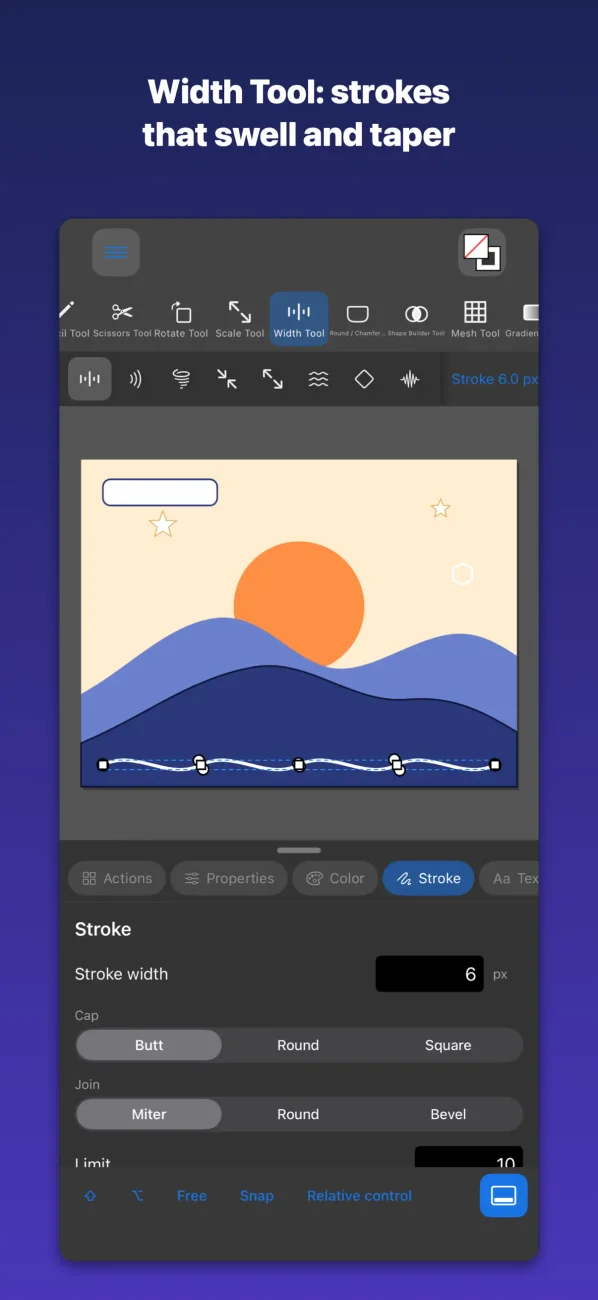
• Width Tool for strokes that swell and taper; Spiral, Rectangular Grid and Polar Grid tools
• 7 distortion brushes: Warp, Twirl, Pucker, Bloat, Scallop, Crystallize, Wrinkle
• Distort Path (Zigzag, Roughen, Pucker & Bloat, Twist) and object locking
SELECT, FIND AND SAVE
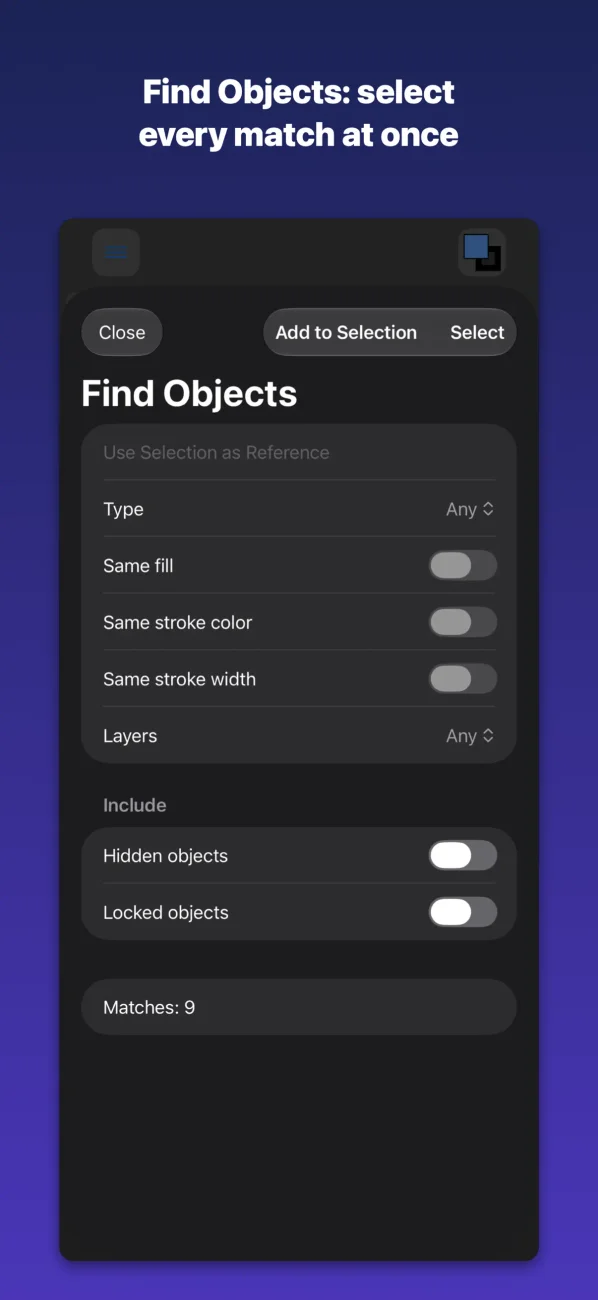
• Select every object of the same kind in one step
• Find Objects (⌥⌘F): filter by kind, fill, stroke color, width or layer
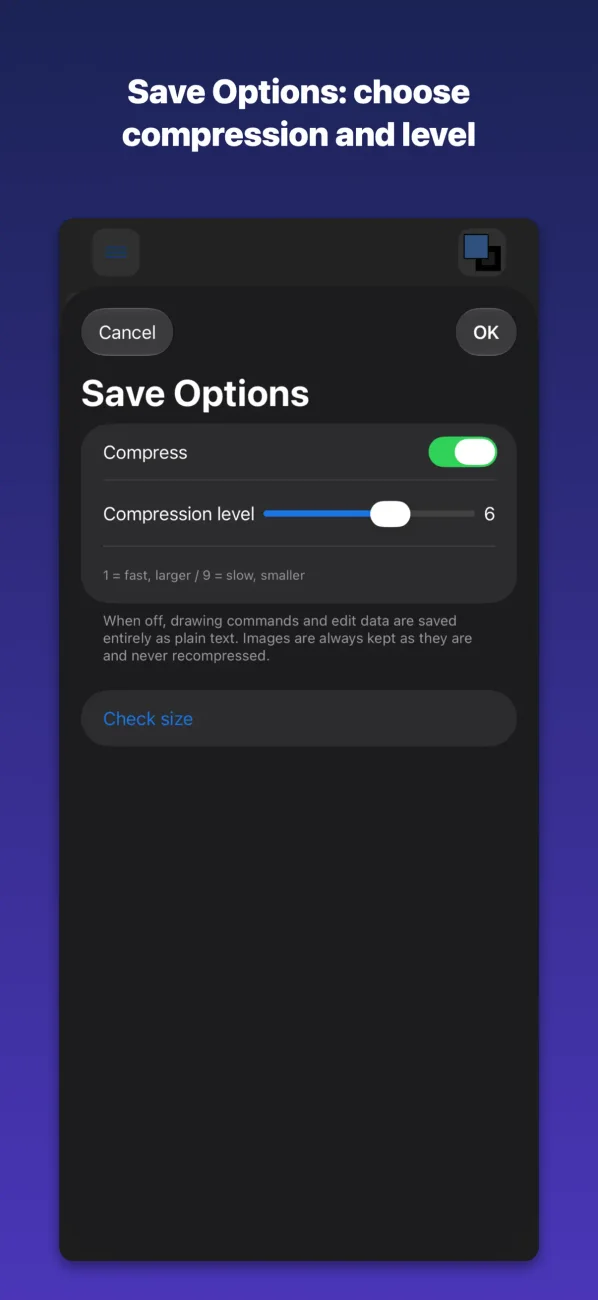
• Save Options: compressed or plain, levels 1 to 9; images are never recompressed
DESIGNED FOR EACH DEVICE
• Mac: a desktop interface with a menu bar and keyboard shortcuts
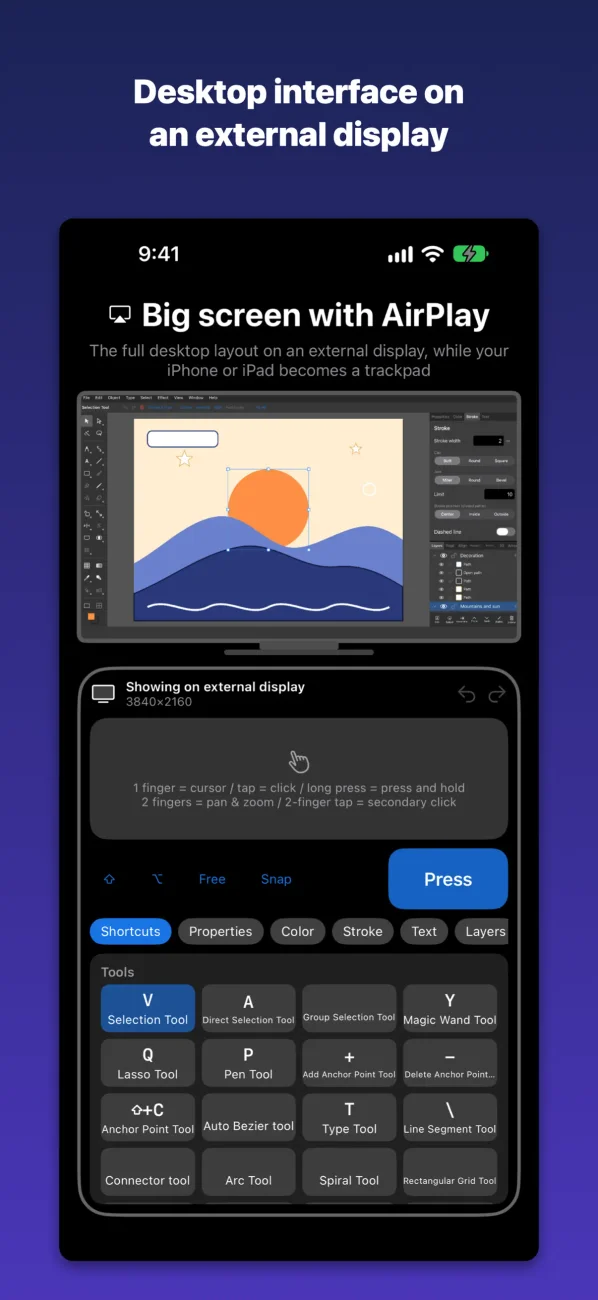
• iPhone and iPad: a trackpad-like "relative" mode so your finger never hides your drawing; wide-screen iPhones get the iPad layout
• External display or AirPlay: the desktop interface on the big screen, a trackpad in your hands
COLOR, BLENDS AND PAGES
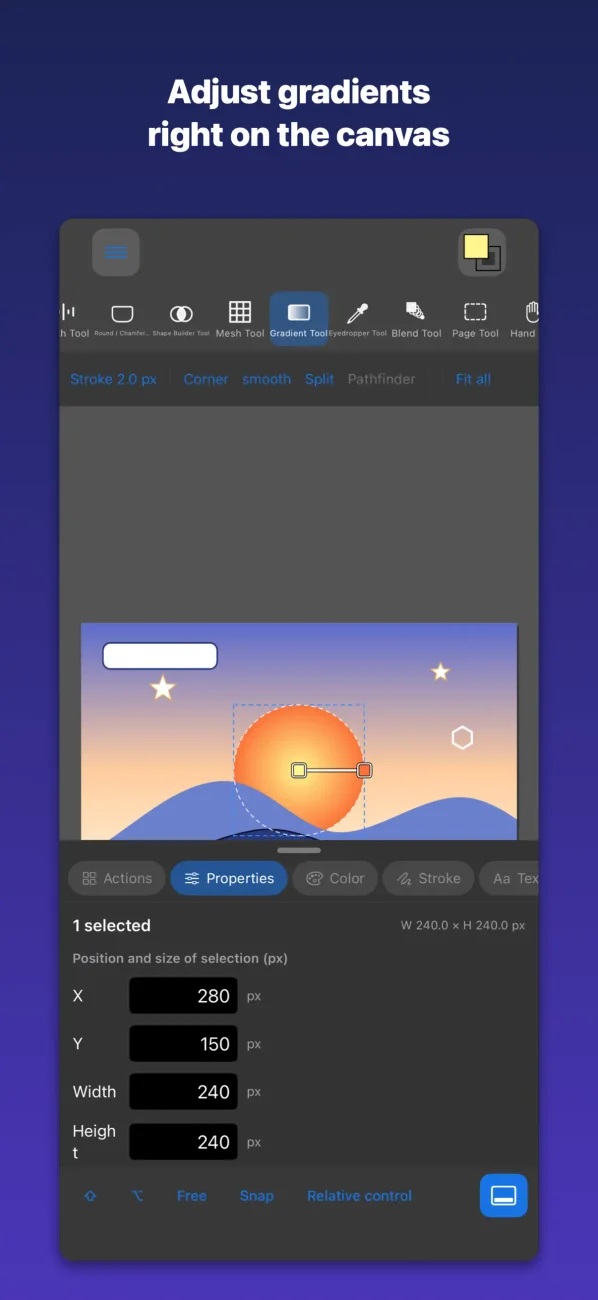
• Gradient and Blend tools; rulers, guides and alignment to a key object
• Multiple pages (multi-page PDF export) and document tabs
PRIVACY
No account required. Your documents and images are never collected or sent anywhere. The only network use is downloading the splitting model, once, when you first choose Split Finely with AI and confirm.
GOOD TO KNOW
• When opening a PDF, paths (fills and strokes), colors and text (as outline shapes; fonts may differ from the original) are imported. Gradients and clipping are not imported. Only some image formats are supported.
• Full compatibility with other vendors' software is not guaranteed.
• CMYK and color handling are our own approximation; no ICC-profile color management is performed. On-screen colors may differ from printed results. Always check your printer's requirements and a proof before printing or submitting files.
• Feedback and requests are welcome on the support page.
Có gì mới
Phiên bản 0.8.6 · 21/11/2026
• Trace by object: Trace Image now has Detect Objects. AI guesses whether each object is a person, animal, plant, text, graphic or sky, applies matching settings, and gives every object its own group. Rename freely
• Split Finely with AI: an on-device model separates areas such as plate, table and food before tracing. The model (about 86 MB) downloads once, only after you confirm; your images never leave your device
• Width Tool (⇧W): add width points to a stroke and drag to vary its thickness smoothly
• New Spiral, Rectangular Grid and Polar Grid tools
• 7 distortion brushes: Warp, Twirl, Pucker, Bloat, Scallop, Crystallize and Wrinkle. Only the area you brush is changed
• Find Objects: Select > Same selects every object of one kind; Find Objects… (⌥⌘F) filters by kind, fill, stroke color, stroke width and layer
• Save Options: choose compressed or plain files and a level from 1 to 9. Images are never recompressed
• Wide-screen iPhones now use the same desktop layout as iPad
Quyền riêng tư của ứng dụng
Những gì USHIO FUJIMURA khai báo trên App Store về cách ứng dụng này xử lý dữ liệu.
-
Dữ liệu không được thu thập
Nhà phát triển không thu thập bất kỳ dữ liệu nào từ ứng dụng này.
Phương thức đảm bảo quyền riêng tư có thể khác nhau, chẳng hạn như tuỳ theo các tính năng bạn sử dụng hoặc độ tuổi của bạn.
Thông tin
- Người bán
- USHIO FUJIMURA
- Danh mục
- Đồ Họa & Thiết Kế
- Phiên bản
- 0.8.6
- Cập nhật
- 21/11/2026
- Phát hành
- 12/10/2026
- Kích thước
- 6,5 MB
- Yêu cầu
- iOS 17.0 trở lên
- Độ tuổi
- 4+
- Giá
- 199.000đ
- Ngôn ngữ
- Tiếng Anh, Tiếng Pháp, Tiếng Nhật, Tiếng Hàn, Tiếng Trung Giản thể, Tiếng Trung Phồn thể
- Bản quyền
- © 2026 Ushio Fujimura
Có thể bạn cũng thích
-
 Charcoal StudioĐồ Họa & Thiết Kế
-
 Amoled.in - 4K OLED WallpapersĐồ Họa & Thiết Kế
-
 Palette SpinTạo hình nền từ màu sắc
-
 Aivi: Ảnh Thẻ, Phục Hồi Ảnh CũLàm nét ảnh, đổi màu tóc AI
-
 AmbiPadĐồ Họa & Thiết Kế
-
 Photo Collage StudioĐồ Họa & Thiết Kế
-
 AI Background Remover- RetouchĐồ Họa & Thiết Kế
-
 Palette Hunt: Color PickerĐồ Họa & Thiết Kế
-
 Sửa Chữ Trong Ảnh: ForgeitChèn chữ, xóa chữ, dịch ảnh
-
 iWidget - Widgets & WallpaperĐồ Họa & Thiết Kế