
Quick Banner
Instant Text Banner
Được thiết kế cho iPhone, iPad, iPod touch
Miễn phí
- Độ tuổi4+
- Danh mụcHiệu Suất
- Nhà phát triểnSupplier Relations US, LLC.
- Ngôn ngữTiếng Anh
- Kích thước34,2 MB
Liên kết đến trang App Store chính thức
Download.org không lưu trữ tệp nào của Quick Banner. Nút này mở trang ứng dụng trên App Store, nơi Supplier Relations US, LLC. phát hành ứng dụng. Trang được kiểm tra lần cuối: 18/11/2026.
Ảnh chụp màn hình



Giới thiệu
Nhà phát triển chưa cung cấp nội dung này bằng ngôn ngữ của bạn.
Hey there! Wanna make cool banners with your Brother QL, RJ, TD, PT thermal printers? You can create banners from 1 inch to 4 inches wide and up to 100 feet long. Just a heads up, this works best with Brother thermal printers. You can try printing your designs on other printers using AirPrint, but we can't promise it'll work perfectly. Here's how to get started:
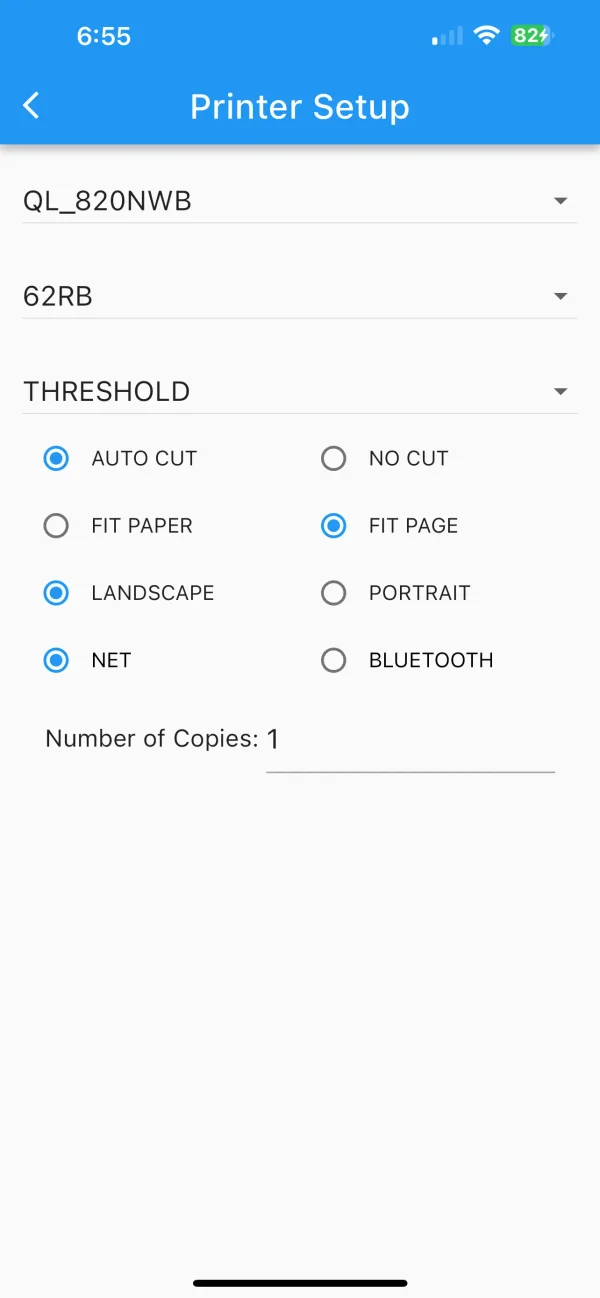
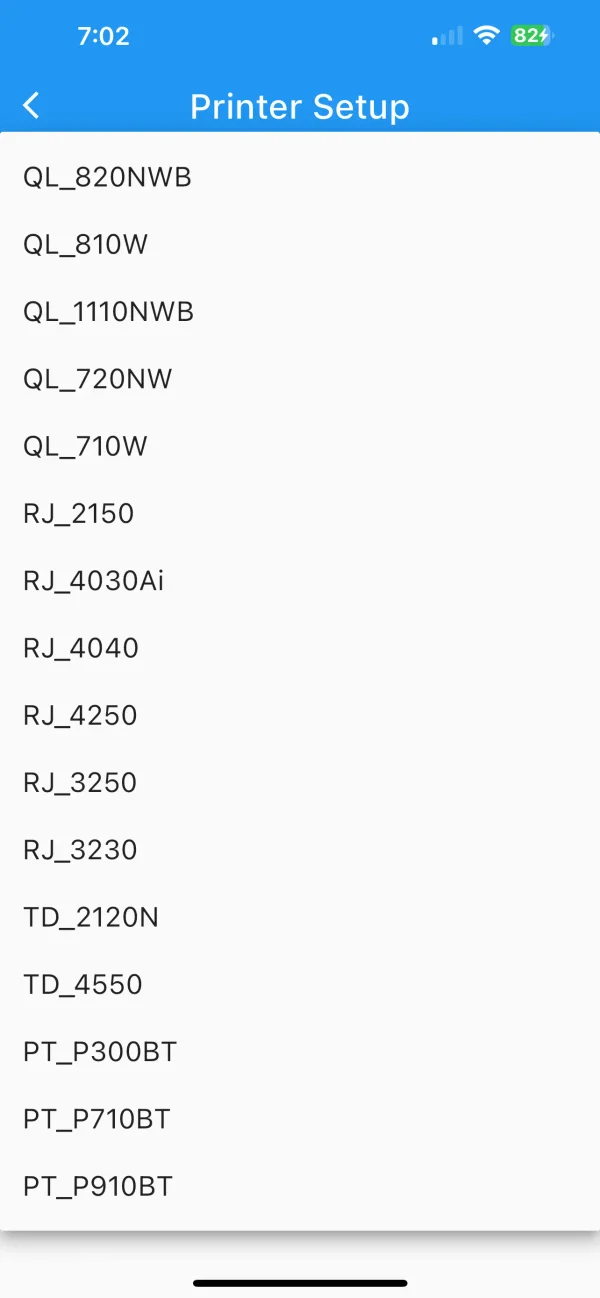
1. First up, jump into Settings and pick your printer from the list (we've got a bunch listed below), choose your paper size, and decide if you want your printer to automatically cut the paper. You only need to do this once, but you can always come back to switch things up, like changing the printer or paper size.
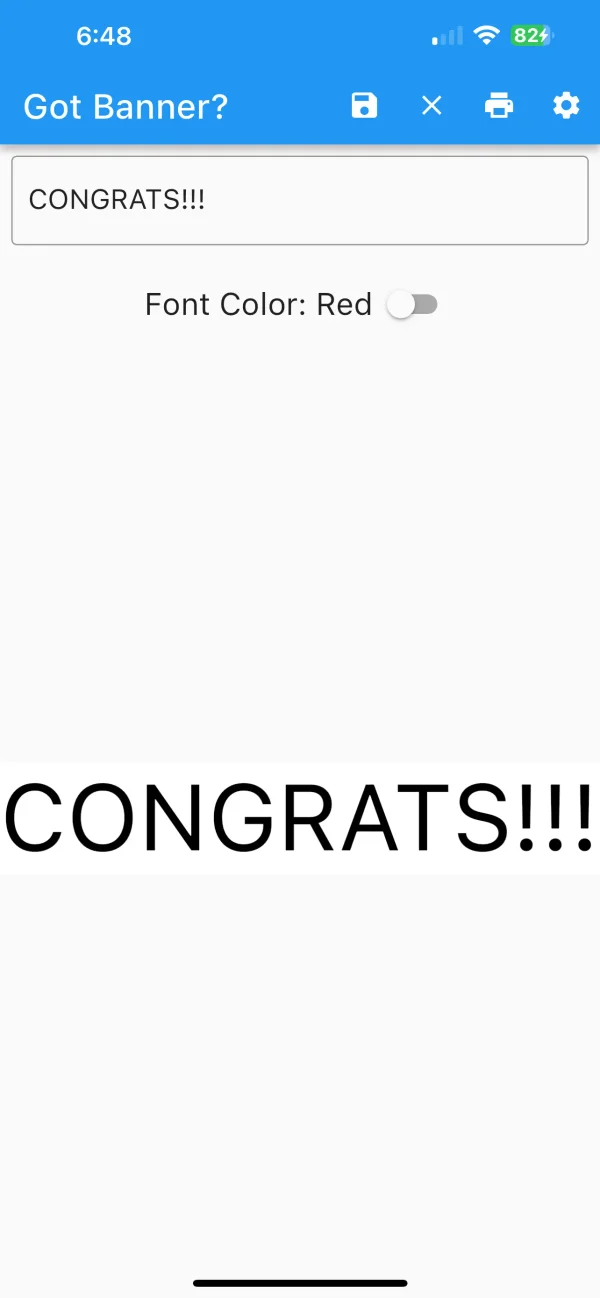
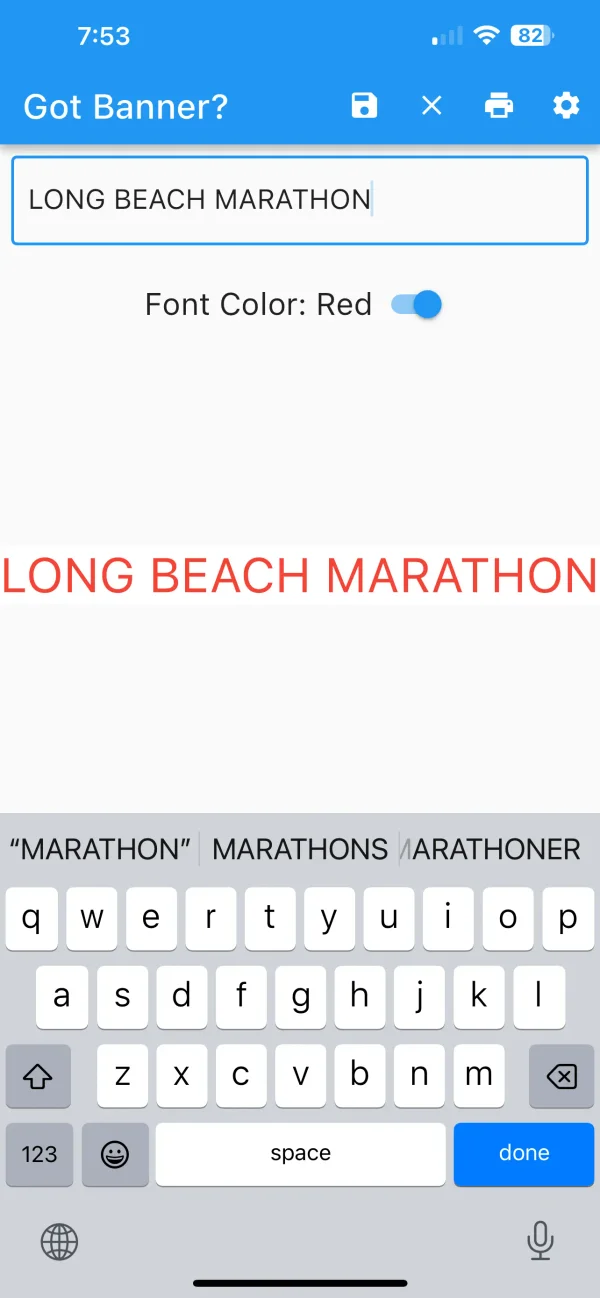
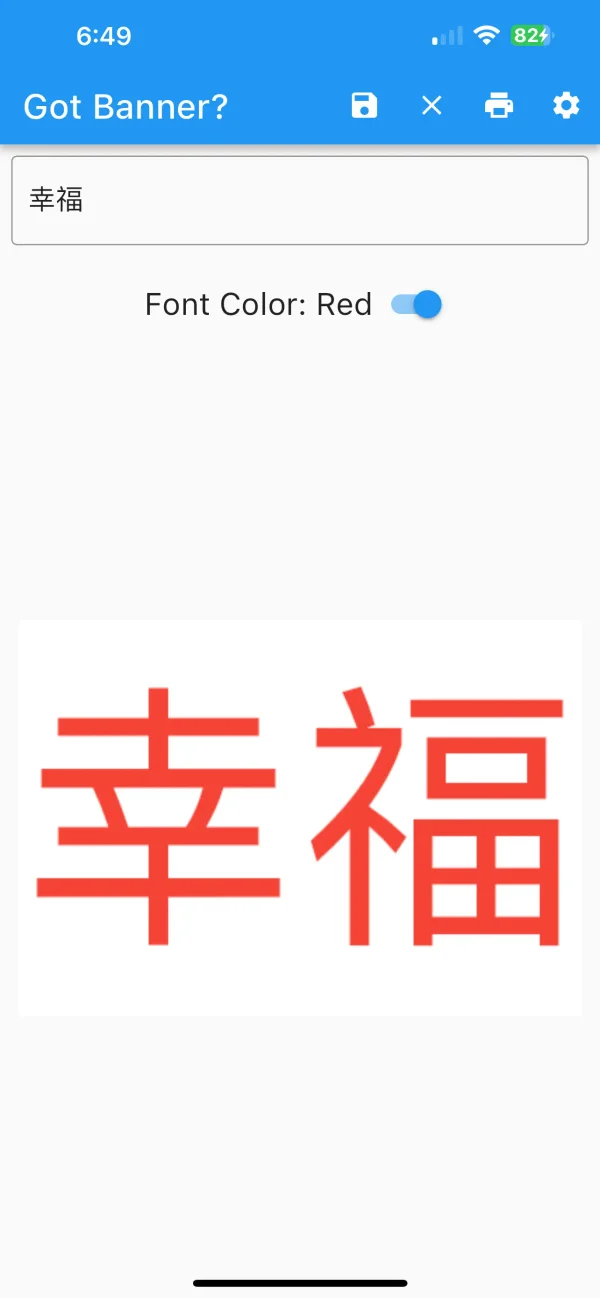
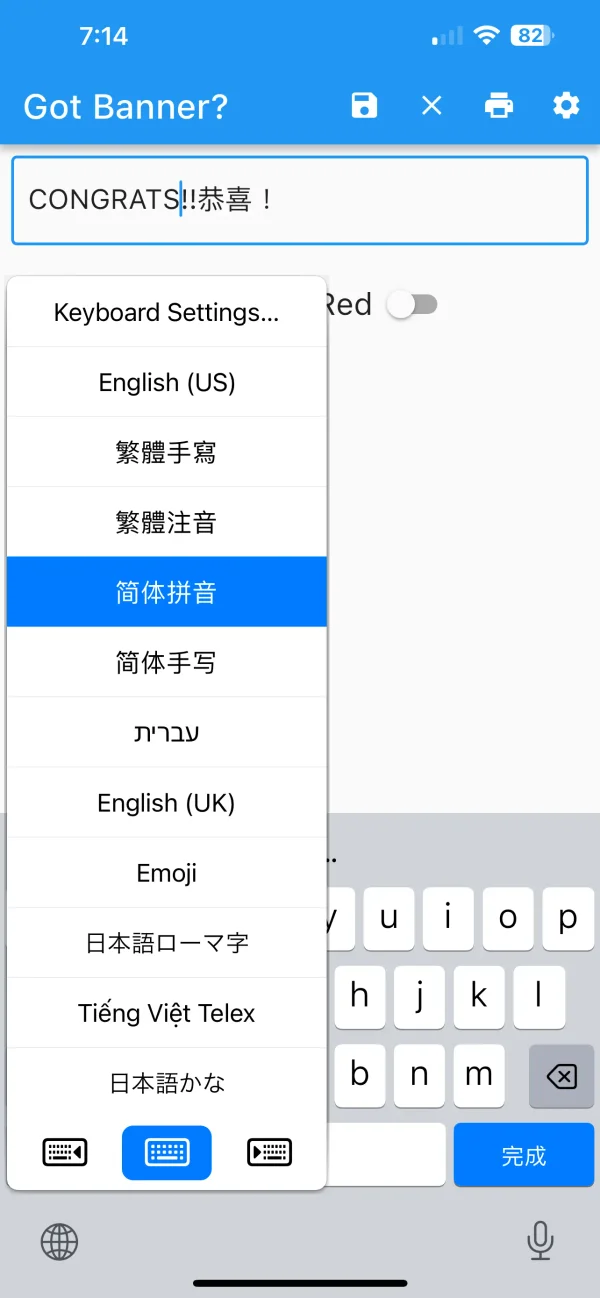
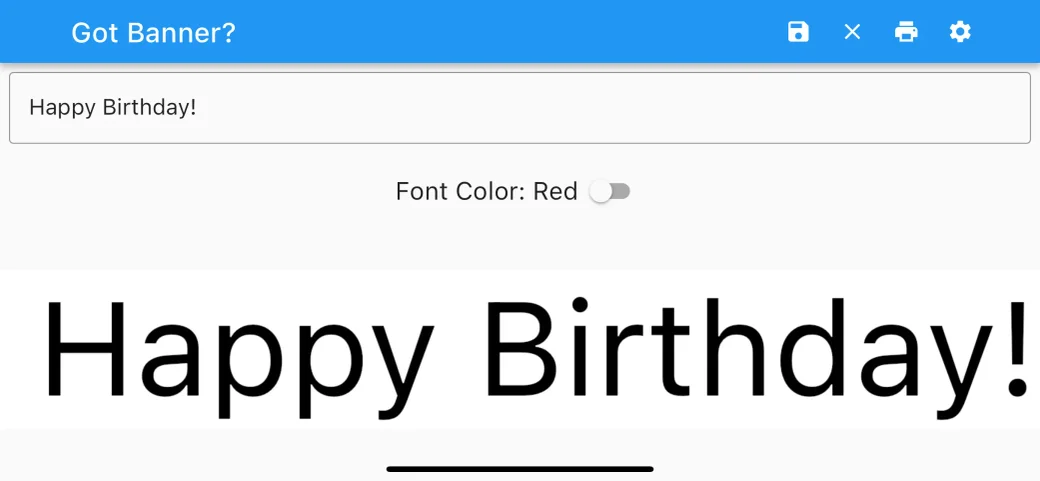
2. On the main screen, you can type out whatever you want in any language, or just speak it out loud and hit Enter. Your label will pop up on the screen.
3. Now, you can either save the image with a quick tap on the save button, print it straight away by hitting the print button, or clear everything and start from scratch.
4. If you're using a QL-820NWB or QL-810W printer, slide over to the Black/Red slider and pick Red. Otherwise, any red you choose will just come out black.
Some quick tips:
1. Choosing Portrait orientation means your print will max out at your paper's width (1" to 4"). It's perfect for small labels. Maybe give it a go first to avoid accidentally printing a 10-foot banner (lol).
2. For longer banners, go with Landscape orientation. Your banner will come out sideways, with the height matching your paper's width, and the length will keep going as long as your text does. We've done tests with banners over 20 feet long, and they've come out great.
3. Want an even longer banner? Set the printer to NO CUT, and print your heart out with banner after banner.
4. We love the DK-4605 label roll (for all QL printers). It is a Removable Continuous Length label roll in yellow color. Use it to make posters!
5. This app works great with Brother P-touch printers, from the 6mm to 36mm wide, and as long as the tape length. These tapes are great, weather proof, and long-lasting. The name "banner" maybe an overkill.
Hope you have fun using the app and love how easy it is to use!
Supported Printer List:
QL-820NWB (default)
QL-810W
QL-1110NWB
QL-720NW
QL-710W
RJ-2150
RJ-4030Ai
RJ-4040
RJ-4250
RJ-3250
RJ-3230
TD-2120N
TD-4550
PT-P300BT
PT-P710BT
PT-P910BT
Quyền riêng tư của ứng dụng
Những gì Supplier Relations US, LLC. khai báo trên App Store về cách ứng dụng này xử lý dữ liệu.
-
Dữ liệu không được thu thập
Nhà phát triển không thu thập bất kỳ dữ liệu nào từ ứng dụng này.
Phương thức đảm bảo quyền riêng tư có thể khác nhau, chẳng hạn như tuỳ theo các tính năng bạn sử dụng hoặc độ tuổi của bạn.
Thông tin
- Người bán
- Supplier Relations US, LLC.
- Danh mục
- Hiệu Suất
- Phiên bản
- 1.0
- Cập nhật
- 13/02/2024
- Phát hành
- 12/02/2024
- Kích thước
- 34,2 MB
- Yêu cầu
- iOS 12.0 trở lên
- Độ tuổi
- 4+
- Giá
- Miễn phí
- Ngôn ngữ
- Tiếng Anh
- Bản quyền
- © (C) 2024 Supplier Relations US
Có thể bạn cũng thích
-
 PeerAssistHiệu Suất
-
 Electronic-Toolbox 2Hiệu Suất
-
 T&M MobileHiệu Suất
-
 Parts SpecialistsHiệu Suất
-
 Nine Ideas: Build CreativityHiệu Suất
-
 Habit Tracker: Check In DailyHiệu Suất
-
 EngleFixHiệu Suất
-
 VNCtalkHiệu Suất
-
 with notes_view notes whereverHiệu Suất
-
 Đọc Mã QR・Quét Mã VạchTạo Mã QR Tùy Chỉnh & Chia Sẻ