
Qwartz
Low-poly 3D, pixel-painted
Được thiết kế cho iPad, Mac
Miễn phí · Mua hàng trong ứng dụng
- Độ tuổi4+
- Danh mụcĐồ Họa & Thiết Kế
- Nhà phát triểnGargant
- Ngôn ngữTiếng Pháp+ 9 ngôn ngữ khác
- Kích thước16,4 MB
Liên kết đến trang App Store chính thức
Download.org không lưu trữ tệp nào của Qwartz. Nút này mở trang ứng dụng trên App Store, nơi Gargant phát hành ứng dụng. Trang được kiểm tra lần cuối: 16/11/2026.
Ảnh chụp màn hình



Giới thiệu
Nhà phát triển chưa cung cấp nội dung này bằng ngôn ngữ của bạn.
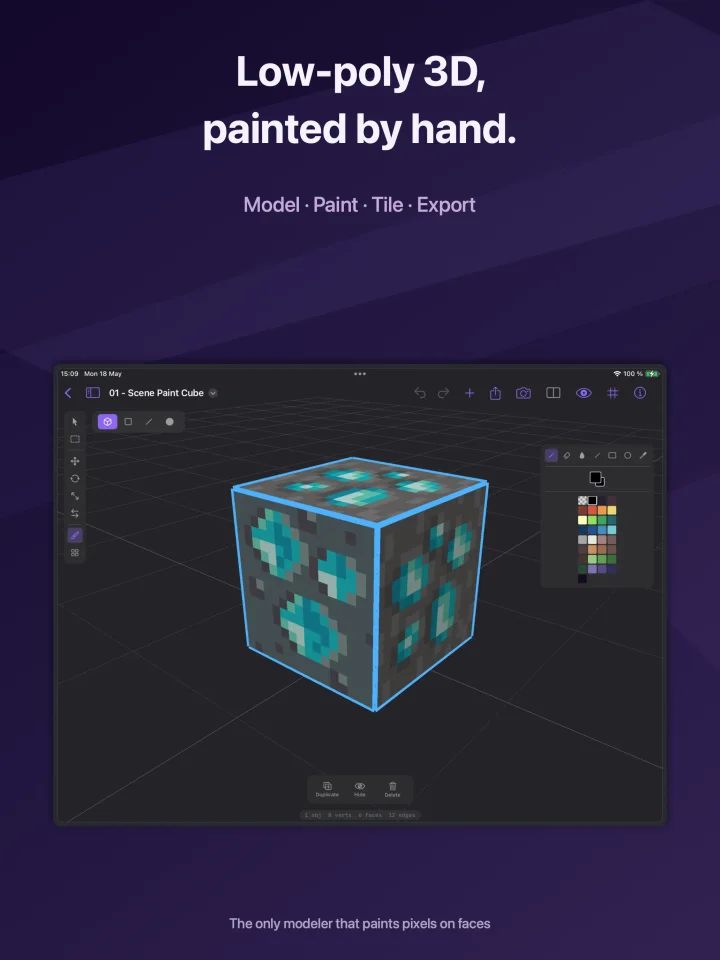
Qwartz is a low-poly 3D modeler with built-in pixel painting on faces.
Model game-ready assets, paint pixel art directly onto mesh faces with no UV mapping required, stamp tile sheets to build levels, and export to glTF, USDZ, OBJ, or STL.
Designed for game developers, pixel artists exploring 3D, and anyone who wants a focused 3D tool that respects their time.
START IN SECONDS
• A home screen with your models as thumbnails
• Starters: Cube, Grid, Blocky Character, a Tiled Room and a Terrain Block — the tiled ones come with their tile sheets, ready to stamp
• Isolate one object to work on it alone
• Tips on first launch, and Help from the app's menus
AUTO PIXEL PAINT
• Tap any face and start painting — pixels appear directly on the mesh
• Per-face pixel grid sized automatically from the geometry
• Built-in palettes: PICO-8, DB16, DB32, Endesga 32, or your own
• Pencil, eraser, fill, line, rectangle, circle, eyedropper
• Move vertices and the pixel grid resizes with nearest-neighbor resample
• No UV mapping required. No external tools.
LOW-POLY MODELING
• Object, face, edge, and vertex selection modes
• Extrude, inset, loop cut, subdivide, merge, slide, dissolve
• Transform gizmo with axis constraints and snapping
• Edge-loop and face-loop selection on double-click
• Seven primitives: cube, plane, cylinder, sphere, cone, torus, quad grid
• Full undo / redo for every operation
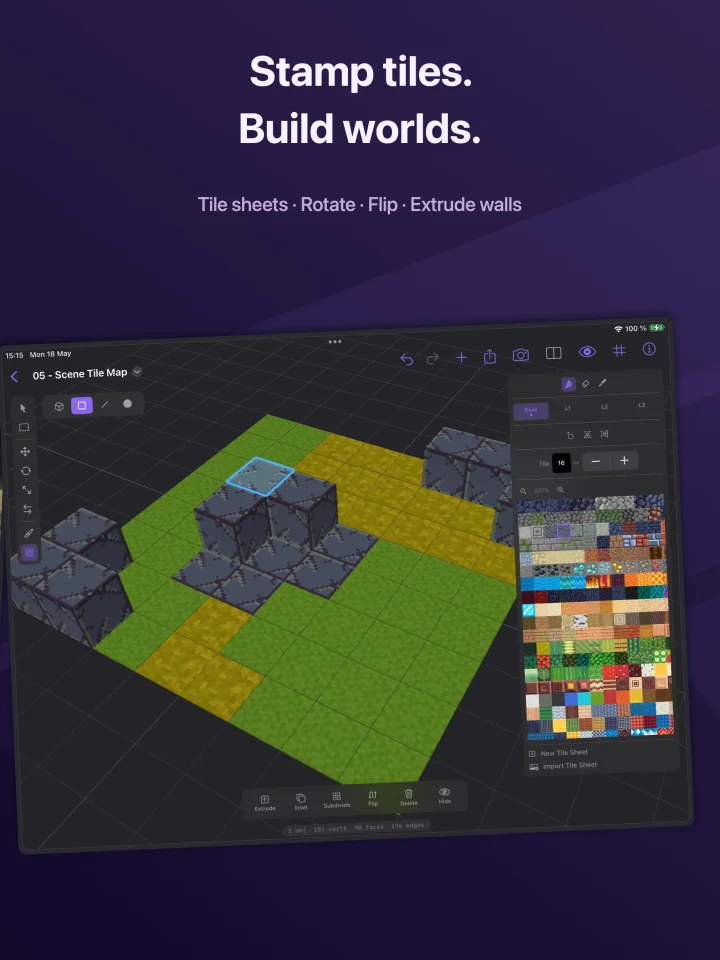
TILE MODE
• Import a tile sheet PNG and stamp tiles onto mesh faces
• Up to four layers per face: a base tile plus decals like doors, shutters and signs
• Per-stamp rotation and flip, and Flip H / Flip V on any textured face
• Extrude faces to make walls, extrude edges to grow the grid
• The whole level stays one editable mesh
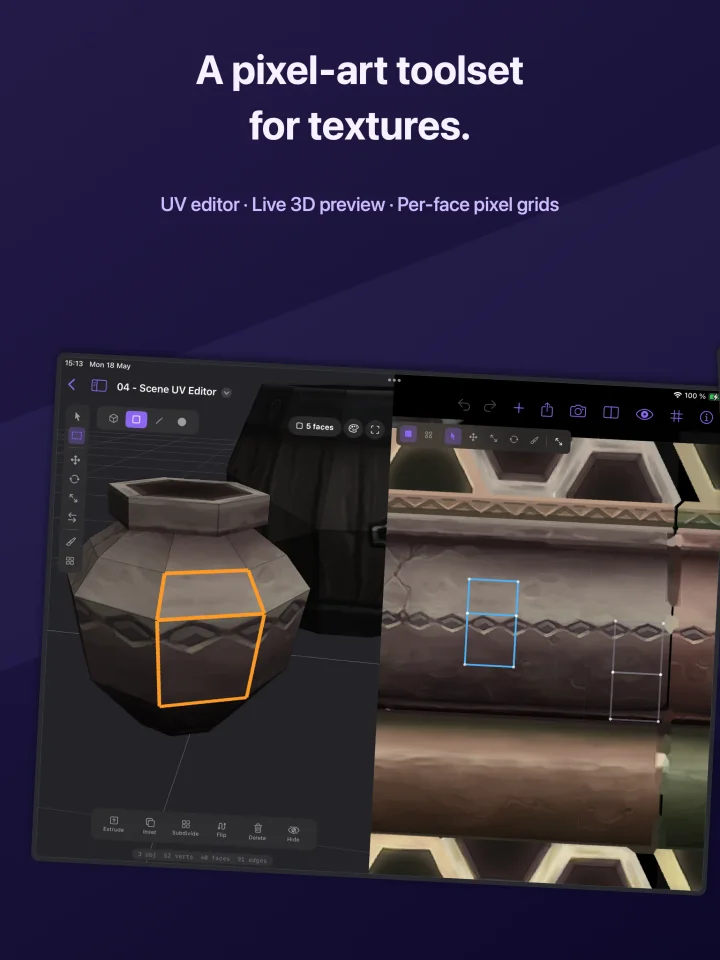
MATERIALS & UV EDITOR
• Color materials and PNG-textured materials
• Built-in UV editor with planar and box auto-unwrap
• Pixel-perfect paint tools directly on the UV texture
• Live preview synced between 3D viewport and UV editor
IMPORT & EXPORT
• Export to glTF (.glb), USDZ, OBJ + MTL + PNG, and STL — pixel paint and tile layers baked in
• See your model in AR at true scale, right from the Export sheet
• Render turntable GIFs and MP4 videos
• Import glTF, FBX, OBJ and Blockbench files
• Open your models in Blender, Unity, Unreal, Godot, or any 3D tool
• Open glTF and OBJ exports in any voxel or game-asset pipeline
NATIVE & UNIVERSAL
• Universal app — one purchase covers tablet and desktop
• Pencil drives tools, finger orbits the camera on touch devices
• Full hardware keyboard support
• Open and save models anywhere through the Files app
• Metal renderer, no compromises
PRIVACY FIRST
• All files stored locally on your device
• No account, no login, no tracking
• Works fully offline
• Privacy policy: https://qwartz.app/privacy
ONE-TIME PURCHASE
Qwartz is free to download and evaluate. Every modeling and painting tool works during evaluation, for up to five models; renders carry a watermark. A single one-time purchase unlocks exporting and unlimited models, and removes the watermark.
Có gì mới
Phiên bản 26.6 · 09/11/2026
Blocks in, sprites out: render any model as pixel-art sprite sheets, and open Blockbench and Bedrock models.
• Sprite sheets: Render has a third card, Sprite Sheet. It renders your model as pixel-art sprites from 4, 8 or 16 directions, seen from the side, three-quarter or top-down, at 16 to 64 pixels, in your model’s palette, with an outline. A JSON file comes with the sheet, so your game engine can slice it. In the free version, the sheet carries an evaluation mark.
• The Pixel look: View Settings › Look shows your model as your game will. Flat shades each surface in three steps of its own color, from the model’s palette; Pixel draws it on a pixel grid, with a one-pixel outline. Turntable renders use the look that is on.
• Blockbench: Import opens .bbmodel files and Bedrock .geo.json models, with their cubes and textures, and you paint right on them.
• Reference images: Add › Reference Image… puts a picture behind your model, or drop one on the viewport. It faces the view you add it in, stays locked so you select the model, not the picture, and you set its opacity. Exports and renders leave it out.
• Easier to tap: the paint palette’s tools and colors, and the buttons of the tile panel, the outliner, the inspector, the selection modes, the materials and the UV editor, each take a fingertip more easily.
• Fixes: a model that is still downloading is listed once on Home, not twice.
Quyền riêng tư của ứng dụng
Những gì Gargant khai báo trên App Store về cách ứng dụng này xử lý dữ liệu.
-
Dữ liệu không được thu thập
Nhà phát triển không thu thập bất kỳ dữ liệu nào từ ứng dụng này.
Phương thức đảm bảo quyền riêng tư có thể khác nhau, chẳng hạn như tuỳ theo các tính năng bạn sử dụng hoặc độ tuổi của bạn.
Thông tin
- Người bán
- Gargant
- Danh mục
- Đồ Họa & Thiết Kế
- Phiên bản
- 26.6
- Cập nhật
- 09/11/2026
- Phát hành
- 08/09/2026
- Kích thước
- 16,4 MB
- Yêu cầu
- iOS 17.6 trở lên
- Độ tuổi
- 4+
- Giá
- Miễn phí
- Mua hàng trong ứng dụng
- Có
- Ngôn ngữ
- Tiếng Pháp, Tiếng Đức, Tiếng Anh, Tiếng Trung Giản thể, Tiếng Hàn, Tiếng Tây Ban Nha, Tiếng Ý, Tiếng Nhật, Tiếng Bồ Đào Nha, Tiếng Nga
- Bản quyền
- © 2026, Gargant
Có thể bạn cũng thích
-
 ZPixitĐồ Họa & Thiết Kế
-
 LowPoly 3D ModelingĐồ Họa & Thiết Kế
-
 FormWright 3DĐồ Họa & Thiết Kế
-
 WaxĐồ Họa & Thiết Kế
-
 Pixelart Studio: Sprite MakerĐồ Họa & Thiết Kế
-
 Paper: 3D Drawing StudioĐồ Họa & Thiết Kế
-
 Denrim: ForgeĐồ Họa & Thiết Kế
-
 Konjur3DĐồ Họa & Thiết Kế
-
 LUNE 2D AnimationĐồ Họa & Thiết Kế
-
 Meld - 3D ModelingĐồ Họa & Thiết Kế