Reality Augmenter
Powerful projection mapping
Được thiết kế cho iPhone, iPad, iPod touch
199.000đ
- Độ tuổi17+
- Danh mụcTiện Ích
- Nhà phát triểnGeorge Brown
- Ngôn ngữTiếng Anh
- Kích thước3,7 MB
Liên kết đến trang App Store chính thức
Download.org không lưu trữ tệp nào của Reality Augmenter. Nút này mở trang ứng dụng trên App Store, nơi George Brown phát hành ứng dụng. Trang được kiểm tra lần cuối: 12/11/2026.
Ảnh chụp màn hình


Giới thiệu
Nhà phát triển chưa cung cấp nội dung này bằng ngôn ngữ của bạn.
The Reality Augmenter is a video/projection mapping app and requires a projector This app can connect to a projector via a standard video adapter for your device, or wirelessly via an Airplay enabled device.
Key Features
Use camera roll for video, image and slide show texture sources
Import photos and videos from directly from the share panel
Scrolling text source with font control
Any number of source texture subdivisions
Use any source texture as a mask
Webpages as textures
Airplay enabled for wireless connection
Precise quad geometry editor with pan and zoom
Display and UI decoupled so app acts as remote control
Details
The Reality Augmenter is a tool for projection mapping, a technique to project images onto surfaces without precise alignment of the projector. The app is ideal for art installations, window displays, visual merchandising, galleries, nightclub visuals, display booths and anything else you can dream up.
The Reality Augmenter uses the projector as a secondary display, while the iOS device is used to configure the display.
Sources Tab
Pick videos and photos and albums from the camera roll, create text or specify webpages to use as sources from the Sources tab. Once created you can edit various aspects of the source depending on it's type.
Sources can be cropped using the crop icon in the top right of any source editor.
Layers Tab
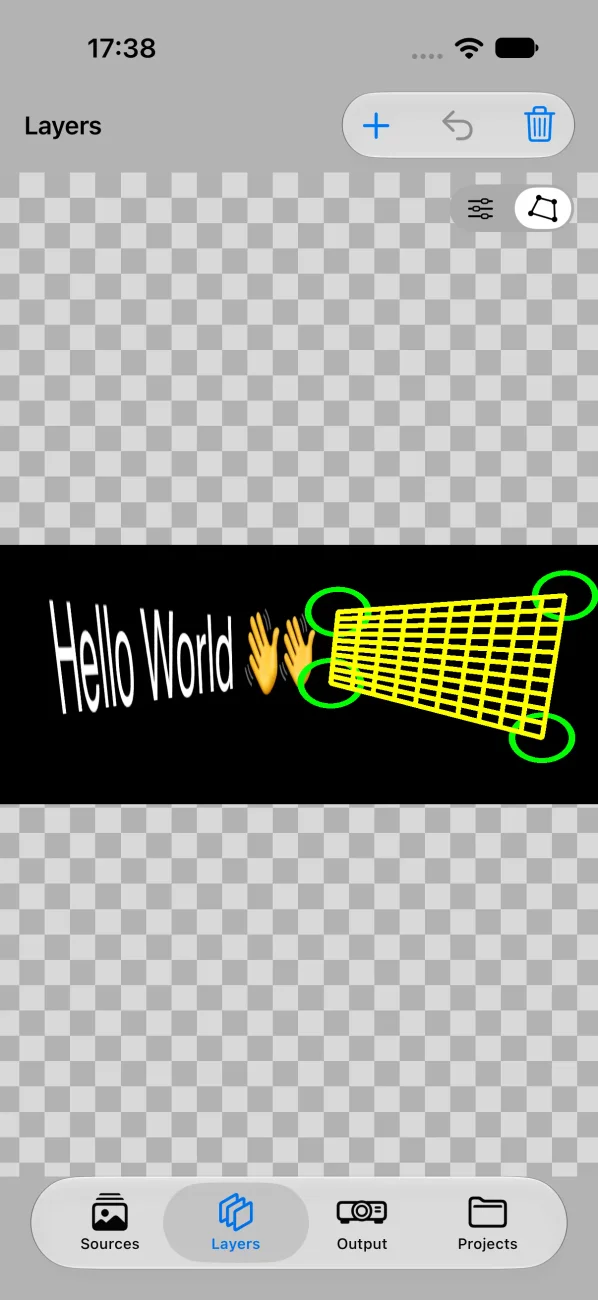
Create layers in the Layers tab, sources can be assigned to and combined in layers, layers are projected.
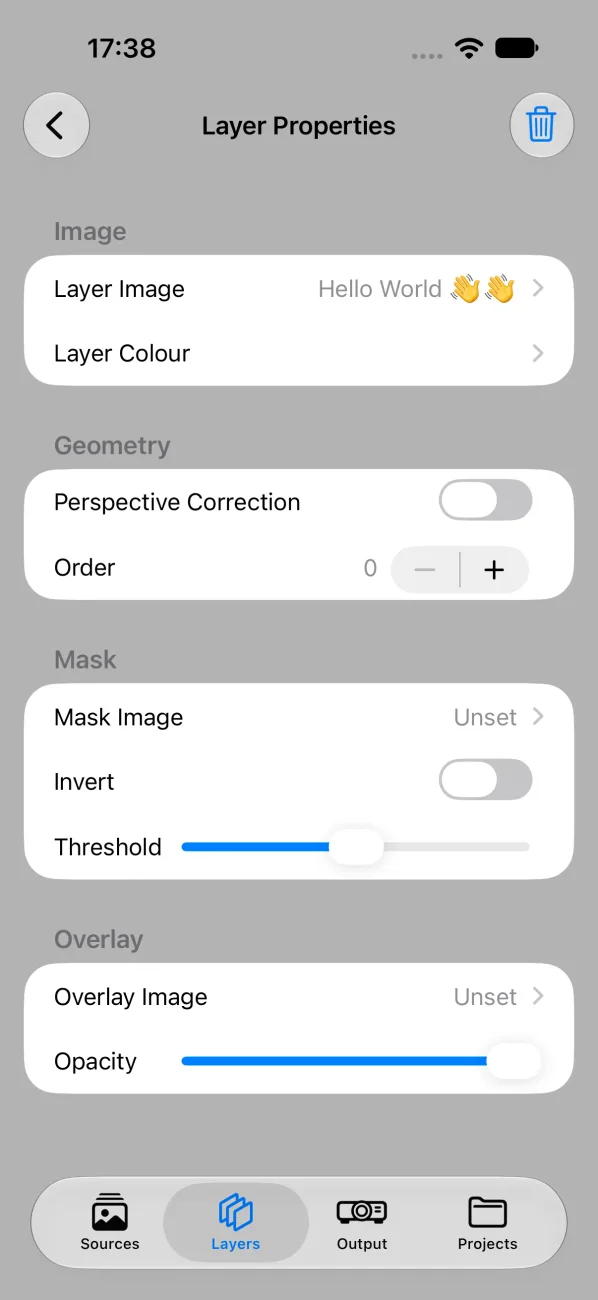
The Edit Layer view allows you to select sources as the main layer image (required), and optionally set an overlay and a mask.
When used as a mask, the source image used is converted to black and white, the threshold controls the cut off point of the mask.
You can toggle between layer geometry and layer properties with the switch in the top right.
Edit the geometry to drag and map the four corners of the quad to the surface being mapped. The secondary display will highlight the quad being edited to help with mapping. You can zoom in and out with the pinch gesture. At higher zoom levels, corners will snap to the corners of nearby layers. Once snapped, the the circle around the corner will change to orange, and all snapped corners will move along with your current layer. To remove a snapped corner, simply hold before dragging the corner away.
Output Tab
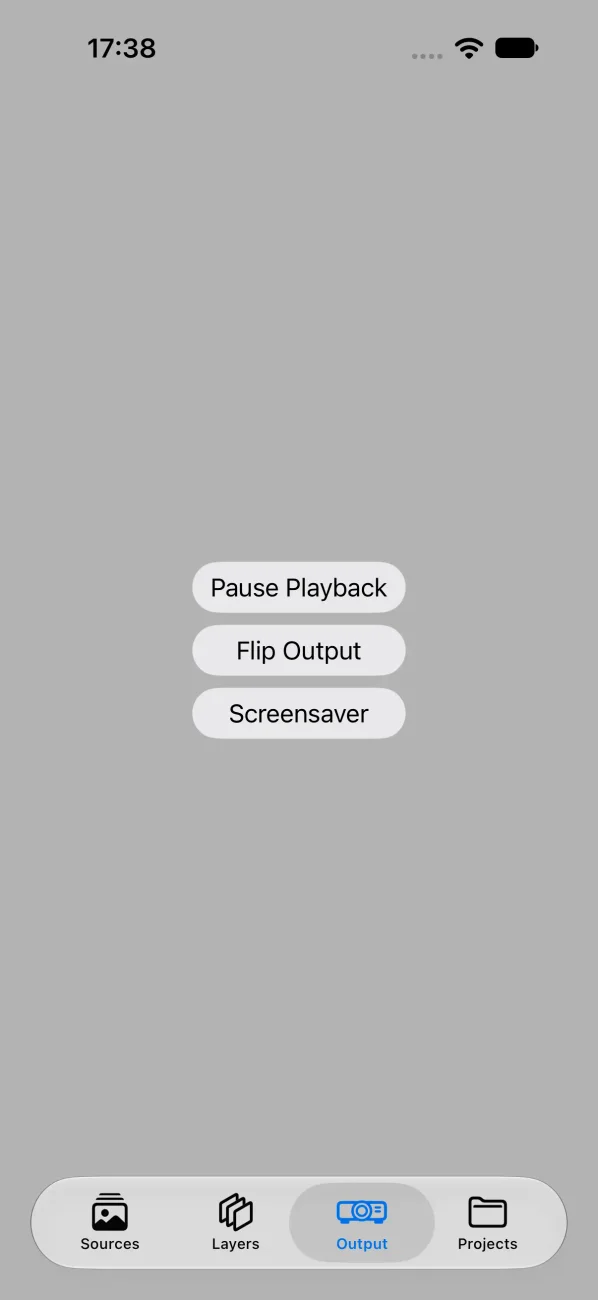
The Output tab provides facilities to play and pause the entire project, flip the output of the secondary display, and activate a basic screensaver for when the device will be in use a long time.
Projects Tab
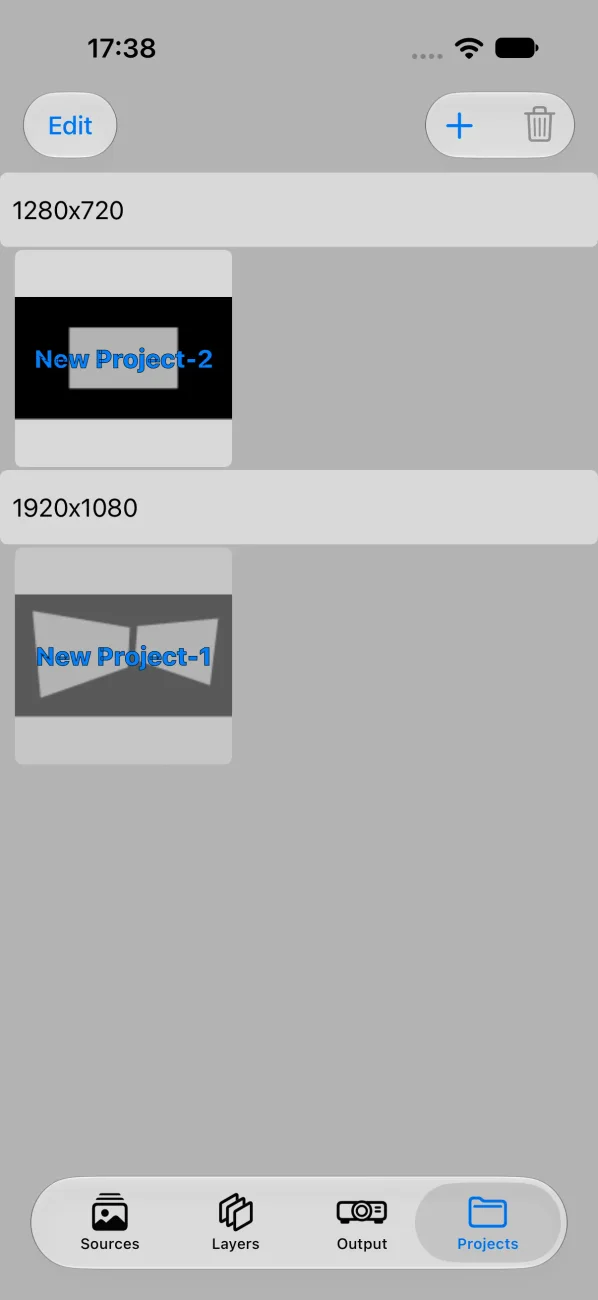
New projects can be accessed, created and deleted here.
The number of photo and videos supported varies between device, and will be affected by size and quality of videos and photos used.
For long periods of use, it's recommended to turn off screen locking and keep the iOS device plugged in to power. The app has a built in screensaver that can be activated to turn the display off. As the Reality Augmenter currently runs using Metal, drawing will be suspended if the app enters background. Notifications also pause output, for long periods of unattended use, you should turn off all notifications.
Có gì mới
Phiên bản 1.28 · 05/11/2026
New Features
- Added simple browser to webpage source to help navigate for selection
UI Improvements
- Open editors after creating sources with editable properties
- Delete button added to editors
- Delete toolbar button always appears last
Bug Fixes + Improvements
- Fix navigation to first project created
- Fix web page source not rendering on iOS 27
- Enforce https for web page sources
- Fixed some text labels being truncated across app
Quyền riêng tư của ứng dụng
Những gì George Brown khai báo trên App Store về cách ứng dụng này xử lý dữ liệu.
-
Dữ liệu không được thu thập
Nhà phát triển không thu thập bất kỳ dữ liệu nào từ ứng dụng này.
Phương thức đảm bảo quyền riêng tư có thể khác nhau, chẳng hạn như tuỳ theo các tính năng bạn sử dụng hoặc độ tuổi của bạn.
Thông tin
- Người bán
- George Brown
- Danh mục
- Tiện Ích
- Phiên bản
- 1.28
- Cập nhật
- 05/11/2026
- Phát hành
- 26/09/2015
- Kích thước
- 3,7 MB
- Yêu cầu
- iOS 15.6 trở lên
- Độ tuổi
- 17+
- Giá
- 199.000đ
- Ngôn ngữ
- Tiếng Anh
- Bản quyền
- © 2015 George Brown
Có thể bạn cũng thích
-
 PrspctvTiện Ích
-
 QLab RemoteTiện Ích
-
 Twindo: LiDAR Scan to CAD/BIMTiện Ích
-
 ViplexHandyTiện Ích
-
 iDeal LEDTiện Ích
-
 3D GO | In ấn 3D | ThingiverseMô hình 3D Makerworld Cults3d
-
 3d Scanner App™Tiện Ích
-
 Remote, Mouse and KeyboardWireless for MacBook & Laptop
-
 Công cụ tìm máy ảnh ẩnMáy quét Cam được đề xuất
-
 Creality Cloud - 3D PrintingTiện Ích