
- Độ tuổi4+
- Danh mụcKinh Doanh
- Nhà phát triểnOwletLabs LLC
- Ngôn ngữTiếng Nhật+ 1 ngôn ngữ khác
- Kích thước31,7 MB
ReceptionAlpha hiện có thể không có trên App Store
Ở lần kiểm tra gần nhất, chúng tôi không truy cập được trang trên cửa hàng. Liên kết vẫn dẫn đến trang App Store chính thức.
Ảnh chụp màn hình

Giới thiệu
Nhà phát triển chưa cung cấp nội dung này bằng ngôn ngữ của bạn.
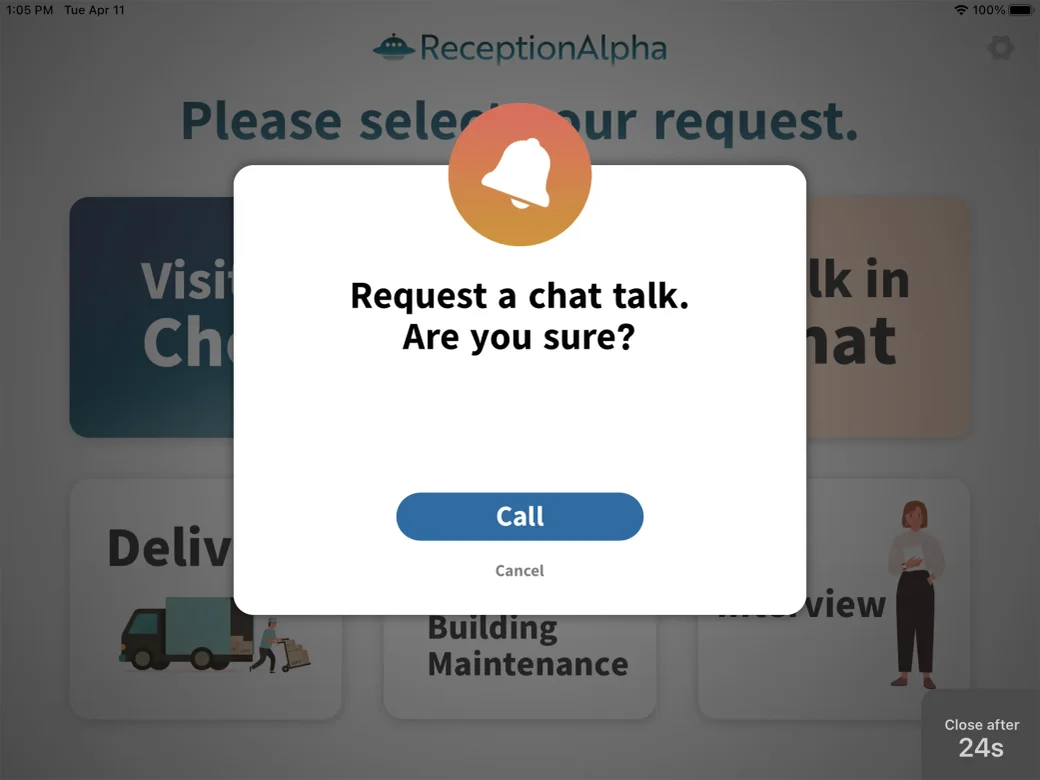
ReceptionAlpha turns an iPad at your entrance into an unattended reception desk. Visitor calls arrive in Slack, so your team can respond without walking to the door.
FOR VISITORS (iPad)
- Large buttons for common purposes such as Sales visit, Delivery, Interview and General reception. The number of buttons, their labels, colors and images are fully customizable.
- Optional entry of company, name and purpose.
- Optional snapshot of the visitor, attached to the notification.
- The reception screen can switch between two languages (main and sub).
- After the call, the iPad shows a "Calling…" screen and then the message that matches your team's response.
FOR YOUR TEAM (Slack)
- Every check-in is posted to the channel you choose when you install the app, with the visitor's details, photo and three buttons.
- Accept: the iPad tells the visitor that someone is on their way.
- Decline: the iPad shows a polite message that the visit cannot be accepted.
- Start chat: a chat screen opens on the iPad. Write "@ReceptionAlpha your message" in the channel and it appears on the iPad; the visitor's replies are posted back to the channel. Ask who they are looking for or give directions without going to the entrance.
KEY FEATURES
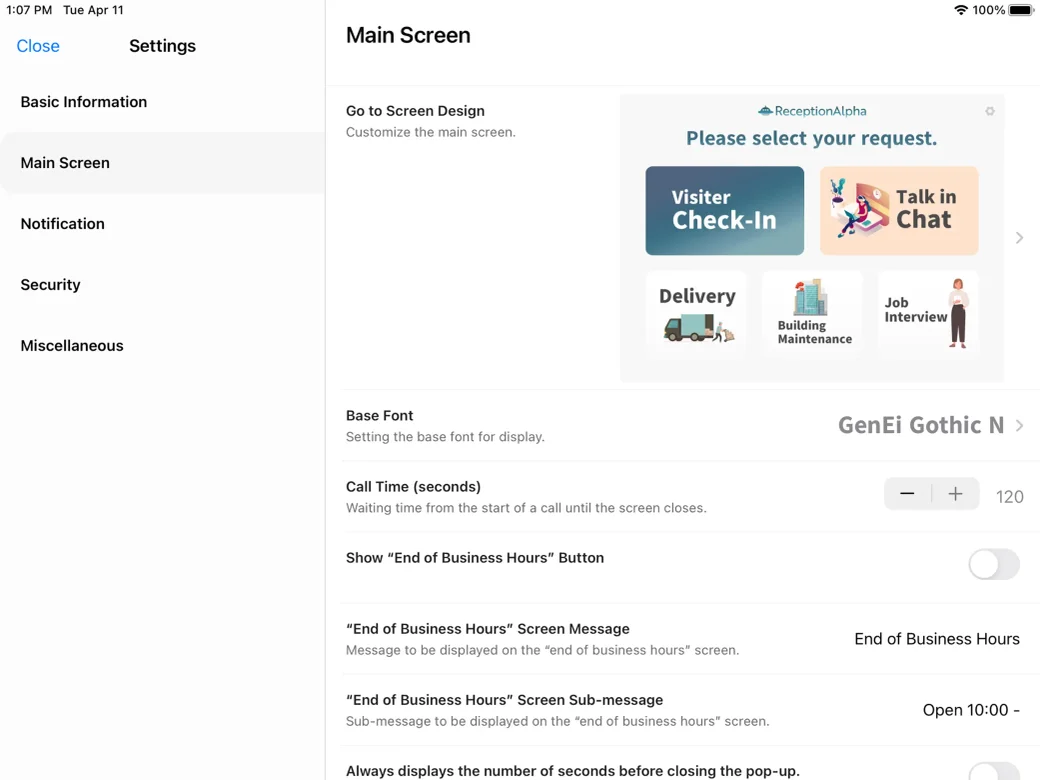
- Customizable reception screen: buttons, colors, background image and wording
- Visitor information entry (company, name, purpose)
- Optional visitor snapshot
- Two-language display
- Configurable call timeout (seconds to wait for a response)
- One-tap "End of business hours" screen
- Passcode protection for the settings screen
- Export of settings templates (handy for several locations with the same setup)
- Advanced mode using your own Slack Bot Token (chat is not available in this mode)
GETTING STARTED
1. Install the app on an iPad, create an account with your email address and sign in.
2. Open Settings > Notification, tap "Integrate with Slack" and choose your workspace and channel.
3. Adjust the buttons and wording, then place the iPad at your entrance.
You can be up and running in minutes.
PLEASE NOTE
- iPad only, landscape orientation.
- A Slack workspace is required (the free plan works).
- The app only posts to the channel you selected, only receives the button responses on its own notifications and @ReceptionAlpha mentions, and never reads other channel history.
- Visitor photos are deleted automatically after 30 days.
- See the privacy policy and terms of service for details.
Privacy policy: https://receptionalpha.com/privacy.html
Terms of service: https://receptionalpha.com/terms.html
Contact: https://receptionalpha.com/contact.html
Có gì mới
Phiên bản 1.0.3 · 15/10/2026
- Support for iOS27
Quyền riêng tư của ứng dụng
Những gì OwletLabs LLC khai báo trên App Store về cách ứng dụng này xử lý dữ liệu.
-
Dữ liệu không liên kết với bạn
Có thể được thu thập nhưng không liên kết với danh tính của bạn.
- Mã định danh
Phương thức đảm bảo quyền riêng tư có thể khác nhau, chẳng hạn như tuỳ theo các tính năng bạn sử dụng hoặc độ tuổi của bạn.
Thông tin
- Người bán
- OwletLabs LLC
- Danh mục
- Kinh Doanh
- Phiên bản
- 1.0.3
- Cập nhật
- 15/10/2026
- Phát hành
- 01/02/2023
- Kích thước
- 31,7 MB
- Yêu cầu
- iOS 15.0 trở lên
- Độ tuổi
- 4+
- Ngôn ngữ
- Tiếng Nhật, Tiếng Anh
- Bản quyền
- © OwletLabs LLC