Rectify - Straighten Slides
Auto-capture slide changes
Được thiết kế cho iPhone, iPad
Miễn phí
- Độ tuổi4+
- Danh mụcẢnh & Video
- Nhà phát triểnKeisuke Shibata
- Ngôn ngữTiếng Nhật+ 9 ngôn ngữ khác
- Kích thước6,4 MB
Liên kết đến trang App Store chính thức
Download.org không lưu trữ tệp nào của Rectify - Straighten Slides. Nút này mở trang ứng dụng trên App Store, nơi Keisuke Shibata phát hành ứng dụng. Trang được kiểm tra lần cuối: 28/11/2026.
Ảnh chụp màn hình


Giới thiệu
Nhà phát triển chưa cung cấp nội dung này bằng ngôn ngữ của bạn.
Turn angled slide photos into front-facing images. Use Rectify as a silent camera, too.
Rectify captures presentation slides and corrects their perspective on your iPhone. Keep useful slides from lectures, conferences and meetings in a format that is easier to revisit, without straightening each photo by hand.
STRAIGHTEN SLIDES AS YOU SHOOT
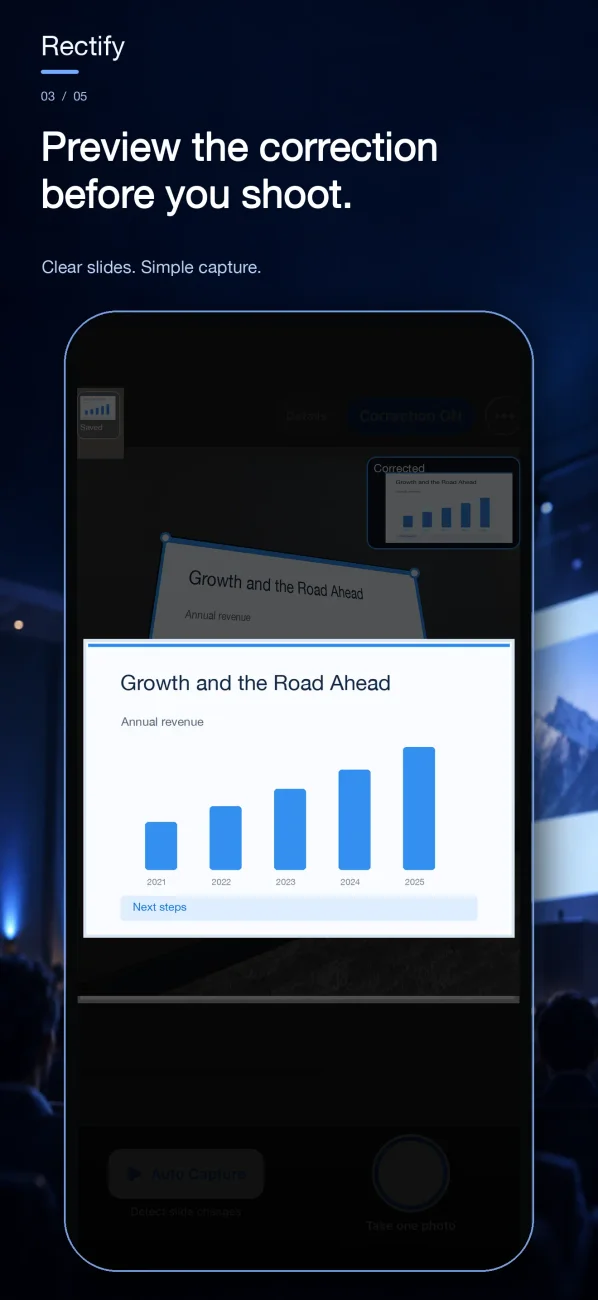
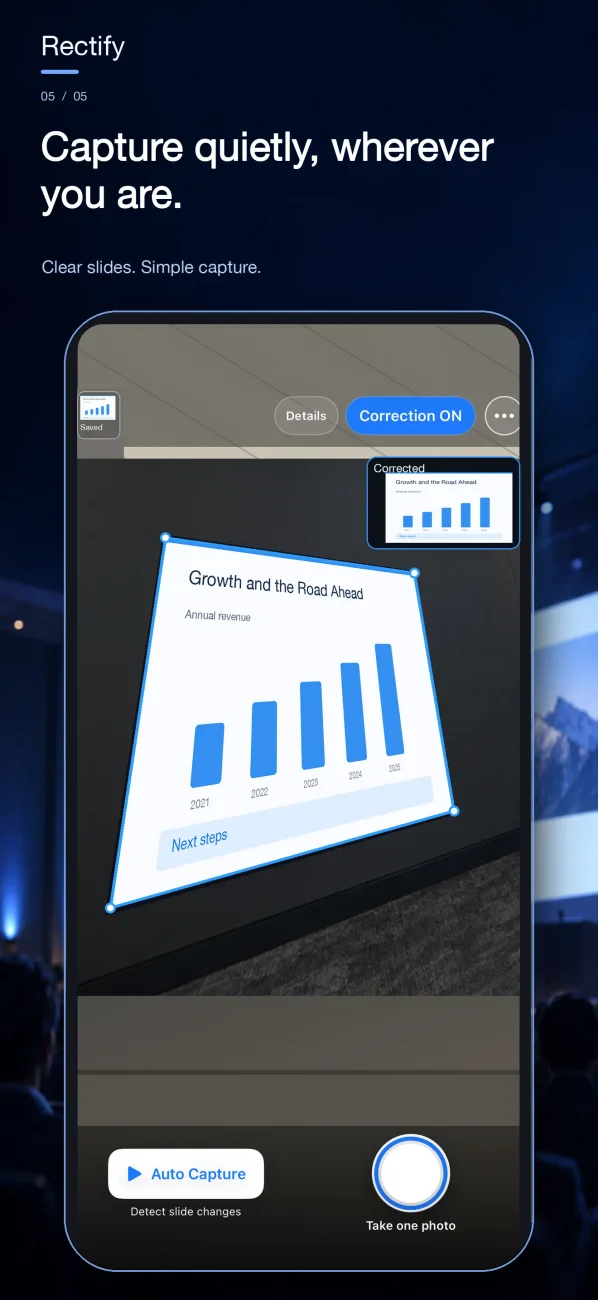
Rectify detects the four corners of a slide and corrects the tilted shape. See the detected outline and a live corrected preview before capturing, so you can check what will be included.
SILENT CAMERA FOR EVERYDAY PHOTOS
Take photos without a shutter sound. Capture presentation slides during lectures and meetings without interrupting others with camera noise.
Turn correction off to photograph food, objects and everyday moments without cropping the image to a slide. To save these photos directly to Photos, choose Photos as the save destination for original images in Settings.
AUTO CAPTURE FOR SLIDE CHANGES
Start Auto Capture and keep the camera aimed at the screen. Rectify uses changes in readable slide text to detect a slide change and trigger a capture. Use the shutter button whenever you want to capture a slide yourself, including while Auto Capture is running.
OPEN STRAIGHT TO THE CAMERA
Open the app directly to the camera. Take a single photo, start Auto Capture or turn correction on or off from the same screen.
SAVE EACH VERSION WHERE YOU WANT
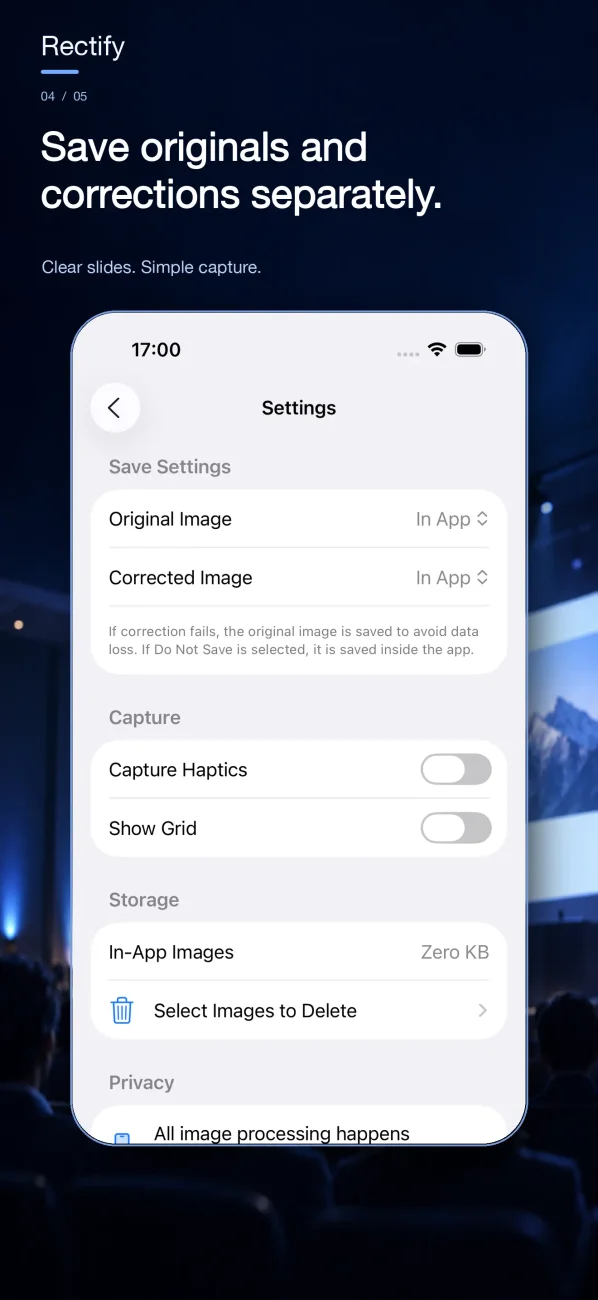
Choose a separate destination for the original and corrected image: in the app, in Photos, in both places, or don't save.
By default, originals stay in the app and corrected images go to Photos. If correction fails, Rectify saves the original instead. When the original is set to "Don't save," that fallback is kept in the app.
FIND YOUR CAPTURES BY DATE
Browse in-app images by date, zoom in, share them, save them to Photos or select several to delete. Deleting an in-app image leaves its copy in Photos untouched. Images stored only in the app are removed when you delete the app.
IMAGE PROCESSING ON YOUR IPHONE
Slide detection and perspective correction run on your device. Captured images are not uploaded to an external server for processing. Rectify does not record audio.
For lectures, conference talks, training sessions, projected meeting materials, whiteboards and large displays.
Only photograph content when permitted, and respect venue rules and other people's rights. Automatic detection depends on readable text, lighting and distance. Use manual capture for image-only slides or changes the app does not detect.
Có gì mới
Phiên bản 1.4 · 27/11/2026
Now supports iPad / iPhone Duo. Layouts have been improved for larger screens.
Quyền riêng tư của ứng dụng
Những gì Keisuke Shibata khai báo trên App Store về cách ứng dụng này xử lý dữ liệu.
-
Dữ liệu liên kết với bạn
Có thể được thu thập và liên kết với danh tính của bạn.
- Thông tin liên hệ
- Nội dung của người dùng
-
Dữ liệu không liên kết với bạn
Có thể được thu thập nhưng không liên kết với danh tính của bạn.
- Mã định danh
- Dữ liệu sử dụng
- Chẩn đoán
Phương thức đảm bảo quyền riêng tư có thể khác nhau, chẳng hạn như tuỳ theo các tính năng bạn sử dụng hoặc độ tuổi của bạn.
Thông tin
- Người bán
- Keisuke Shibata
- Danh mục
- Ảnh & Video
- Phiên bản
- 1.4
- Cập nhật
- 27/11/2026
- Phát hành
- 05/08/2026
- Kích thước
- 6,4 MB
- Yêu cầu
- iOS 18.0 trở lên
- Độ tuổi
- 4+
- Giá
- Miễn phí
- Ngôn ngữ
- Tiếng Nhật, Tiếng Ý, Tiếng Tây Ban Nha, Tiếng Đức, Tiếng Pháp, Tiếng Bồ Đào Nha, Tiếng Trung Giản thể, Tiếng Trung Phồn thể, Tiếng Anh, Tiếng Hàn
- Bản quyền
- © 2026 shiba6v
Có thể bạn cũng thích
-
 SlideCam: Session CameraẢnh & Video
-
 Perspective LabẢnh & Video
-
 PersCrop - Perspective CropẢnh & Video
-
 Video Speed Editor - ChangerẢnh & Video
-
 ArchCam: Perspective CameraẢnh & Video
-
 AutoAlign: Scan & StraightenẢnh & Video
-
 Perspective Crop LensẢnh & Video
-
 光阴 · 宝宝成长册 私密相册Ảnh & Video
-
 re.photosẢnh & Video
-
 イマジカ 無料版Ảnh & Video