- Độ tuổi4+
- Danh mụcHiệu Suất
- Nhà phát triểnITSUCARA, K.K.
- Ngôn ngữTiếng Anh+ 16 ngôn ngữ khác
- Kích thước12,8 MB
Liên kết đến trang App Store chính thức
Download.org không lưu trữ tệp nào của Recto MD. Nút này mở trang ứng dụng trên App Store, nơi ITSUCARA, K.K. phát hành ứng dụng. Trang được kiểm tra lần cuối: 14/11/2026.
Ảnh chụp màn hình

Giới thiệu
Nhà phát triển chưa cung cấp nội dung này bằng ngôn ngữ của bạn.
Recto MD opens a Markdown file and gets out of the way.
Open one from Files, Mail or Safari with Open in Recto MD, or share it in from any app. On iPadOS and iOS 26, Files > Get Info > Always Open With makes it the default.
Reading comes first: pick a file and it is on screen, typeset and ready, nothing to configure. When you want to change something, Edit mode puts the source next to the live preview - side by side on iPad, a Source/Preview switch on iPhone - and Save is explicit, so nothing is written until you ask for it.
TYPOGRAPHY FIRST
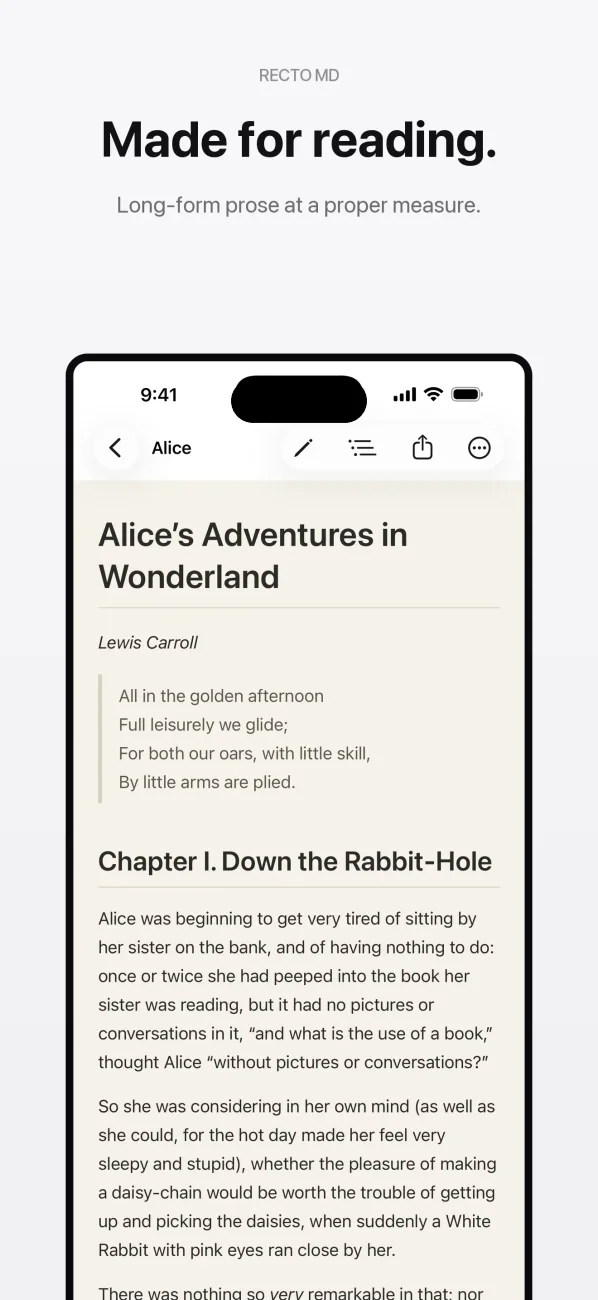
The reading column, the leading and the vertical rhythm are the product. Pinch to zoom the whole page from 50% to 300% - text, measure and margins scale together, the way a browser's page zoom does - the column measure also has three widths, and the page is laid out so a long document stays comfortable rather than merely legible.
RENDERS WHAT YOUR DOCUMENTS ACTUALLY CONTAIN
- CommonMark and GitHub Flavored Markdown: tables, task lists, strikethrough, autolinks, footnotes
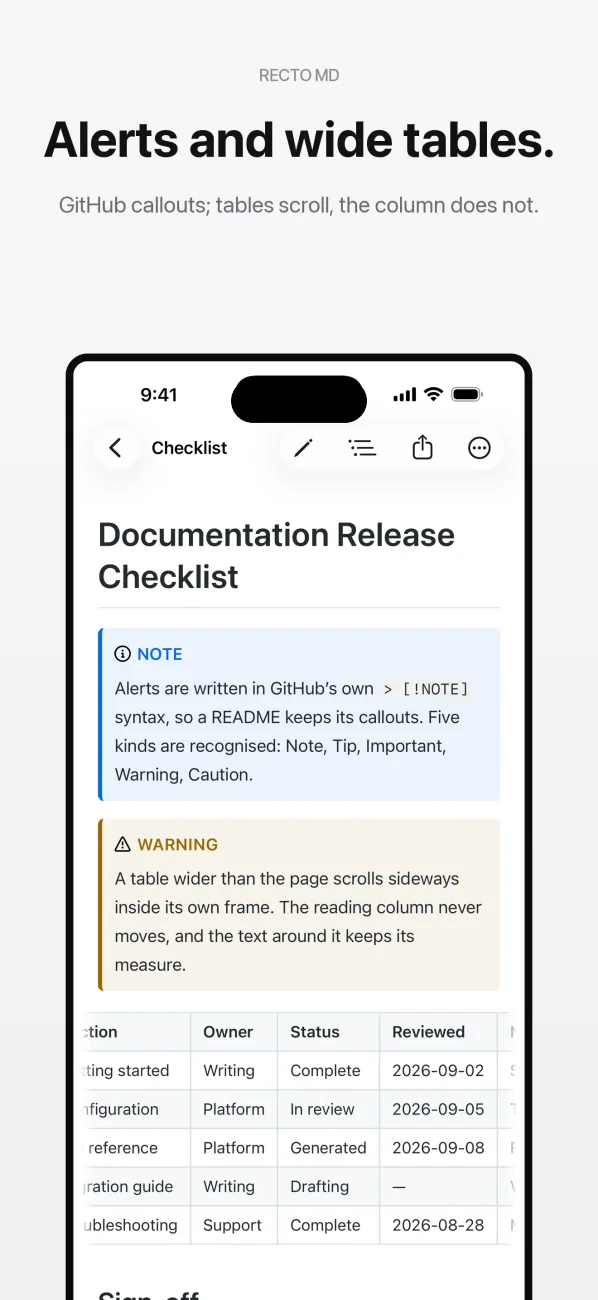
- GitHub-style alerts: NOTE, TIP, IMPORTANT, WARNING, CAUTION
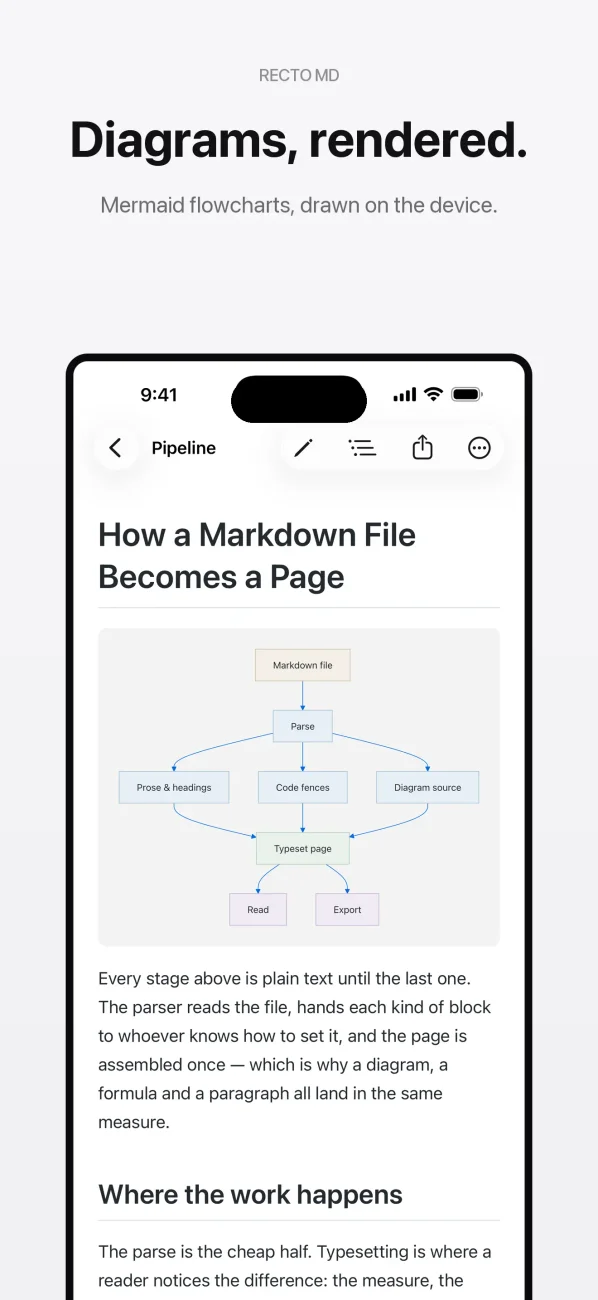
- Mermaid diagrams, loaded only when a document has one
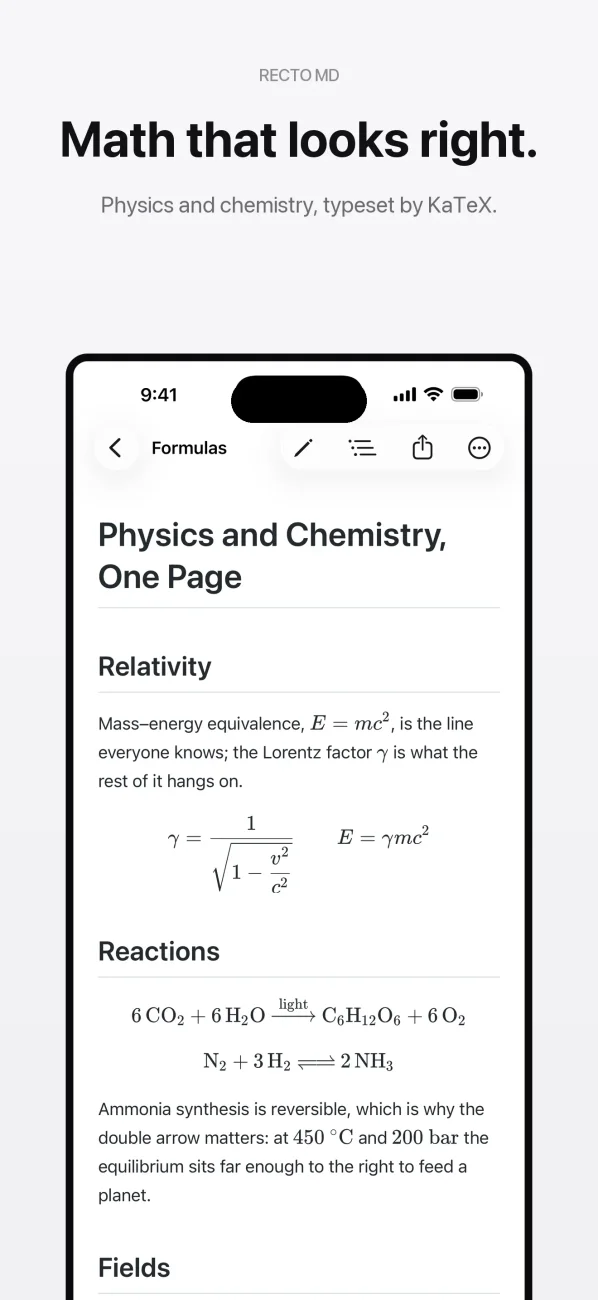
- Mathematics and chemistry, typeset by KaTeX: inline and display LaTeX, and mhchem chemical equations. The delimiters are narrow on purpose, so a price written as $5 stays a price
- Syntax-highlighted fenced code blocks, with a copy button
- Wide tables scroll inside the reading column, so the page itself never scrolls sideways
EDITING, WHEN YOU WANT IT
Edit mode puts a source pane beside the live preview - side by side on iPad, a Source/Preview switch on iPhone. Save is explicit, and nothing autosaves in the background. Export the document as a PDF whenever you want a copy to share.
FIND YOUR WAY AROUND
An outline is generated from the document's headings: a sheet on iPhone, a sidebar on iPad that also holds your recent documents. Search inside a document with a live match count and step through the matches. Recents remembers where you stopped reading and puts you back there.
IT UPDATES WHILE YOU READ
Change the file somewhere else and the document updates in place - same scroll position, no flash, no reload button to hunt for. If you have unsaved edits, the app stops and asks instead of choosing for you. Turn auto-reload off and you get a "File changed" tap target instead.
A THEME EDITOR, NOT A THEME PICKER
Duplicate a built-in theme or start from nothing, and tune it in six groups: text (font, scale, line height, spacing, indent, justification); headings (font, weight, an accent color, rules, and a size for each of the six levels); layout (column width by characters, points or percent, a max width, custom margins, a page-card look); sidebar (font size and step per level, row height, indent, background and accent mix); blocks (code font and size, table density and zebra striping, blockquote style, the code syntax palette); and color, down to the selection highlight. Import or export any theme as JSON.
OFFLINE, AND PRIVATE BY CONSTRUCTION
The app makes no network requests at all. No account, no sign-in, no analytics, no tracking, nothing collected. Your documents are files on your device or in your iCloud Drive, and that is where they stay.
BUILT FOR THE PLATFORM
Dynamic Type through to the accessibility sizes, VoiceOver reading real document structure, Increase Contrast, Reduce Motion and Reduce Transparency are all honoured. With a hardware keyboard, every navigation shortcut is independently rebindable - pick the key, choose Command, Option or Shift, and the app flags a conflict before you save one - and Open, Find, Find Next, Reload, the zoom commands and Settings are all one keystroke away, listed in the Command-hold sheet.
The interface is available in twelve languages, with a System option and a picker for the one you want.
Có gì mới
Phiên bản 1.2.3 · 09/10/2026
The Standard theme now matches the Mac: the Paper White palette in light mode and the warm Ink palette in dark mode, set in the system font at its usual size. Other themes are unchanged.
Quyền riêng tư của ứng dụng
Những gì ITSUCARA, K.K. khai báo trên App Store về cách ứng dụng này xử lý dữ liệu.
-
Dữ liệu không được thu thập
Nhà phát triển không thu thập bất kỳ dữ liệu nào từ ứng dụng này.
Phương thức đảm bảo quyền riêng tư có thể khác nhau, chẳng hạn như tuỳ theo các tính năng bạn sử dụng hoặc độ tuổi của bạn.
Thông tin
- Người bán
- ITSUCARA, K.K.
- Danh mục
- Hiệu Suất
- Phiên bản
- 1.2.3
- Cập nhật
- 09/10/2026
- Phát hành
- 28/08/2026
- Kích thước
- 12,8 MB
- Yêu cầu
- iOS 18.0 trở lên
- Độ tuổi
- 4+
- Giá
- Miễn phí
- Ngôn ngữ
- Tiếng Anh, Tiếng Ả Rập, Filipino, Tiếng Pháp, Tiếng Đức, Tiếng Indonesia, Tiếng Ý, Tiếng Nhật, Tiếng Hàn, Tiếng Ba Lan, Tiếng Bồ Đào Nha, Tiếng Nga + 5 ngôn ngữ khác
- Bản quyền
- © 2026 ITSUCARA, K.K.
Có thể bạn cũng thích
-
 Skein NotesHiệu Suất
-
 BitEditorHiệu Suất
-
 md.tooHiệu Suất
-
 SnapNote: Offline AI ScannerHiệu Suất
-
 Handwritten Digital NotesHiệu Suất
-
 Menu Bar Notes: Quick CaptureHiệu Suất
-
 IEPDesk: IEP & 504 TrackerHiệu Suất
-
 Summon: Meeting AlertsHiệu Suất
-
 Blue Hour: Visual Focus TimerHiệu Suất
-
 Peak Browser: AI WorkspaceHiệu Suất