
Blue Hour: Visual Focus Timer
Calm countdown you can see
Được thiết kế cho iPhone, iPad
Miễn phí · Mua hàng trong ứng dụng
- Độ tuổi4+
- Danh mụcHiệu Suất
- Nhà phát triểnMoses Smith
- Ngôn ngữTiếng Anh
- Kích thước3,4 MB
Liên kết đến trang App Store chính thức
Download.org không lưu trữ tệp nào của Blue Hour: Visual Focus Timer. Nút này mở trang ứng dụng trên App Store, nơi Moses Smith phát hành ứng dụng. Trang được kiểm tra lần cuối: 25/11/2026.
Ảnh chụp màn hình

Giới thiệu
Nhà phát triển chưa cung cấp nội dung này bằng ngôn ngữ của bạn.
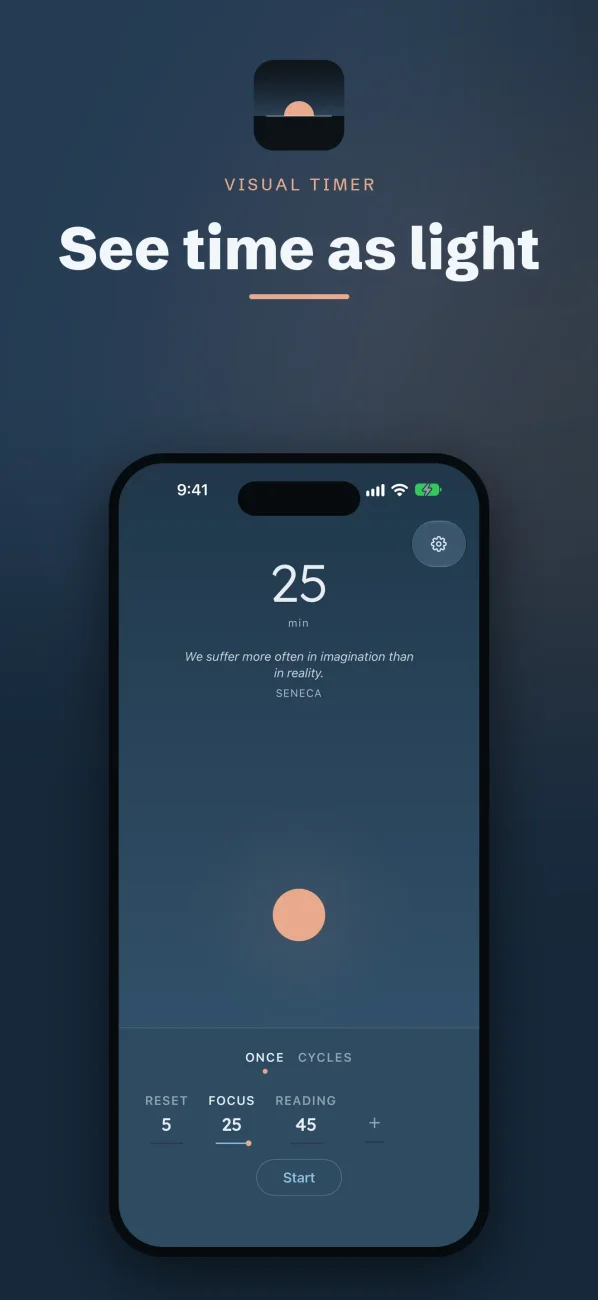
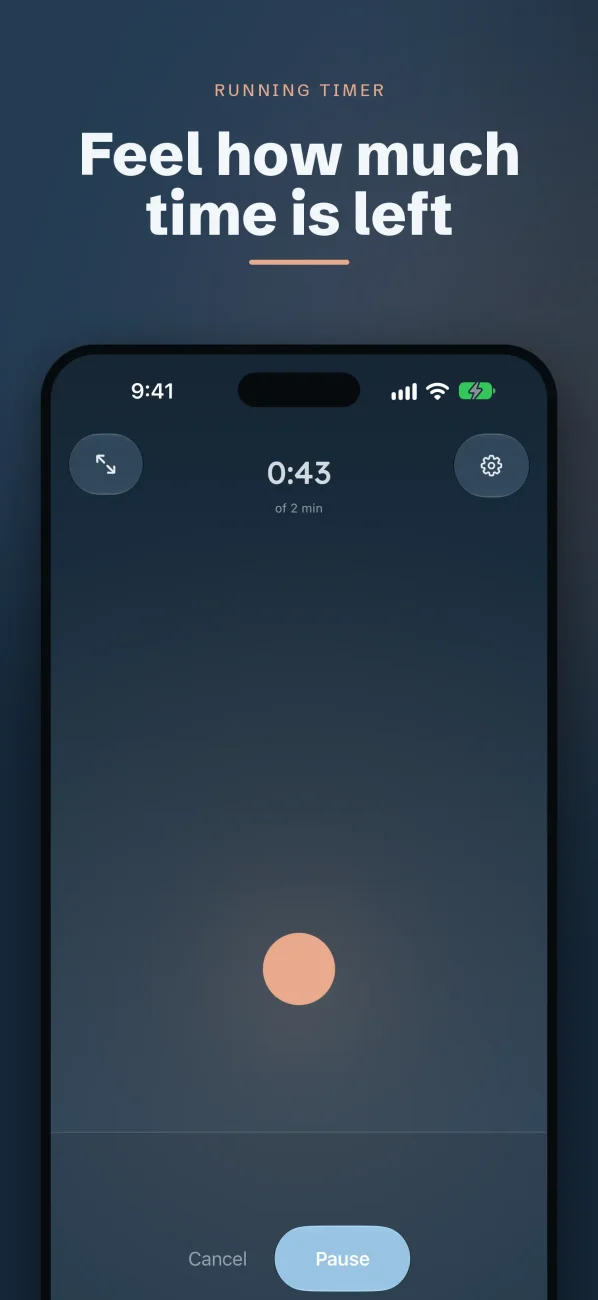
Blue Hour is a free visual timer that turns time into light: a sun sinks toward the horizon as your timer runs, so you can feel how much is left without reading a number.
You drag the sun to set the time and let the light do the counting. You get a calm countdown built kindly for ADHD and time-blindness, gentle enough for classrooms and kids. You never meet an account, an ad or a streak to keep.
What you can do
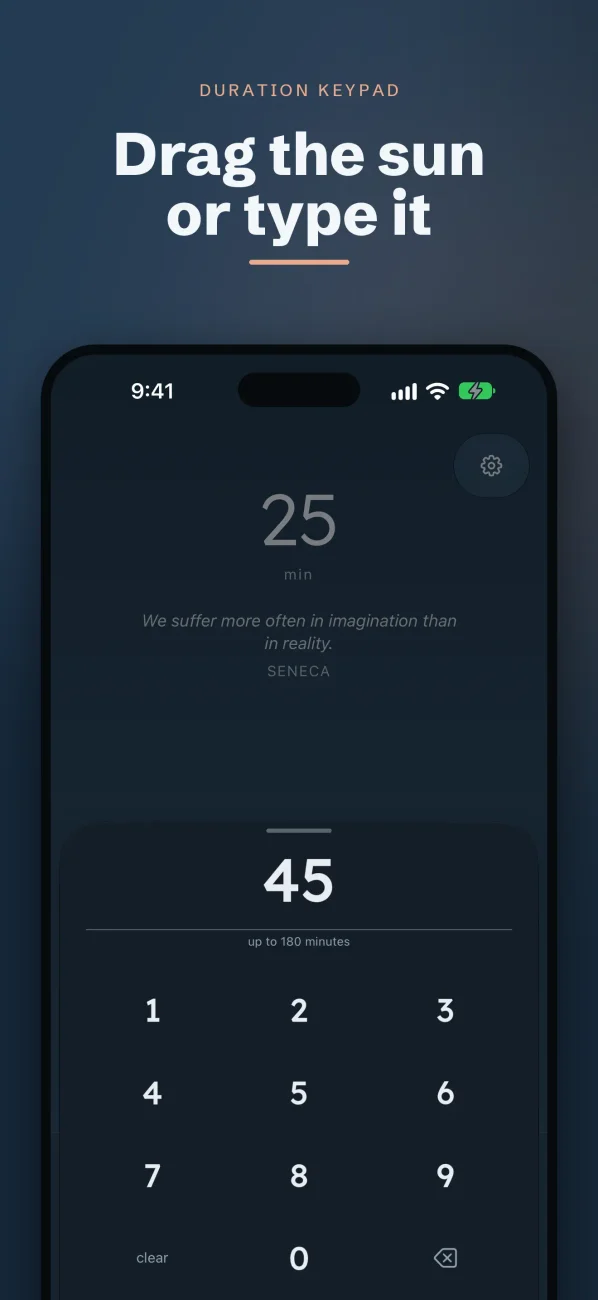
• Drag the sun up to set a time from one minute to three hours, or tap the readout and type it on a keypad
• Keep preset chips for the timers you use every day
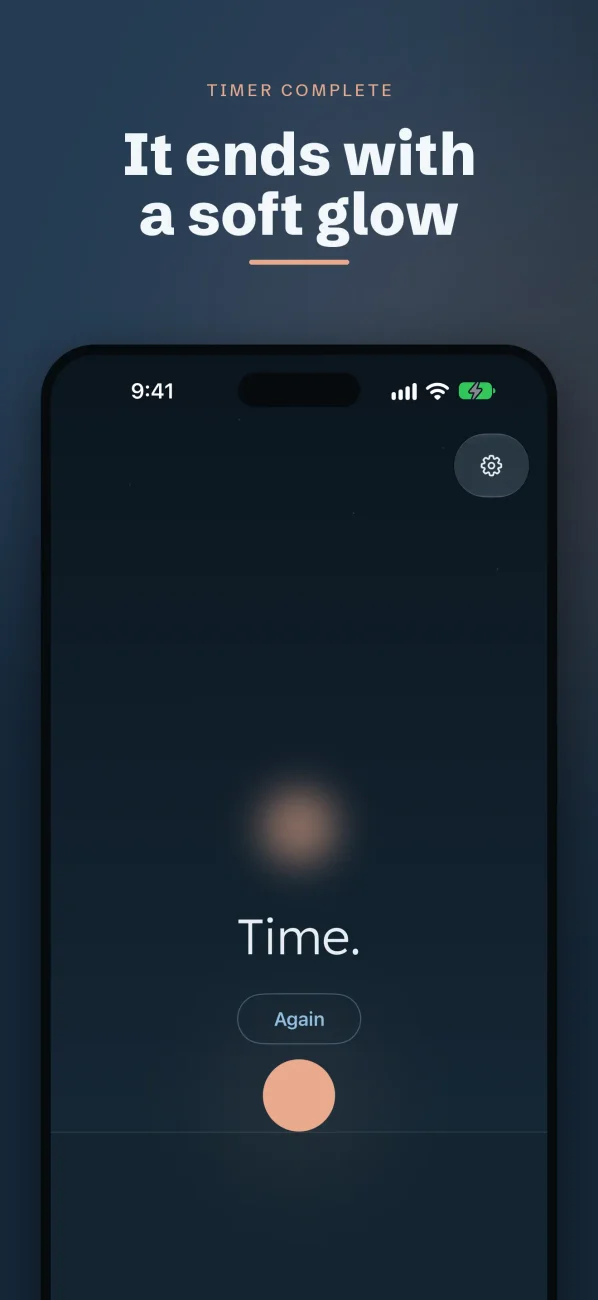
• Watch the sky deepen as the last light falls, then finish with a soft glow and an optional two-note chime
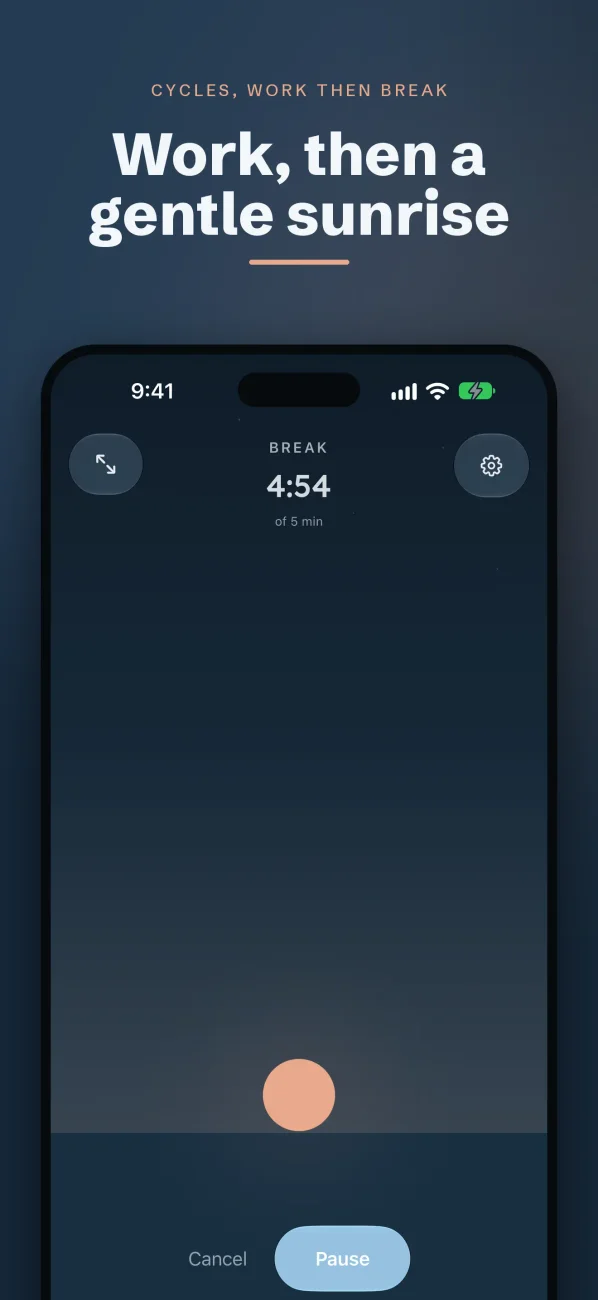
• Run work and break cycles, where each break is a sunrise and rounds are counted as little suns
• Follow the sinking sun on your Lock Screen and in the Dynamic Island with a Live Activity
• Start your usual timer from a Home Screen widget, Siri or Shortcuts
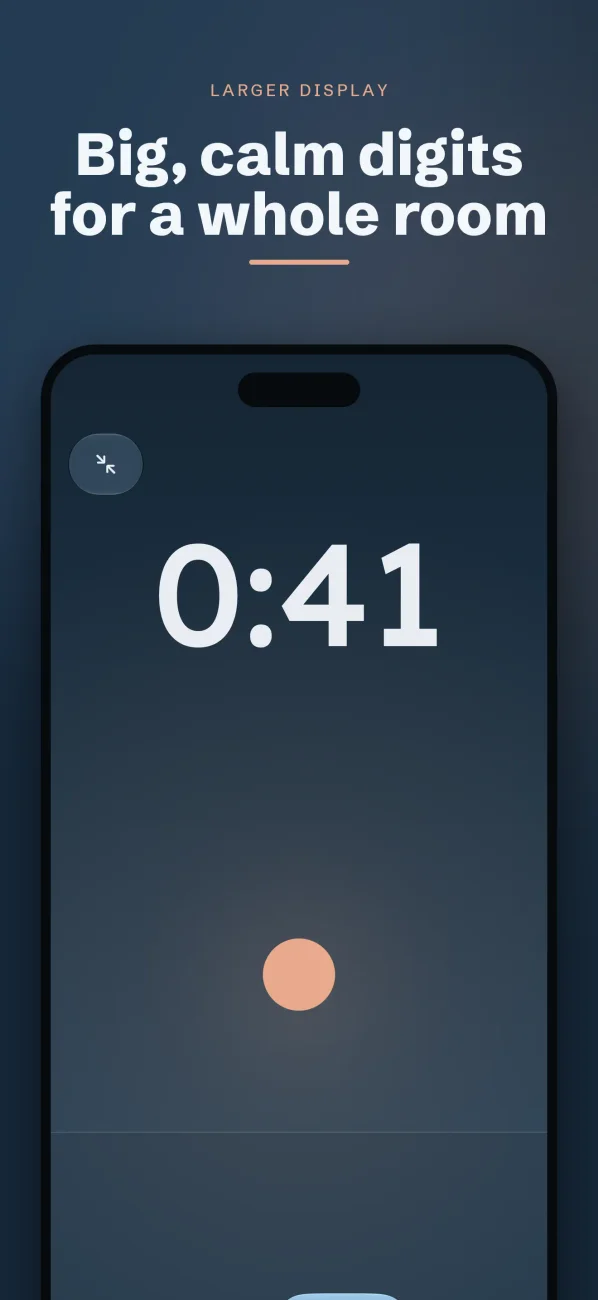
• Open the larger display for big digits across a room, with a classroom preset set of 1, 3, 5, 10, 15 and 20 minutes
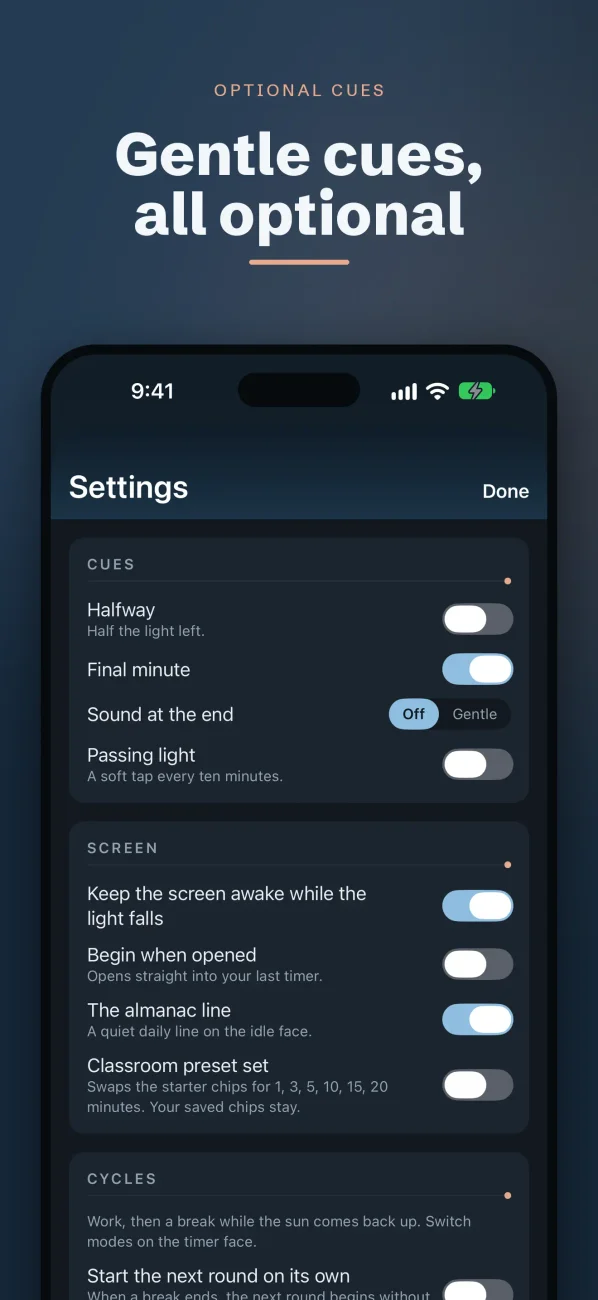
• Turn on halfway and final-minute cues, or keep the screen awake while the light falls
• Read one line a day from 412 public-domain quotations on the idle sky, starting your second day, or switch it off
• Come back after backgrounding the app and the light agrees, because the timer follows the wall clock
What it costs
Nothing. Every feature is free, with no premium tier and no subscription. If Blue Hour earns a place on your Home Screen, there is a tip jar in Settings with three sizes: Coffee, Lunch or Legend. Tips go through Apple and unlock nothing.
Privacy
Blue Hour has no account, tracking or analytics, and your timers and settings stay on your phone. Settings can refresh the list of other apps from the same maker, and tips are handled by Apple, so its App Store privacy label is Data Not Collected.
Who makes it
Made by one person; write to votiquellc@gmail.com and the person who built it answers.
Support: https://bluehourtimer.vercel.app/#support
Privacy policy: https://bluehourtimer.vercel.app/privacy
Có gì mới
Phiên bản 1.0.1 · 24/11/2026
Fixes a crash that could leave the Live Activity or the widget blank after a timer ended. The Settings privacy note is now more precise, and the App Store page has new screenshots. Your presets and settings are unchanged.
Quyền riêng tư của ứng dụng
Những gì Moses Smith khai báo trên App Store về cách ứng dụng này xử lý dữ liệu.
-
Dữ liệu không được thu thập
Nhà phát triển không thu thập bất kỳ dữ liệu nào từ ứng dụng này.
Phương thức đảm bảo quyền riêng tư có thể khác nhau, chẳng hạn như tuỳ theo các tính năng bạn sử dụng hoặc độ tuổi của bạn.
Thông tin
- Người bán
- Moses Smith
- Danh mục
- Hiệu Suất
- Phiên bản
- 1.0.1
- Cập nhật
- 24/11/2026
- Phát hành
- 02/08/2026
- Kích thước
- 3,4 MB
- Yêu cầu
- iOS 26.0 trở lên
- Độ tuổi
- 4+
- Giá
- Miễn phí
- Mua hàng trong ứng dụng
- Có
- Ngôn ngữ
- Tiếng Anh
- Bản quyền
- © 2026 Moses Smith
Có thể bạn cũng thích
-
 BitEditorHiệu Suất
-
 Recto MDHiệu Suất
-
 Skein NotesHiệu Suất
-
 Peak Browser: AI WorkspaceHiệu Suất
-
 Clastly — Personal DatabaseHiệu Suất
-
 To Do List Maker - DoneSnapHiệu Suất
-
 KeepCue: Day Planner, RoutinesHiệu Suất
-
 Handwritten Digital NotesHiệu Suất
-
 PutSpot: Home Item FinderHiệu Suất
-
 Marko: Markdown ViewerHiệu Suất