ScanToExcel - Document Scanner
PDF & Photo to Spreadsheet
Được thiết kế cho iPhone, iPad
Miễn phí · Mua hàng trong ứng dụng
- Độ tuổi4+
- Danh mụcHiệu Suất
- Nhà phát triểnREPHRASY
- Ngôn ngữTiếng Anh
- Kích thước1,0 MB
Liên kết đến trang App Store chính thức
Download.org không lưu trữ tệp nào của ScanToExcel - Document Scanner. Nút này mở trang ứng dụng trên App Store, nơi REPHRASY phát hành ứng dụng. Trang được kiểm tra lần cuối: 12/11/2026.
Ảnh chụp màn hình
Giới thiệu
Nhà phát triển chưa cung cấp nội dung này bằng ngôn ngữ của bạn.
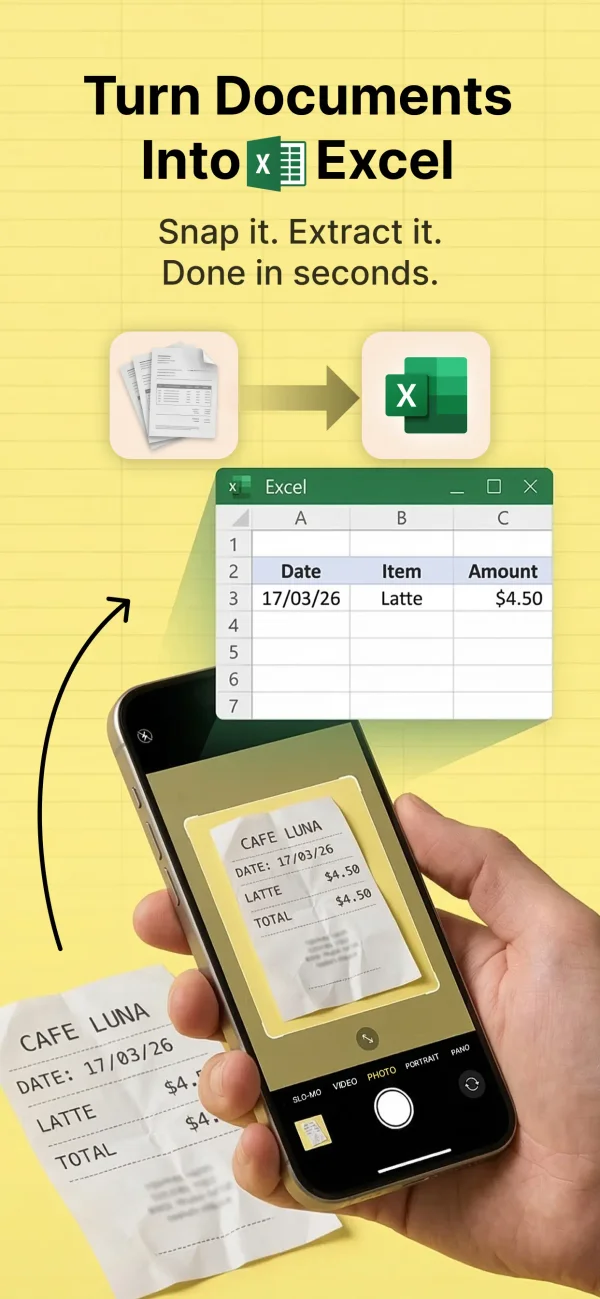
Turn any document into a spreadsheet in seconds. ScanToExcel uses AI to
extract tables and data from photos, scans, and PDFs — and converts them into
clean, organized Excel files.
Whether you're digitizing invoices, receipts, financial reports, inventory
lists, or handwritten tables — ScanToExcel handles it all. No manual data
entry, no copy-pasting. Just point, scan, and export.
HOW IT WORKS
1. Scan a document with your camera, pick a photo from your library, or import
a PDF
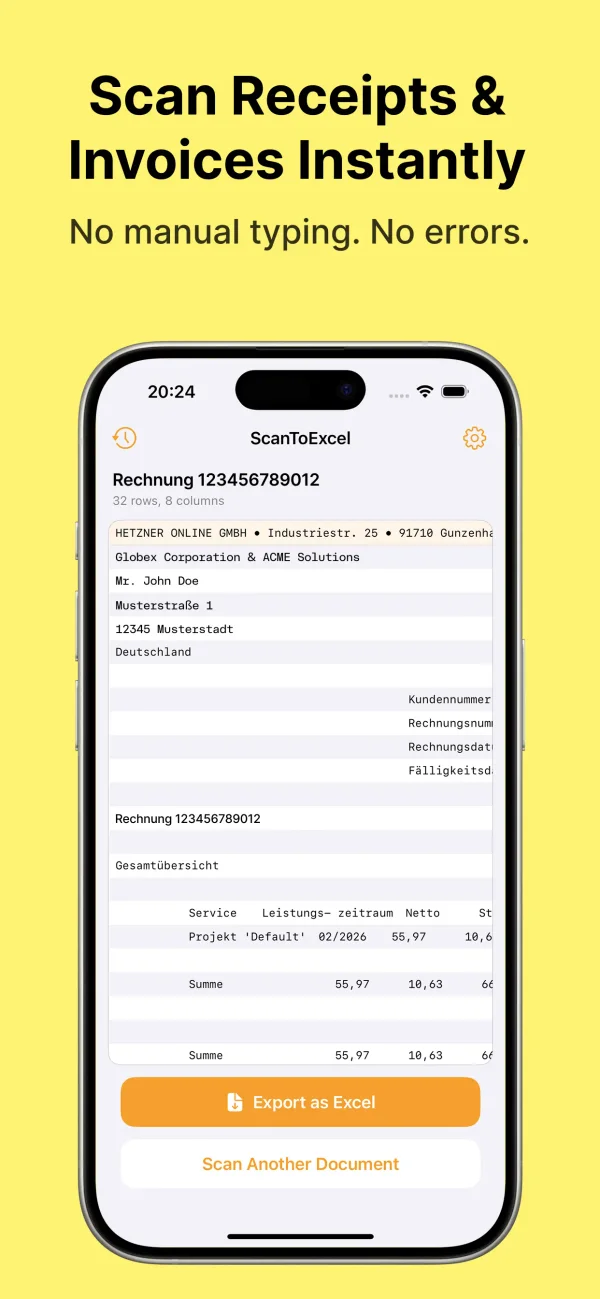
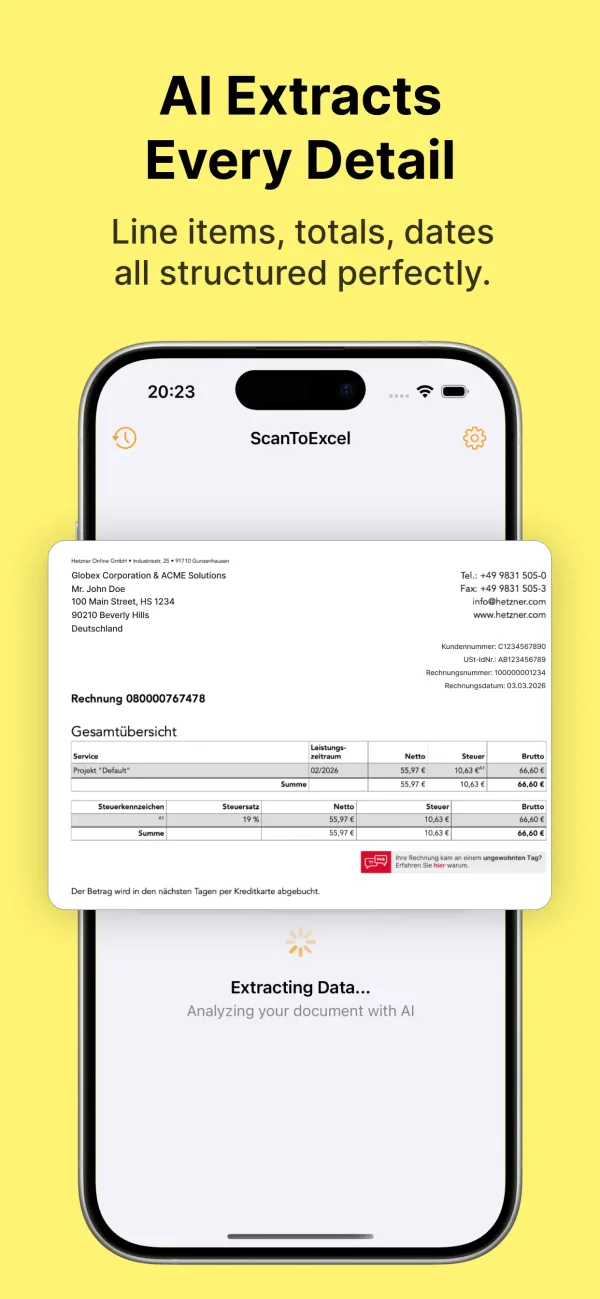
2. AI automatically detects rows, columns, headers, and values
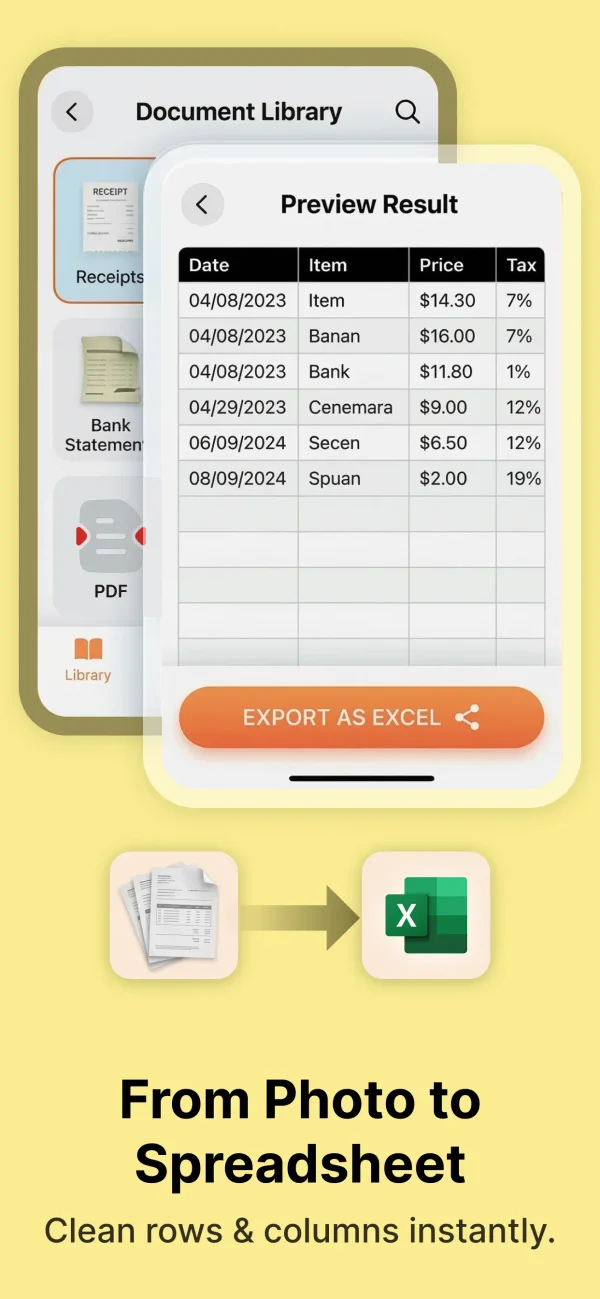
3. Review the extracted data in a clean table preview
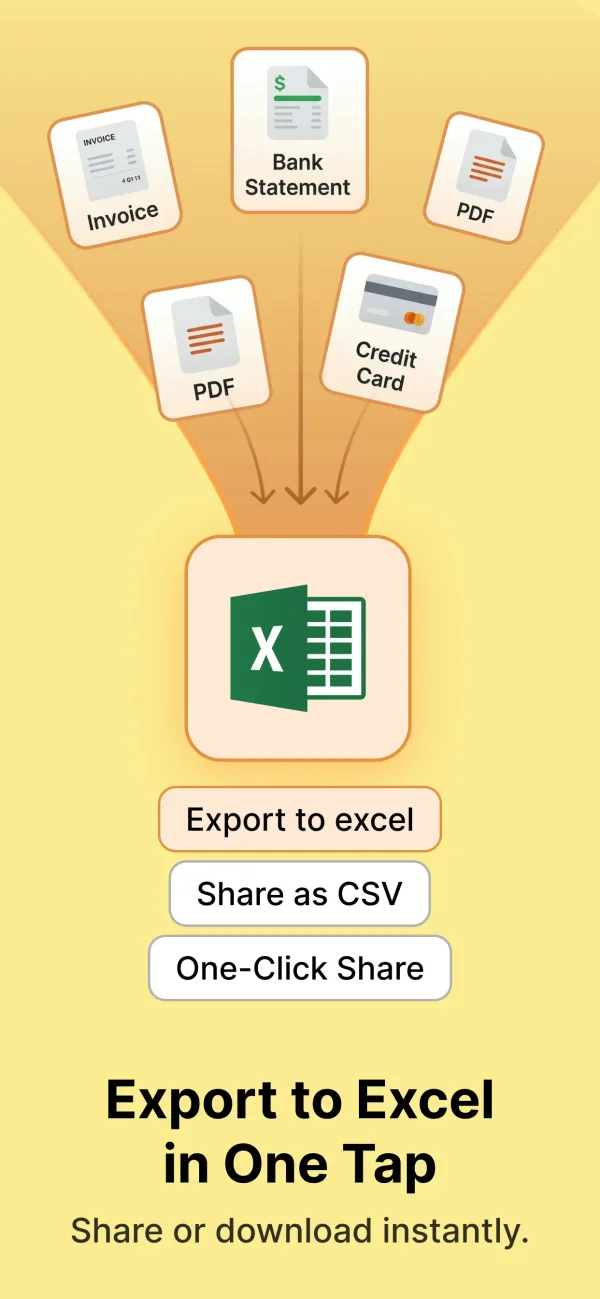
4. Export as Excel (.xlsx), CSV, or JSON — share via email, save to Files,
AirDrop, or open in Numbers, Google Sheets, or any spreadsheet app
KEY FEATURES
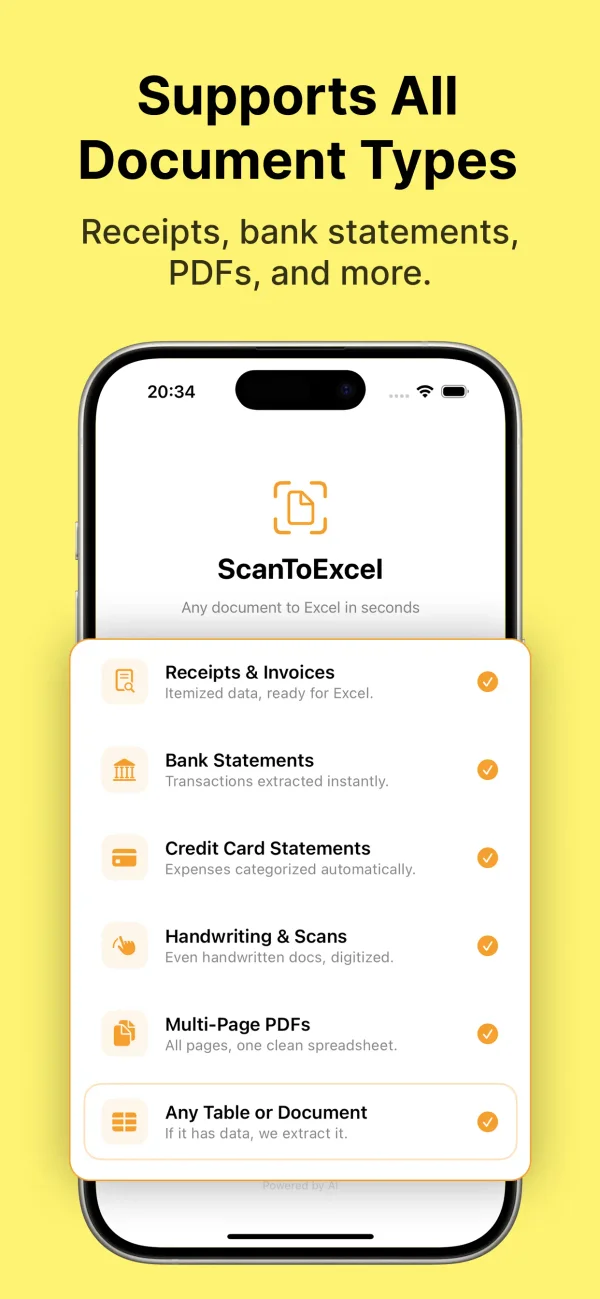
• Smart AI table extraction — accurately reads printed and handwritten tables,
invoices, receipts, reports, and lists
• Multiple input options — use your camera, choose from photo library, or
import PDF documents
• Multi-page scanning — process multiple pages in one go
• Three export formats — Excel (.xlsx), CSV (.csv), and JSON (.json)
• Instant sharing — send files via email, AirDrop, save to iCloud, Google
Drive, Dropbox, or any cloud service
• Scan history — access all your previous scans and re-export anytime
• Works offline — your data stays on your device
• Clean, fast interface — no clutter, no ads, no watermarks
WHO IS IT FOR?
• Accountants & bookkeepers — digitize receipts and financial documents
• Business professionals — convert reports and invoices to spreadsheets
• Students & researchers — extract data from printed tables
• Small business owners — organize inventory and order lists
• Anyone who needs paper data in digital format
FLEXIBLE PLANS
• Free: 10 pages per month to get started
• Page Pack 50: one-time purchase of 50 pages — never expires
• Page Pack 200: one-time purchase of 200 pages — never expires
• Weekly: 200 pages per week for regular users
• Pro: 1,000 pages per month for heavy users
SUBSCRIPTION DETAILS
• Weekly plan ($9.99/week) renews automatically every 7 days
• Pro plan ($39.99/month) renews automatically every month
• Payment is charged to your Apple ID account at confirmation of purchase
• Subscription automatically renews unless cancelled at least 24 hours before
the end of the current period
• Your account will be charged for renewal within 24 hours prior to the end of
the current period
• You can manage and cancel your subscriptions in your Apple ID account
settings after purchase
Privacy Policy: https://scantoexcel.ai/privacy
Terms of Use: https://scantoexcel.ai/terms
Có gì mới
Phiên bản 1.0.6 · 26/09/2026
Bump scanning API version
Quyền riêng tư của ứng dụng
Những gì REPHRASY khai báo trên App Store về cách ứng dụng này xử lý dữ liệu.
-
Dữ liệu không được thu thập
Nhà phát triển không thu thập bất kỳ dữ liệu nào từ ứng dụng này.
Phương thức đảm bảo quyền riêng tư có thể khác nhau, chẳng hạn như tuỳ theo các tính năng bạn sử dụng hoặc độ tuổi của bạn.
Thông tin
- Người bán
- Patrick Gerard (Germany)
- Danh mục
- Hiệu Suất
- Phiên bản
- 1.0.6
- Cập nhật
- 26/09/2026
- Phát hành
- 23/03/2026
- Kích thước
- 1,0 MB
- Yêu cầu
- iOS 17.0 trở lên
- Độ tuổi
- 4+
- Giá
- Miễn phí
- Mua hàng trong ứng dụng
- Có
- Ngôn ngữ
- Tiếng Anh
- Bản quyền
- © 2026 Patrick Gerard
Có thể bạn cũng thích
-
 Tablo: PDF ảnh sang XLSOCR bảng sang CSV
-
 Scan to Sheets: Scan & ExportScan QR/Barcode to MS Excel
-
 Xcelify: Scan Tables to SheetsHiệu Suất
-
 Chuyển đổi hình ảnh sang XLSXChuyển đổi hình ảnh sang Excel
-
 JPG to excel: Bảng tínhChuyển đổi XLSX excel easily
-
 Gridshot: Scan to SpreadsheetHiệu Suất
-
 TableScan StudioHiệu Suất
-
 NoteOCR - Handwriting to TextHiệu Suất
-
 Scan to ExcelHiệu Suất
-
 Hình Ảnh sang Excel Chuyển đổiBảng tính Excel từ hình ảnh