
ScanUP: PDF Scanner
Receipts, forms & folders
Được thiết kế cho iPhone, iPad, iPod touch
Miễn phí · Mua hàng trong ứng dụng
- Độ tuổi17+
- Danh mụcHiệu Suất
- Nhà phát triểnVision Go GmbH
- Ngôn ngữTiếng Anh
- Kích thước88,4 MB
Liên kết đến trang App Store chính thức
Download.org không lưu trữ tệp nào của ScanUP: PDF Scanner. Nút này mở trang ứng dụng trên App Store, nơi Vision Go GmbH phát hành ứng dụng. Trang được kiểm tra lần cuối: 16/11/2026.
Ảnh chụp màn hình

Giới thiệu
Nhà phát triển chưa cung cấp nội dung này bằng ngôn ngữ của bạn.
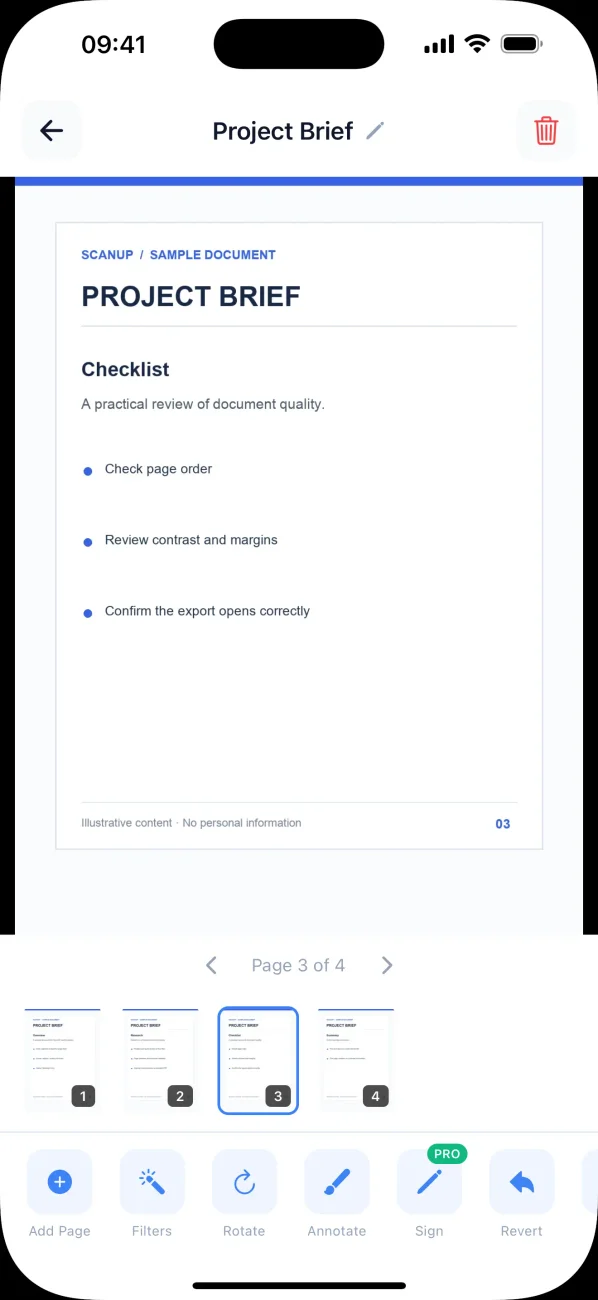
Keep everyday paperwork in order with ScanUP. Capture receipts, forms, letters, invoices and notes on your phone, turn them into PDFs and share them when needed.
SCAN ONE PAGE OR SEVERAL
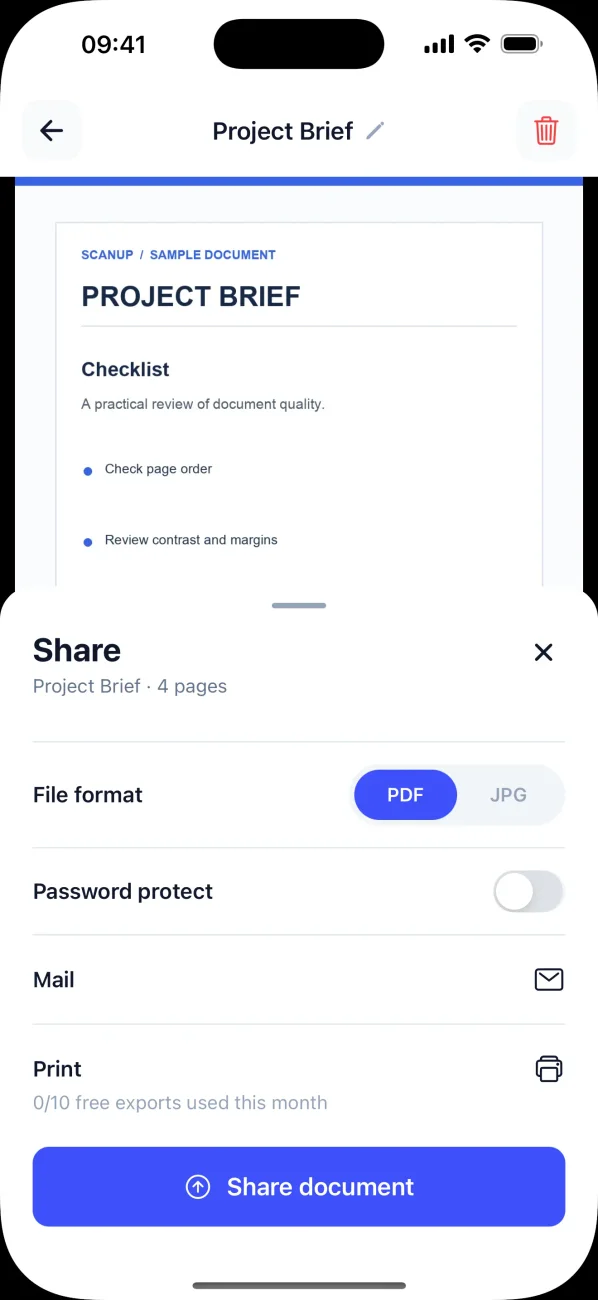
Capture a single page or bring several pages into one document. Review the pages, export a PDF and use your phone's sharing options to send it. Keep a receipt for your records, collect a multi-page form or pass on meeting notes.
ORGANISE IN FOLDERS
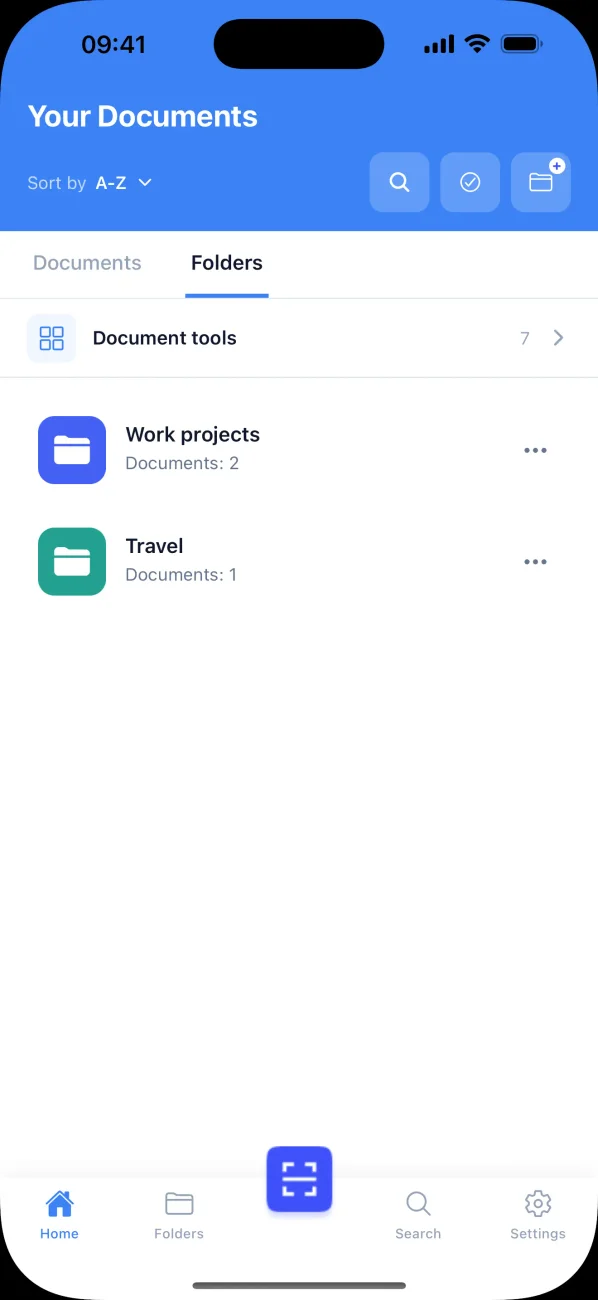
Create folders for bills, work, school or personal papers. Give each document a clear name so it is easier to find later.
OPTIONAL ONLINE FEATURES
Sign in to sync supported documents when connected to the internet. An upload must finish before a document stored only on this device becomes available elsewhere. The app identifies features that need an account or connection.
PREPARE A PDF TO SEND
In Document tools > Ready-to-send PDF, collect pages from saved documents in a fresh draft. Put them in order, remove any you do not need, enter a file name and choose a target size. The tool reports the actual PDF size and explains when reducing it further would lower quality; the target is not a promise. Share through the phone or save the prepared pages as a new document, leaving the originals untouched. Importing an existing PDF requires separate consent for temporary server rendering and turns its text layers into page images.
HELP WITH REVISION
Where a document has readable text, Study pack offers source excerpts, practice cards and questions created on the device. You can separately opt in to an AI summary, cards and quiz; that route sends the selected source text to OpenAI. Check every answer against its cited page, especially when a photographed worksheet is faint or partly cut off. The tool helps with revision but does not assess the correctness of a school or work document.
FOR THE PAPERS YOU NEED AGAIN
Keep a rail receipt, school permission slip, household bill or letter in a named folder instead of searching through camera photos later. Add a date or subject to similar files so you can identify the right one before sending it. A PDF copy can help with your records, but check the original and the recipient's requirements when an official or signed paper is needed.
PLANS AND PRIVACY
The free experience may include adverts. Some tools may require a subscription or separate in-app purchase. Check the app for current features, limits, prices and terms. Data handling and privacy choices: https://scanup.app/privacy
Terms of Use: https://www.apple.com/legal/internet-services/itunes/dev/stdeula/
Có gì mới
Phiên bản 1.1.9 · 12/11/2026
Improved app stability, privacy controls and error reporting.
Quyền riêng tư của ứng dụng
Những gì Vision Go GmbH khai báo trên App Store về cách ứng dụng này xử lý dữ liệu.
-
Dữ liệu được sử dụng để theo dõi bạn
Có thể được sử dụng để theo dõi bạn trên các ứng dụng và trang web do công ty khác sở hữu.
- Vị trí
- Mã định danh
- Dữ liệu sử dụng
- Chẩn đoán
-
Dữ liệu liên kết với bạn
Có thể được thu thập và liên kết với danh tính của bạn.
- Mục mua
- Vị trí
- Thông tin liên hệ
- Nội dung của người dùng
- Mã định danh
- Dữ liệu sử dụng
- Chẩn đoán
-
Dữ liệu không liên kết với bạn
Có thể được thu thập nhưng không liên kết với danh tính của bạn.
- Dữ liệu sử dụng
- Chẩn đoán
Phương thức đảm bảo quyền riêng tư có thể khác nhau, chẳng hạn như tuỳ theo các tính năng bạn sử dụng hoặc độ tuổi của bạn.
Thông tin
- Người bán
- Vision Go GmbH
- Danh mục
- Hiệu Suất
- Phiên bản
- 1.1.9
- Cập nhật
- 12/11/2026
- Phát hành
- 09/02/2026
- Kích thước
- 88,4 MB
- Yêu cầu
- iOS 15.5 trở lên
- Độ tuổi
- 17+
- Giá
- Miễn phí
- Mua hàng trong ứng dụng
- Có
- Ngôn ngữ
- Tiếng Anh
- Bản quyền
- © vision go GmbH
Có thể bạn cũng thích
-
 PDF Scanner: AI Doc ScanHiệu Suất
-
 Image to PDF: Photo ScannerHiệu Suất
-
 ClearScan - Doc Scanner & SignHiệu Suất
-
 Chữ Viết Tay Thành Văn Bản OCRInksight: PDF, Word, Excel
-
 Image to PDF: Photo ConverterHiệu Suất
-
 PDFDone: Sign & Scan PDFHiệu Suất
-
 Fit My CV - AI Resume BuilderHiệu Suất
-
 Clearcan: PDF ScannerHiệu Suất
-
 PDF Scanner: Smart Doc ToolsHiệu Suất
-
 Glazr PPTX Presentation EditorHiệu Suất