
ScanUP: PDF Scanner
Receipts, forms & folders
Designed for iPhone, iPad, iPod touch
In-app purchases
- Age rating17+
- CategoryProductivity
- DeveloperVision Go GmbH
- LanguagesEnglish
- Size88.4 MB
Links to the official App Store page
Download.org hosts no file of ScanUP: PDF Scanner. The button opens its official App Store page, published by Vision Go GmbH. Listing last checked on Nov 16, 2026.
Screenshots

About
Keep everyday paperwork in order with ScanUP. Capture receipts, forms, letters, invoices and notes on your phone, turn them into PDFs and share them when needed.
SCAN ONE PAGE OR SEVERAL
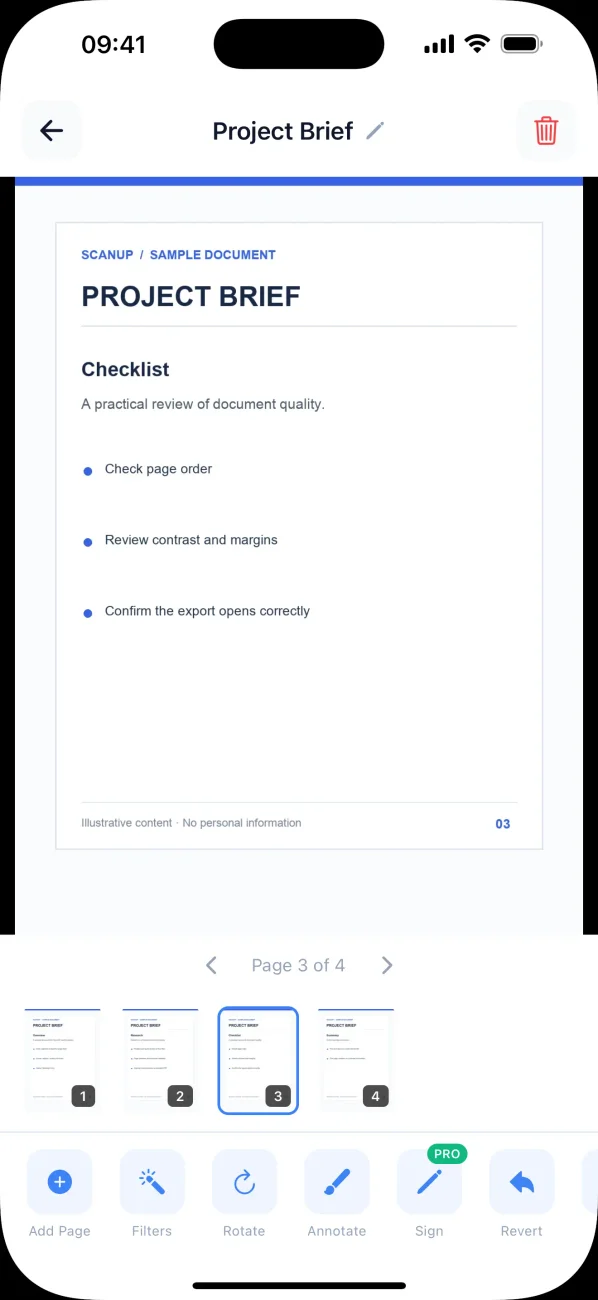
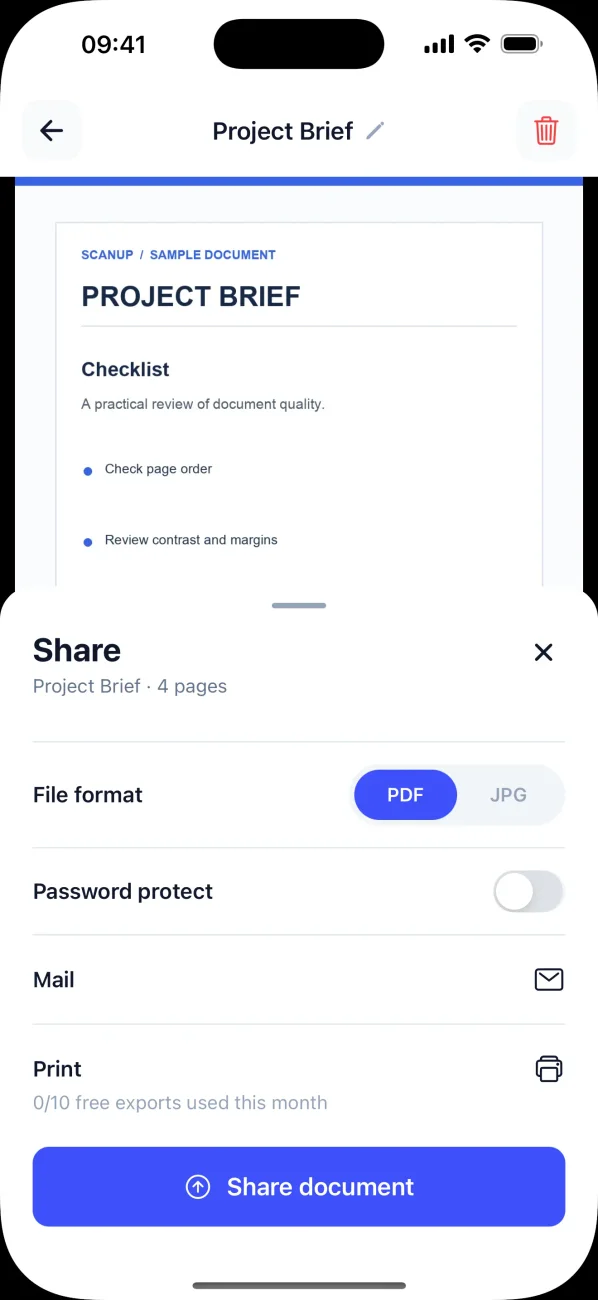
Capture a single page or bring several pages into one document. Review the pages, export a PDF and use your phone's sharing options to send it. Keep a receipt for your records, collect a multi-page form or pass on meeting notes.
ORGANISE IN FOLDERS
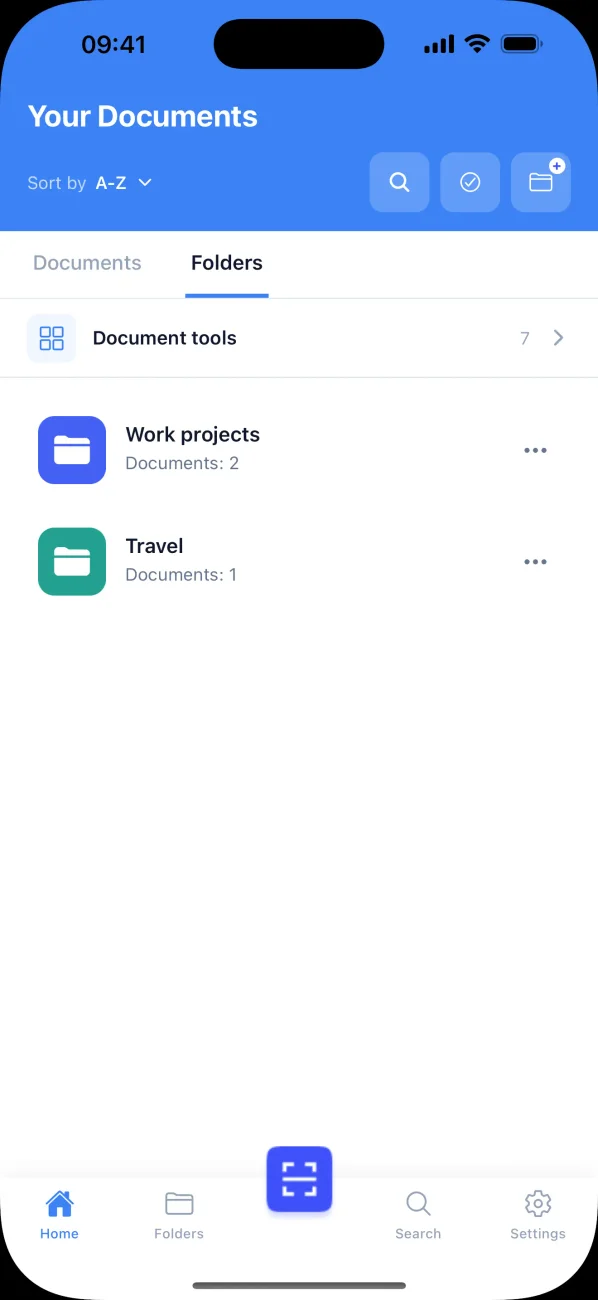
Create folders for bills, work, school or personal papers. Give each document a clear name so it is easier to find later.
OPTIONAL ONLINE FEATURES
Sign in to sync supported documents when connected to the internet. An upload must finish before a document stored only on this device becomes available elsewhere. The app identifies features that need an account or connection.
PREPARE A PDF TO SEND
In Document tools > Ready-to-send PDF, collect pages from saved documents in a fresh draft. Put them in order, remove any you do not need, enter a file name and choose a target size. The tool reports the actual PDF size and explains when reducing it further would lower quality; the target is not a promise. Share through the phone or save the prepared pages as a new document, leaving the originals untouched. Importing an existing PDF requires separate consent for temporary server rendering and turns its text layers into page images.
HELP WITH REVISION
Where a document has readable text, Study pack offers source excerpts, practice cards and questions created on the device. You can separately opt in to an AI summary, cards and quiz; that route sends the selected source text to OpenAI. Check every answer against its cited page, especially when a photographed worksheet is faint or partly cut off. The tool helps with revision but does not assess the correctness of a school or work document.
FOR THE PAPERS YOU NEED AGAIN
Keep a rail receipt, school permission slip, household bill or letter in a named folder instead of searching through camera photos later. Add a date or subject to similar files so you can identify the right one before sending it. A PDF copy can help with your records, but check the original and the recipient's requirements when an official or signed paper is needed.
PLANS AND PRIVACY
The free experience may include adverts. Some tools may require a subscription or separate in-app purchase. Check the app for current features, limits, prices and terms. Data handling and privacy choices: https://scanup.app/privacy
Terms of Use: https://www.apple.com/legal/internet-services/itunes/dev/stdeula/
What’s new
Version 1.1.9 · Nov 12, 2026
Improved app stability, privacy controls and error reporting.
App privacy
What Vision Go GmbH declares on the App Store about how this app handles data.
-
Data used to track you
May be used to track you across apps and websites owned by other companies.
- Location
- Identifiers
- Usage data
- Diagnostics
-
Data linked to you
May be collected and linked to your identity.
- Purchases
- Location
- Contact info
- User content
- Identifiers
- Usage data
- Diagnostics
-
Data not linked to you
May be collected but is not linked to your identity.
- Usage data
- Diagnostics
Privacy practices may vary, for example with the features you use or your age.
Information
- Seller
- Vision Go GmbH
- Category
- Productivity
- Version
- 1.1.9
- Updated
- Nov 12, 2026
- Released
- Feb 9, 2026
- Size
- 88.4 MB
- Requires
- iOS 15.5 or later
- Age rating
- 17+
- In-app purchases
- Yes
- Languages
- English
- Copyright
- © vision go GmbH
You might also like
-
 PDF Scanner: AI Doc ScanPhoto, Receipt & OCR
-
 Image to PDF: Photo ScannerScan, Merge & Export
-
 ClearScan - Doc Scanner & SignScan, Sign & Edit PDFs Free
-
 Inksight: Handwriting to TextScan to Word, PDF & Excel
-
 Image to PDF: Photo ConverterConvert photos into PDF
-
 PDFDone: Sign & Scan PDFBatch sign, scan & sign docs
-
 Fit My CV - AI Resume BuilderTailor CV & Cover Letter Maker
-
 Clearcan: PDF ScannerScan, Search Text. No Ads
-
 PDF Scanner: Smart Doc Tools#1 Easy Scan & Document Editor
-
 Glazr PPTX Presentation EditorEdit PPTX slides, even offline