Scroll - Auto Scroll Browser
Long Reads, Articles, Manga
Được thiết kế cho iPhone, iPad, iPod touch
Miễn phí · Mua hàng trong ứng dụng
- Độ tuổi17+
- Danh mụcTiện Ích
- Nhà phát triểnKosuke Yamanaka
- Ngôn ngữTiếng Anh+ 2 ngôn ngữ khác
- Kích thước25,6 MB
Liên kết đến trang App Store chính thức
Download.org không lưu trữ tệp nào của Scroll - Auto Scroll Browser. Nút này mở trang ứng dụng trên App Store, nơi Kosuke Yamanaka phát hành ứng dụng. Trang được kiểm tra lần cuối: 24/11/2026.
Ảnh chụp màn hình


Giới thiệu
Nhà phát triển chưa cung cấp nội dung này bằng ngôn ngữ của bạn.
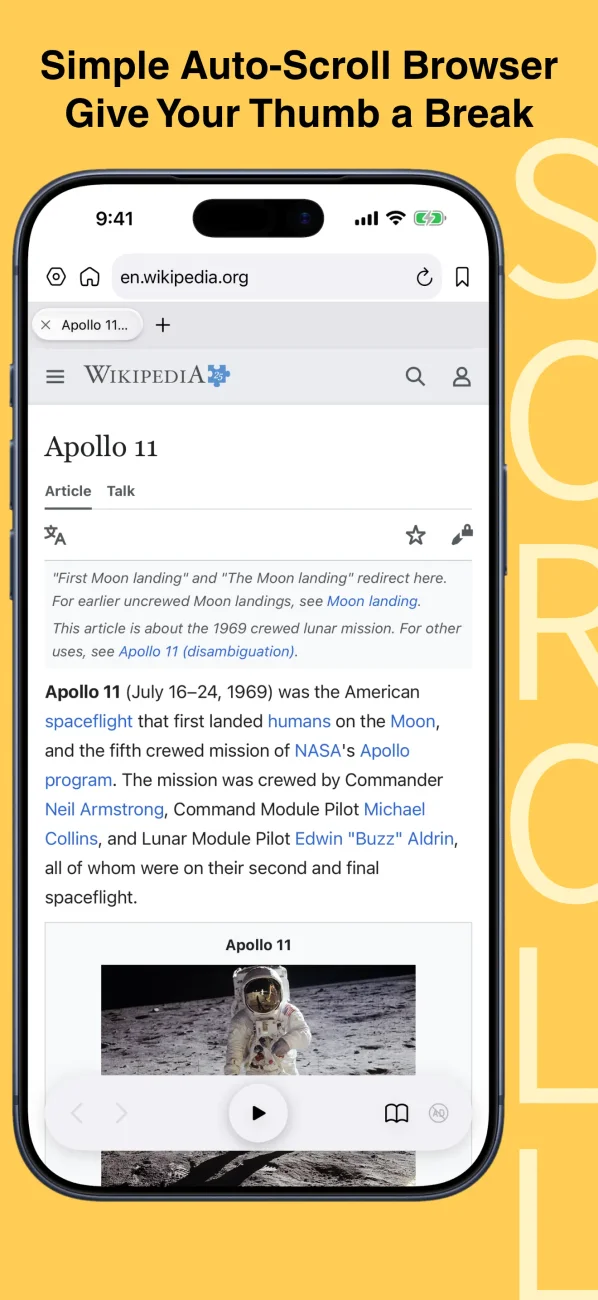
Scroll is a browser for iPhone and iPad designed to make long web pages easier to read — without constant swiping.
■AUTO-SCROLL AT YOUR PACE
Start or pause automatic scrolling with the central play button. Press and hold the button to view and adjust the scrolling speed without leaving the page.
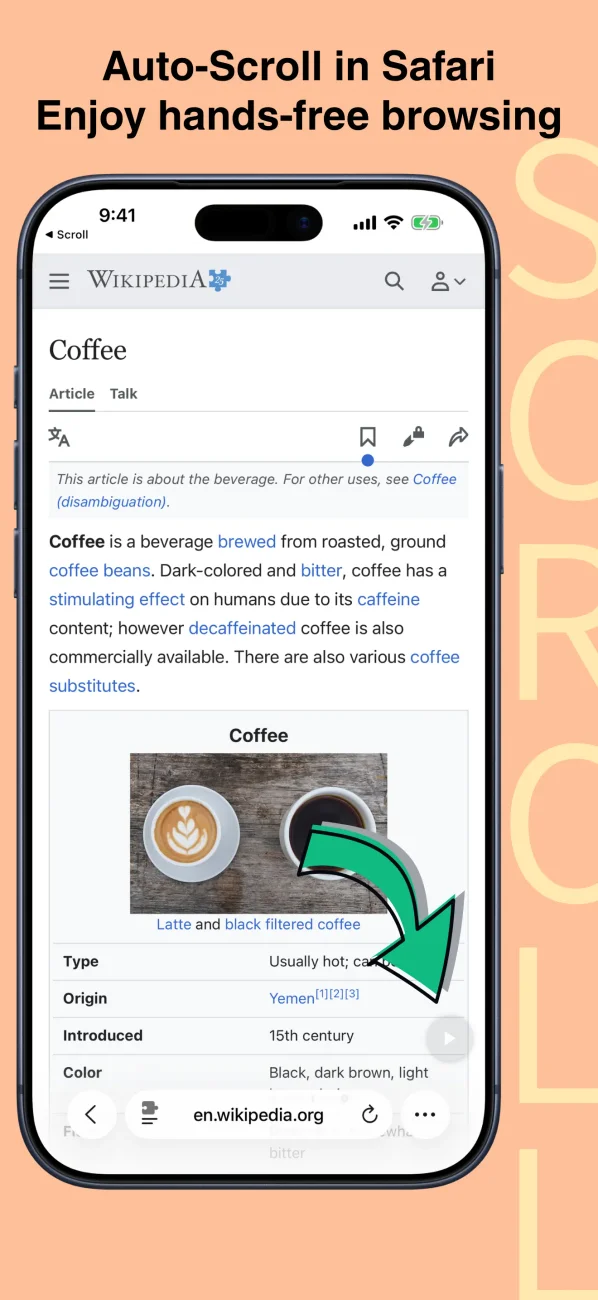
■AUTO-SCROLL IN SAFARI WITH SCROLL PRO
Start auto-scrolling in Safari with the play button in the lower-right corner of sites you allow. Turn on tilt scrolling in Scroll or Safari to adjust speed by tilting your device. Scroll Pro also includes ad removal and image saving.
■SIMPLE TAB MANAGEMENT
Open, switch between, and close tabs from the tab bar. Open links in a new Scroll tab to keep your current page open.
■ESSENTIAL BROWSING TOOLS
Enter a website address or search the web directly from the address bar. Move backward and forward, return to your home page, and organize frequently visited websites with bookmarks and folders. Import bookmarks exported from Safari all at once or choose individual items. Duplicate detection lets you add only bookmarks that are not already in Scroll or repeated in the import file.
■SAVE IMAGES, BROWSE ANYTIME
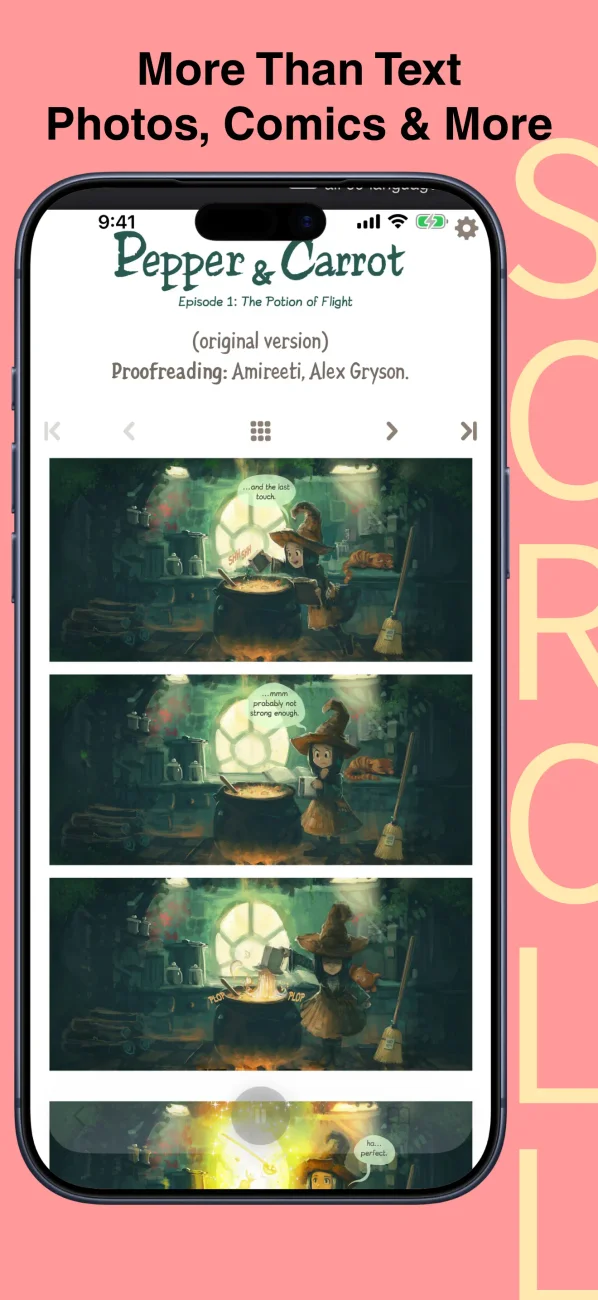
With Scroll Pro, save images from a webpage all at once to Scroll’s built-in library. Previously saved images remain available for free, even offline. You can use auto-scroll while viewing them.
■CONTENT CONTROLS
Use supported content controls to hide distracting page elements and stay focused on what you want to read.
Privacy Policy:
https://cob-app.com/2026/07/18/privacy-policy-scroll/
Terms of Service:
https://www.apple.com/legal/internet-services/itunes/dev/stdeula/
CREDITS
Some screenshots and previews display third-party web content for demonstration purposes only.
Pepper&Carrot:
Based on the webcomic Pepper&Carrot by David Revoy.
https://www.peppercarrot.com
Licensed under Creative Commons Attribution 4.0 International (CC BY 4.0).
https://creativecommons.org/licenses/by/4.0/
Wikipedia:
Article text from “Apollo 11” and “Coffee” by Wikipedia contributors.
https://en.wikipedia.org/wiki/Apollo_11
https://en.wikipedia.org/wiki/Coffee
Wikipedia text is available under Creative Commons Attribution-ShareAlike 4.0 International (CC BY-SA 4.0).
https://creativecommons.org/licenses/by-sa/4.0/
Có gì mới
Phiên bản 1.4.0 · 23/11/2026
New:
• Scroll Pro now includes a Safari extension. Tap the play button in the lower-right corner of a page to start auto-scrolling on sites you allow.
• With tilt scrolling in Scroll Pro, you can tilt your device to change speed in Scroll or Safari. Return to the angle you held it at when you started to resume your usual speed.
Update:
• The plan picker now shows which features are included with monthly, annual, and lifetime plans.
• Saving images from web pages is now a Scroll Pro feature. You can still view previously saved images for free.
Quyền riêng tư của ứng dụng
Những gì Kosuke Yamanaka khai báo trên App Store về cách ứng dụng này xử lý dữ liệu.
-
Dữ liệu không được thu thập
Nhà phát triển không thu thập bất kỳ dữ liệu nào từ ứng dụng này.
Phương thức đảm bảo quyền riêng tư có thể khác nhau, chẳng hạn như tuỳ theo các tính năng bạn sử dụng hoặc độ tuổi của bạn.
Thông tin
- Người bán
- Kosuke Yamanaka
- Danh mục
- Tiện Ích
- Phiên bản
- 1.4.0
- Cập nhật
- 23/11/2026
- Phát hành
- 05/08/2026
- Kích thước
- 25,6 MB
- Yêu cầu
- iOS 15.0 trở lên
- Độ tuổi
- 17+
- Giá
- Miễn phí
- Mua hàng trong ứng dụng
- Có
- Ngôn ngữ
- Tiếng Anh, Tiếng Nhật, Tiếng Tây Ban Nha
- Bản quyền
- © 2024 COB