
SharkTTY: SSH & Mosh
SSH/Mosh + Remote Desktop
Được thiết kế cho iPhone, iPad
Miễn phí · Mua hàng trong ứng dụng
- Độ tuổi4+
- Danh mụcCông Cụ Nhà Phát Triển
- Nhà phát triểnJingjing Li
- Ngôn ngữTiếng Anh+ 5 ngôn ngữ khác
- Kích thước24,1 MB
Liên kết đến trang App Store chính thức
Download.org không lưu trữ tệp nào của SharkTTY: SSH & Mosh. Nút này mở trang ứng dụng trên App Store, nơi Jingjing Li phát hành ứng dụng. Trang được kiểm tra lần cuối: 26/11/2026.
Ảnh chụp màn hình
Giới thiệu
Nhà phát triển chưa cung cấp nội dung này bằng ngôn ngữ của bạn.
SharkTTY keeps your servers and your desktop within reach — a fast, native SSH & Mosh terminal and a full remote desktop for your Mac computer, in one app. All of it free. And now it listens — hold to talk, and AI turns your words into commands.
CONTROL YOUR DESKTOP FROM ANYWHERE
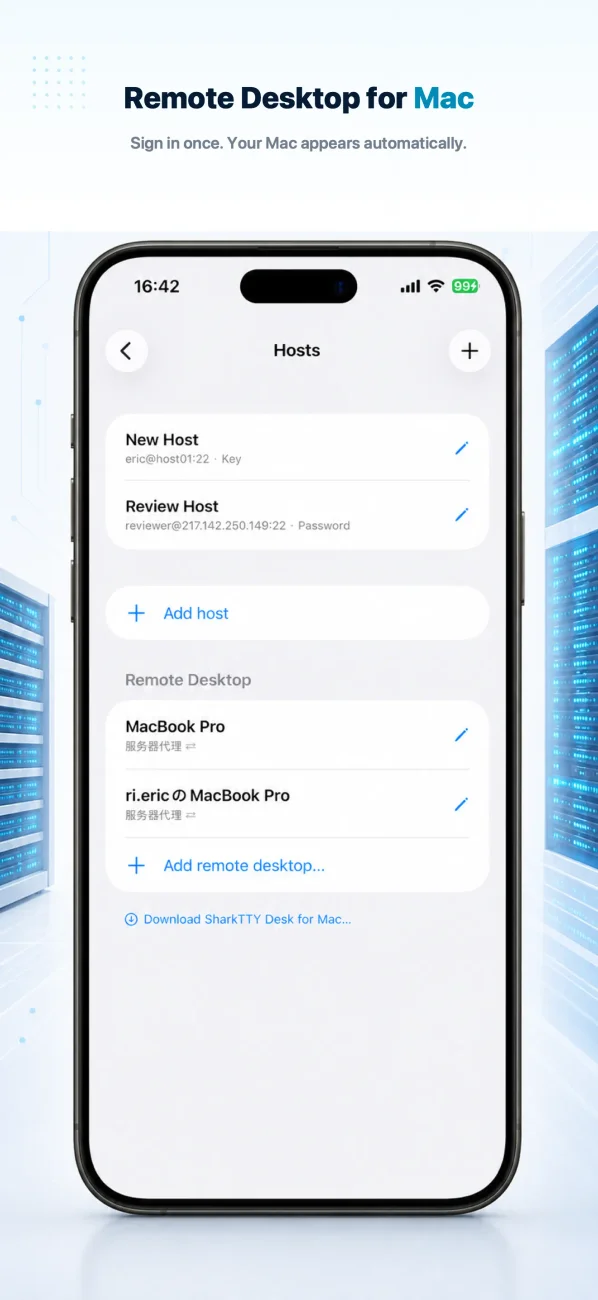
Sign in on your iPhone or iPad device and your desktop is right there. Tap to see its screen and take over — on the same Wi-Fi or from the other side of the world. SharkTTY finds the best way to connect, so you don't have to think about it.
• A smooth, low-lag screen with full keyboard and mouse
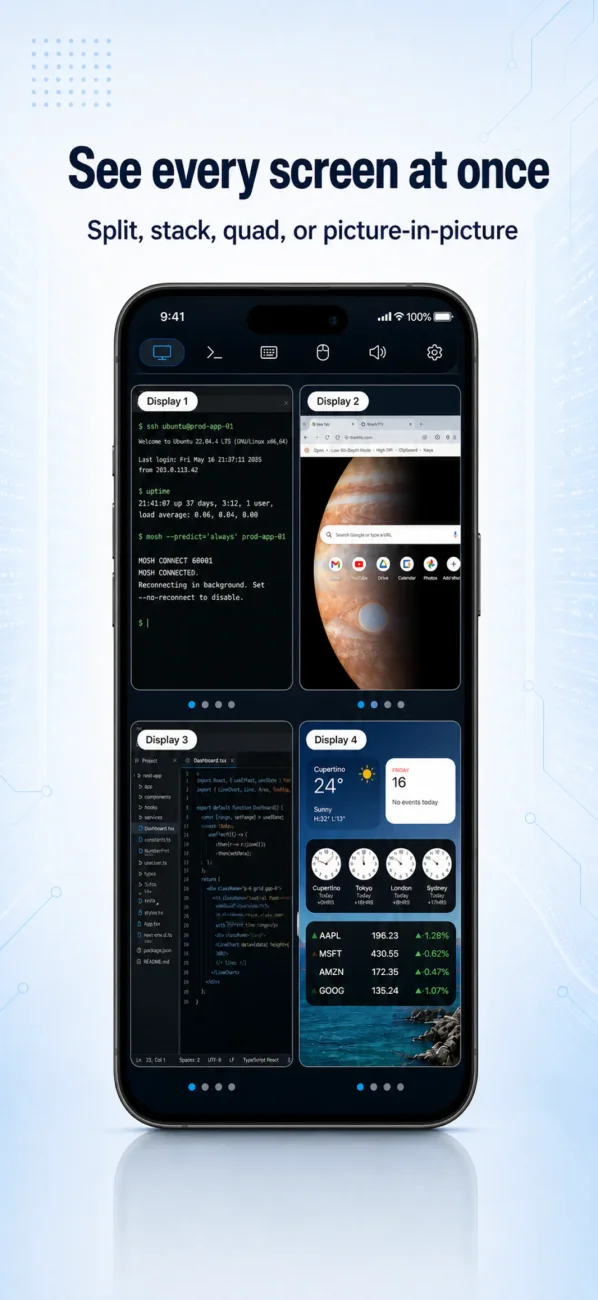
• See every display at once — side by side, stacked, quad or picture-in-picture, arranged your way
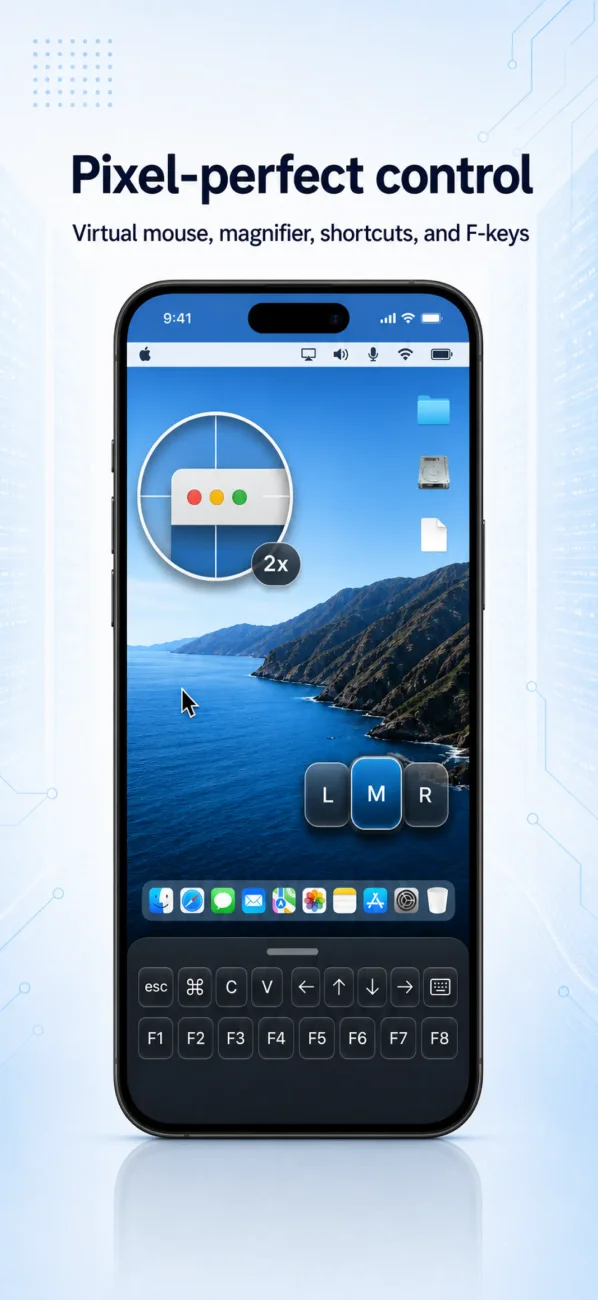
• A virtual mouse with a built-in magnifier for pixel-perfect taps
• A floating on-screen keyboard you can move, resize and dim — full symbols, ⌘⌥⌃ modifiers, F-keys, six layouts (US, UK, JIS, AZERTY, QWERTZ, Spanish) and smart command suggestions
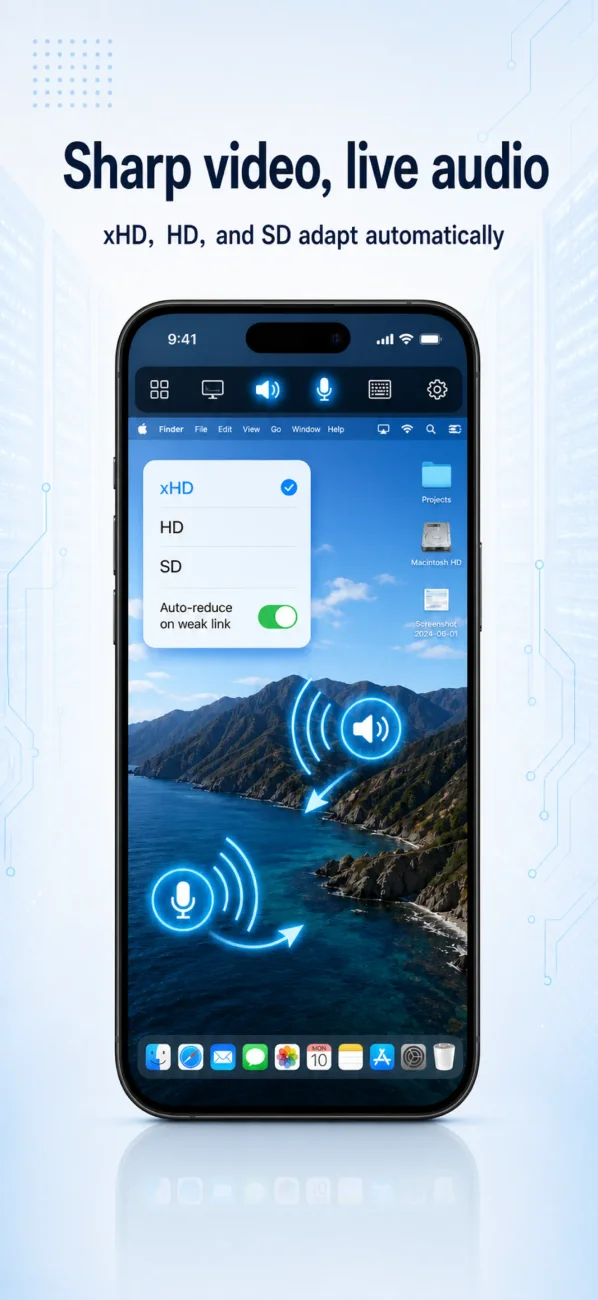
• Hear your Mac computer's sound live, and turn your device into its microphone
• Copy on one device, paste on the other
• Pick xHD, HD or SD — and let it ease off on its own when the signal drops
• End-to-end encrypted, so your screen stays yours
A TERMINAL THAT KEEPS UP
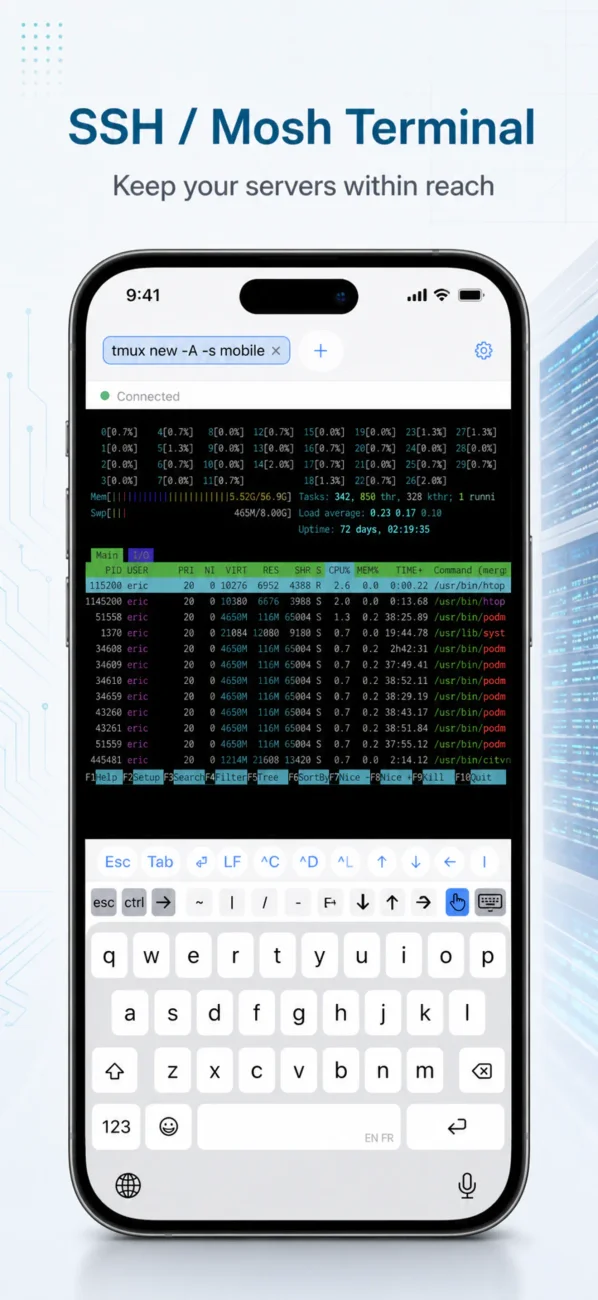
• Connect to any server over SSH — there's nothing to install on the other end
• Mosh keeps you typing through dropped Wi-Fi, network switches and lag
• Lock your device or jump to another app, come back, and your session is still there
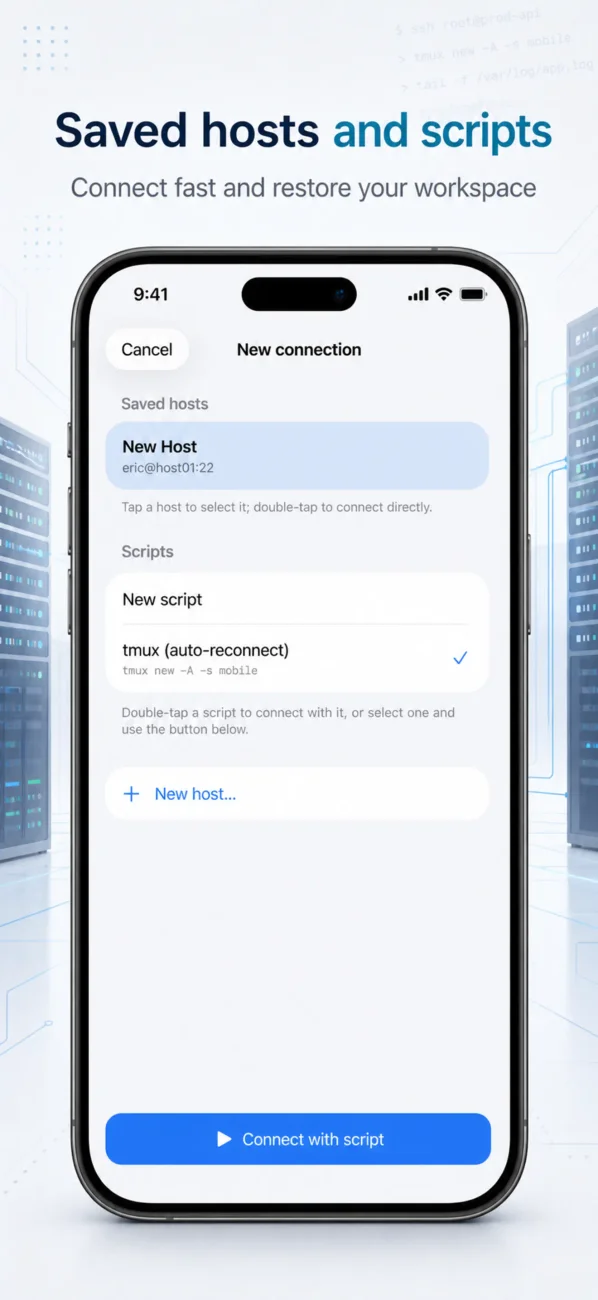
• Drop straight back into your tmux session with a saved startup command
• Experimental Eternal Terminal (ET) support — persistent sessions over TCP, for networks where Mosh's UDP is blocked
• A bell in a background tab becomes a notification — know the moment a long task finishes
SPEAK, AND IT TYPES
• Hold to talk — your words are recognized right on the device: free, private, works offline
• Trim a segment, re-recognize it, or bring back past recordings from history
• AI polishes what you said into clean text or a ready-to-run command — bring your own AI provider, or use the built-in official models
• Ask the AI anything in the built-in chat panel, without leaving your session
KEYS, FILES, AND PEACE OF MIND
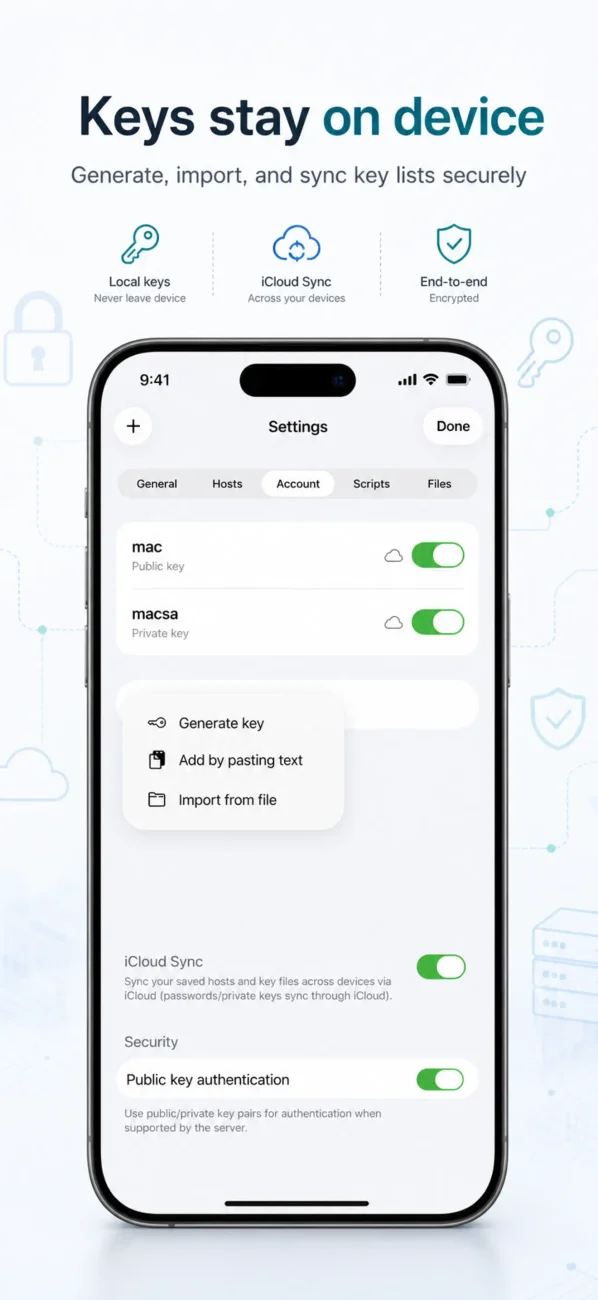
• Create or import SSH keys right on your device — private keys never leave it
• Get a clear heads-up the moment a server's identity changes
• Browse and move files over iCloud Drive, shared folders and WebDAV, without leaving the app
• Developer fonts and themes, a handy shortcut-key row, and full external keyboard and trackpad support on iPad
• Keep your hosts and keys in sync across your devices with iCloud, if you like
You never need an account to reach your own servers.
SharkTTY — your servers and your desktop, always in your pocket.
Every feature is free, including on-device voice recognition. The built-in official AI service uses AI Points; with your own API key, everything stays free. And if you'd like to leave a tip and buy me a coffee — thank you so much! Tips (one-time or monthly) unlock nothing; the monthly tip auto-renews until cancelled in your Apple Account settings.
Terms of Use (EULA): https://safafish.com/sharktty/eula.html · Privacy Policy: https://safafish.com/sharktty/privacy.html
Có gì mới
Phiên bản 2.3 · 25/11/2026
This release brings a new look and tidies up shared hosts and points.
• New "Mist Blue" look: a soft light interface with a matching dark mode. Prefer the old look? Switch to "Classic" in Settings.
• The host list shows whether the other Mac is online and whether it needs an update. Features that are unavailable explain why.
• Book a host by the hour or by the day, with the approximate price shown next to the points.
• One tap to the Mac terminal: set a default program on the Mac and you no longer choose it on the phone.
• Shared folders: mount a folder shared from your Mac onto the host you are connected to in one tap, and choose how long the access lasts.
• Deleting and disconnecting now ask first, and error messages say what went wrong and what to do next.
Requires SharkTTY Desk 1.3.0. Your existing SSH, Mosh, ET and Remote Desktop connections work as before.
Quyền riêng tư của ứng dụng
Những gì Jingjing Li khai báo trên App Store về cách ứng dụng này xử lý dữ liệu.
-
Dữ liệu không được thu thập
Nhà phát triển không thu thập bất kỳ dữ liệu nào từ ứng dụng này.
Phương thức đảm bảo quyền riêng tư có thể khác nhau, chẳng hạn như tuỳ theo các tính năng bạn sử dụng hoặc độ tuổi của bạn.
Thông tin
- Người bán
- Jingjing Li
- Danh mục
- Công Cụ Nhà Phát Triển
- Phiên bản
- 2.3
- Cập nhật
- 25/11/2026
- Phát hành
- 10/06/2026
- Kích thước
- 24,1 MB
- Yêu cầu
- iOS 17.0 trở lên
- Độ tuổi
- 4+
- Giá
- Miễn phí
- Mua hàng trong ứng dụng
- Có
- Ngôn ngữ
- Tiếng Anh, Tiếng Pháp, Tiếng Đức, Tiếng Nhật, Tiếng Trung Giản thể, Tiếng Tây Ban Nha
- Bản quyền
- © 2026 Safafish Inc
Có thể bạn cũng thích
-
 YoloShell-SSH, VNC & kết nốiHerdr, sshfs & telnet
-
 MT - Mosh TerminalCông Cụ Nhà Phát Triển
-
 Copy Link to PasteboardCông Cụ Nhà Phát Triển
-
 CoduxCông Cụ Nhà Phát Triển
-
 Conduit: SSH, Mosh & SFTPCông Cụ Nhà Phát Triển
-
 Deeplink Opener UtilityCông Cụ Nhà Phát Triển
-
 CFPanelCông Cụ Nhà Phát Triển
-
 Terminal File Manager AdvancedCông Cụ Nhà Phát Triển
-
 Kodo: Trình soạn thảo mãAI ngoại tuyến, Python và SSH
-
 HTTPS Capture Traffic DecryptWeb API Debug & Packet Sniffer