
Sibelius
Music Notation and Scoring App
Được thiết kế cho iPhone, iPad, iPod touch
Miễn phí · Mua hàng trong ứng dụng
- Độ tuổi4+
- Danh mụcNhạc
- Nhà phát triểnAvid®
- Ngôn ngữTiếng Anh+ 8 ngôn ngữ khác
- Kích thước1,4 GB
Liên kết đến trang App Store chính thức
Download.org không lưu trữ tệp nào của Sibelius. Nút này mở trang ứng dụng trên App Store, nơi Avid® phát hành ứng dụng. Trang được kiểm tra lần cuối: 27/11/2026.
Ảnh chụp màn hình

Giới thiệu
Nhà phát triển chưa cung cấp nội dung này bằng ngôn ngữ của bạn.
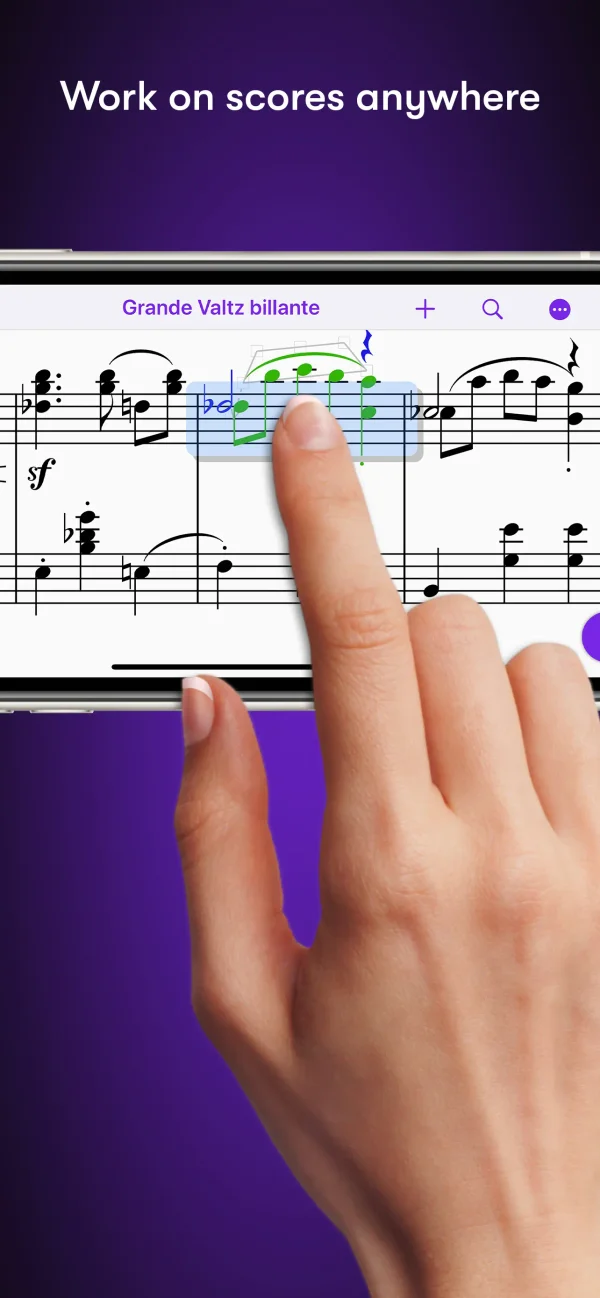
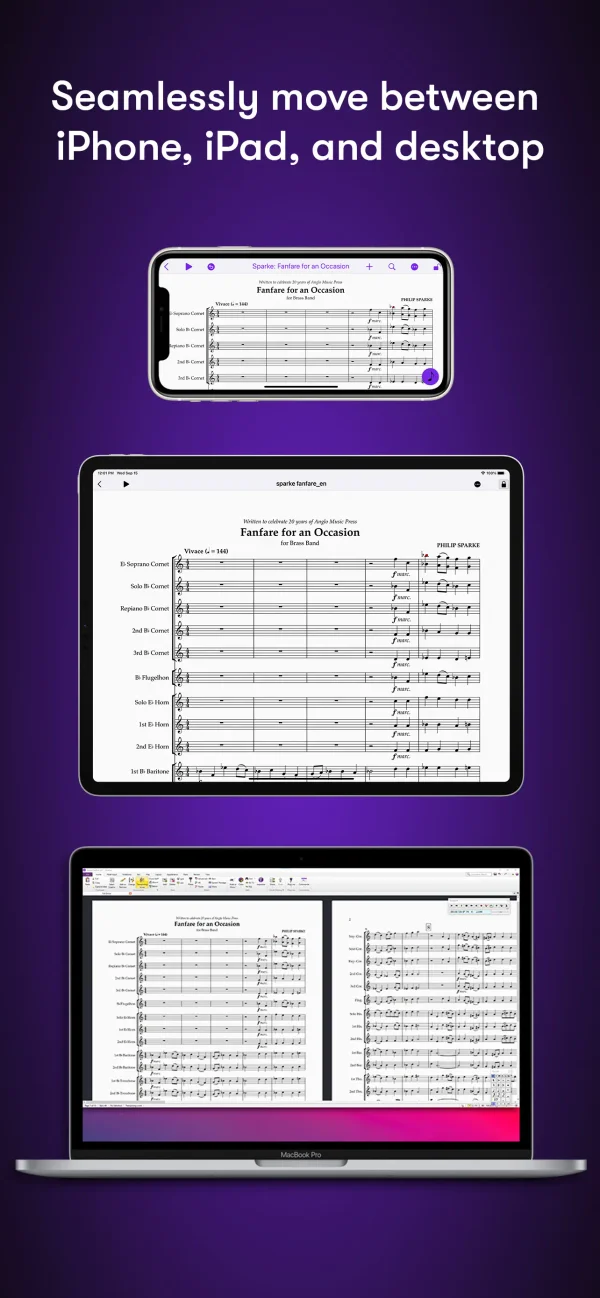
Sibelius brings professional music notation to iPad and iPhone, putting the workflows used by countless composers, orchestrators, and arrangers at your fingertips. Seamlessly move between iPad, iPhone and desktop, and from studio to coffeeshop to scoring stage, and write anywhere inspiration strikes.
# Work on scores anywhere
Sibelius for mobile puts the #1 selling music notation program at your fingertips—literally. Work with the same tools and features used by countless composers and production houses every day on your iPad and iPhone. Whether writing down ideas, creating full-blown compositions, or reviewing scores, you have the freedom to create wherever you’re comfortable.
#Take your portfolio to go
Forget having to bring and break out your laptop when meeting with clients and collaborators. Instead, you can conveniently take the world’s most powerful notation toolset and your entire music portfolio with you wherever you go—ideal for those unexpected opportunities. And for tandemly working through last-minute revisions.
# Hear your music in stunning detail
Sibelius includes a high-quality sample library filled with a variety of musical instrumentation, so you can hear what your music will sound like when performed by real musicians. The Espressivo advanced notation interpretation even lets you adjust rhythm and swing to create a more humanistic feel.
# Speed your workflow
Sibelius for mobile is designed to take full advantage of Apple Pencil and iPad touch capabilities. Its elegant, streamlined interface provides the most intuitive and efficient workflows possible while supporting the same keyboard shortcuts you know and love from working on the desktop version, so you’ll feel right at home.
# Get innovative note entry
Experience the pen and paper workflow reimagined. Enter notes with the onscreen Keypad or a keyboard, and Sibelius takes care of all note layout. Touch a note and drag up or down to change its value, or drag left or right to add a flat or sharp. With an Apple Pencil, tap a note and tilt up or down to add a flat or sharp, or tilt left or right to choose the note value.
# Have everything you need
In addition to the Keypad, Sibelius for mobile features a Create menu that’s optimized for iOS, making it easy to add clefs, key signatures, time signatures, barlines, symbols, text styles, and more to your score from searchable galleries. You can also quickly search through all Sibelius commands using the Command Search, putting the entire app at your fingertips.
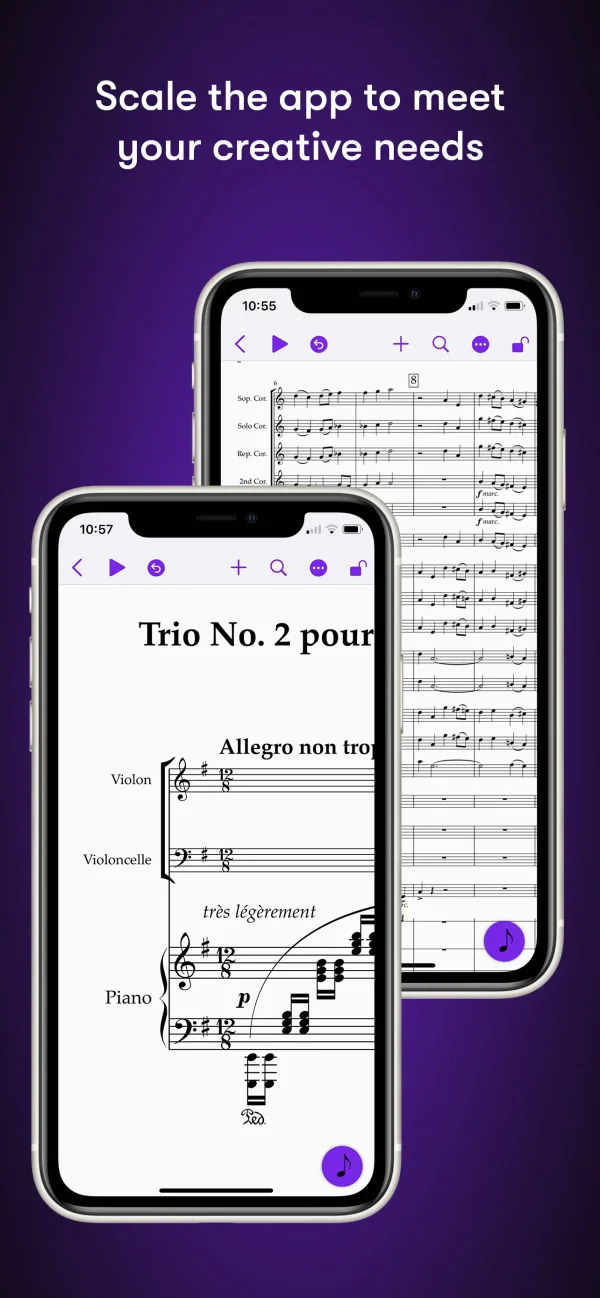
# Move tiers to meet needs
Sibelius is designed to grow with you to support your creative aspirations and project needs. From the introductory (and free) Sibelius First to the industry-standard Sibelius Ultimate, you can add more notation capabilities and instrument parts to take on more creative opportunities by simply upgrading your subscription tier.
# Have everything on one creative platform
Seamlessly move from desktop to tablet and back without ever having to import or export files. That’s because whether on mobile or desktop, you’re always in Sibelius. With files saved to iCloud, Dropbox, Google Drive, or other iOS-supported cloud service, you have easy anywhere access to all your ideas and scores.
# Enable a hybrid workflow
While Sibelius for mobile is fully featured, providing many of the same tools as its desktop counterpart, there are some notation and layout features only available in the desktop version, making it an integral part of a complete workflow (compare versions). Plus, the mobile version comes free with the desktop version, enabling you to work where and how you want.
Có gì mới
Phiên bản 2026.11 · 19/11/2026
What's new in Sibelius 2026.11
# Intelligent articulations on tied notes
# More cross-staff two-note tremolo improvements
# Bug fixes for pickup bars, text items, score subsets, and more!
Quyền riêng tư của ứng dụng
Những gì Avid® khai báo trên App Store về cách ứng dụng này xử lý dữ liệu.
-
Dữ liệu không liên kết với bạn
Có thể được thu thập nhưng không liên kết với danh tính của bạn.
- Dữ liệu sử dụng
- Chẩn đoán
Phương thức đảm bảo quyền riêng tư có thể khác nhau, chẳng hạn như tuỳ theo các tính năng bạn sử dụng hoặc độ tuổi của bạn.
Thông tin
- Người bán
- Avid Technology Inc
- Danh mục
- Nhạc
- Phiên bản
- 2026.11
- Cập nhật
- 19/11/2026
- Phát hành
- 29/07/2021
- Kích thước
- 1,4 GB
- Yêu cầu
- iOS 13.4 trở lên
- Độ tuổi
- 4+
- Giá
- Miễn phí
- Mua hàng trong ứng dụng
- Có
- Ngôn ngữ
- Tiếng Anh, Tiếng Pháp, Tiếng Đức, Tiếng Ý, Tiếng Nhật, Tiếng Bồ Đào Nha, Tiếng Nga, Tiếng Trung Giản thể, Tiếng Tây Ban Nha
- Bản quyền
- © 2026 Avid Technology, Inc.
Có thể bạn cũng thích
-
 Dorico - Compose MusicNhạc
-
 Notation Pad - soạn bản nhạcNgười tạo Điểm Âm nhạc
-
 Notion: Music Notation & TabNhạc
-
 Flat: Soạn & chỉnh bản nhạcỨng dụng soạn nhạc
-
 Piascore – Sheet Music ReaderNhạc
-
 Maestro - Music ComposerNhạc
-
 Score Creator: Sheet MusicNhạc
-
 Newzik: Sheet Music ReaderNhạc
-
 forScoreNhạc
-
 Composer Pro - Score CreatorSheet Music Score Writer&Maker