Smart Printer App & PDF Scan
Print photo & PDF via AirPrint
Được thiết kế cho iPhone, iPad, iPod touch
Miễn phí · Mua hàng trong ứng dụng
- Độ tuổi4+
- Danh mụcKinh Doanh
- Nhà phát triểnTHI MY HAO TRAN
- Ngôn ngữTiếng Anh
- Kích thước152,8 MB
Liên kết đến trang App Store chính thức
Download.org không lưu trữ tệp nào của Smart Printer App & PDF Scan. Nút này mở trang ứng dụng trên App Store, nơi THI MY HAO TRAN phát hành ứng dụng. Trang được kiểm tra lần cuối: 12/11/2026.
Ảnh chụp màn hình
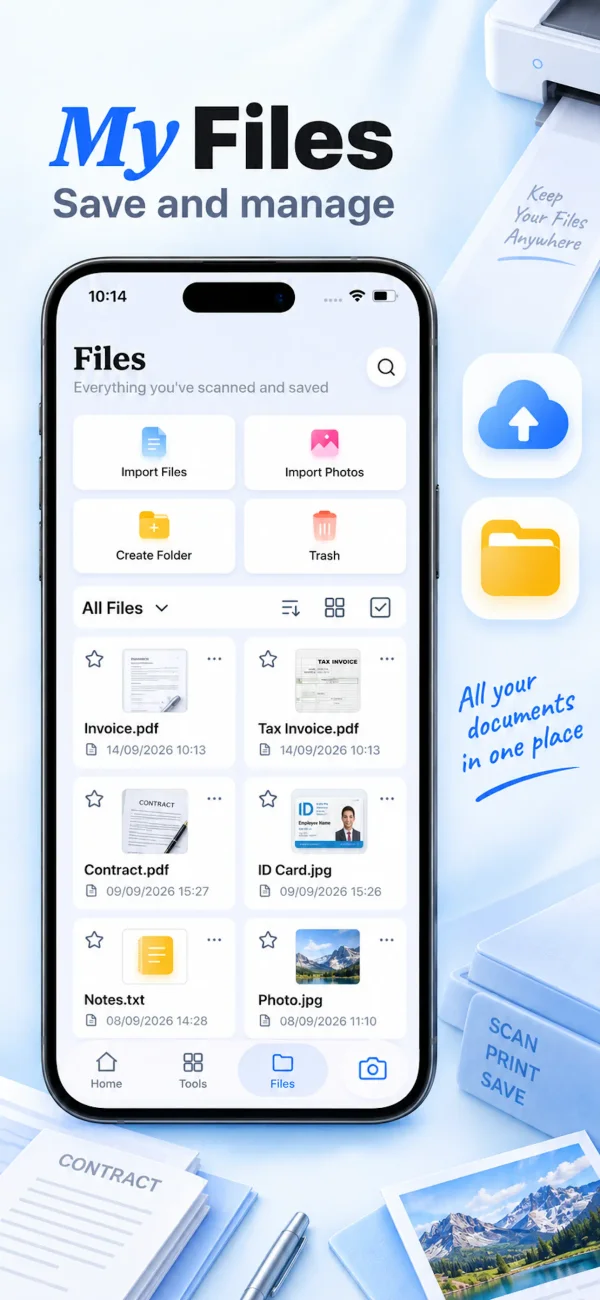
Giới thiệu
Nhà phát triển chưa cung cấp nội dung này bằng ngôn ngữ của bạn.
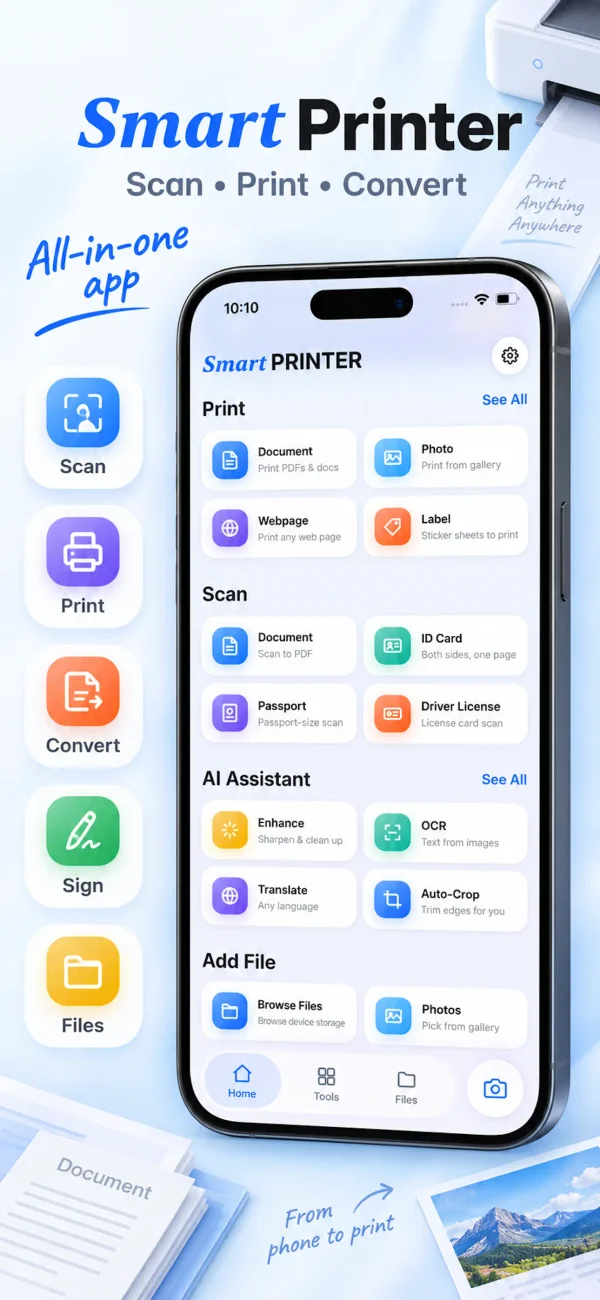
Transform your phone into a powerful wireless printer, portable scanner, fax machine, and PDF editor!
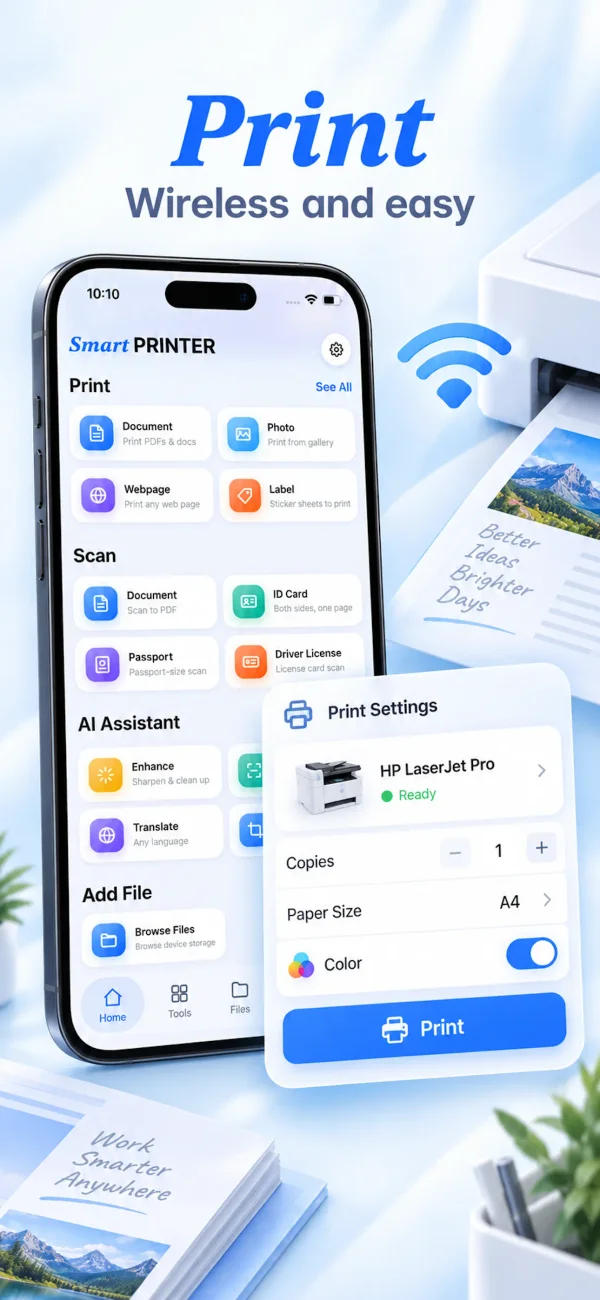
Print photos, documents, emails, and web pages directly from your smartphone to ANY Wi-Fi, Bluetooth, or USB printer. No complex setup, no drivers required—just tap and print instantly.
Whether you are working from home, in the office, or on the go, our app ensures your documents look professional and are ready in seconds.
KEY FEATURES:
1. EXTENSIVE PRINTER COMPATIBILITY Compatible with 10,000+ printer models including:
• HP (OfficeJet, LaserJet, Envy, DeskJet, DesignJet...)
• Canon (PIXMA, LBP, MF, MP, MX, MG, SELPHY...)
• Epson (Artisan, WorkForce, Stylus, EcoTank...)
• Brother (MFC, DCP, HL, MW, PJ...)
• Samsung, Xerox, Dell, Konica Minolta, Kyocera, Lexmark, Ricoh, Sharp, Toshiba, OKI, and more.
• Supports all AirPrint enabled devices.
2. UNIVERSAL SMART PRINTING
• Print Anything: PDF files, Office docs (Word, Excel, PowerPoint), Text files, and more.
• Photos & Images: Print memories of high quality. Supports JPG, PNG, HEIC.
• Web Printing: Print full web pages or articles directly from the browser.
• Clipboard Printing: Copy text from any app and print it instantly.
• Email Attachments: Print files directly from Gmail, Outlook, Yahoo, and more.
3. ADVANCED PDF SCANNER
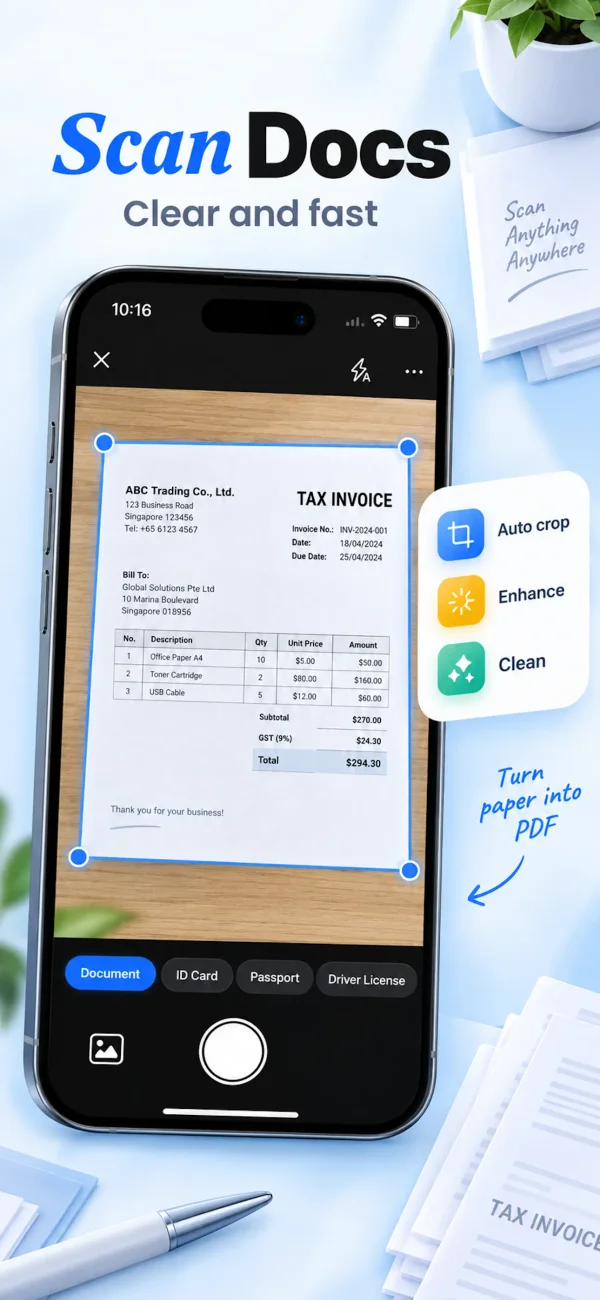
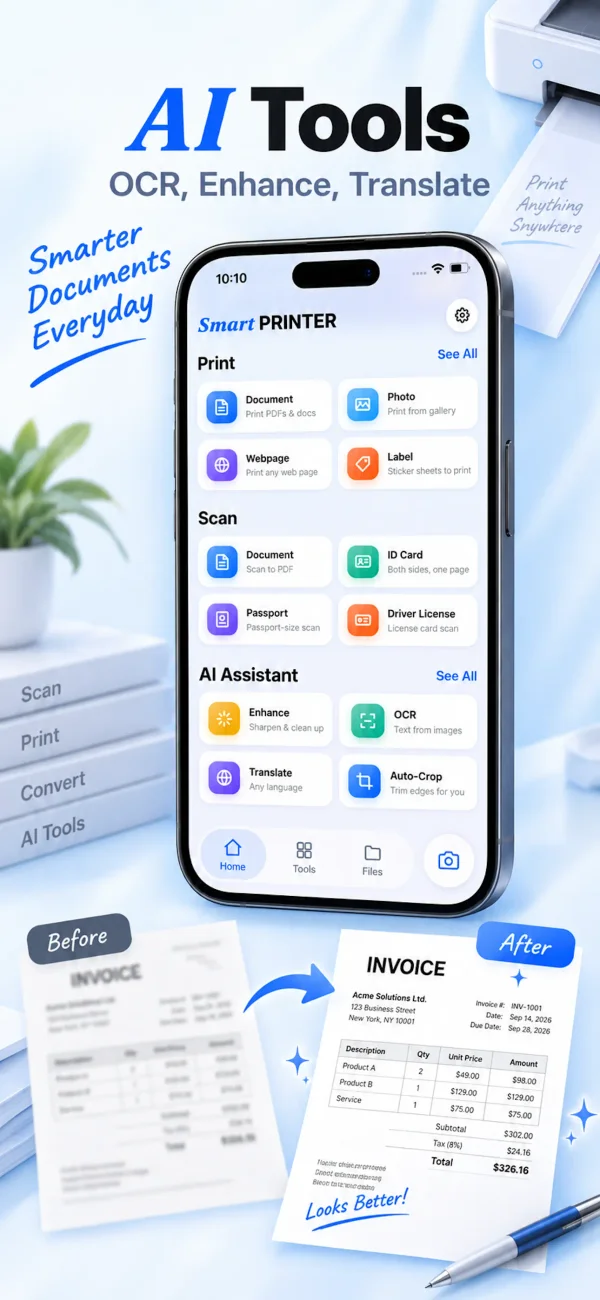
• High-Quality Scans: Turn your camera into a pocket scanner. Scan receipts, contracts, notes, and whiteboards.
• Smart Detection: Automatically detects document edges and corrects perspectives.
• Filters & Enhancement: Remove shadows and enhance readability with Black & White, Grayscale, or Color filters.
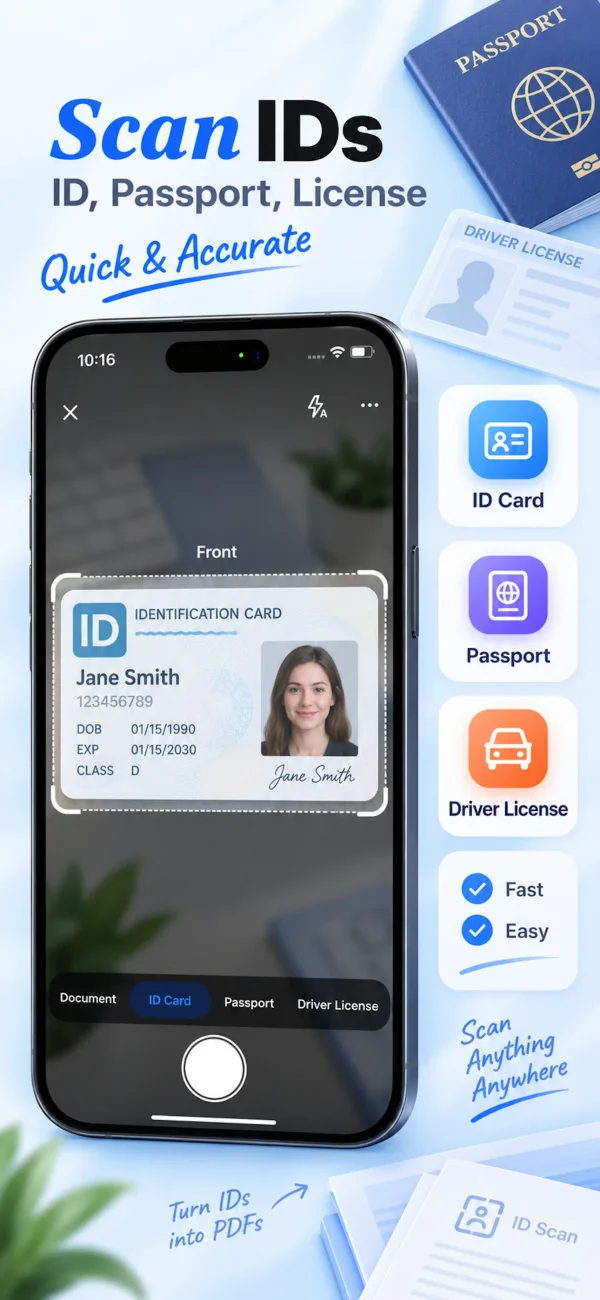
• ID Card & Passport Mode: Special layout to scan both sides of an ID onto one page.
4. PDF TOOLS & EDITOR SUITE
• Merge & Split PDFs: Combine multiple PDFs or photos into a single document or split a large file into separate pages.
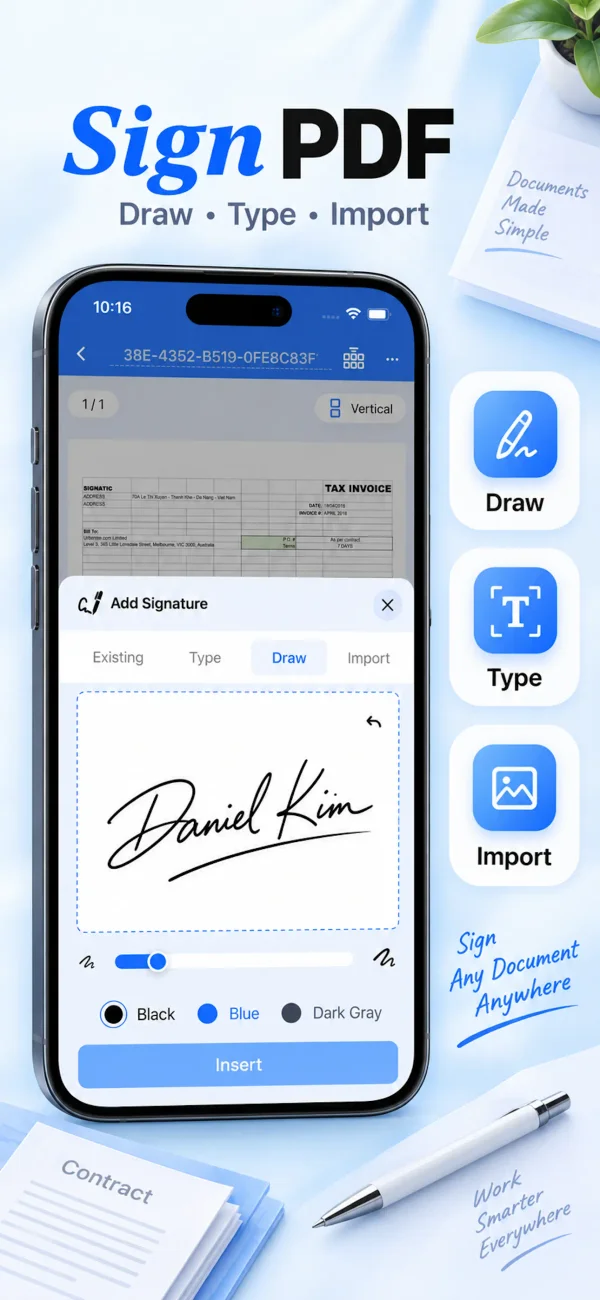
• Smart E-Signature: Create your signature and sign contracts/forms digitally right on the screen.
• Add Text & Markups: Insert Notes, Labels, and highlight key points on your documents.
• Stickers & Stamps: Add professional stamps (e.g., "Approved") or fun stickers to your files.
• Layout Control: Print multiple photos on one page (Collage), adjust margins, and select paper size (A4, Letter, Legal, 4x6, A3, etc.).
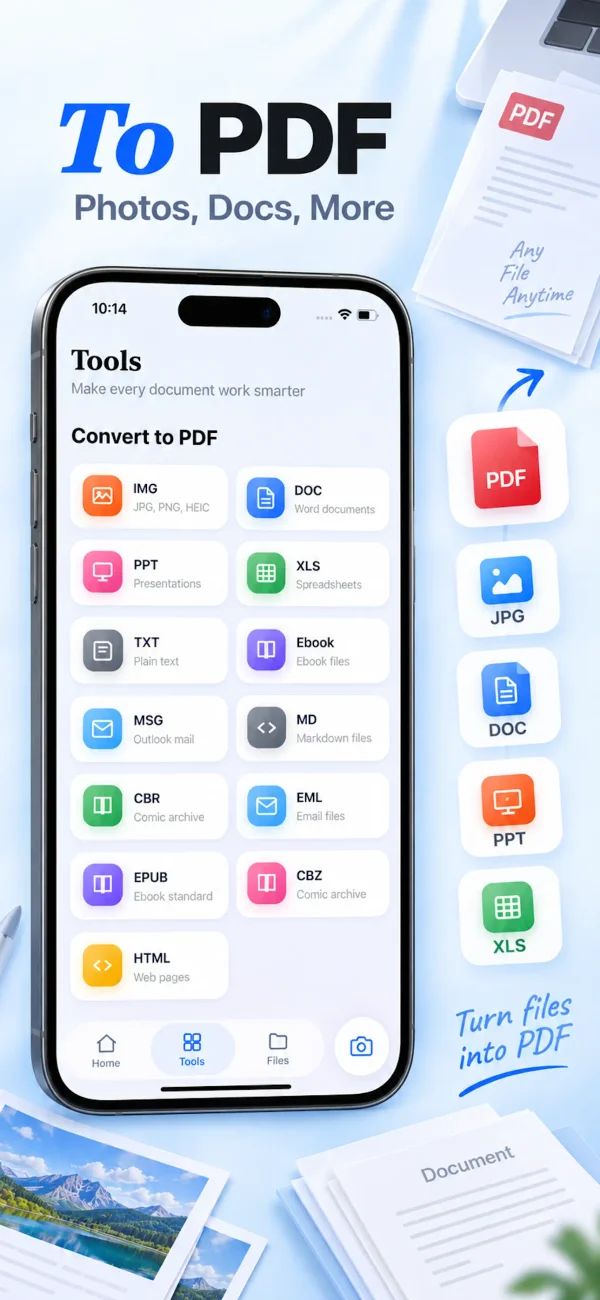
5. COMPREHENSIVE PDF CONVERTER Convert almost any file format into a high-quality PDF instantly. Supported conversions include:
• Office Documents: Convert DOC, PPT, and XLS to PDF.
• Images & Text: Convert JPG, PNG, and TXT to PDF.
• Ebooks & Comics: Convert Ebook, EPUB, CBR, and CBZ formats to PDF.
• Web & Emails: Convert HTML, MD, MSG, and EML to PDF.
6. GLOBAL FAX SERVICE
• Send Faxes Anywhere: Easily fax your documents, PDFs, or scanned files directly from your phone to fax machines worldwide. No physical fax machine needed!
7. CLOUD & FILE MANAGEMENT
• Seamless Integration: Access files directly from Google Drive, Dropbox, OneDrive, iCloud, and Box.
• File Organization: Easy-to-use file manager to sort, rename, and delete documents.
WHY CHOOSE US?
• Zero Configuration: Auto-detects printers on your Wi-Fi network.
• Secure & Private: Your documents are processed locally and securely.
• High Resolution: Maintains the original quality of your photos and text.
• Eco-Friendly Option: Preview helps you avoid printing mistakes and wasting paper.
• All-in-One Solution: Print, scan, fax, convert, and edit PDFs all in one single app.
Download Smart Printer App & PDF Scan now and experience the future of mobile printing!
Disclaimer: This app is a third-party tool designed to facilitate mobile printing. We are not affiliated with, endorsed by, or associated with any printer manufacturers such as HP, Canon, Epson, Brother, Samsung, Xerox, or others mentioned. All trademarks and brand names are the property of their respective owners.
Privacy Policy: https://xhao.app/privacy-policy
Terms of Service: https://xhao.app/terms-of-service
Có gì mới
Phiên bản 0.0.6 · 02/10/2026
- Bug fixes and improvements.
Quyền riêng tư của ứng dụng
Những gì THI MY HAO TRAN khai báo trên App Store về cách ứng dụng này xử lý dữ liệu.
-
Dữ liệu được sử dụng để theo dõi bạn
Có thể được sử dụng để theo dõi bạn trên các ứng dụng và trang web do công ty khác sở hữu.
- Mã định danh
-
Dữ liệu không liên kết với bạn
Có thể được thu thập nhưng không liên kết với danh tính của bạn.
- Mã định danh
- Dữ liệu sử dụng
- Chẩn đoán
Phương thức đảm bảo quyền riêng tư có thể khác nhau, chẳng hạn như tuỳ theo các tính năng bạn sử dụng hoặc độ tuổi của bạn.
Thông tin
- Người bán
- THI MY HAO TRAN
- Danh mục
- Kinh Doanh
- Phiên bản
- 0.0.6
- Cập nhật
- 02/10/2026
- Phát hành
- 24/03/2026
- Kích thước
- 152,8 MB
- Yêu cầu
- iOS 15.5 trở lên
- Độ tuổi
- 4+
- Giá
- Miễn phí
- Mua hàng trong ứng dụng
- Có
- Ngôn ngữ
- Tiếng Anh
- Bản quyền
- ©2026 XHAO.APP
Có thể bạn cũng thích
-
 Scanner App - PDF & OCRHiệu Suất
-
 Notiz: AI Note Taker & SummaryHiệu Suất
-
 Scanovo: QR & PDF ScannerHiệu Suất
-
 Documents: Reader & ConverterHiệu Suất
-
 Wisp AI Note TakerHiệu Suất
-
 Printer App: AI Scanner & PDFKinh Doanh
-
 Air Print : Smart Máy InIn Ảnh, Máy Quét & Scanner
-
 Documents Editor: DocProHiệu Suất
-
 PDF Scanner:Scan Documents & images
-
 Minine PDF: Scan, Edit & AIKinh Doanh