
Snapnote: Fast Idea Notes
Capture, Organize, Rediscover
Được thiết kế cho iPhone, iPad
Miễn phí · Mua hàng trong ứng dụng
- Độ tuổi4+
- Danh mụcHiệu Suất
- Nhà phát triểnYongjun Lee
- Ngôn ngữTiếng Anh+ 10 ngôn ngữ khác
- Kích thước88,2 MB
Liên kết đến trang App Store chính thức
Download.org không lưu trữ tệp nào của Snapnote: Fast Idea Notes. Nút này mở trang ứng dụng trên App Store, nơi Yongjun Lee phát hành ứng dụng. Trang được kiểm tra lần cuối: 25/11/2026.
Ảnh chụp màn hình
Giới thiệu
Nhà phát triển chưa cung cấp nội dung này bằng ngôn ngữ của bạn.
Write it down. Find it again.
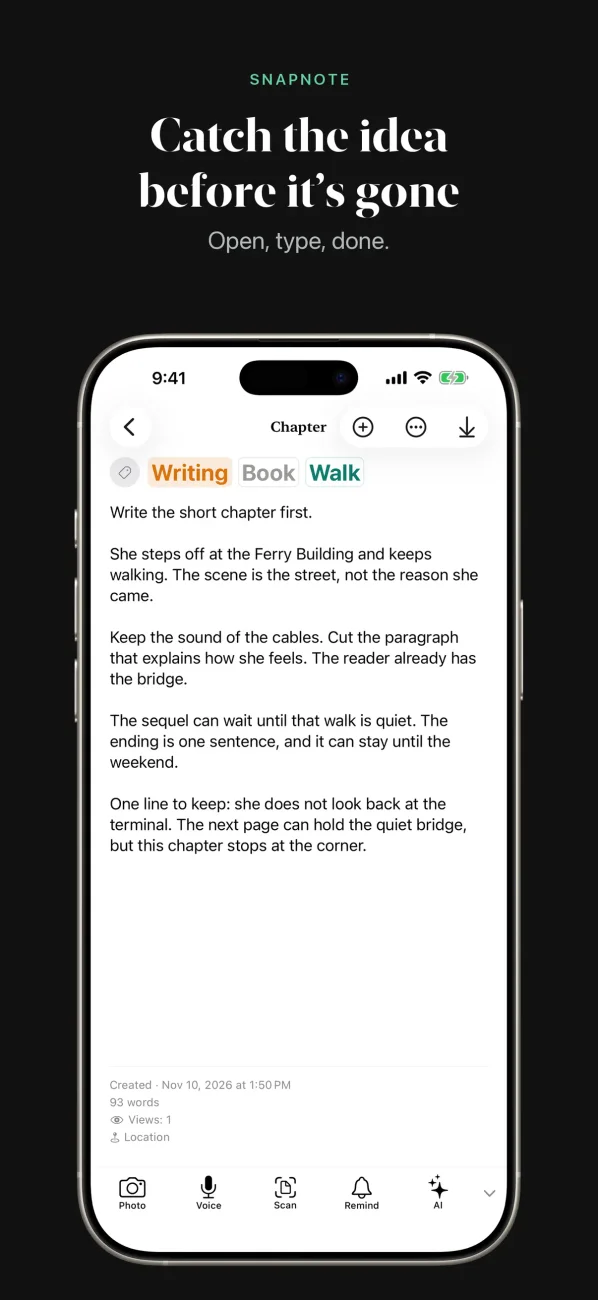
Snapnote is a notebook for short ideas. Capture a thought, keep it in a list, and return to it when you remember a word, a tag, or the day you wrote it.
FIND IT YOUR WAY
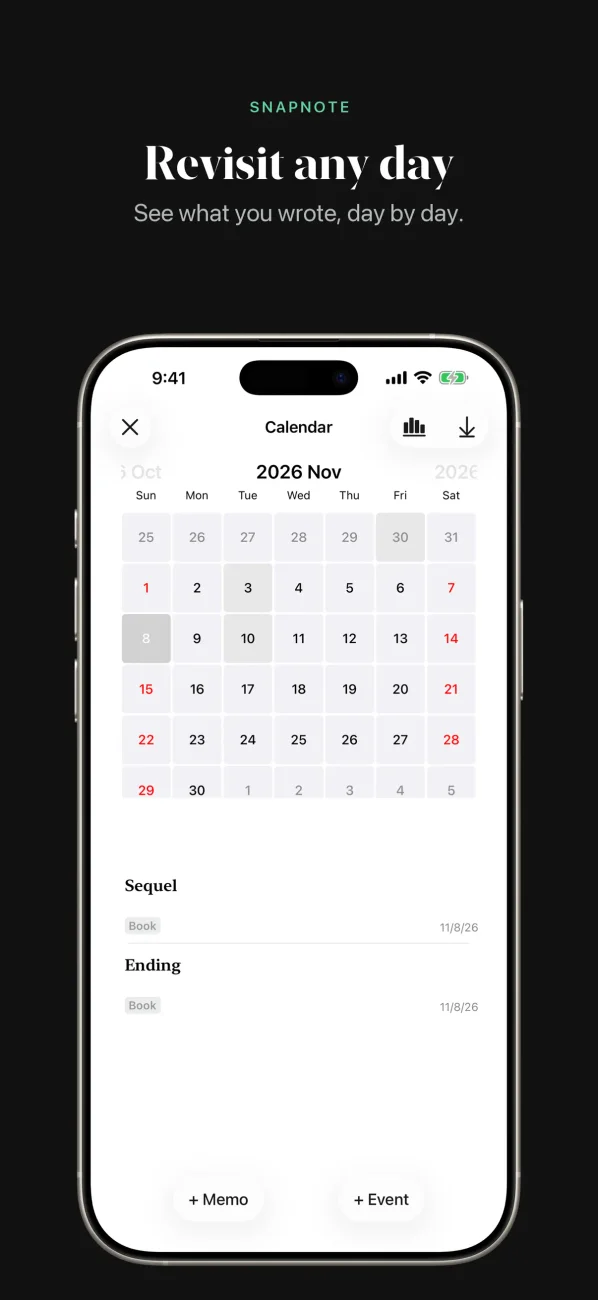
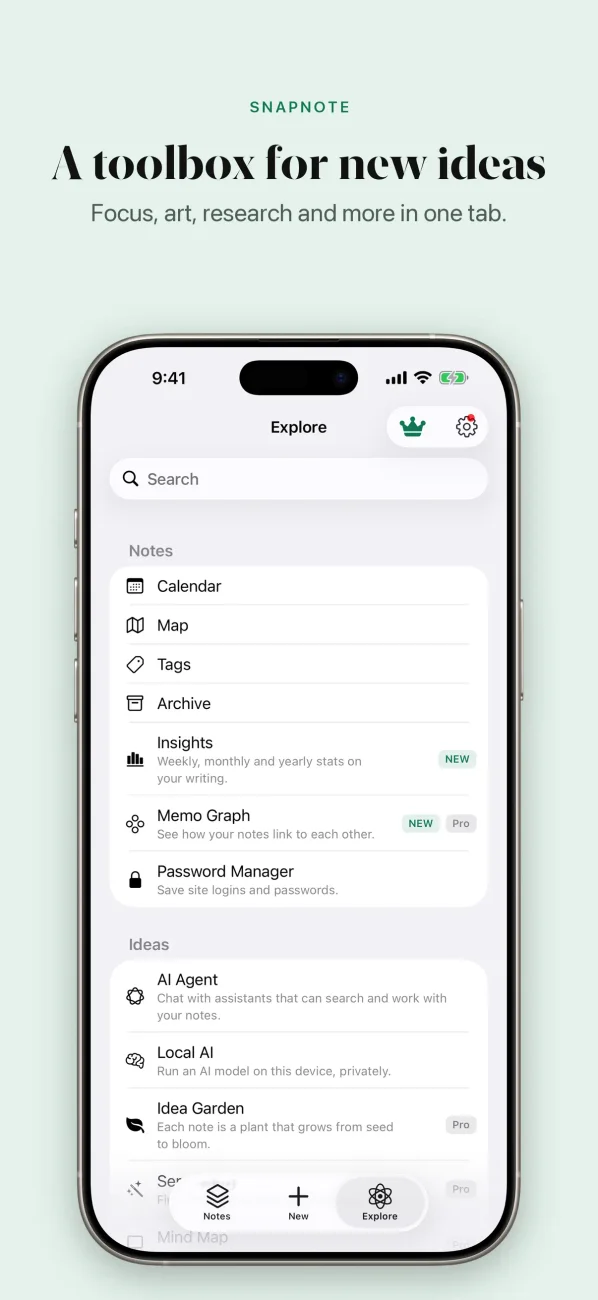
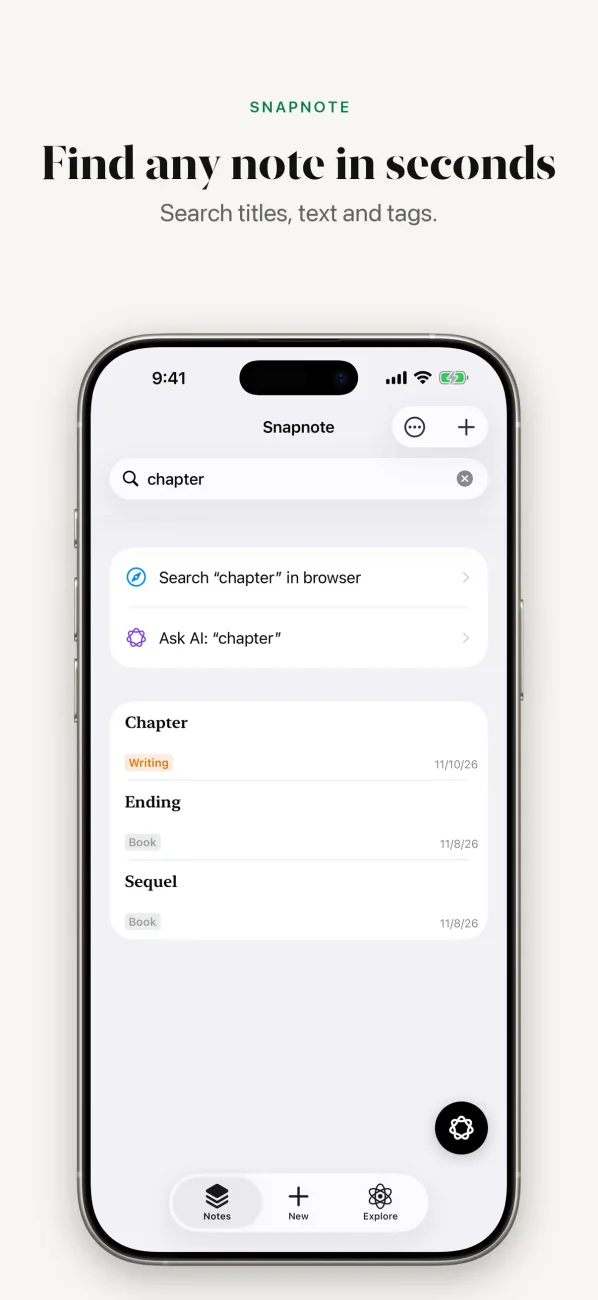
Search your notes. Filter them with tags. Open the calendar and read what you wrote on a given day. The calendar uses the day the note was written, so a later edit stays on that day.
A PLACE, WHEN YOU SAVED ONE
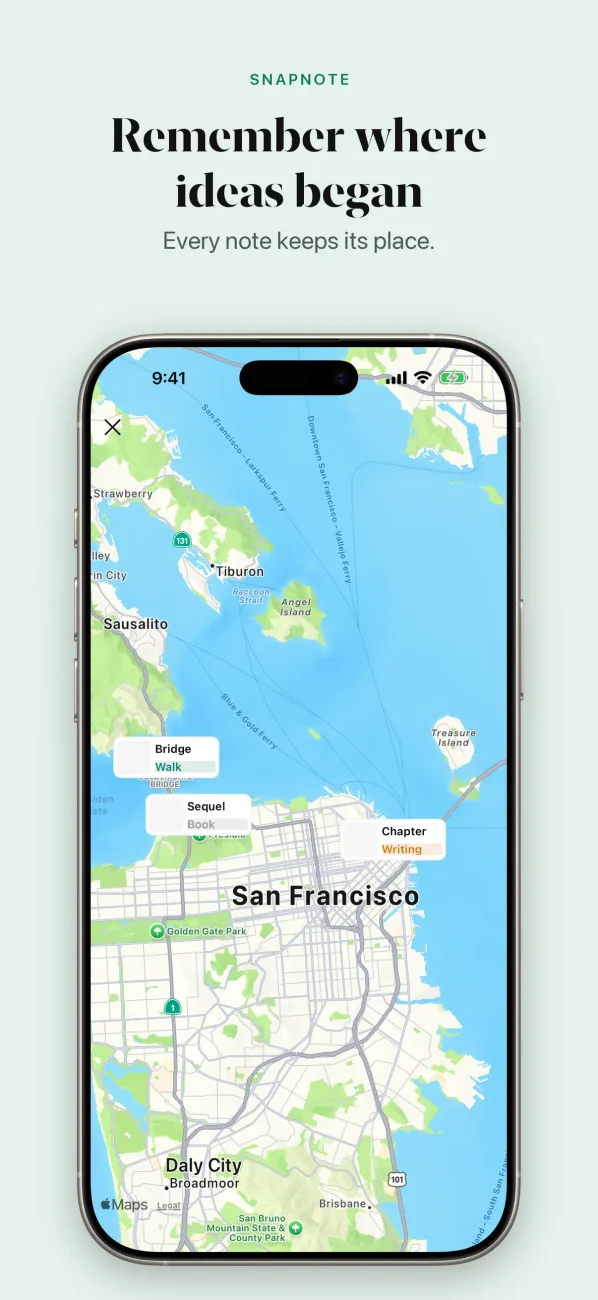
A new note can keep your location if you allow it. Those notes appear on a map. Notes without a location stay in the list.
MORE WAYS TO START
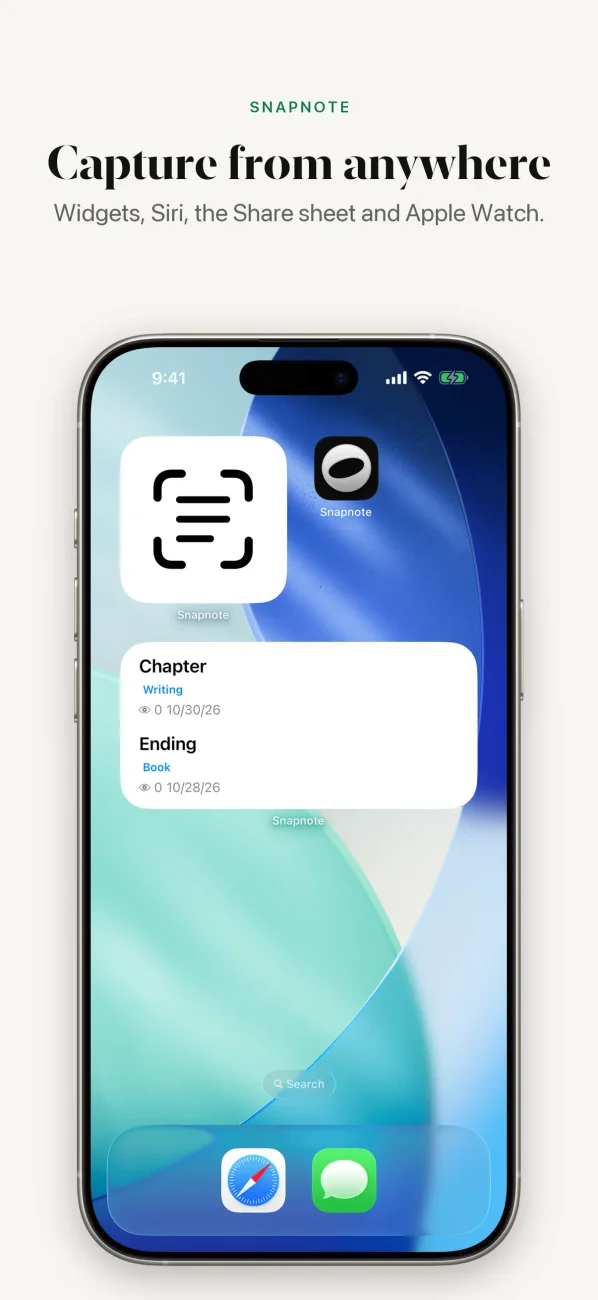
Save text, links, and pictures from the share sheet. Add a widget or a Siri Shortcut when you want the note closer at hand.
IN THE EDITOR
You can attach photos and format a note. Dictation and camera text are available with Pro or Ultra. Optional cloud AI can help develop a note. It needs a connection and sends that content to an external service. You can decline it and keep writing.
Snapnote is free to download. The list, search, tags, calendar, and note map do not require a purchase. Pro is a one-time purchase for extra tools. Ultra is a monthly or yearly subscription for cloud AI and those tools. Prices are on the purchase screen. Subscriptions renew until you cancel them in your App Store account settings.
Terms of Use (EULA): https://www.apple.com/legal/internet-services/itunes/dev/stdeula/
Có gì mới
Phiên bản 8.12.2 · 24/11/2026
• Improve with AI — tap AI in a note to polish, flesh out, brainstorm or validate your idea. Apply the answer with one tap, and undo it if you change your mind.
• Use your own AI key — connect OpenAI, Claude or Gemini in Settings → Your API keys and pick the model. Explore shows how much you've used. It works on the free plan too, in the agent, Meeting Notes and Interview Coach.
• One plan: Pro — Pro and Ultra are now one subscription. If you bought Pro before, everything you paid for stays yours.
• Dictation keeps going — switch apps and keep talking, with a timer on the Lock Screen and in the Dynamic Island.
• Notes you can skim — every note shows two lines of what you wrote, with its date and tags on one line.
• Fixes — clearer errors with Retry when AI can't answer, and note dates say "Yesterday" correctly.
Quyền riêng tư của ứng dụng
Những gì Yongjun Lee khai báo trên App Store về cách ứng dụng này xử lý dữ liệu.
-
Dữ liệu được sử dụng để theo dõi bạn
Có thể được sử dụng để theo dõi bạn trên các ứng dụng và trang web do công ty khác sở hữu.
- Dữ liệu sử dụng
-
Dữ liệu không liên kết với bạn
Có thể được thu thập nhưng không liên kết với danh tính của bạn.
- Dữ liệu sử dụng
Phương thức đảm bảo quyền riêng tư có thể khác nhau, chẳng hạn như tuỳ theo các tính năng bạn sử dụng hoặc độ tuổi của bạn.
Thông tin
- Người bán
- Yongjun Lee
- Danh mục
- Hiệu Suất
- Phiên bản
- 8.12.2
- Cập nhật
- 24/11/2026
- Phát hành
- 11/02/2022
- Kích thước
- 88,2 MB
- Yêu cầu
- iOS 17.0 trở lên
- Độ tuổi
- 4+
- Giá
- Miễn phí
- Mua hàng trong ứng dụng
- Có
- Ngôn ngữ
- Tiếng Anh, Tiếng Ả Rập, Tiếng Hà Lan, Tiếng Pháp, Tiếng Nhật, Tiếng Hàn, Tiếng Bồ Đào Nha, Tiếng Nga, Tiếng Trung Giản thể, Tiếng Tây Ban Nha, Tiếng Trung Phồn thể
- Bản quyền
- © WAI Corp
Có thể bạn cũng thích
-
 SnapNote - 极简记录灵感Hiệu Suất
-
 Mandal-Act : goal managementHiệu Suất
-
 Time Limit: Focus TimeHiệu Suất
-
 Blurt - Voice to TasksHiệu Suất
-
 Readglide: Hùng biện & đọc toNhắc chữ, luyện thuyết trình
-
 Live MemoHiệu Suất
-
 IdeaMark – Instant Idea NotesHiệu Suất
-
 Startup ScratchHiệu Suất
-
 Suprize!Hiệu Suất
-
 NiafluxHiệu Suất