- Độ tuổi4+
- Danh mụcTiện Ích
- Nhà phát triểnStoreBound LLC
- Ngôn ngữTiếng Anh
- Kích thước66,8 MB
Liên kết đến trang App Store chính thức
Download.org không lưu trữ tệp nào của Sobro. Nút này mở trang ứng dụng trên App Store, nơi StoreBound LLC phát hành ứng dụng. Trang được kiểm tra lần cuối: 17/11/2026.
Ảnh chụp màn hình

Giới thiệu
Nhà phát triển chưa cung cấp nội dung này bằng ngôn ngữ của bạn.
Control your Sobro Smart Side Table from anywhere. Lights, cooler, alarms, sleep sounds, and your Bluetooth speaker, all from one simple app.
The Sobro is more than a side table. It is a nightstand, a sound system, a reading light, and a cooler in one. This app puts all of it at your fingertips.
LIGHTS, YOUR WAY
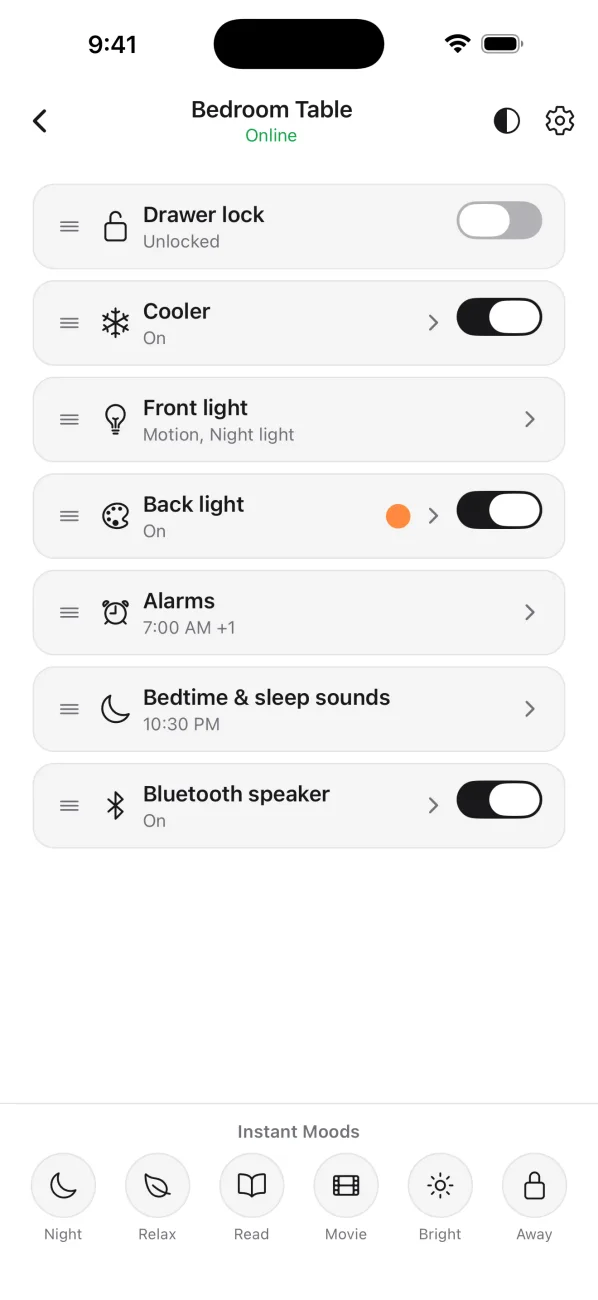
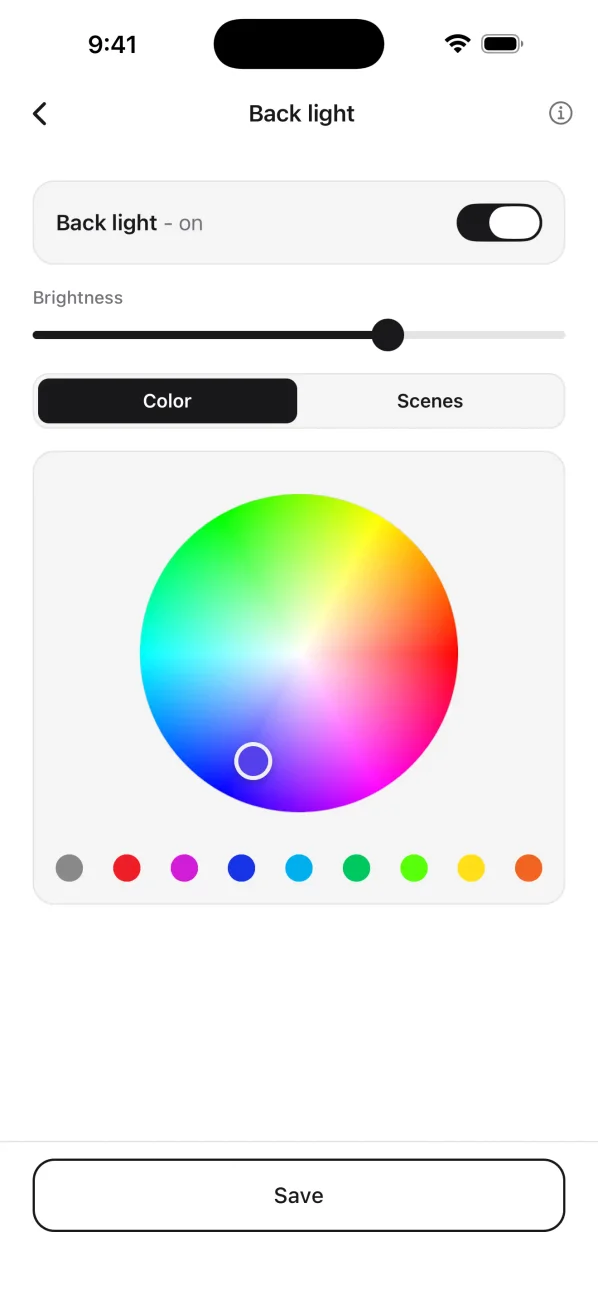
Set the back light to any color or a preset scene. Dial in the front light's brightness and warmth, or let it turn on by motion or as a soft night light. Tap an Instant Mood to change the whole room in one touch: Night, Relax, Read, Movie, Bright, or Away.
WAKE AND WIND DOWN
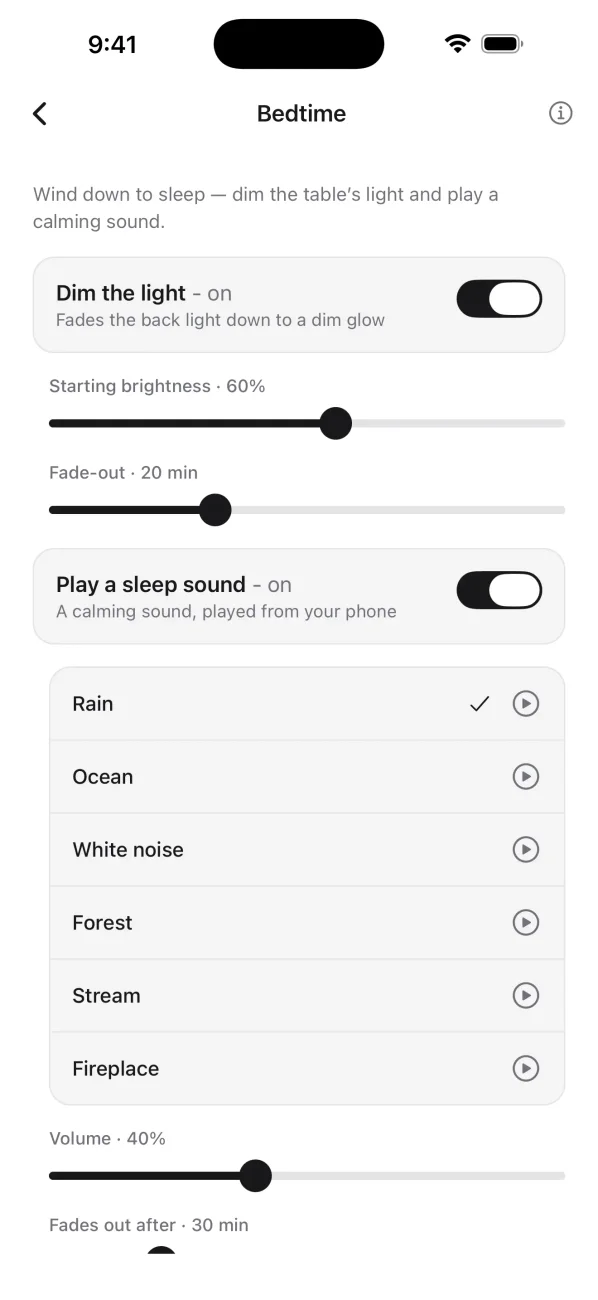
Wake up to a gradual sunrise as the light fades in on the table before your alarm, with the sound on your phone. At night, Bedtime dims the light and plays a calming sleep sound to help you drift off.
KEEP DRINKS COOL
Turn the cooler drawer on or off and check its status from the app.
YOUR MUSIC, THROUGH THE TABLE
Turn on the Bluetooth speaker and pair your phone to play audio from any app through the Sobro.
BUILT FOR YOUR HOME
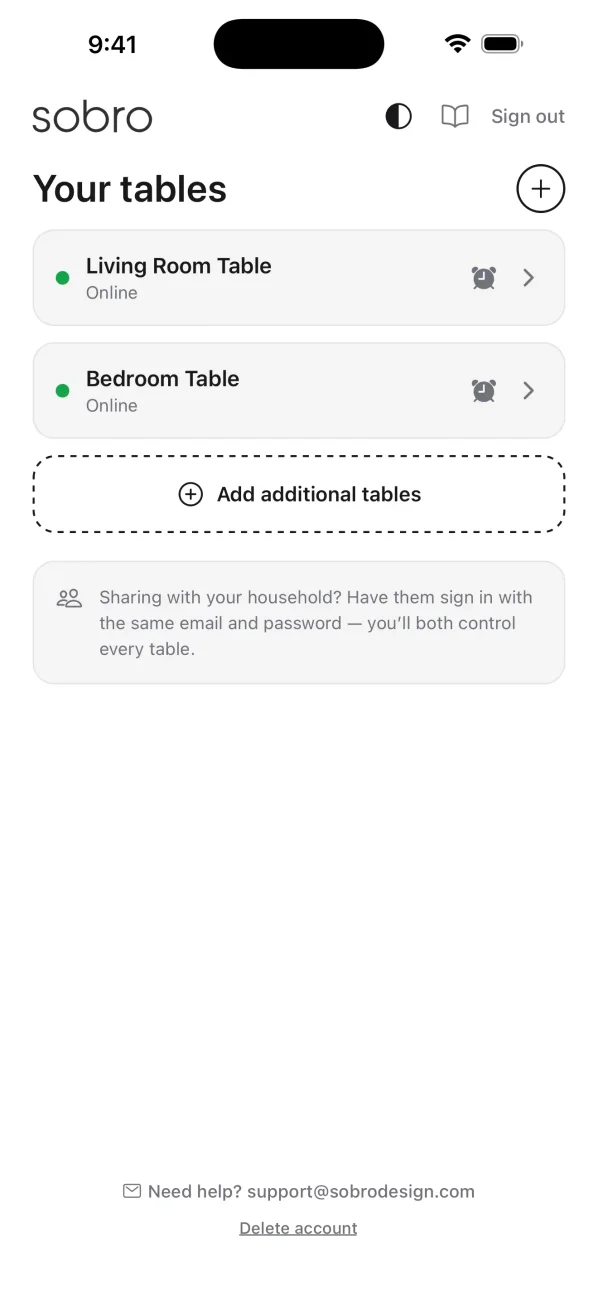
Add every Sobro in your home to one account and control each one by name. Share with your household by signing in on more than one phone. A built-in manual walks you through setup and every feature.
RETURNING FROM THE OLD APP
Sign in with your email and password, and your tables appear automatically. If you signed in with Facebook before, tap Forgot Password to set a password for the same email.
REQUIREMENTS
Works with the Sobro Smart Side Table (model SOSTB300). The table connects to 2.4GHz Wi-Fi. An account is required.
SUPPORT
Questions? Email support@sobrodesign.com or call 1-800-898-6970, 9AM to 9PM EST, Monday to Friday.
Có gì mới
Phiên bản 2.0.0 · 20/08/2026
Sobro is completely rebuilt from the ground up. Faster, cleaner, and easier to use, with everything you control on your Sobro Smart Side Table in one place.
New in 2.0:
- A redesigned home screen for all your tables, with live online status.
- Instant Moods: one tap to set the lights for Night, Relax, Read, Movie, Bright, or Away.
- A back light color wheel and preset scenes, plus a simple brightness slider.
- Front light with adjustable warmth, motion activation, and a soft night light.
- Alarms with a gradual sunrise wake-up light on the table, plus sound on your phone.
- Bedtime wind-down with a dimming light and calming sleep sounds.
- Bluetooth speaker controls with clearer pairing help.
- Dark mode, drag-to-reorder controls, and a built-in user manual.
Returning from the old app? Just sign in with your email and password, and your tables appear automatically. If you used Facebook to sign in before, tap Forgot Password on the login screen to set a password for the same email.
Quyền riêng tư của ứng dụng
Những gì StoreBound LLC khai báo trên App Store về cách ứng dụng này xử lý dữ liệu.
-
Dữ liệu liên kết với bạn
Có thể được thu thập và liên kết với danh tính của bạn.
- Thông tin liên hệ
Phương thức đảm bảo quyền riêng tư có thể khác nhau, chẳng hạn như tuỳ theo các tính năng bạn sử dụng hoặc độ tuổi của bạn.
Thông tin
- Người bán
- StoreBound LLC
- Danh mục
- Tiện Ích
- Phiên bản
- 2.0.0
- Cập nhật
- 20/08/2026
- Phát hành
- 08/05/2019
- Kích thước
- 66,8 MB
- Yêu cầu
- iOS 16.4 trở lên
- Độ tuổi
- 4+
- Giá
- Miễn phí
- Ngôn ngữ
- Tiếng Anh
- Bản quyền
- © StoreBound LLC