Speed Tracker. Pro
Speedometer and Trip computer
Được thiết kế cho iPhone, iPad
599.000đ
- Độ tuổi17+
- Danh mụcDẫn Đường
- Nhà phát triểnOxagile LLC
- Ngôn ngữTiếng Anh+ 10 ngôn ngữ khác
- Kích thước86,9 MB
Liên kết đến trang App Store chính thức
Download.org không lưu trữ tệp nào của Speed Tracker. Pro. Nút này mở trang ứng dụng trên App Store, nơi Oxagile LLC phát hành ứng dụng. Trang được kiểm tra lần cuối: 17/11/2026.
Ảnh chụp màn hình


Giới thiệu
Nhà phát triển chưa cung cấp nội dung này bằng ngôn ngữ của bạn.
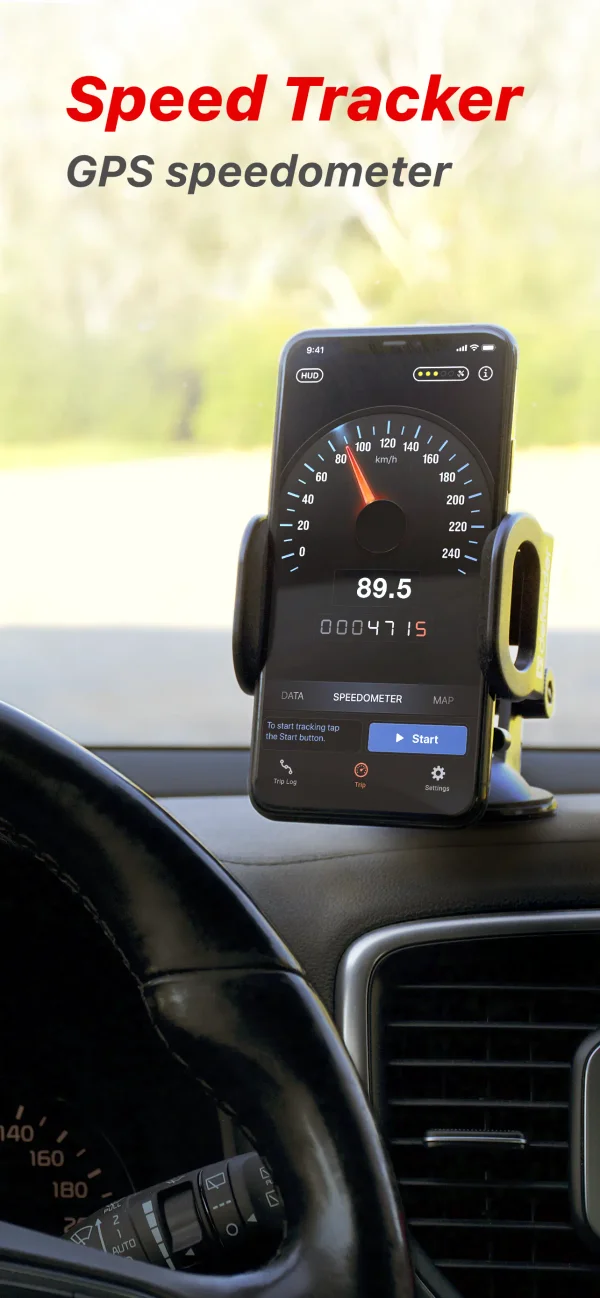
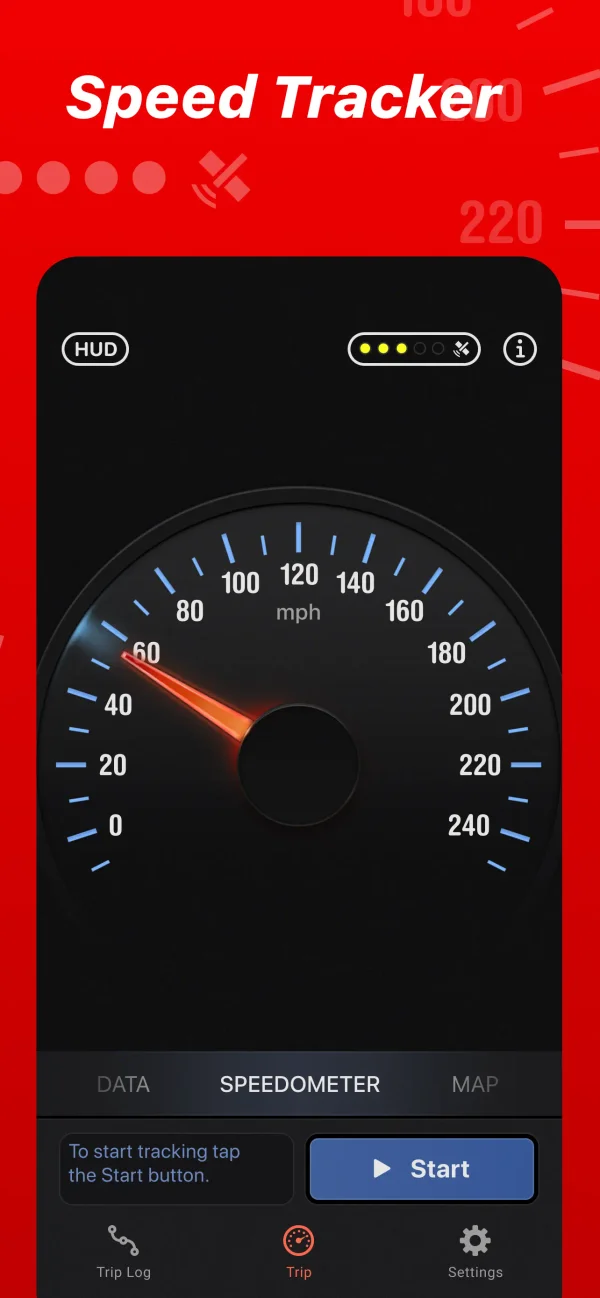
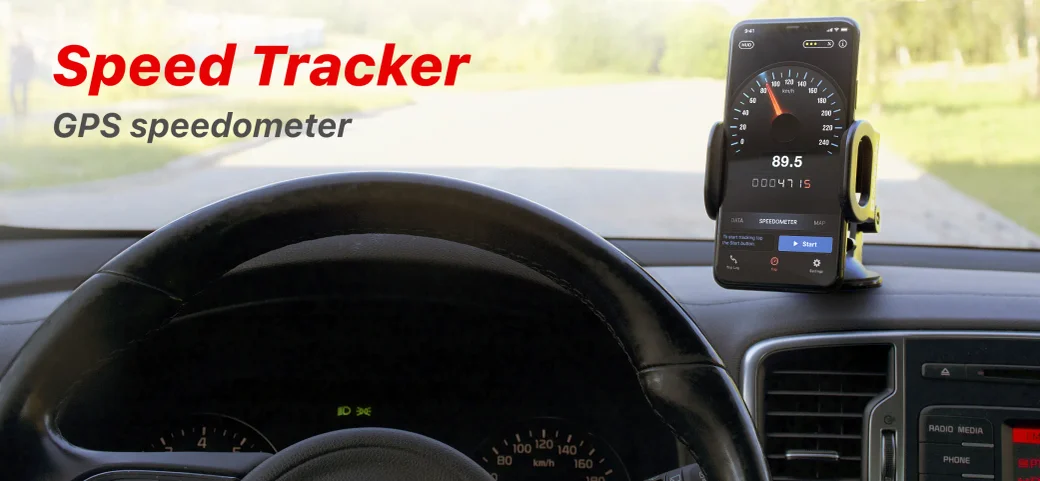
Speed Tracker is the most elegant and unique combination of GPS speedometer and Trip computer in just one application.
Speed Tracker is YOUR answer to the eternal questions: What is my speed? What distance have I covered? How much time did I spend from work to home? How to share my trips with friends and relatives?
With lot of features built-in, Speed Tracker will help you to gather all the necessary trip statistics. Just start the application and it will let you record your speed, time, distance, heading, elevation and many more.
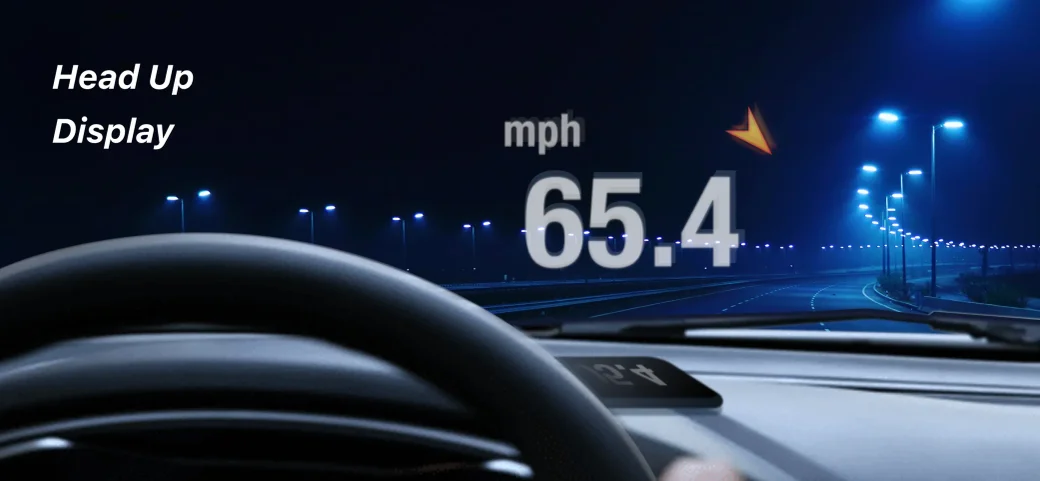
HUD
Head-up display – outstanding feature available ONLY in Speed Tracker application. Just enable HUD and put your iPhone or iPad under the windshield. Specially designed HUD interface will display the most accurate speed right on the windshield.
Map your trip.
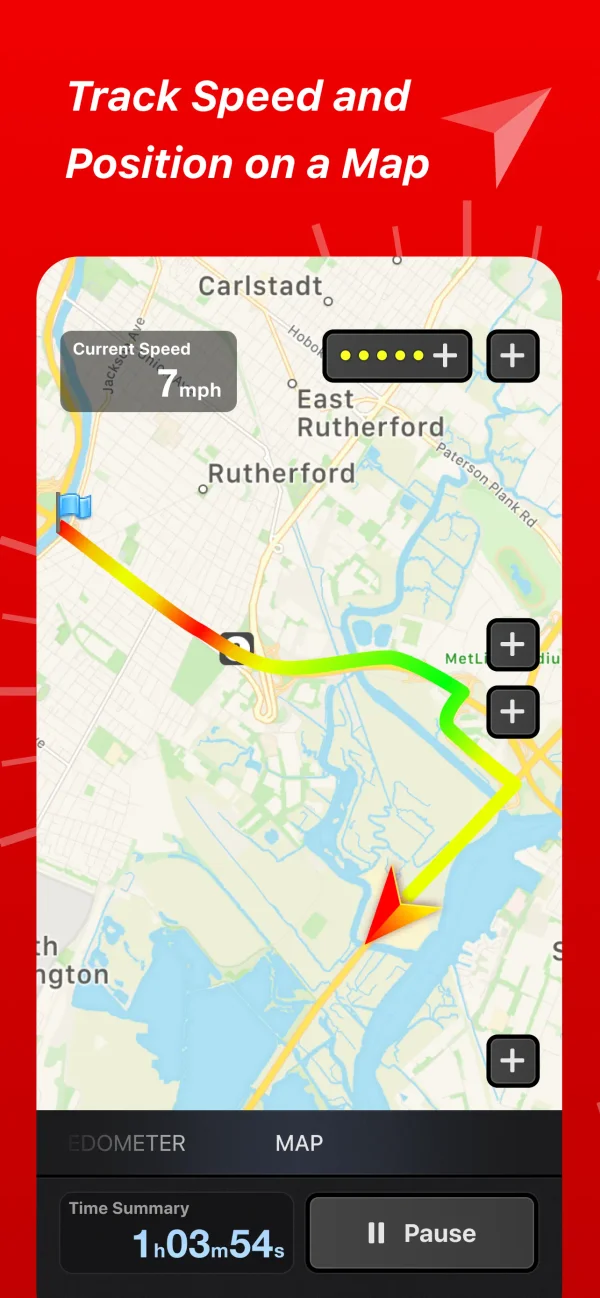
Built-in GPS tracker will help you not to get lost. You can always switch to navigation mode and check your current position on the map together with the track you’ve already traveled in Satellite or Hybrid view.
Trip Log
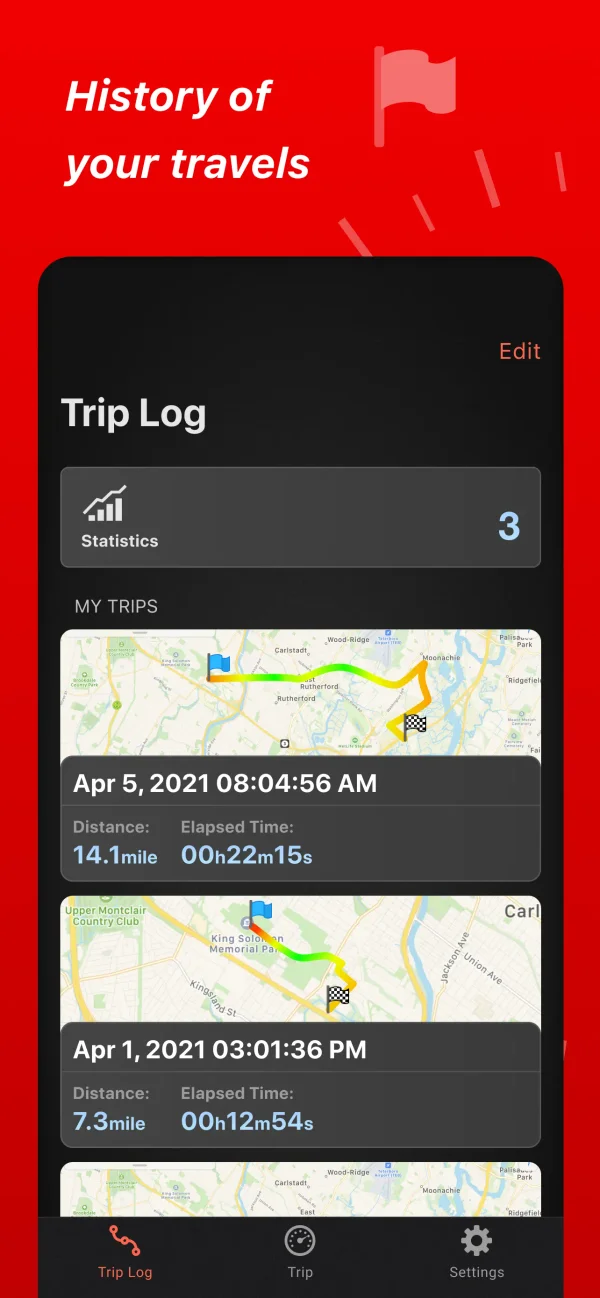
You don’t remember the trip or how much time does it take to visit your friends or the distance to your office? - Trip Log will help you!
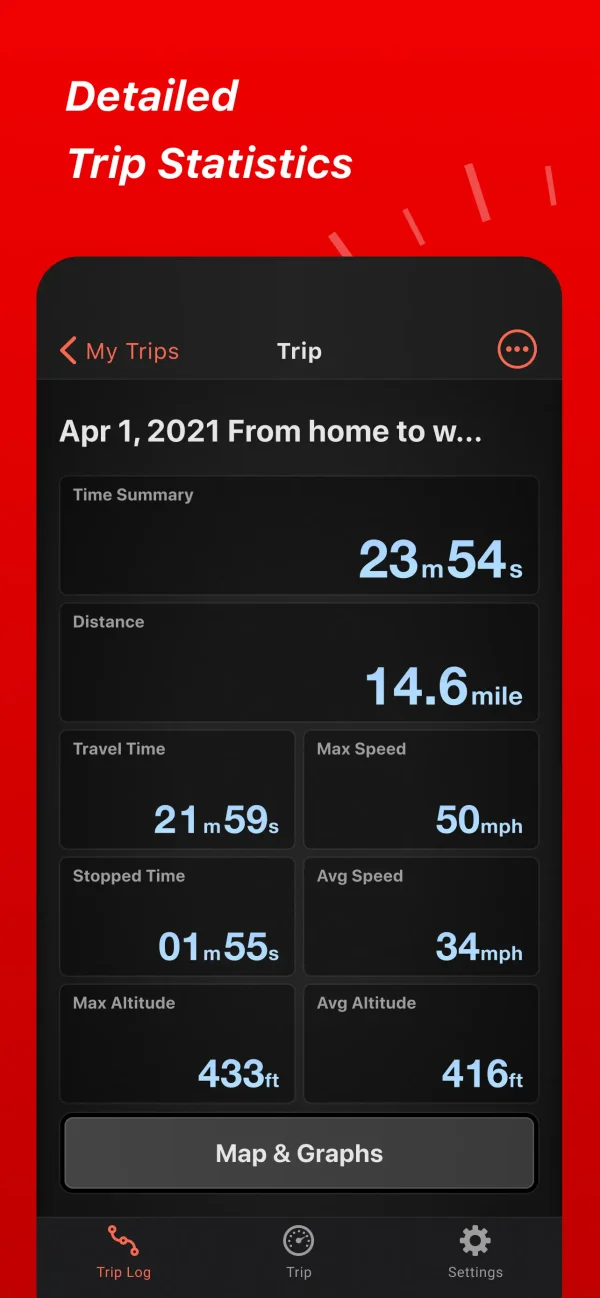
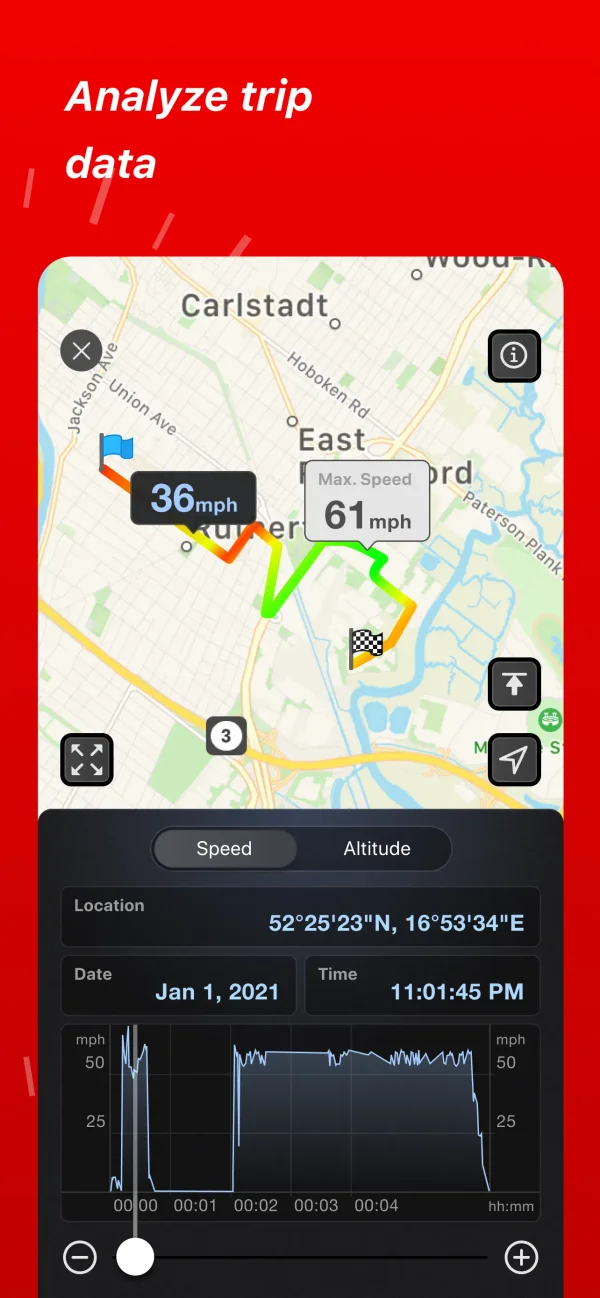
Trip Log records and saves the information within the application. You can easily have the access to ALL the trips with just one click. Inside the Trip Log you can check the trip on the map, see the speed, average speed, maximum speed, distance, total time and the detailed speed graph. Don't want to get lost in all the trips you have? Just name them the way you like. Want to share your driving experience or just compare your every day trips? With Trip Computer it’s easy as A, B, C.
Export all the trips in available formats (CSV, KML, GPX) or even share with your friends on Facebook, Twitter or via email.
Trip Computer
Track important trip statistics in real time. Average and Maximum speed, distance covered, moving and stopped time.
Dashboard Display Layout
Designed exclusively for iPad big screen it shows all the important trip information at a glance on a single screen and supports both portrait and landscape orientation. Full screen GPS Navigator Map mode is also available. Landscape mode allows you to mount your device horizontally on your car dashboard. If you prefer seeing things at wider angle then you find new landscape mode especially useful and practical.
Scalable Speedometer Dial
Speed Tracker features unique scalable speedometer dial. Select the maximum possible speed for you vehicle and watch your speed with greater precision either your are on a plain, train, car, bike, boat or bicycle
Statistics
All the aggregated data from the very first trip will be saved in one single place.
Automatic Stop Detection
Automatically identify either you are moving or standing and calculate your average speed basing on that. Generate trip report showing travel and stoppage time separately.
Support for Apple Watch.
Start and stop tracking and see your trip data on your wrist.
NOTE:
Speed Tracker is not compatible with WiFi only iPad or iPod touch.
Continued use of GPS running in the background can decrease battery life.
Data connection is required to see map.
Make sure that you have location services enabled for the application. To enable - Settings> General> Location Services
Privacy Policy: http://appannex.com/privacy-policy/
Terms of Use: https://www.apple.com/legal/internet-services/itunes/dev/stdeula/
Có gì mới
Phiên bản 6.9.8 · 23/10/2026
Minor bug fixes and performance improvements.
Quyền riêng tư của ứng dụng
Những gì Oxagile LLC khai báo trên App Store về cách ứng dụng này xử lý dữ liệu.
-
Dữ liệu liên kết với bạn
Có thể được thu thập và liên kết với danh tính của bạn.
- Nội dung của người dùng
-
Dữ liệu không liên kết với bạn
Có thể được thu thập nhưng không liên kết với danh tính của bạn.
- Vị trí
- Dữ liệu sử dụng
- Chẩn đoán
Phương thức đảm bảo quyền riêng tư có thể khác nhau, chẳng hạn như tuỳ theo các tính năng bạn sử dụng hoặc độ tuổi của bạn.
Thông tin
- Người bán
- Oxagile LLC
- Danh mục
- Dẫn Đường
- Phiên bản
- 6.9.8
- Cập nhật
- 23/10/2026
- Phát hành
- 13/01/2011
- Kích thước
- 86,9 MB
- Yêu cầu
- iOS 16.0 trở lên
- Độ tuổi
- 17+
- Giá
- 599.000đ
- Ngôn ngữ
- Tiếng Anh, Tiếng Hà Lan, Tiếng Pháp, Tiếng Đức, Tiếng Ý, Tiếng Nhật, Tiếng Ba Lan, Tiếng Bồ Đào Nha, Tiếng Nga, Tiếng Tây Ban Nha, Tiếng Ukraina
- Bản quyền
- © AppAnnex, LLC