ThreadMapper
Diagnose your Matter mesh
Được thiết kế cho iPhone, iPad
Miễn phí · Mua hàng trong ứng dụng
- Độ tuổi4+
- Danh mụcTiện Ích
- Nhà phát triểnTintin Razavian
- Ngôn ngữTiếng Anh+ 8 ngôn ngữ khác
- Kích thước39,9 MB
Liên kết đến trang App Store chính thức
Download.org không lưu trữ tệp nào của ThreadMapper. Nút này mở trang ứng dụng trên App Store, nơi Tintin Razavian phát hành ứng dụng. Trang được kiểm tra lần cuối: 18/11/2026.
Ảnh chụp màn hình

Giới thiệu
Nhà phát triển chưa cung cấp nội dung này bằng ngôn ngữ của bạn.
ThreadMapper shows what your Thread smart home says about itself.
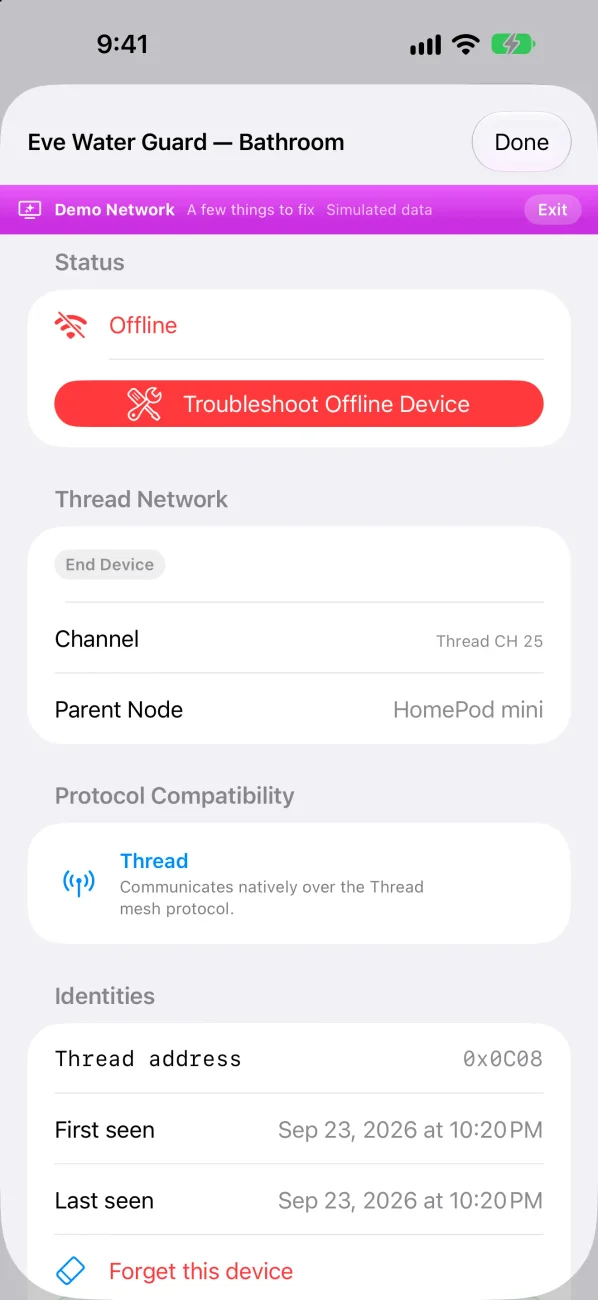
Most Thread devices are invisible. They just work, until they don't, and there's no way to tell which one dropped, which border routers you really have, or whether a quiet sensor is asleep or gone.
WHAT YOU GET
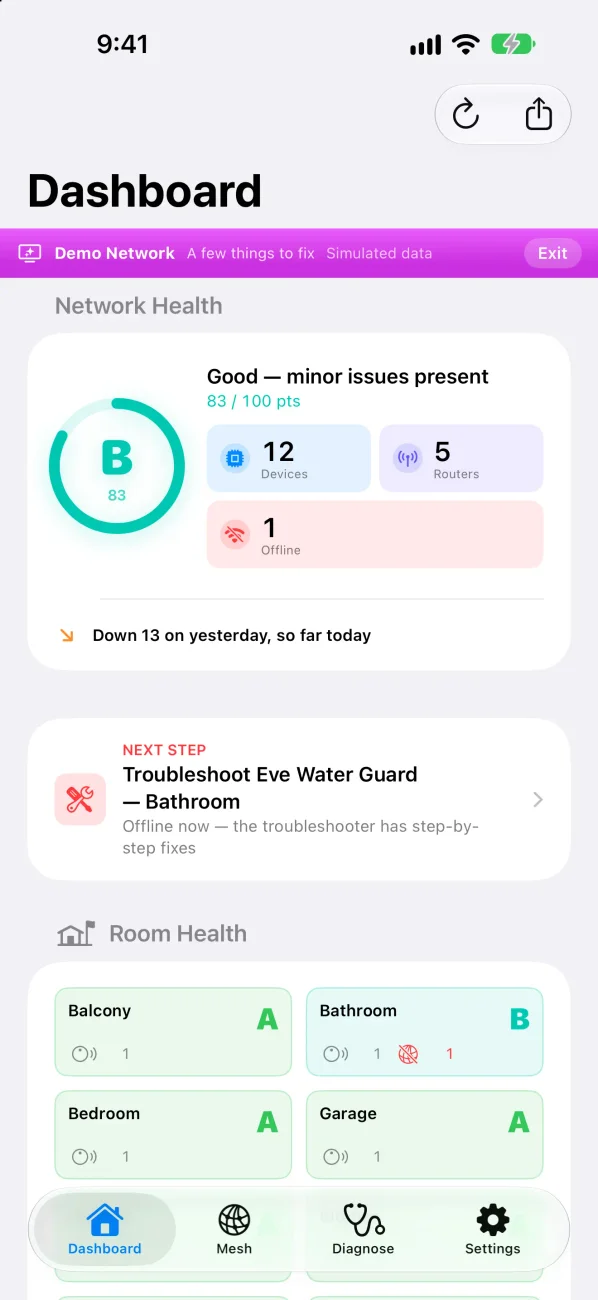
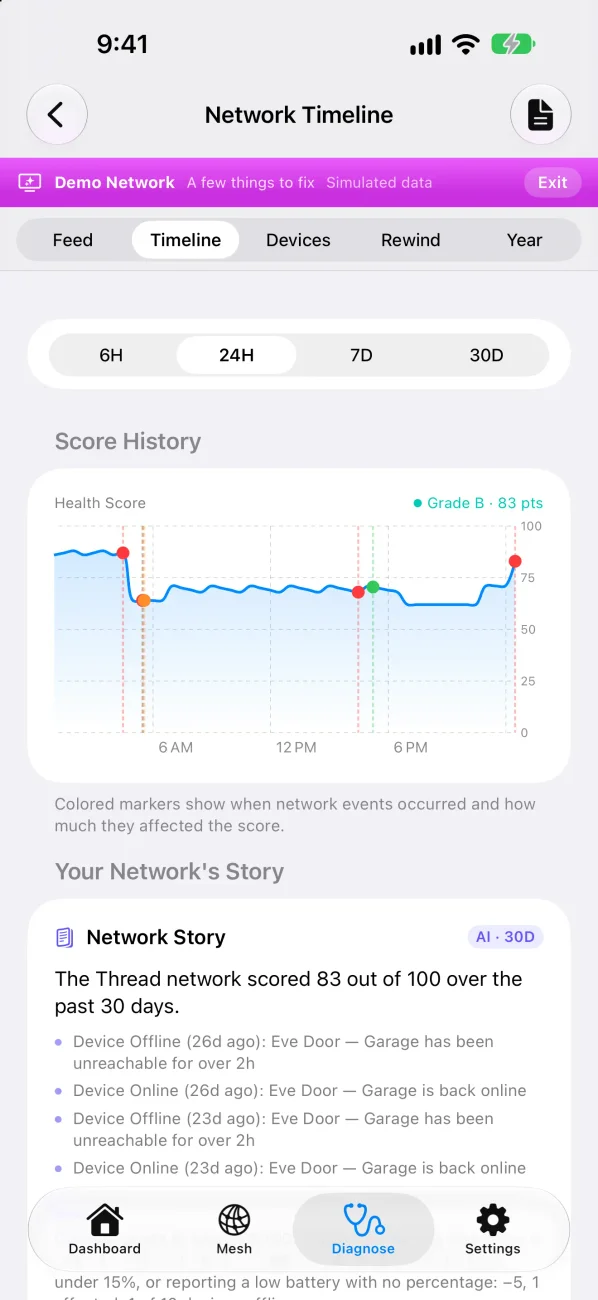
• Network health at a glance: an A–F grade with a clear score, and the specific issues pulling it down
• Better than yesterday? A line under the grade saying whether today is up or down on yesterday, and which rule moved it
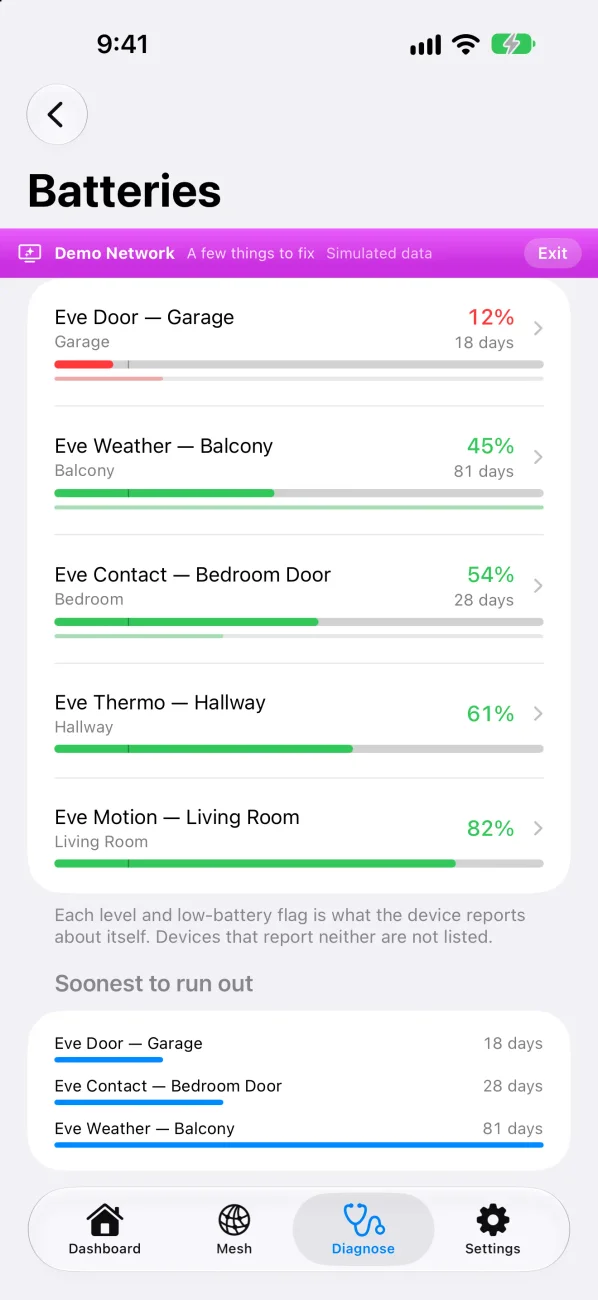
• Every battery in one list, emptiest first, with the room
• Your Thread devices, apart from the rest: the ones that say they are on Thread, and every other accessory labelled for what it is, behind a bridge or not yet known
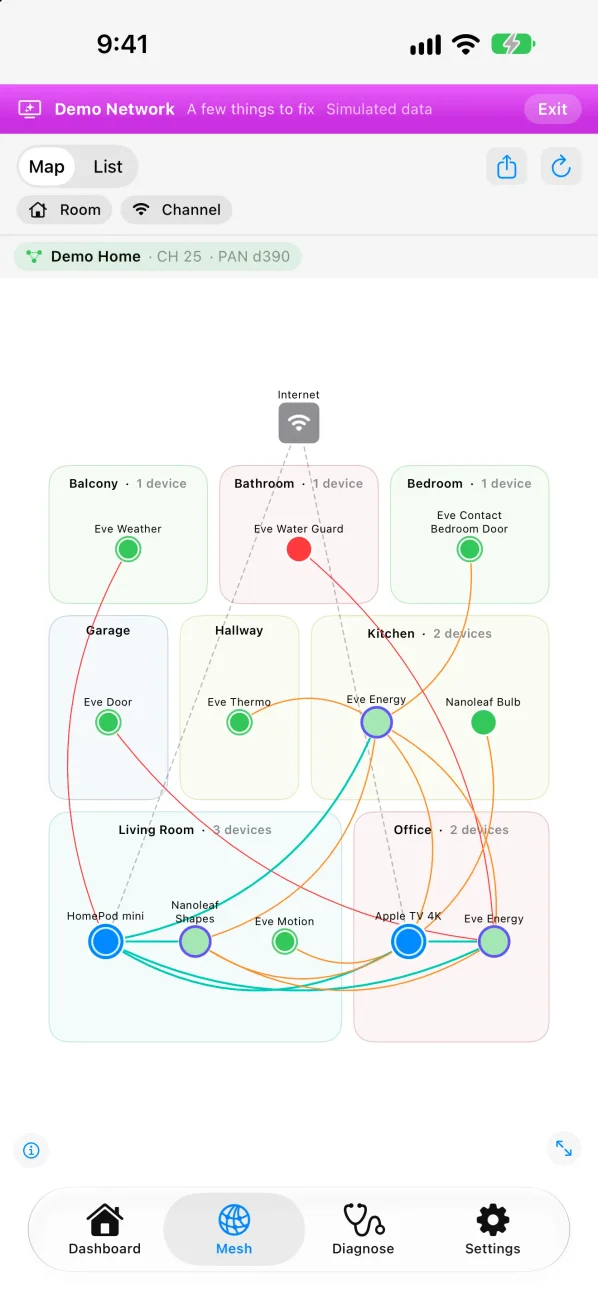
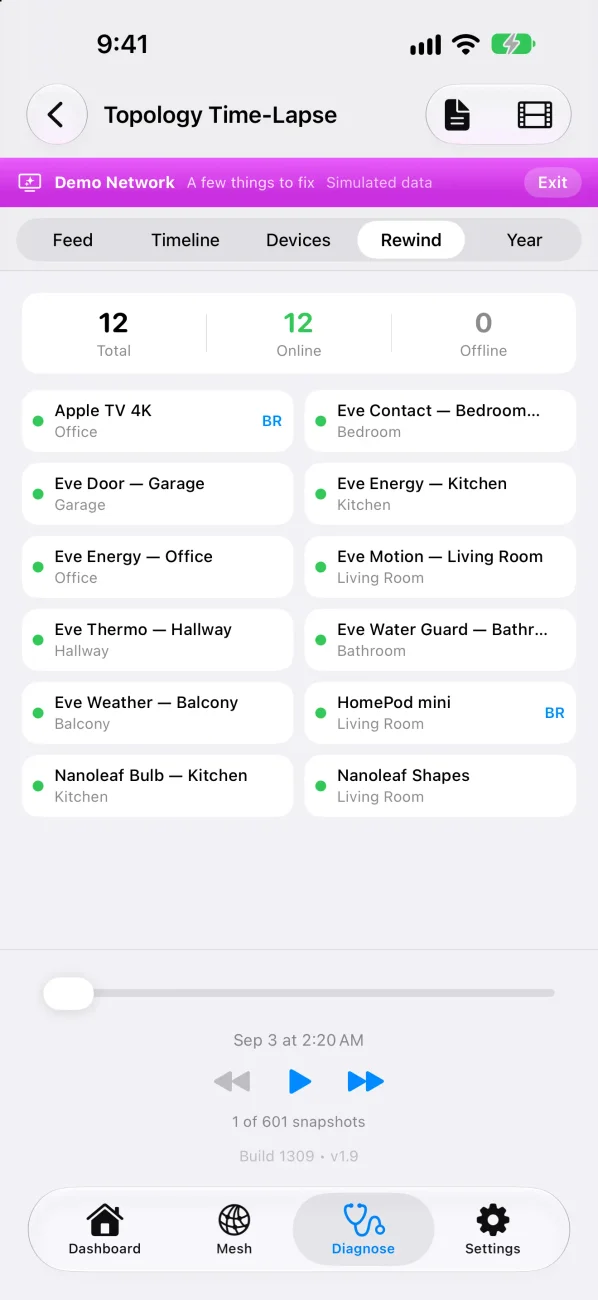
• Mesh map: your Thread devices by room, and the links they report
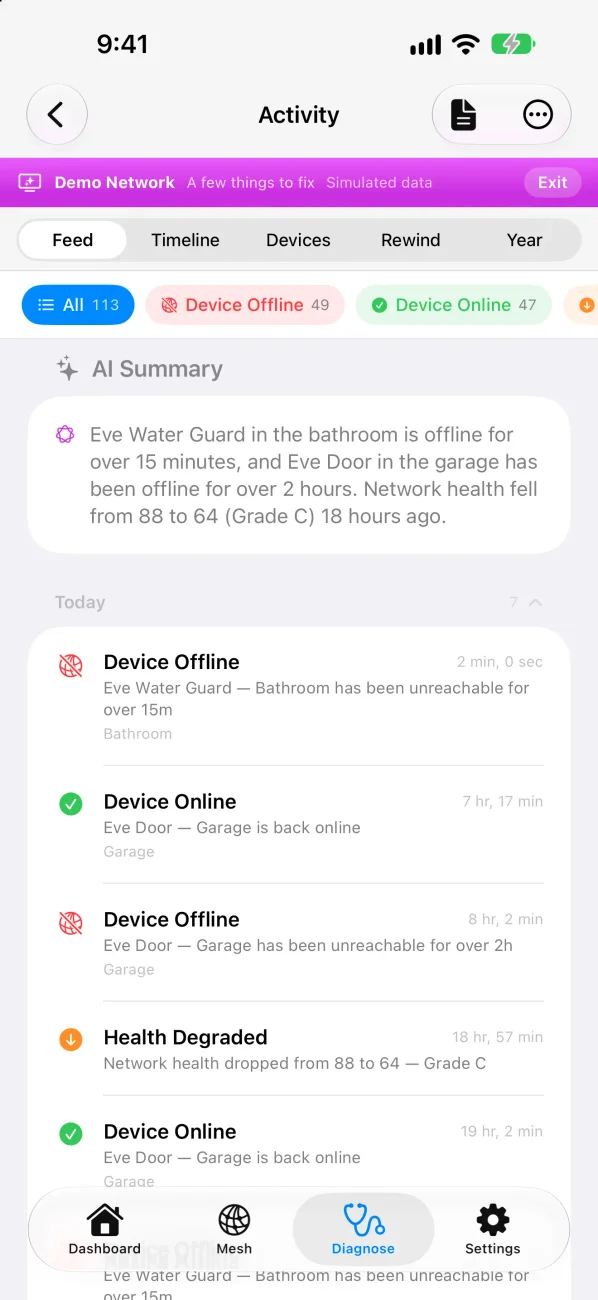
• Offline alerts that respect quiet: a sleepy sensor gets two hours before it is called offline, and devices that go quiet together are one event
• Device history: uptime, reboots and firmware changes
• Apple Watch app: your grade on your wrist
• Home-screen widget and Live Activity for at-a-glance status
HONEST ABOUT ITS DATA
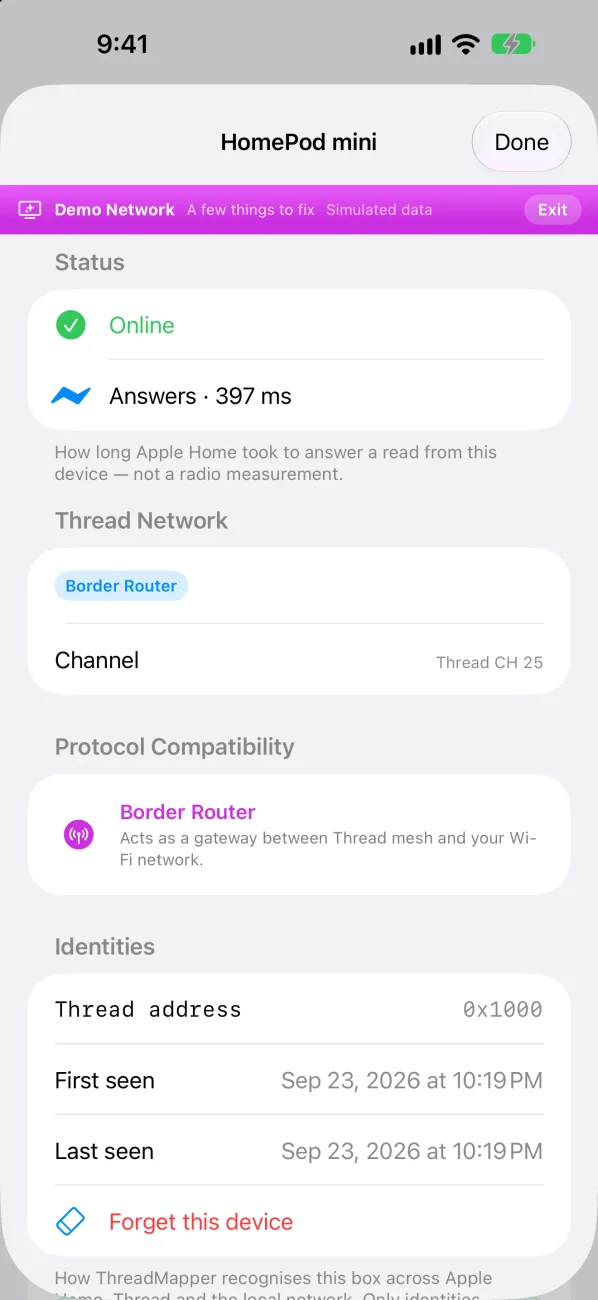
ThreadMapper shows only what a device or the network states. A device is Thread when it says so. A border router is one the network proves. A line on the map is a link a device reported. iOS doesn't expose radio signal strength for Thread accessories, so there is no signal figure: a device's page shows how quickly it answered, in milliseconds. The battery level is what each accessory reports about itself.
PRIVATE BY DESIGN
No account. No analytics. No tracking. Everything stays on your iPhone, and the AI features run on device. Your network data is never uploaded.
THREADMAPPER PRO: a one-time purchase, not a subscription
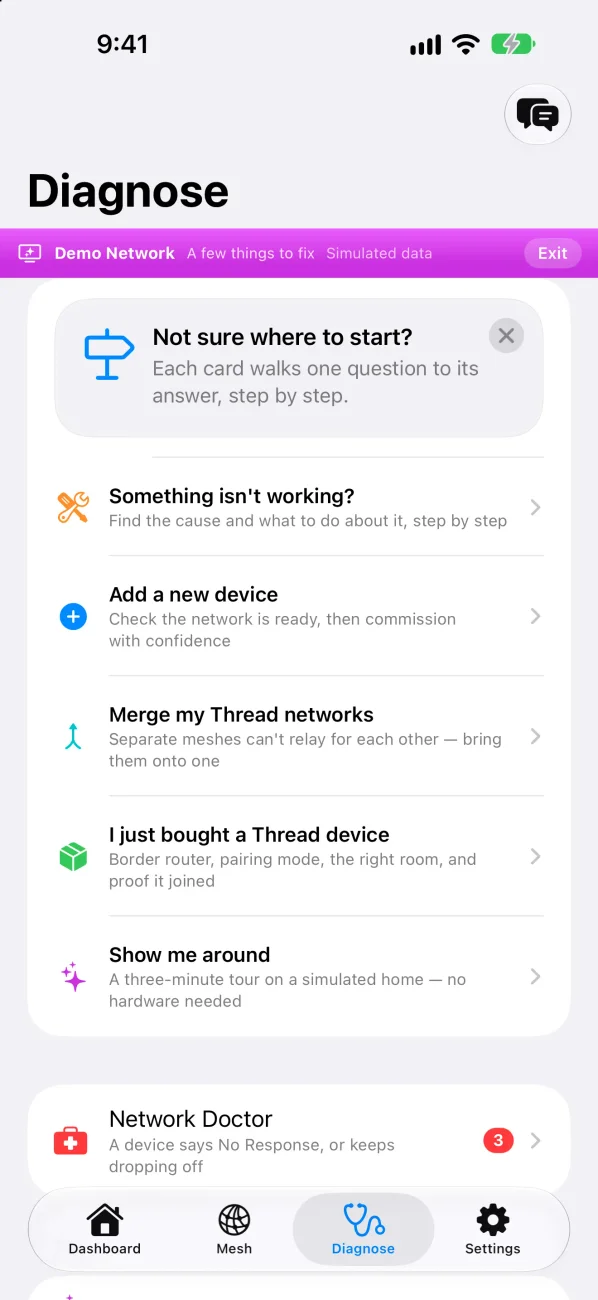
• AI Insights on any iPhone, and with Apple Intelligence a Network Assistant and a troubleshooter that reads this device's history, all on device
• What the radios say: why a device rebooted, how often it changed parent router, how often a battery device wakes, and how many apps and households can still control it
• AR room mapping and X-Ray: scan rooms into a floor plan, place each device where it really is, and see the links your devices report drawn through your real home
• Your year on one card, your mesh as a film, and as an A2 poster a print shop will take
• A year of daily grades on one calendar, no Apple Intelligence needed, a month of history, weekly reports, and when your home is at its worst
• Export every health sample, daily grade and battery reading as CSV or JSON, and import them on a new iPhone
• Jobs and evidence sheets: a page for a client showing what a visit changed, and a page per device for a warranty claim
• Device groups, multiple homes, scheduled reports and a pinned-devices widget
REQUIREMENTS
ThreadMapper reads your network through HomeKit, so you'll need a home with at least one Thread border router, such as a HomePod mini or an Apple TV 4K. Border routers are found through Local Network access. The Network Assistant and the troubleshooter need iOS 26 and an Apple Intelligence-capable device; AI Insights works on any iPhone. Room scanning needs a Pro-model iPhone with a LiDAR scanner. Want to look around first? Turn on Demo Mode to explore the whole app with a simulated network, no hardware needed.
Có gì mới
Phiên bản 2.6 · 04/11/2026
YEAR IN REVIEW, ONE TAP AWAY
This December, the App Store event "Your Year on the Mesh" opens Year in Review with one tap: your network's year on one card, the best day and the worst one, and how often devices dropped off. It counts only the days the app was watching. Year in Review is part of Pro.
ALSO IN THIS VERSION
- The Demo Network no longer shows readings from your own probe.
Quyền riêng tư của ứng dụng
Những gì Tintin Razavian khai báo trên App Store về cách ứng dụng này xử lý dữ liệu.
-
Dữ liệu không được thu thập
Nhà phát triển không thu thập bất kỳ dữ liệu nào từ ứng dụng này.
Phương thức đảm bảo quyền riêng tư có thể khác nhau, chẳng hạn như tuỳ theo các tính năng bạn sử dụng hoặc độ tuổi của bạn.
Thông tin
- Người bán
- Tintin Razavian
- Danh mục
- Tiện Ích
- Phiên bản
- 2.6
- Cập nhật
- 04/11/2026
- Phát hành
- 31/07/2026
- Kích thước
- 39,9 MB
- Yêu cầu
- iOS 17.0 trở lên
- Độ tuổi
- 4+
- Giá
- Miễn phí
- Mua hàng trong ứng dụng
- Có
- Ngôn ngữ
- Tiếng Anh, Tiếng Hà Lan, Tiếng Pháp, Tiếng Đức, Tiếng Ý, Tiếng Nhật, Tiếng Bồ Đào Nha, Tiếng Tây Ban Nha, Tiếng Thụy Điển
- Bản quyền
- © 2026 RazTech Innovations