
Tide: Code Editor
Code & run JS, Python offline
Được thiết kế cho iPhone, iPad
Miễn phí
- Độ tuổi4+
- Danh mụcCông Cụ Nhà Phát Triển
- Nhà phát triểnKurubaran Anandhan
- Ngôn ngữTiếng Anh
- Kích thước259,8 MB
Liên kết đến trang App Store chính thức
Download.org không lưu trữ tệp nào của Tide: Code Editor. Nút này mở trang ứng dụng trên App Store, nơi Kurubaran Anandhan phát hành ứng dụng. Trang được kiểm tra lần cuối: 23/11/2026.
Ảnh chụp màn hình

Giới thiệu
Nhà phát triển chưa cung cấp nội dung này bằng ngôn ngữ của bạn.
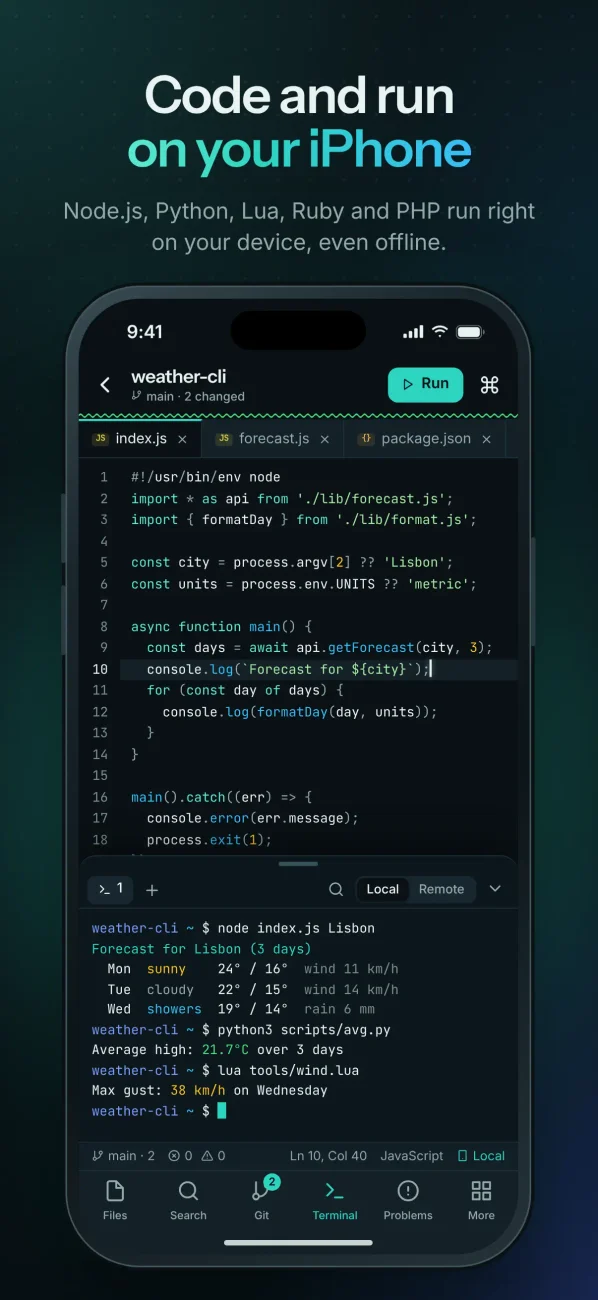
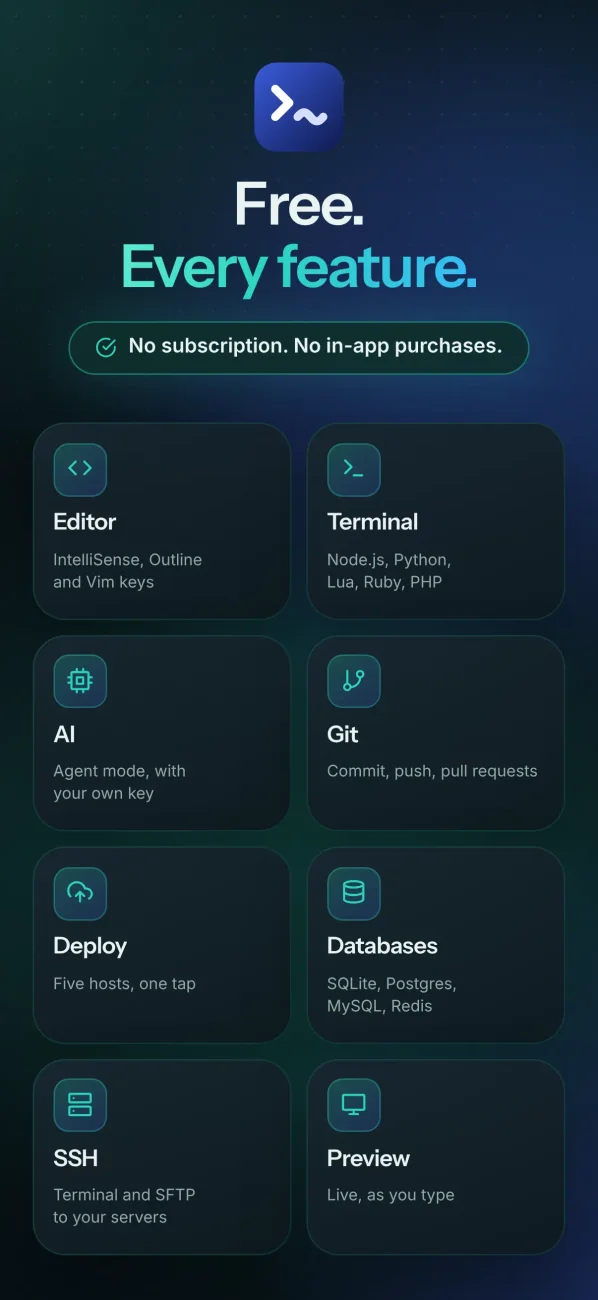
Tide is a full IDE for iPhone and iPad. Write code, run it on your device and ship it, even offline. Every feature is free, with no subscription and no in-app purchases.
RUN CODE ON YOUR DEVICE
• Node.js, Python, Lua, Ruby and PHP run right on your iPhone or iPad, offline
• Run TypeScript directly without a build step
• Install packages into your project with npm and pip
• A terminal with tabs, saved history, sqlite3, git and clickable errors
• Remote mode gives you a real Linux shell on a server you host, with two-way file sync
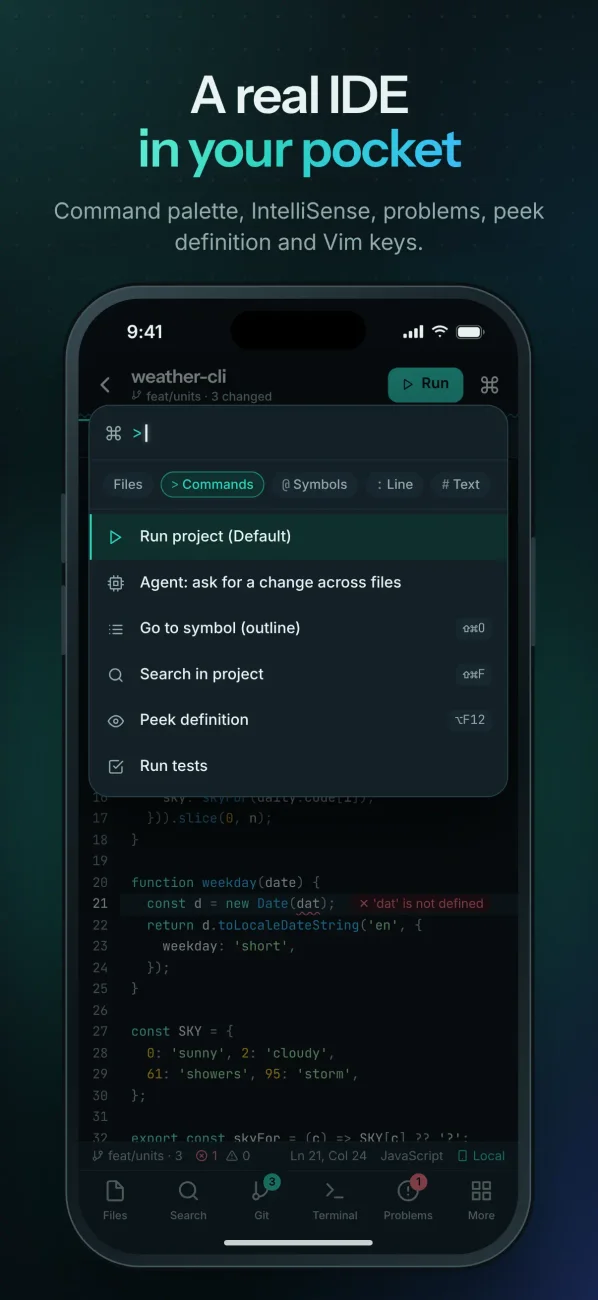
THE EDITOR
• Syntax highlighting, folding and outline for JavaScript, TypeScript, Python, Go, Rust, Java, C, C++, C#, Kotlin, Swift, Dart, PHP, Ruby, Lua, SQL, HTML, CSS, Markdown, YAML and more
• IntelliSense: completions, hover, go to definition, find references and rename
• Command palette, project search and replace, breadcrumbs and go to symbol
• Format and lint with Prettier, ESLint, Ruff and more
• Vim and Emacs key bindings, snippets and Emmet
• Debugger with breakpoints for JavaScript and Python
• Follows your project's .editorconfig
• Local history of every save, and snapshots of your projects
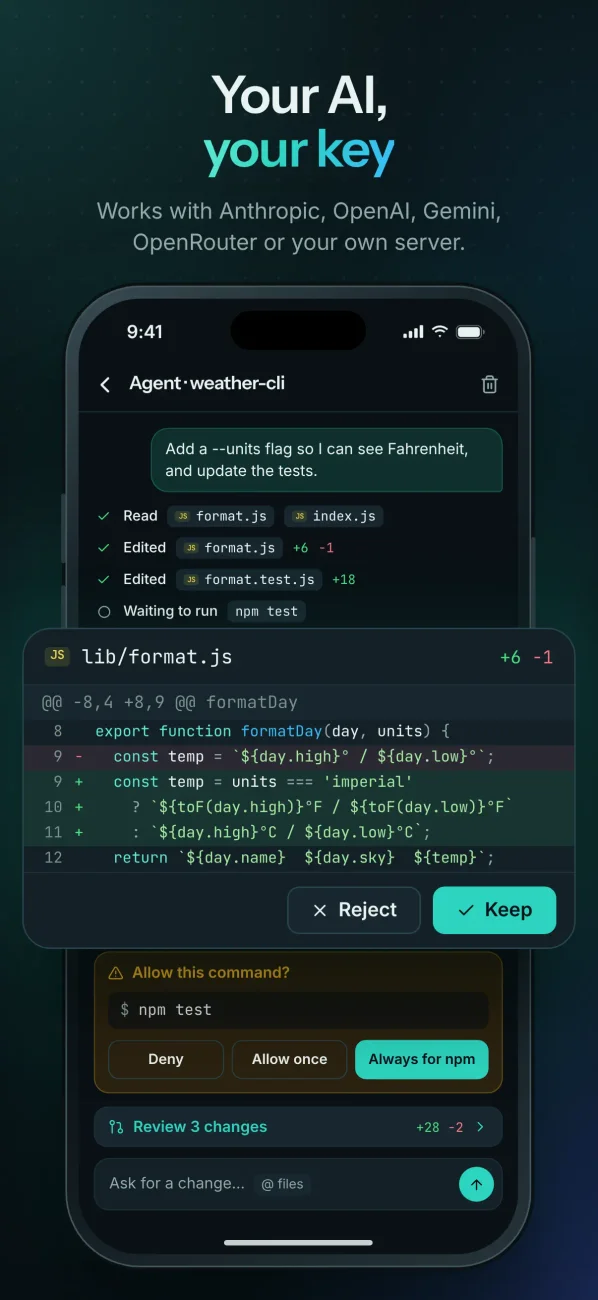
AI WITH YOUR OWN KEY
• In agent mode, you describe a change and the agent edits files and runs your tests, asking before every command
• Review each change as a diff, then keep or reject it
• Inline completions as you type, and Fix with AI on any problem
• Works with Anthropic, OpenAI, Gemini or OpenRouter, or your own Ollama or LM Studio server
• Keys stay in your Keychain and requests go straight to the provider
• See your monthly usage and set a limit
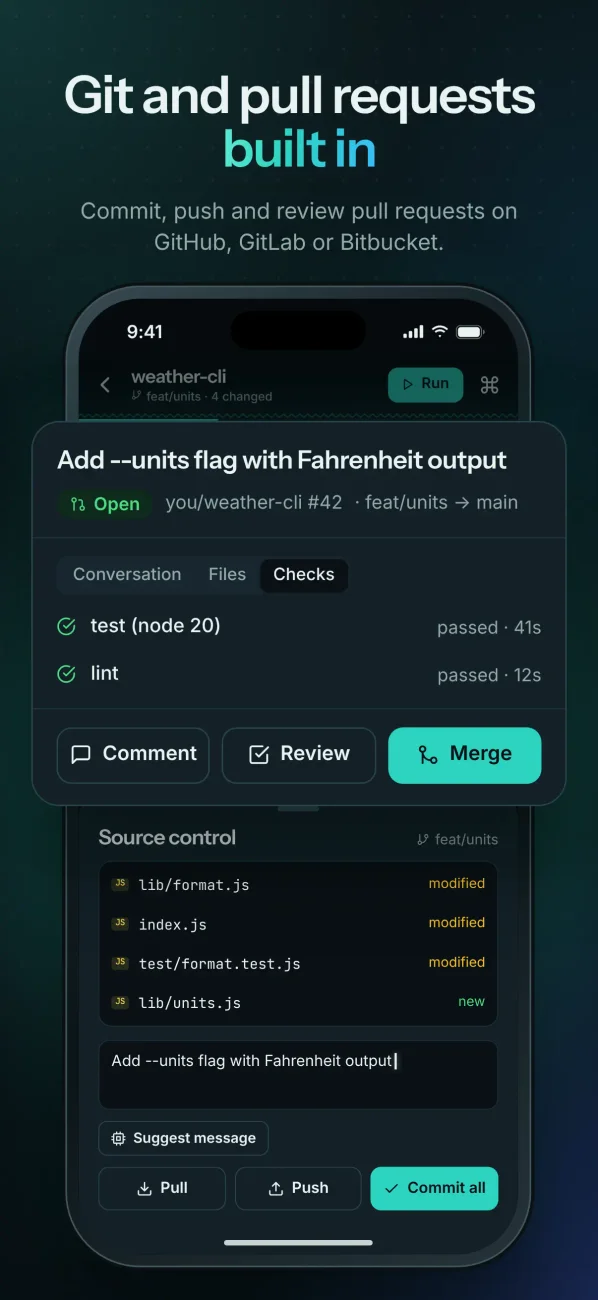
GIT AND GITHUB
• Clone, commit, push, pull, branches, stash, tags, cherry-pick and rebase
• Stage single hunks and resolve conflicts in the editor
• GitHub, GitLab and Bitbucket: pull requests, reviews, issues and Actions
• AI-written commit messages
PREVIEW AND SHIP
• Live preview of your web pages and dev servers in a floating window that updates as you type
• Preview at phone, tablet and desktop sizes
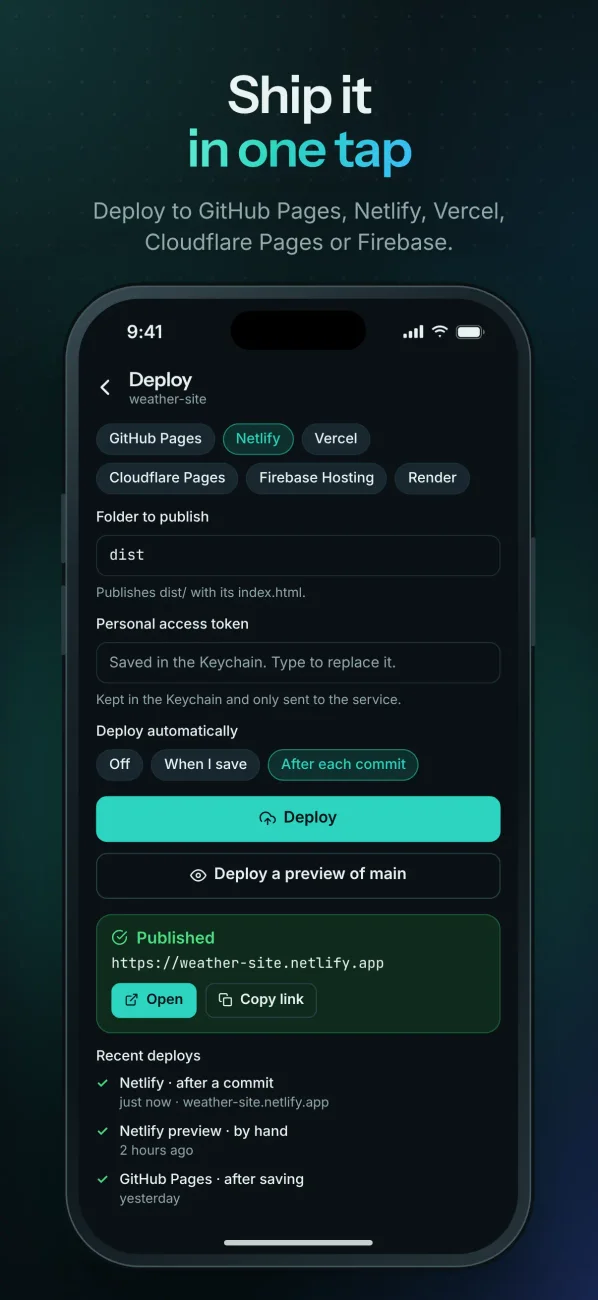
• Deploy to GitHub Pages, Netlify, Vercel, Cloudflare Pages or Firebase Hosting in one tap, or automatically on save or commit
BUILT-IN TOOLS
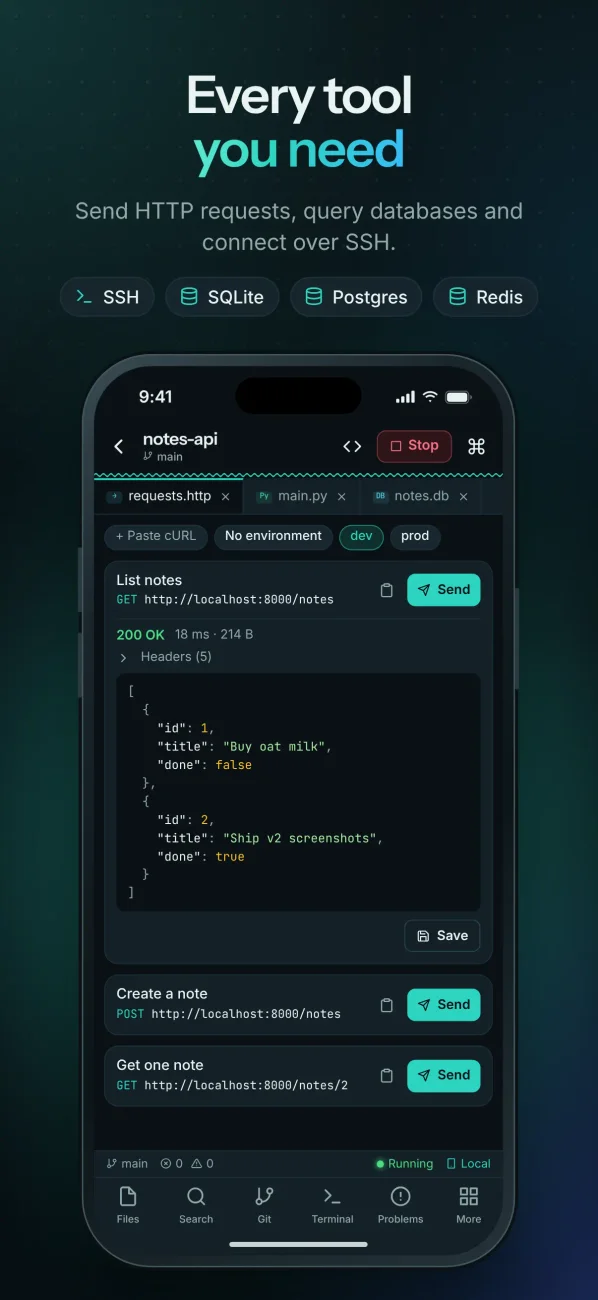
• Send HTTP, GraphQL and WebSocket requests from .http files
• Browse and query SQLite, PostgreSQL, MySQL, Redis and MongoDB
• SSH terminal and SFTP for your servers
• Open CSV and Parquet files as tables with charts
• Jupyter notebooks, and Markdown preview with math and diagrams
• Offline docs, and tools for JSON, regex, JWT, Base64 and more
MADE FOR IPHONE AND IPAD
• A key bar for coding symbols, a cursor trackpad and gestures
• Split editor, side rail and keyboard shortcuts on iPad
• Live Activities and Dynamic Island while code runs, deploys, git syncs, the AI agent works or packages install
• Home Screen and Lock Screen widgets for recent projects, quick actions and your last run
• Find your projects in Spotlight
• Siri and Shortcuts actions, and Control Center buttons
• Follows your editor theme across the whole app, with dark and light modes and VoiceOver support
Your projects stay on your device. Tide has no account and collects no data unless you turn on crash reports.
Có gì mới
Phiên bản v2.0.1 · 10/11/2026
Tide 2.0.1 brings new widgets, Live Activities and a long list of editor improvements.
WIDGETS & LIVE ACTIVITIES
• Redesigned Recent Projects widget in every size
• New Quick Actions, Last Run and Lock Screen widgets
• Live Activities for git clone, pull and push, the AI agent and npm or pip installs
• Find and open your projects from Spotlight
EDITOR
• Reopen closed tabs with ⇧⌘T, pin tabs, duplicate files and reveal the open file in the file tree
• Tide now follows your project's .editorconfig
• Trim trailing whitespace and add a final newline on save
• Sort, reverse, join and duplicate lines, and change case
• Share code as an image in your editor theme, or copy it as Markdown
• Word count and reading time for Markdown files
TERMINAL
• Terminal history is saved per project across restarts. Commands that look like secrets are never saved.
• The screen stays awake while code, tasks, tests or a dev server are running
FIXES
• More reliable git merges, rebases, branch switching and submodules
• Remote mode never loses changes made on both sides, or while reconnecting
• Python scripts that run at the same time keep their own output and folder
• HTTP history hides more secrets, and deploys skip private files like keys and databases
• Many smaller fixes for the editor, the AI agent and accessibility
Quyền riêng tư của ứng dụng
Những gì Kurubaran Anandhan khai báo trên App Store về cách ứng dụng này xử lý dữ liệu.
-
Dữ liệu không được thu thập
Nhà phát triển không thu thập bất kỳ dữ liệu nào từ ứng dụng này.
Phương thức đảm bảo quyền riêng tư có thể khác nhau, chẳng hạn như tuỳ theo các tính năng bạn sử dụng hoặc độ tuổi của bạn.
Thông tin
- Người bán
- Kurubaran Anandhan
- Danh mục
- Công Cụ Nhà Phát Triển
- Phiên bản
- v2.0.1
- Cập nhật
- 10/11/2026
- Phát hành
- 05/11/2026
- Kích thước
- 259,8 MB
- Yêu cầu
- iOS 17.0 trở lên
- Độ tuổi
- 4+
- Giá
- Miễn phí
- Ngôn ngữ
- Tiếng Anh
- Bản quyền
- © 2026 Kurubaran Anandhan
Có thể bạn cũng thích
-
 PythonForge-Python 3 IDECông Cụ Nhà Phát Triển
-
 MLX CompanionCông Cụ Nhà Phát Triển
-
 Ghostex: AI Coding AgentsCông Cụ Nhà Phát Triển
-
 Sidecar MLCông Cụ Nhà Phát Triển
-
 Python Editor - Learn & CodeCông Cụ Nhà Phát Triển
-
 yxcodeCông Cụ Nhà Phát Triển
-
 Pad Code AI: Lập trình & IDEChạy Python, C++ và JavaScript
-
 CodePad – Code Editor & IDECông Cụ Nhà Phát Triển
-
 Python đơn giảnSoạn và chạy mã Python
-
 hot.keysCông Cụ Nhà Phát Triển