
- Độ tuổi4+
- Danh mụcCông Cụ Nhà Phát Triển
- Nhà phát triểnTing-Chun Matthew Man
- Ngôn ngữTiếng Anh
- Kích thước3,2 MB
Liên kết đến trang App Store chính thức
Download.org không lưu trữ tệp nào của hot.keys. Nút này mở trang ứng dụng trên App Store, nơi Ting-Chun Matthew Man phát hành ứng dụng. Trang được kiểm tra lần cuối: 15/11/2026.
Ảnh chụp màn hình
Giới thiệu
Nhà phát triển chưa cung cấp nội dung này bằng ngôn ngữ của bạn.
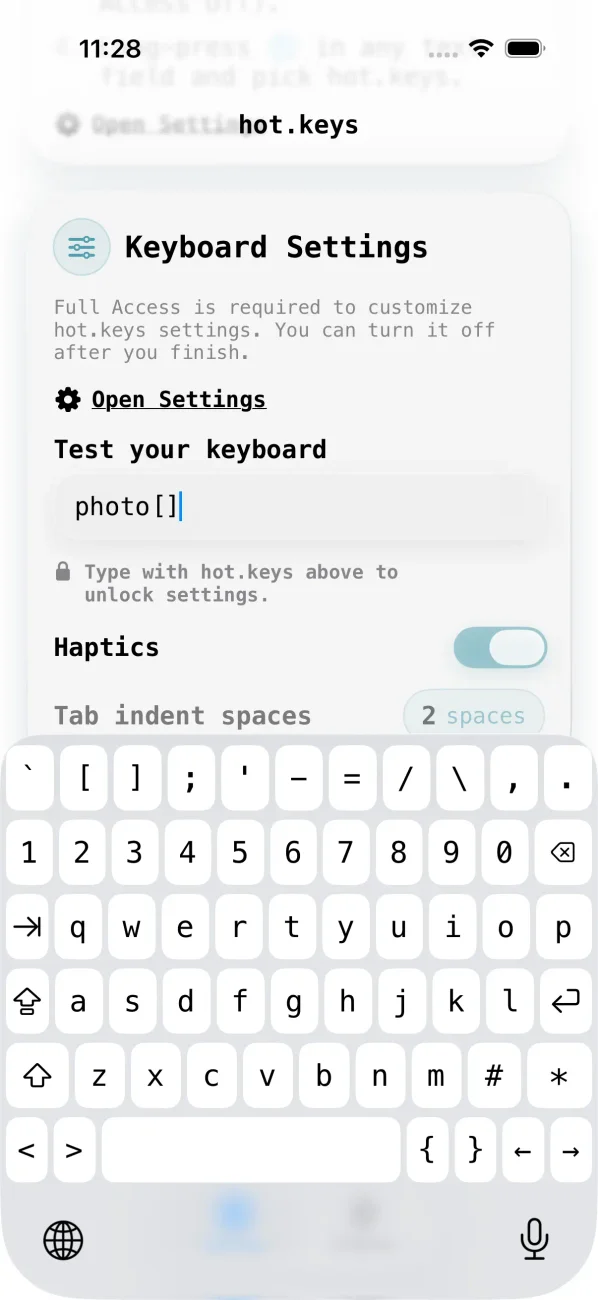
hot.keys brings a desktop-style keyboard to iPhone and iPad for code, Markdown, JSON, XML, and structured prompts. Keep numbers and common symbols visible while you type.
KEYS WITHIN REACH
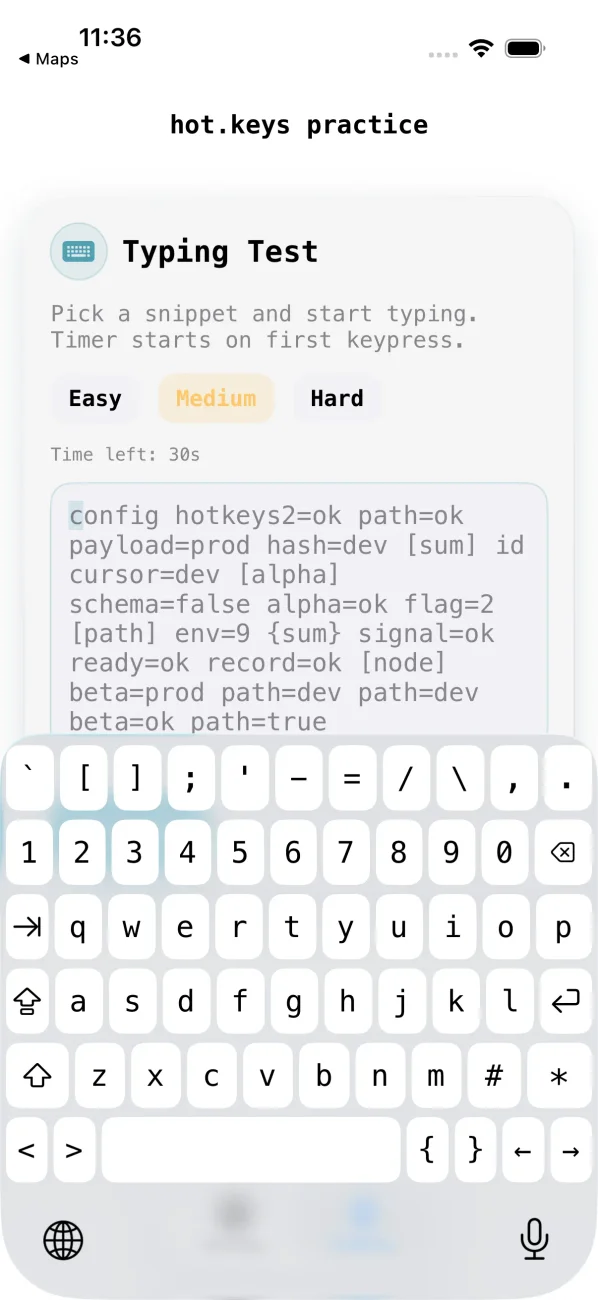
• Always-visible numbers and quick access to brackets, braces, angle brackets, and other common symbols.
• Larger letter keys in iPhone portrait mode.
• Optional Left, Right, and Full Width positioning on wide layouts, with tap controls to switch sides or expand.
• Left and right arrows for moving the cursor.
• Tab inserts spaces, with a configurable indent size.
• Hold Delete to keep deleting.
• Tap Shift for a capital, hold Shift while typing, or slide from Shift to a letter.
• A dedicated Caps Lock key and optional keypress haptics.
TRY THE KEYBOARD
Practice with 30-second typing drills in Easy, Medium, and Hard modes. See your words per minute, characters per minute, accuracy, and errors, then try again.
OFFLINE AND PRIVATE
No account is needed. hot.keys does not collect or transmit what you type. Core typing works without Full Access. Full Access is required to save and synchronize keyboard settings, including your preferred keyboard position. Without Full Access, position changes apply to the current keyboard instance.
GET STARTED
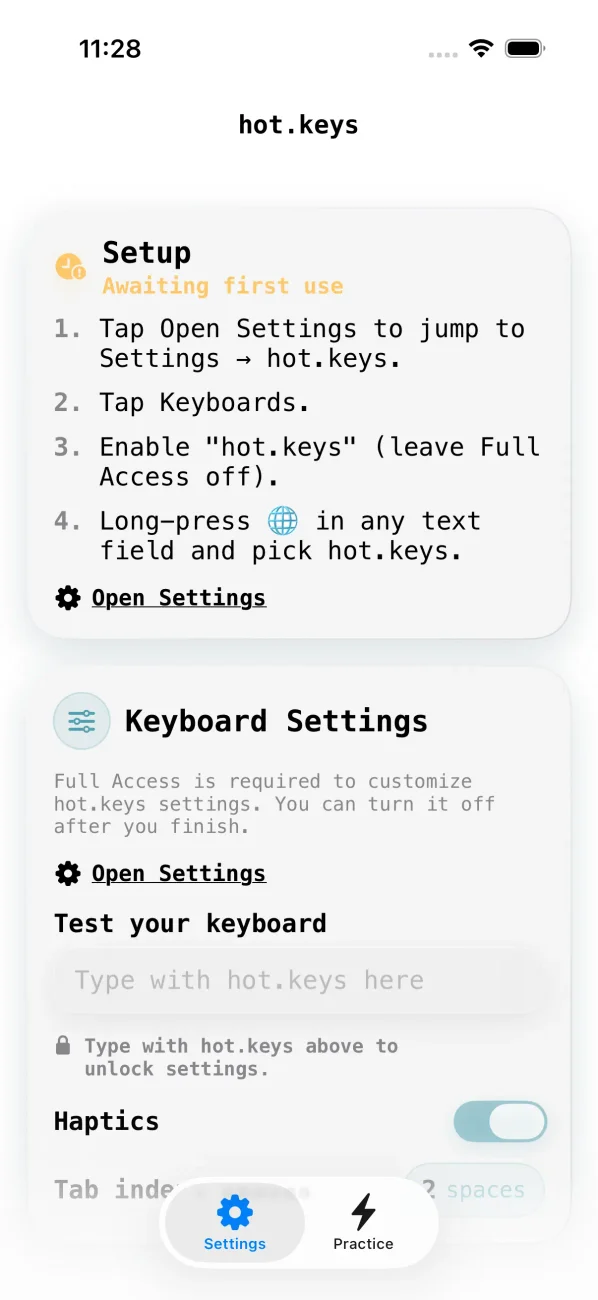
Add hot.keys in Settings > General > Keyboard > Keyboards > Add New Keyboard. Then use the globe key in a text field to switch to hot.keys.
Có gì mới
Phiên bản 0.1.6 · 21/10/2026
Choose where your keyboard sits on wider screens.
• Tap the keyboard-position icon to choose Left, Right, or Full Width.
• Switch sides or expand the keyboard with a tap.
• Available on wide iPad layouts, the open iPhone Duo display, and supported iPhone landscape layouts.
• Enable Full Access to remember your preferred position. Narrow layouts automatically use full width.
Quyền riêng tư của ứng dụng
Những gì Ting-Chun Matthew Man khai báo trên App Store về cách ứng dụng này xử lý dữ liệu.
-
Dữ liệu không được thu thập
Nhà phát triển không thu thập bất kỳ dữ liệu nào từ ứng dụng này.
Phương thức đảm bảo quyền riêng tư có thể khác nhau, chẳng hạn như tuỳ theo các tính năng bạn sử dụng hoặc độ tuổi của bạn.
Thông tin
- Người bán
- Ting-Chun Matthew Man
- Danh mục
- Công Cụ Nhà Phát Triển
- Phiên bản
- 0.1.6
- Cập nhật
- 21/10/2026
- Phát hành
- 05/12/2025
- Kích thước
- 3,2 MB
- Yêu cầu
- iOS 16.0 trở lên
- Độ tuổi
- 4+
- Giá
- Miễn phí
- Ngôn ngữ
- Tiếng Anh
- Bản quyền
- © 2025 Matt Man
Có thể bạn cũng thích
-
 Coupon DistributorCông Cụ Nhà Phát Triển
-
 Flutter Vignettes PlaygroundCông Cụ Nhà Phát Triển
-
 RepomanceCông Cụ Nhà Phát Triển
-
 JSON Formatter Simple ParsingCông Cụ Nhà Phát Triển
-
 BLE Customizable ControllerCông Cụ Nhà Phát Triển
-
 Labide - Remote Dev StudioCông Cụ Nhà Phát Triển
-
 Curly: JSON Viewer & FormatterCông Cụ Nhà Phát Triển
-
 Happier - Remote Claude, CodexCông Cụ Nhà Phát Triển
-
 Buffer Editor - Code EditorCông Cụ Nhà Phát Triển
-
 Moshi: herdr/tmux on SSH/MOSHCông Cụ Nhà Phát Triển