Triangle Maths
Circles, angles and area
Được thiết kế cho iPhone, iPad, iPod touch
Miễn phí
- Độ tuổi4+
- Danh mụcGiáo Dục
- Nhà phát triểnhirenkumar patel
- Kích thước47,3 MB
Liên kết đến trang App Store chính thức
Download.org không lưu trữ tệp nào của Triangle Maths. Nút này mở trang ứng dụng trên App Store, nơi hirenkumar patel phát hành ứng dụng. Trang được kiểm tra lần cuối: 12/11/2026.
Ảnh chụp màn hình
Giới thiệu
Nhà phát triển chưa cung cấp nội dung này bằng ngôn ngữ của bạn.
Drag three points and watch the geometry follow.
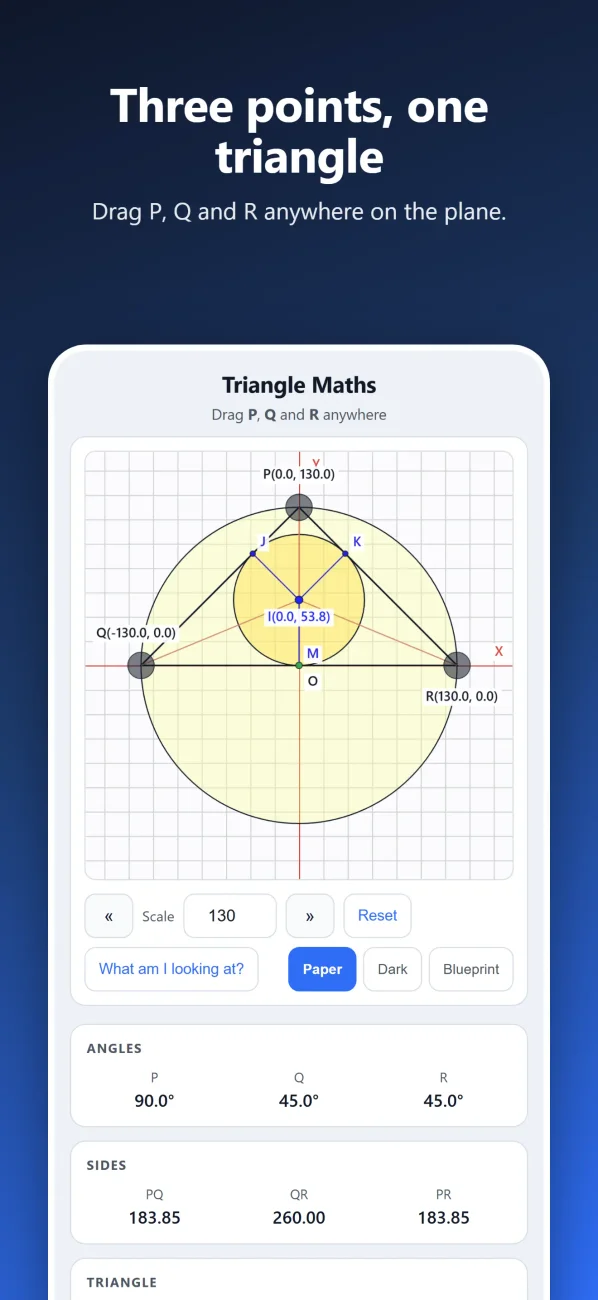
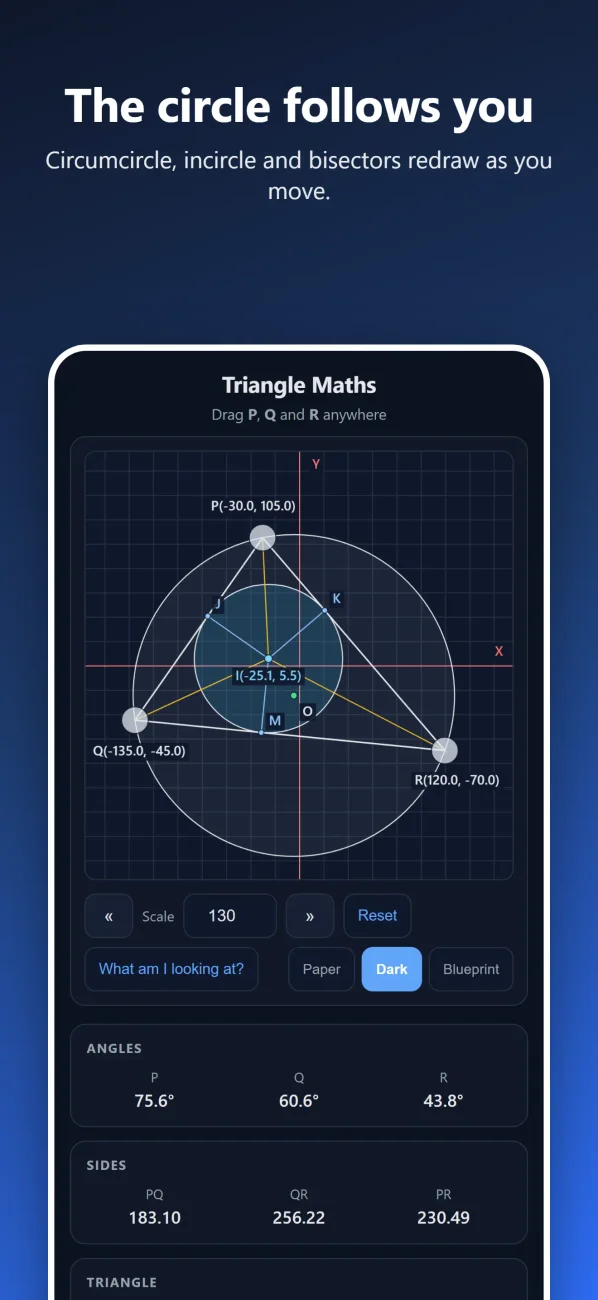
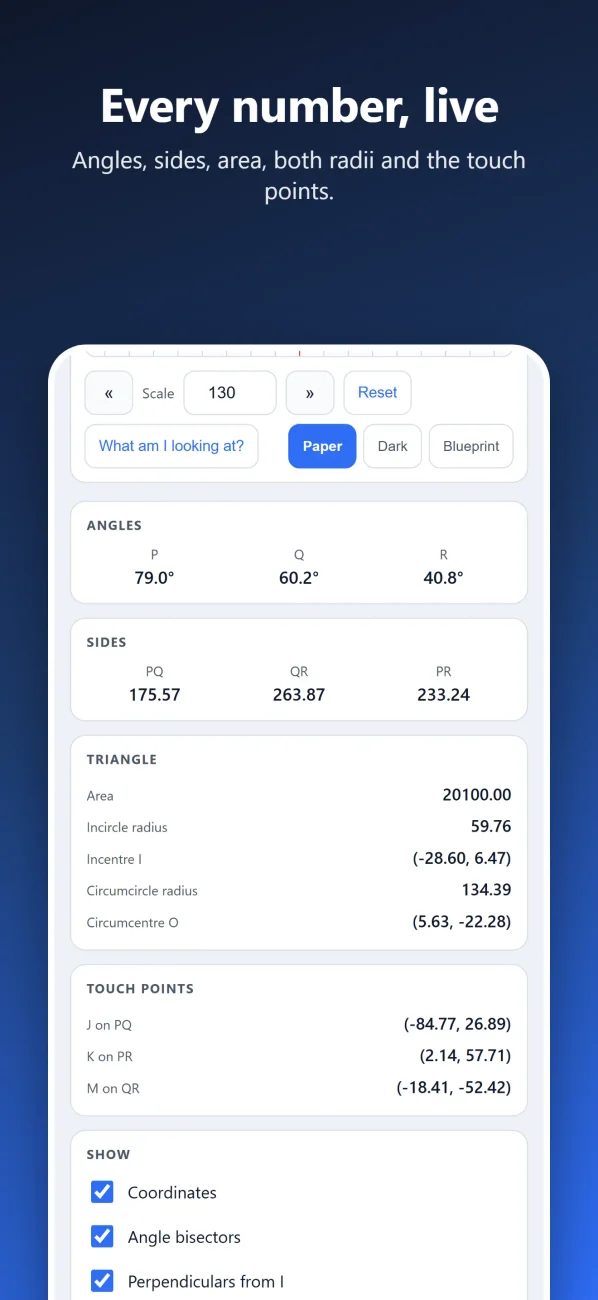
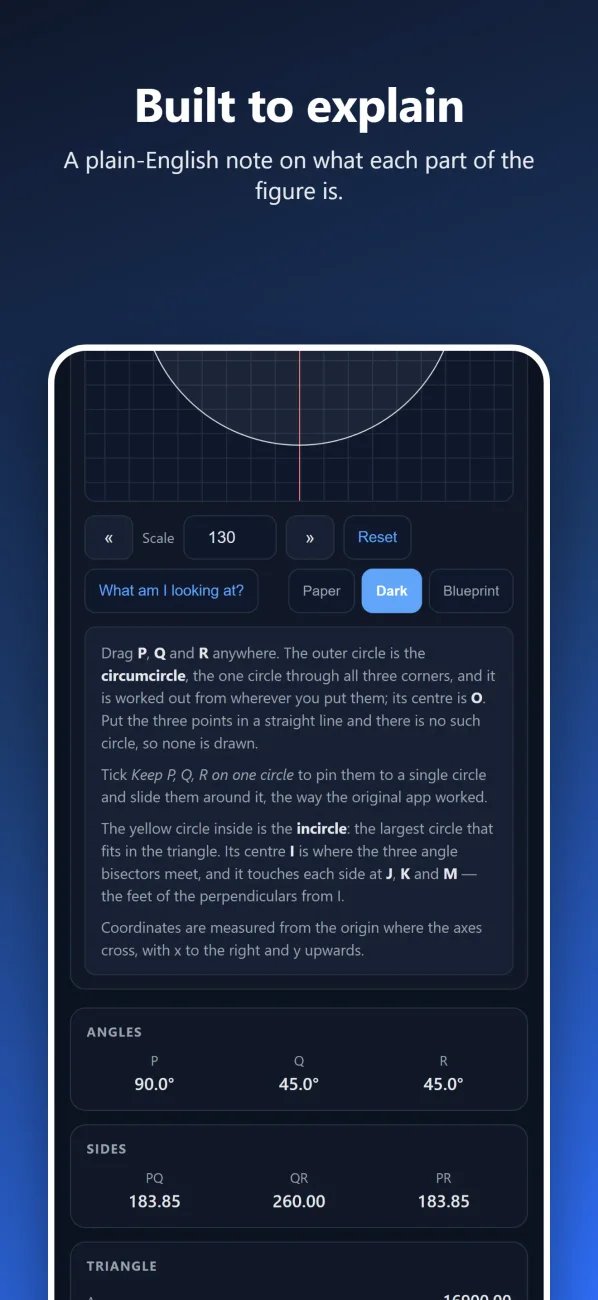
Triangle Maths draws a triangle from three points you move with your finger, together with the circle through all three corners, the circle that fits inside it, and the three angle bisectors. Nothing is fixed: move a point and every line, circle and number is worked out again.
WHAT IT SHOWS
• The circumcircle, the one circle through P, Q and R, and its centre O.
• The incircle, the largest circle that fits inside the triangle, and its centre I where the three angle bisectors meet.
• J, K and M, the points where the incircle touches each side.
• The angle at each corner, the three side lengths, the area, and both radii.
• Coordinates for every point, measured from the origin.
HOW YOU USE IT
• Drag P, Q and R anywhere on the plane.
• Or tick "Keep P, Q, R on one circle" and slide them around a single circle, the way the first version of this app worked.
• Zoom the plane in and out with the scale control.
• Turn coordinates, angle bisectors, perpendiculars and the grid on or off.
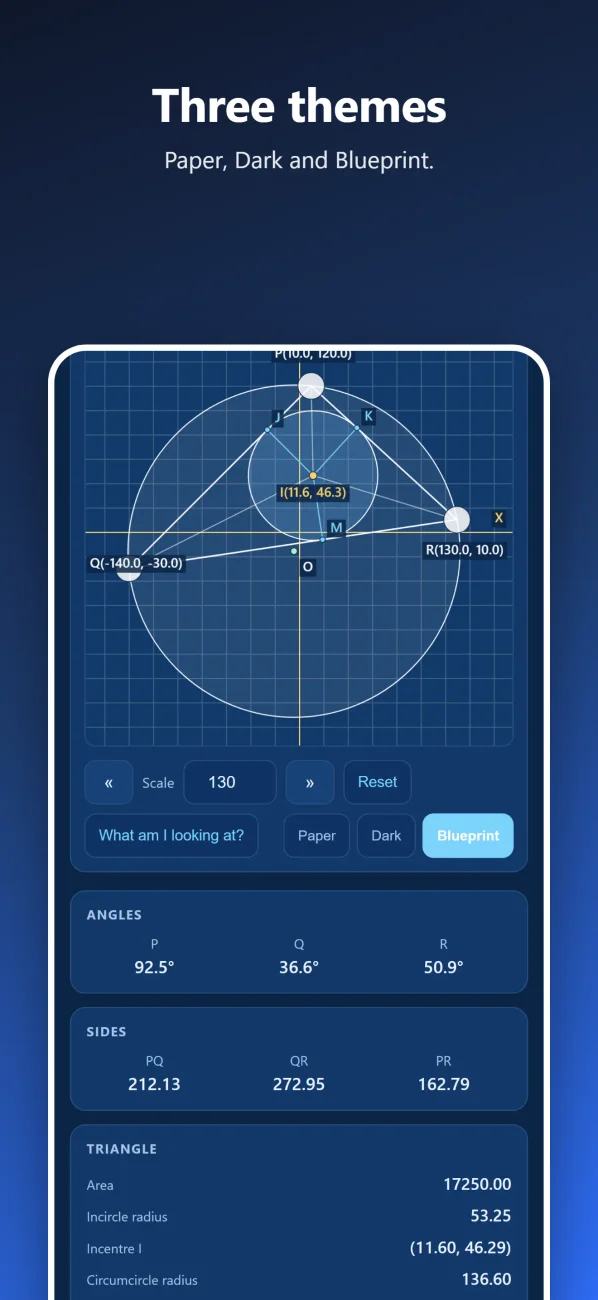
• Choose a theme: Paper, Dark or Blueprint.
• Put the three points in a line and see what happens: there is no circle through them, and the app says so rather than showing a number.
Everything is worked out on your iPhone. There is no account, no sign-in, no internet connection and no data collection of any kind, so it works in airplane mode.
Rebuilt from the ground up for modern iPhones, replacing the 2015 version.
Có gì mới
Phiên bản 2.0 · 14/10/2026
Rebuilt from the ground up for modern iPhones.
• P, Q and R now move anywhere on the plane. The circle through them is worked out as you drag, rather than the points being pinned to a fixed circle.
• New readouts: circumcircle radius and circumcentre, alongside the area, incircle radius and touch points.
• Three themes: Paper, Dark and Blueprint.
• The numbers sit beside the figure instead of on top of it, and the layout fits any iPhone, upright or on its side.
• Bigger touch targets, and a drag that follows your finger exactly.
Quyền riêng tư của ứng dụng
Những gì hirenkumar patel khai báo trên App Store về cách ứng dụng này xử lý dữ liệu.
-
Dữ liệu không được thu thập
Nhà phát triển không thu thập bất kỳ dữ liệu nào từ ứng dụng này.
Phương thức đảm bảo quyền riêng tư có thể khác nhau, chẳng hạn như tuỳ theo các tính năng bạn sử dụng hoặc độ tuổi của bạn.
Thông tin
- Người bán
- hirenkumar patel
- Danh mục
- Giáo Dục
- Phiên bản
- 2.0
- Cập nhật
- 14/10/2026
- Phát hành
- 21/01/2015
- Kích thước
- 47,3 MB
- Yêu cầu
- iOS 15.0 trở lên
- Độ tuổi
- 4+
- Giá
- Miễn phí
- Bản quyền
- © @2015 Hirenkumar