TVScreen - Cast & Remote
Screen Receiver & TV Remote
Được thiết kế cho iPhone, iPad
59.000đ
- Độ tuổi4+
- Danh mụcTiện Ích
- Nhà phát triển健 耿
- Ngôn ngữTiếng Trung Phồn thể+ 2 ngôn ngữ khác
- Kích thước52,0 MB
Liên kết đến trang App Store chính thức
Download.org không lưu trữ tệp nào của TVScreen - Cast & Remote. Nút này mở trang ứng dụng trên App Store, nơi 健 耿 phát hành ứng dụng. Trang được kiểm tra lần cuối: 09/11/2026.
Ảnh chụp màn hình

Giới thiệu
Nhà phát triển chưa cung cấp nội dung này bằng ngôn ngữ của bạn.
Bring every screen within reach.
TVScreen - Cast & Remote turns your iPhone or iPad into a portable screen-mirroring receiver. On the same local network, it can receive video and audio from iPhone, iPad, Mac, and other compatible AirPlay senders.
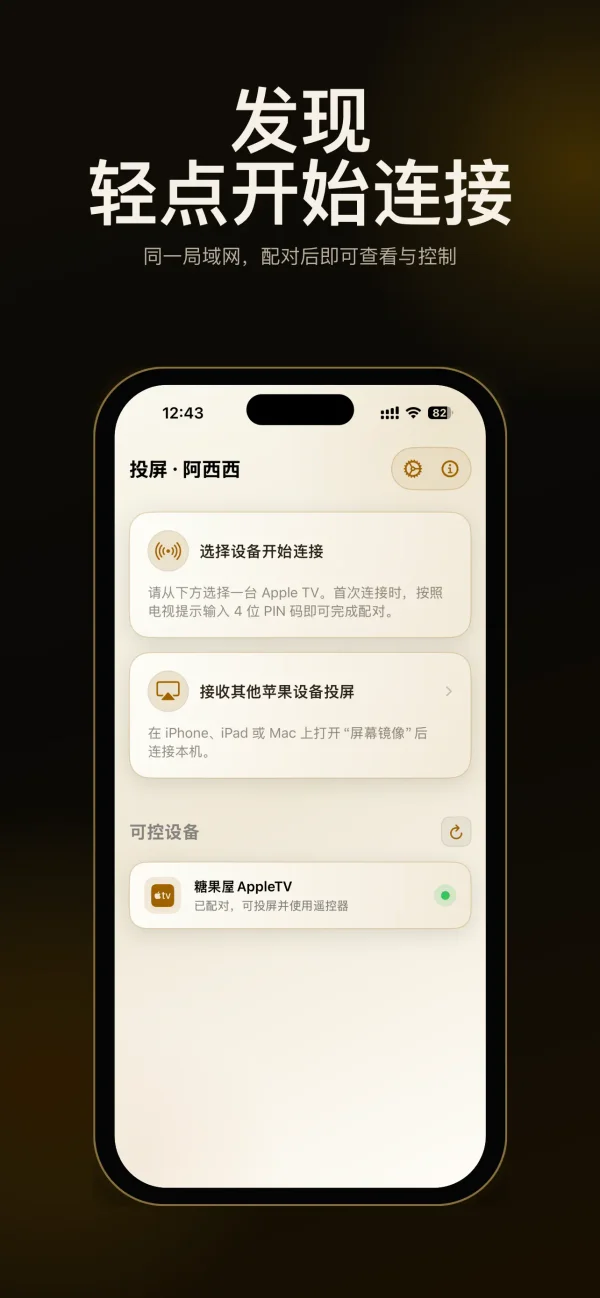
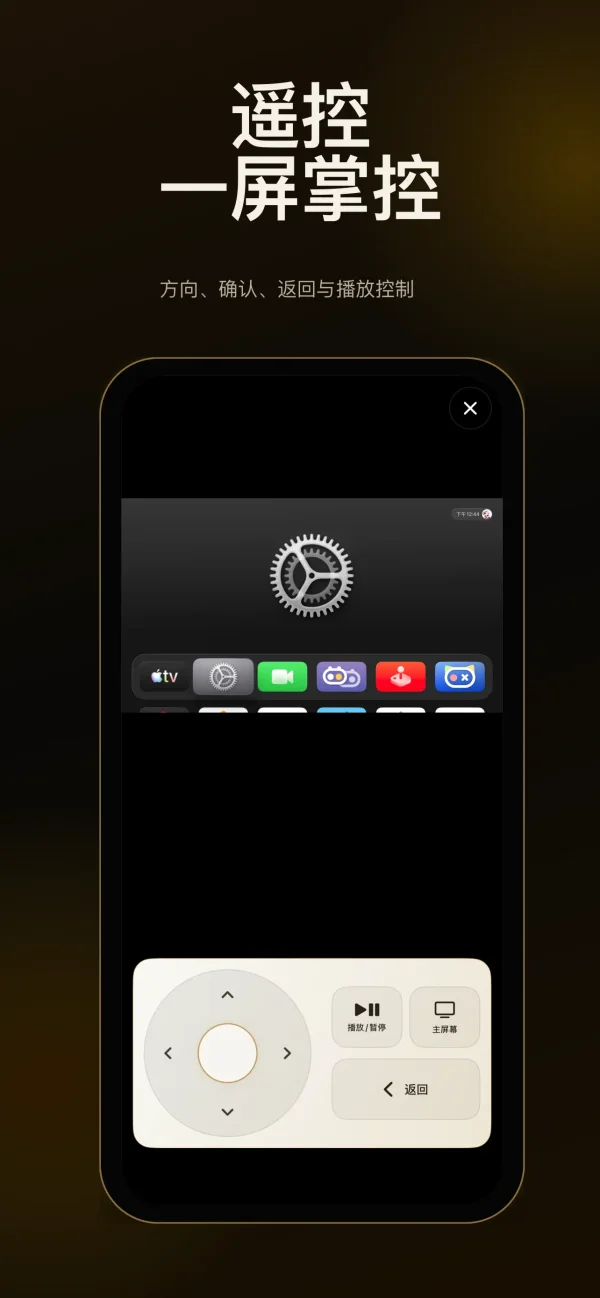
You can also connect to a compatible Apple TV on your local network. After pairing, view the Apple TV screen on your iPhone or iPad and use the built-in remote for navigation, Select, Back, Home, Play/Pause, and Mute.
When compatible AR glasses or an external display are connected, Display Mode lets you move the mirrored picture to the external screen while keeping your iPhone or iPad available for controls and the mirroring menu. Compatible display modes can convert regular 2D content into Full-SBS or Half-SBS 3D in real time, with Soft, Standard, and Strong depth levels.
Key Features:
• Receive wireless screen mirroring and audio over your local network
• Choose between 1080p and 4K receive resolution settings
• Switch between System and Metal rendering
• Output the mirrored picture to compatible AR glasses or external displays
• Convert 2D content to Full-SBS or Half-SBS 3D in real time
• Choose Soft, Standard, or Strong 3D depth
• Keep controls and the mirroring menu available on your device during external display output
• Mute or restore local audio playback at any time
• Tap the screen for full-screen viewing
• Capture screenshots and save them to Photos
• Record received video with available audio and save it to Photos
• Choose a 30 fps or 60 fps recording target
• View resolution, frame rate, video, and audio status
• Discover, pair, and connect to compatible Apple TV devices
• Use a compact built-in Apple TV remote
• Remember paired devices or forget them when needed
• Use built-in Settings Help for guidance on connections, rendering, recording, and controls
Rendering and Displays:
System rendering prioritizes compatibility and efficiency. Metal rendering enables external-display processing and real-time 2D-to-3D conversion. Renderer and receive resolution changes take effect the next time mirroring starts.
Real-time 2D-to-3D conversion requires iOS 17 or later, Metal rendering, and compatible AR glasses or an external display. Available Full-SBS and Half-SBS formats depend on the display modes reported by the connected device.
Privacy and Local Processing:
Mirroring traffic stays on your local network. Video, audio, and 2D-to-3D depth analysis are processed on your device.
Diagnostic logging is off by default. When enabled, only redacted connection and screen status information is stored locally; device identities, ports, and authentication data are not retained. Disabling diagnostic logging clears saved logs.
Screenshots and recordings are saved only after you grant permission to add them to Photos.
Usage Notes:
• The sending device and receiver must be on the same local network
• 4K requires more network bandwidth and processing power; the sender still determines the final resolution and frame rate
• Video, audio, remote, and external-display capabilities depend on the sender, operating system, and network conditions
• Compatibility may vary between device models, AR glasses, external displays, and system versions
• Only capture or record content that you own or are authorized to save
This independently developed third-party app is not authorized, sponsored, endorsed by, or affiliated with Apple Inc.
Apple, Apple TV, and AirPlay are trademarks of Apple Inc.
Có gì mới
Phiên bản 1.0.6 · 16/10/2026
Improved playback performance and stability. Removed output resolution restrictions for 2D-to-3D conversion to support more external displays.
Quyền riêng tư của ứng dụng
Những gì 健 耿 khai báo trên App Store về cách ứng dụng này xử lý dữ liệu.
-
Dữ liệu không được thu thập
Nhà phát triển không thu thập bất kỳ dữ liệu nào từ ứng dụng này.
Phương thức đảm bảo quyền riêng tư có thể khác nhau, chẳng hạn như tuỳ theo các tính năng bạn sử dụng hoặc độ tuổi của bạn.
Thông tin
- Người bán
- 健 耿
- Danh mục
- Tiện Ích
- Phiên bản
- 1.0.6
- Cập nhật
- 16/10/2026
- Phát hành
- 30/07/2026
- Kích thước
- 52,0 MB
- Yêu cầu
- iOS 16.0 trở lên
- Độ tuổi
- 4+
- Giá
- 59.000đ
- Ngôn ngữ
- Tiếng Trung Phồn thể, Tiếng Trung Giản thể, Tiếng Anh
- Bản quyền
- © 2026 阿西西 Inc.