Uni:Note – Study Notes
Write by hand. Review faster.
Được thiết kế cho iPad
Mua hàng trong ứng dụng
- Độ tuổi4+
- Danh mụcHiệu Suất
- Nhà phát triểnYuya Nakamura
- Ngôn ngữTiếng Đức+ 5 ngôn ngữ khác
- Kích thước15,8 MB
Uni:Note – Study Notes hiện có thể không có trên App Store
Ở lần kiểm tra gần nhất, chúng tôi không truy cập được trang trên cửa hàng. Liên kết vẫn dẫn đến trang App Store chính thức.
Ảnh chụp màn hình
Giới thiệu
Nhà phát triển chưa cung cấp nội dung này bằng ngôn ngữ của bạn.
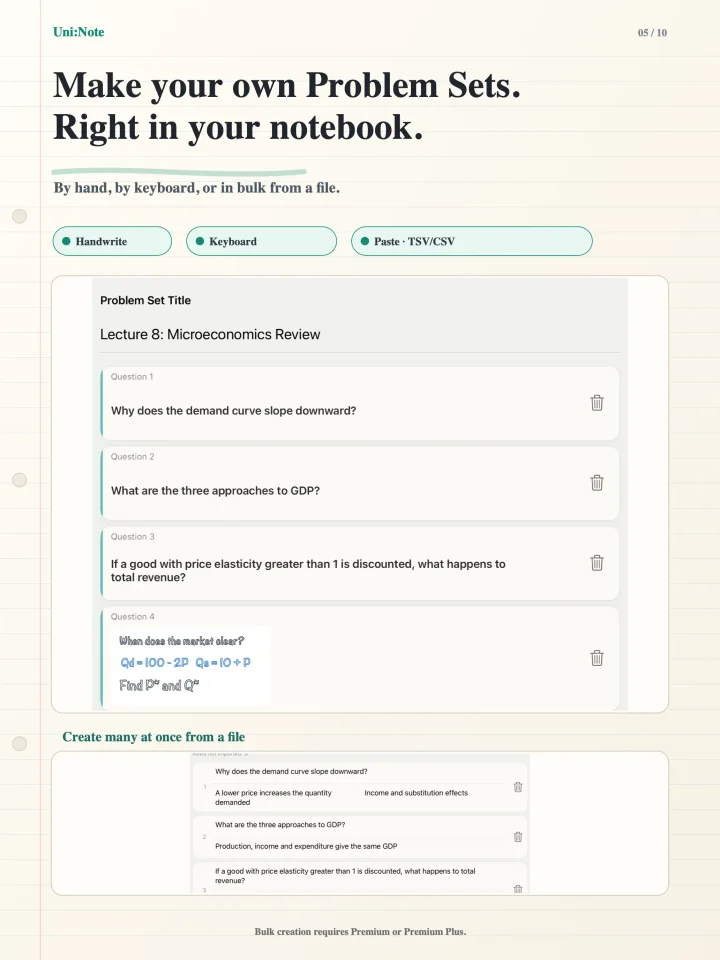
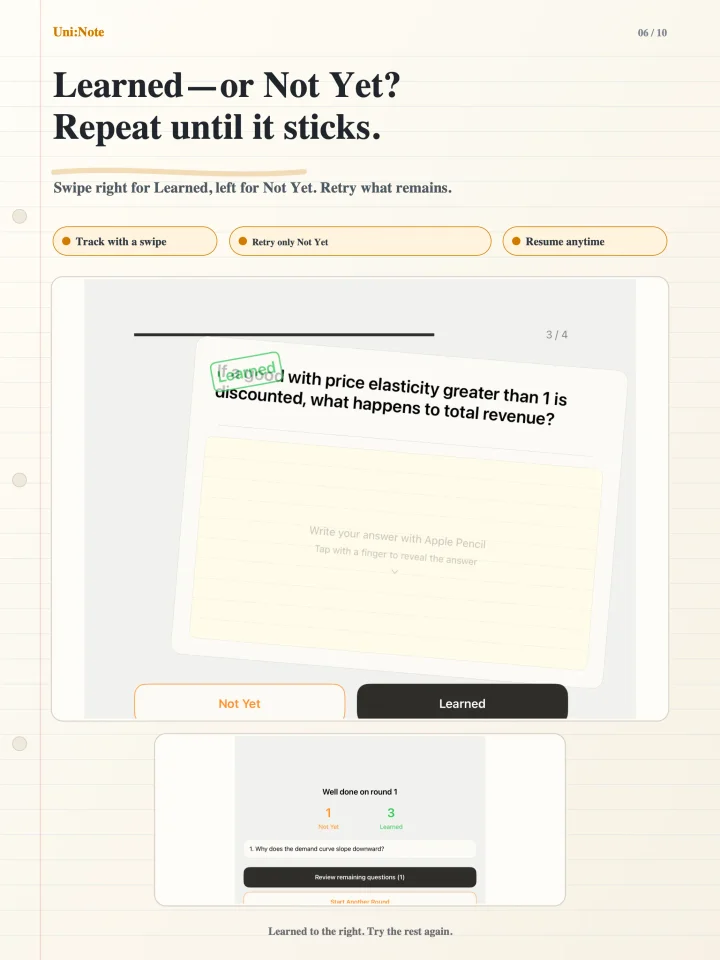
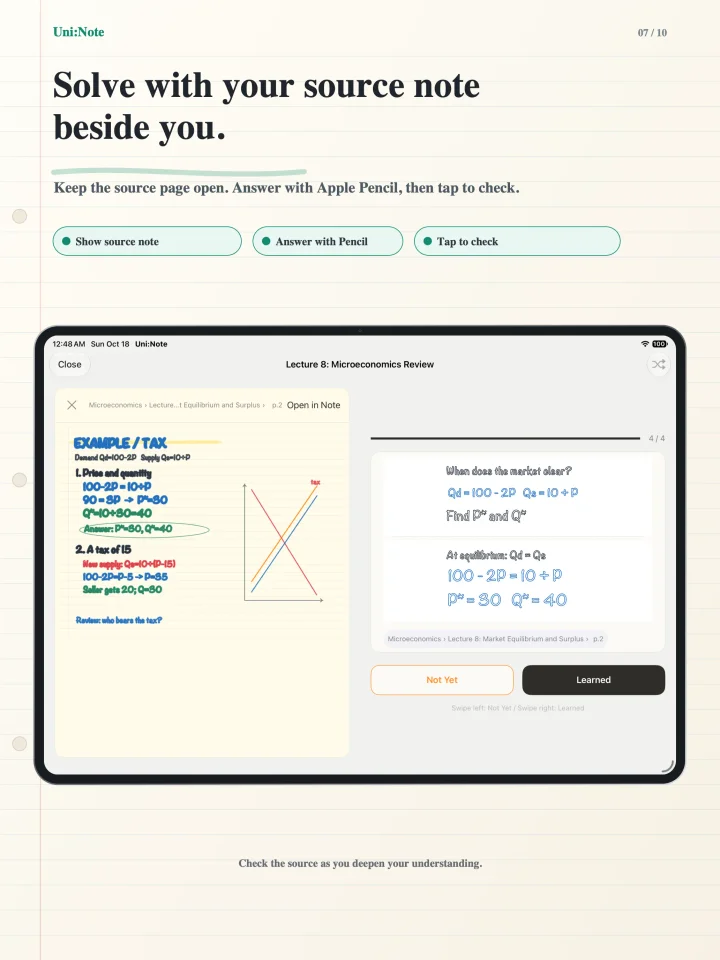
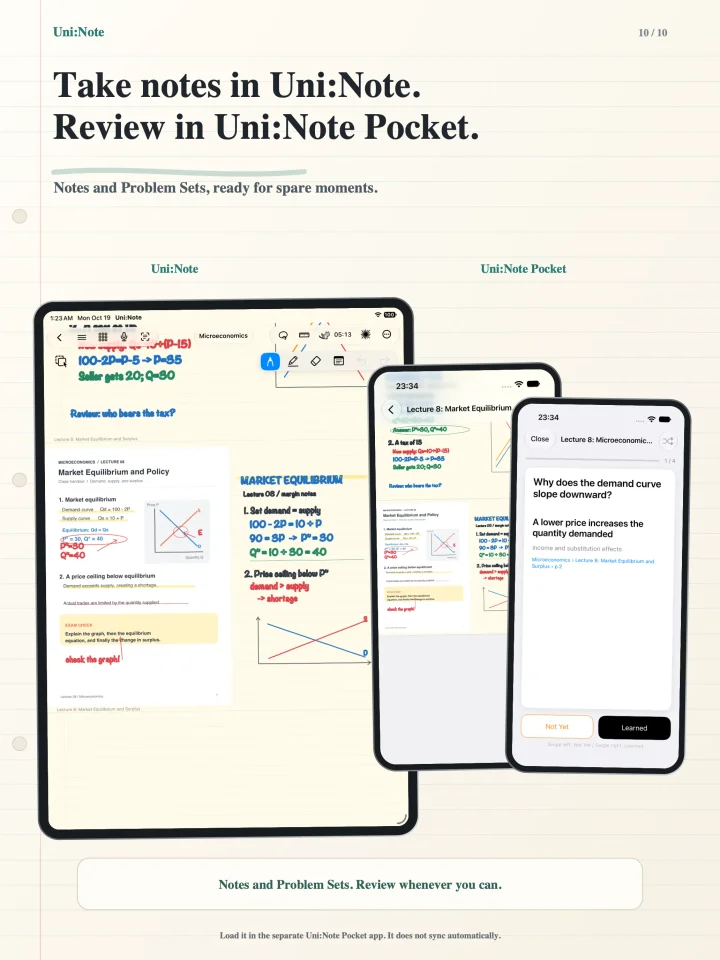
Create problem sets and study with “Learned” and “Not Yet”, all within your note app. With Uni:Note, you can review alongside your original notes and study problem sets in the companion app Uni:Note Pocket by importing a backup.
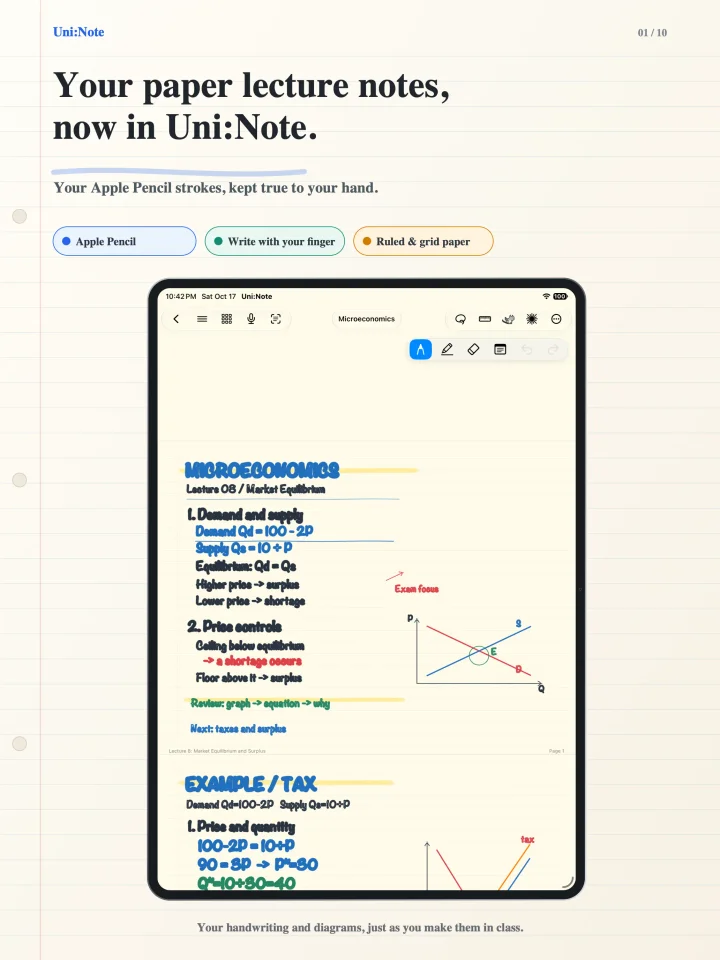
Uni:Note is a handwriting app for iPad with a simple, ad-free interface that lets you write as you would in a paper notebook.
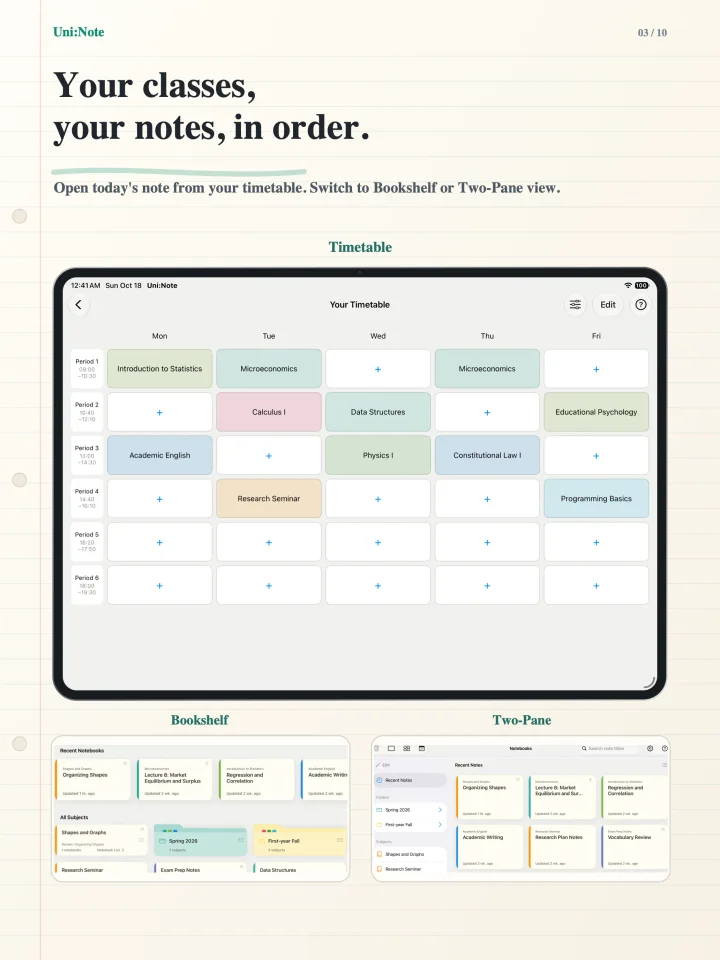
Designed under the guidance of a current university student, it focuses on being easy to use in class.
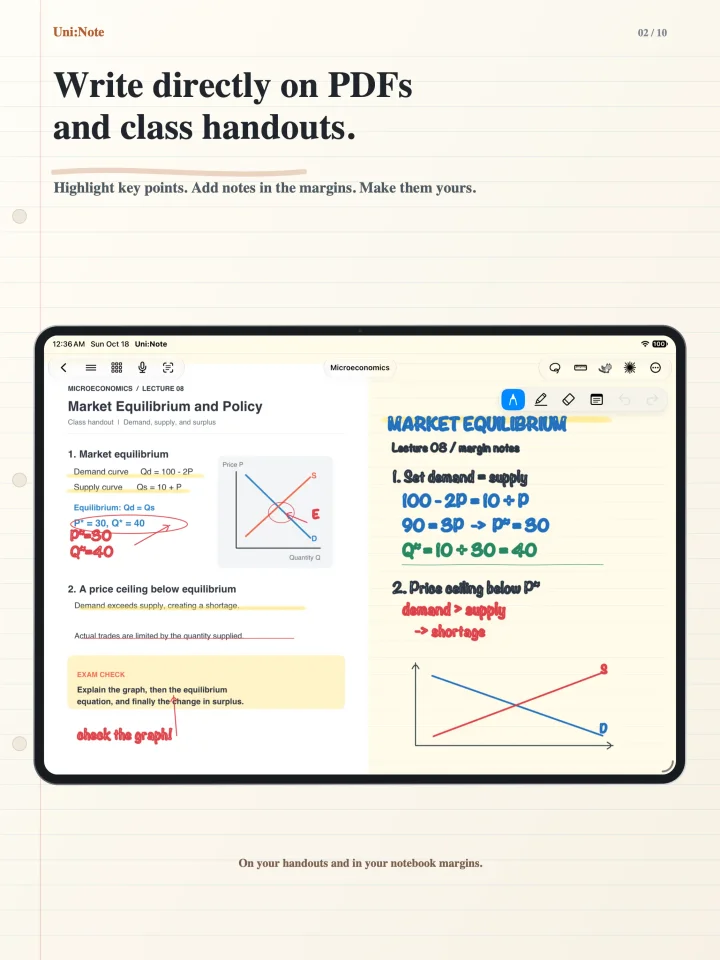
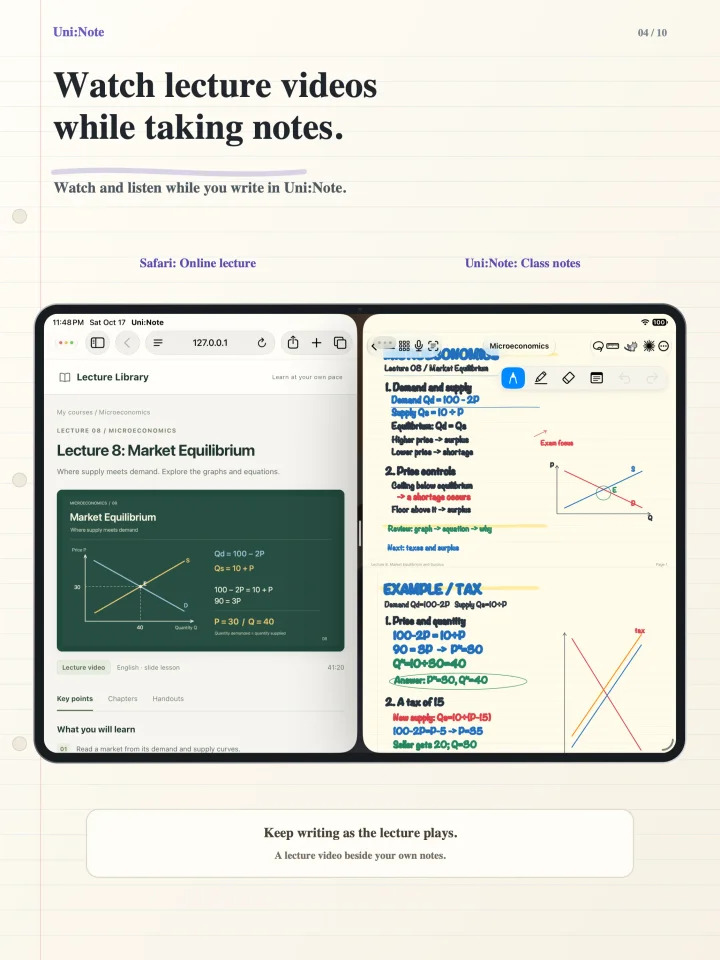
Along with Apple Pencil handwriting, it supports writing on images and PDFs, vertical notebooks, and multiple windows.
Keep taking notes while working with class handouts and PDF materials.
Use the notes you write for review.
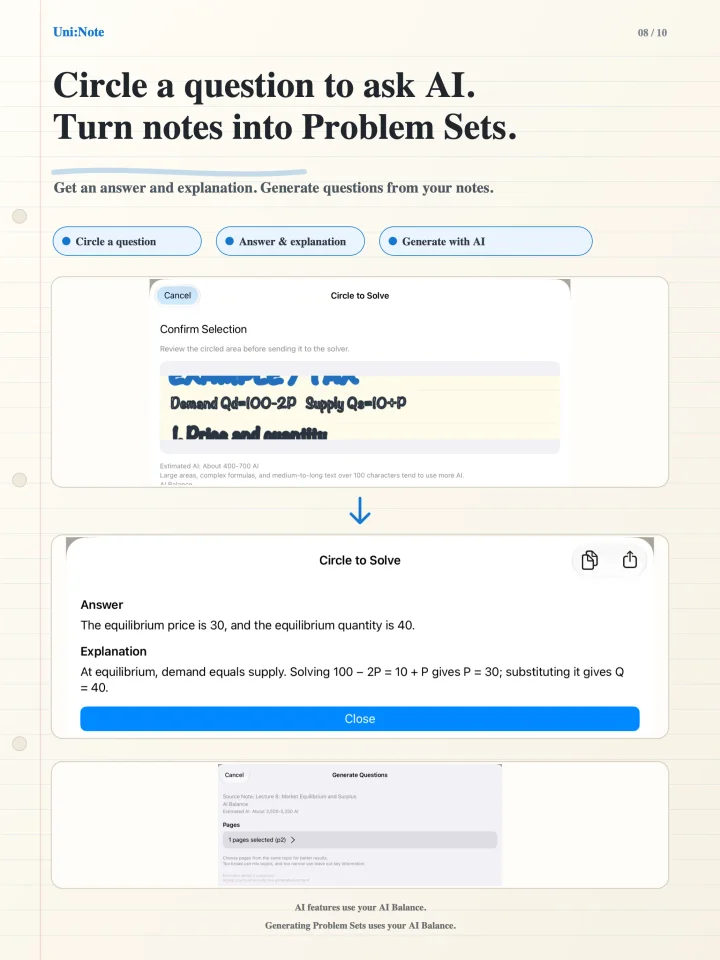
Study Assistant (AI) supports Circle to Solve, problem set generation, and AI Summary. You can also create and edit problem sets yourself.
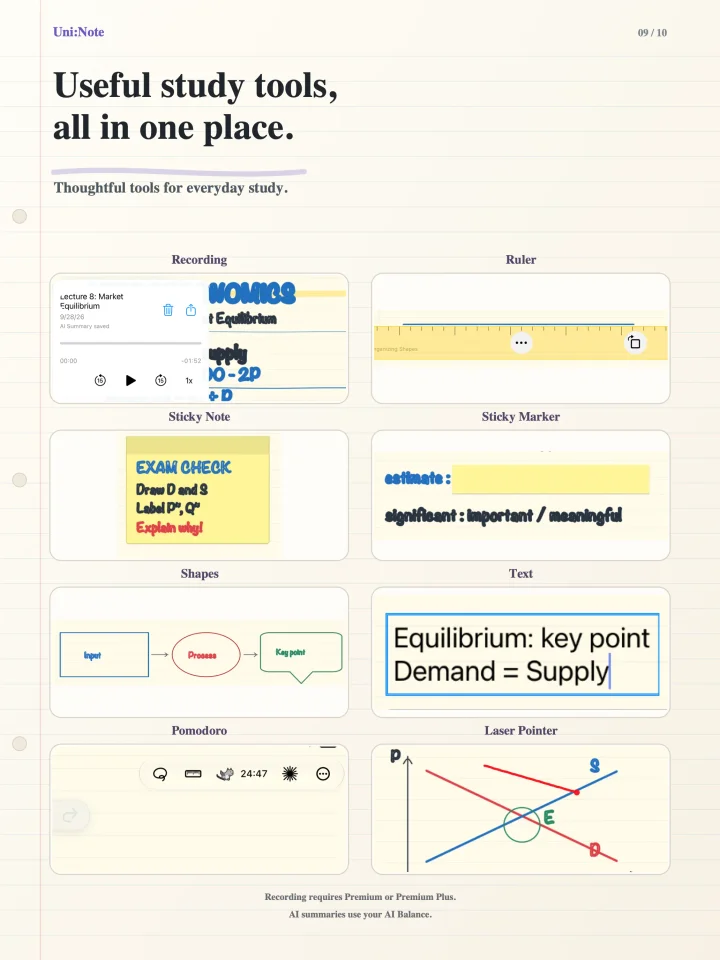
Recording and real-time transcription are also supported.
Take notes while recording a class, then use AI Summary to summarize the transcription.
Customize the navigation bar and palette to suit the tools you use most.
■Key Features
• Create and edit problem sets with handwriting, the keyboard, pasted text, or TSV/CSV files
• AI problem set generation from your notes
• Study with “Learned” and “Not Yet”, resume where you left off, and shuffle questions
• Review with your original notes displayed alongside
• Study problem sets imported from a backup in Uni:Note Pocket
• Handwriting with Apple Pencil
• Writing on images and PDFs
• Vertical notebooks and multiple windows
• Recording and real-time transcription
• AI Summary and Circle to Solve
• Sticky Marker
• Ruler, Move Selection
• Undo and Redo for moves and changes to shapes, pasted images and PDFs, and sticky notes, plus lines drawn with the ruler
• Open the Button Guide with “?” (from the “…” menu in a notebook)
• Pomodoro timer
• Navigation bar and palette customization
• Export PDF
• Backup and restore
■About Privacy
Uni:Note uses in-app identifiers that do not directly identify you to manage your AI Balance and purchase status.
It also collects diagnostic information, such as crash logs when the app crashes, to investigate issues.
When you use AI features, data needed for processing, such as selected note content and transcriptions, is sent to an AI service to generate answers, problem sets, summaries, and similar output.
Routine diagnostic information does not include information that directly identifies you or the contents of notes, audio, transcriptions, or attachments.
The information collected is used to provide AI features, manage their use, and improve app quality.
Terms of Use:
https://www.apple.com/legal/internet-services/itunes/dev/stdeula/
Có gì mới
Phiên bản 4.1.0 · 20/11/2026
You can now create Structured Notes from your recordings and notes.
- Structured Notes: using the note pages you choose as the core and filling in from the lecture transcript, the AI builds a note with headings, key points and terms. Copy it into a note and review it while writing on it.
- The note list now has "Structured Notes" and "Summaries" sections.
- Problem sets are more accurate, and "Add questions beyond the note" creates questions on parts of your topic that the note doesn't cover.
- Circle to Solve is more accurate.
- Problem sets and Structured Notes now use half the AI Balance. Circle to Solve uses more per use, so AI Balance packs now contain about 1.7 times as much and Premium Plus gives 30,000 AI Balance every month.
- If you have never subscribed to Premium Plus (monthly), you can try it free for 1 week.
- The price of Premium (one-time purchase) will increase on January 1, 2027.
- You can now read Structured Notes in the companion app Uni:Note Pocket too.
Quyền riêng tư của ứng dụng
Những gì Yuya Nakamura khai báo trên App Store về cách ứng dụng này xử lý dữ liệu.
-
Dữ liệu liên kết với bạn
Có thể được thu thập và liên kết với danh tính của bạn.
- Mục mua
- Mã định danh
-
Dữ liệu không liên kết với bạn
Có thể được thu thập nhưng không liên kết với danh tính của bạn.
- Nội dung của người dùng
- Dữ liệu sử dụng
- Chẩn đoán
Phương thức đảm bảo quyền riêng tư có thể khác nhau, chẳng hạn như tuỳ theo các tính năng bạn sử dụng hoặc độ tuổi của bạn.
Thông tin
- Người bán
- Yuya Nakamura
- Danh mục
- Hiệu Suất
- Phiên bản
- 4.1.0
- Cập nhật
- 20/11/2026
- Phát hành
- 12/04/2026
- Kích thước
- 15,8 MB
- Yêu cầu
- iOS 17.0 trở lên
- Độ tuổi
- 4+
- Mua hàng trong ứng dụng
- Có
- Ngôn ngữ
- Tiếng Đức, Tiếng Anh, Tiếng Pháp, Tiếng Nhật, Tiếng Hàn, Tiếng Trung Phồn thể
- Bản quyền
- © 2026 Uni:Note
Có thể bạn cũng thích
-
 Plane NotesHiệu Suất
-
 Handwriting Journal PlannerHiệu Suất
-
 Scritch – Handwriting NotesHiệu Suất
-
 Sổ tay - Ghi Chú và Tiện ÍchSắp xếp ghi chú theo thư mục
-
 UnivNote: Ghi chú PDF mượtViết tay, ghi âm, che đáp án
-
 InfiniteNote - Canvas NotesHiệu Suất
-
 Ghi Chú Ý TưởngGhi lại ý tưởng bằng tay mau!
-
 FirstSeed NotesHiệu Suất
-
 TodoLing: Daily Todo & PlannerHiệu Suất
-
 Jeejee: Markdown, LaTeX & InkHiệu Suất