Uni:Note – Study Notes
Write by hand. Review faster.
Designed for iPad
In-app purchases
- Age rating4+
- CategoryProductivity
- DeveloperYuya Nakamura
- LanguagesGerman+ 5 more
- Size15.8 MB
Links to the official App Store page
Download.org hosts no file of Uni:Note – Study Notes. The button opens its official App Store page, published by Yuya Nakamura. Listing last checked on Nov 23, 2026.
Screenshots
About
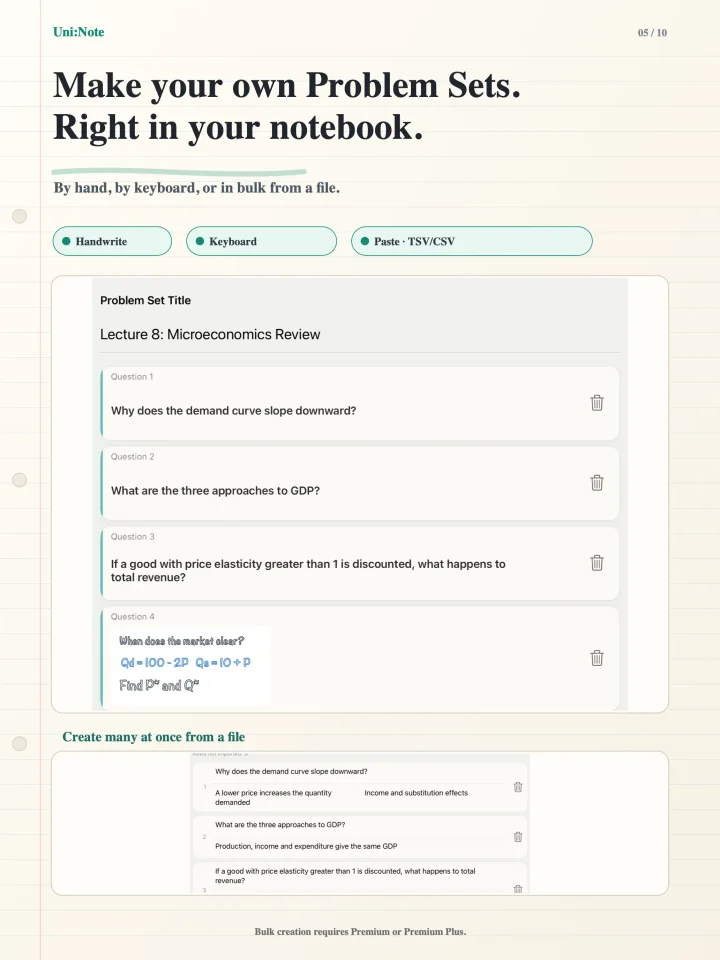
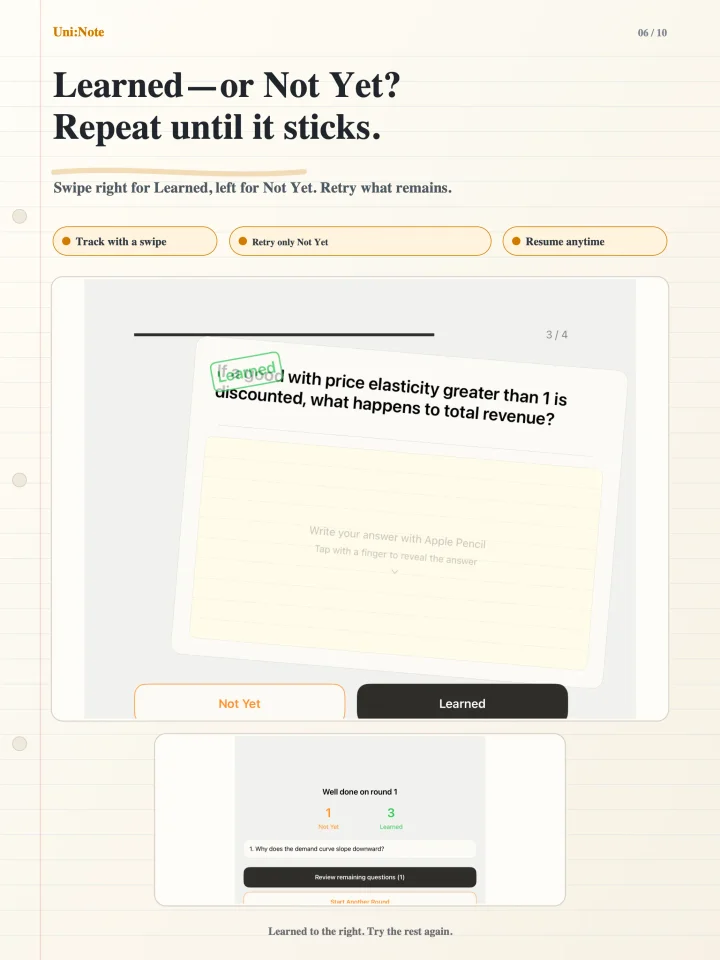
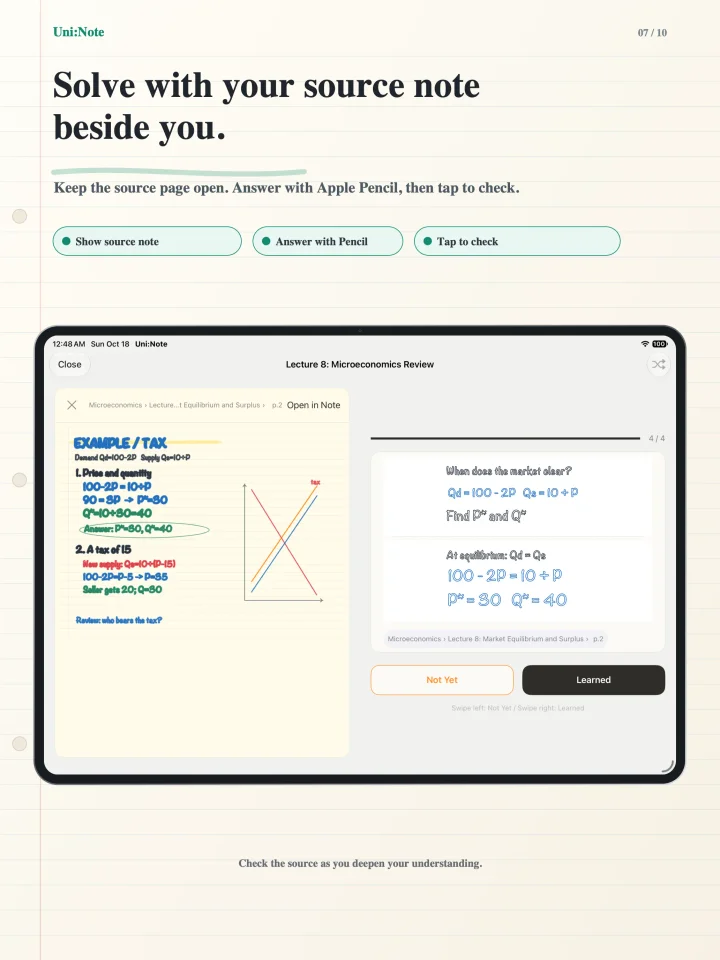
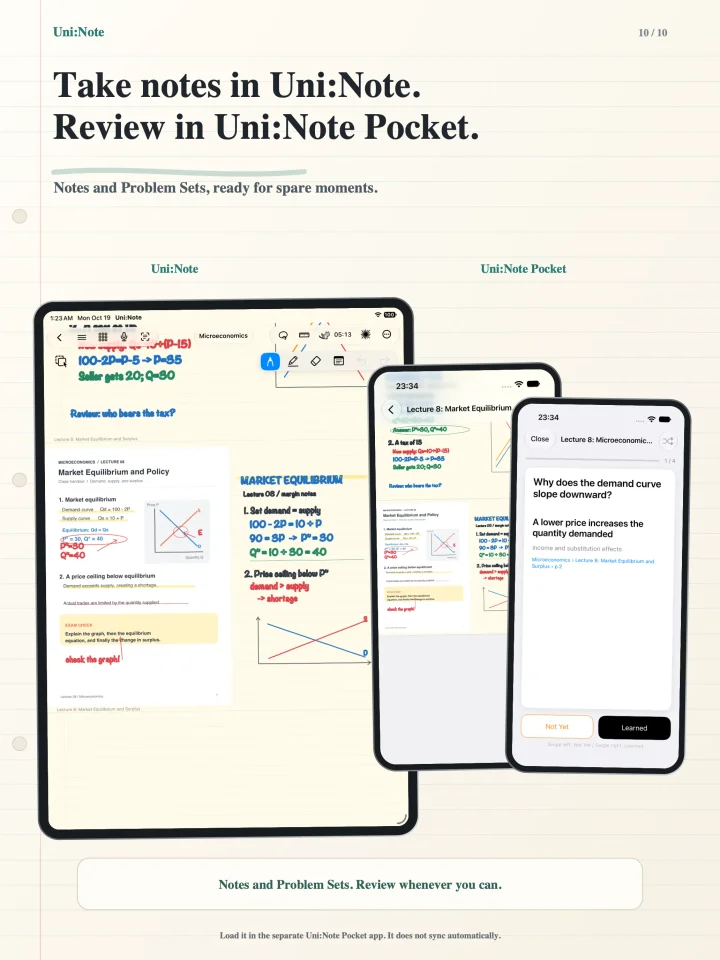
Create problem sets and study with “Learned” and “Not Yet”, all within your note app. With Uni:Note, you can review alongside your original notes and study problem sets in the companion app Uni:Note Pocket by importing a backup.
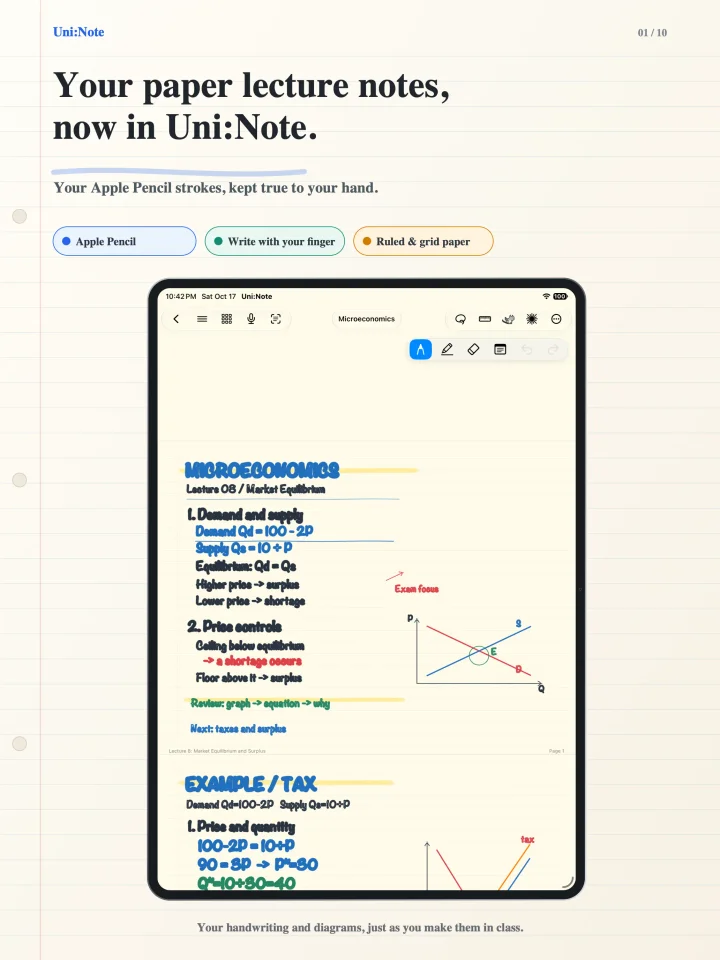
Uni:Note is a handwriting app for iPad with a simple, ad-free interface that lets you write as you would in a paper notebook.
Designed under the guidance of a current university student, it focuses on being easy to use in class.
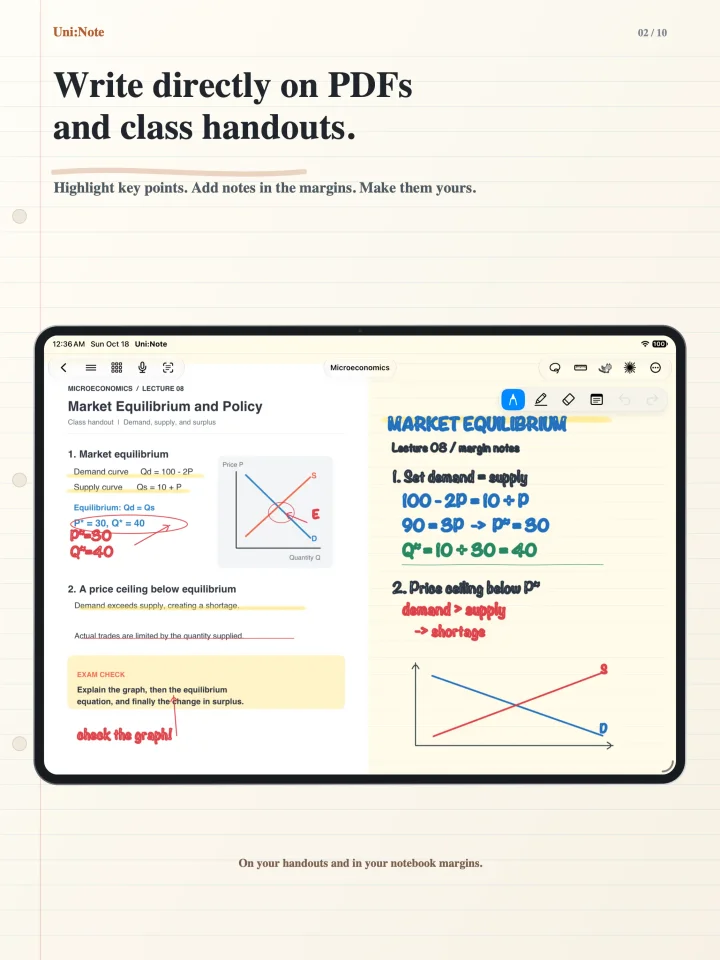
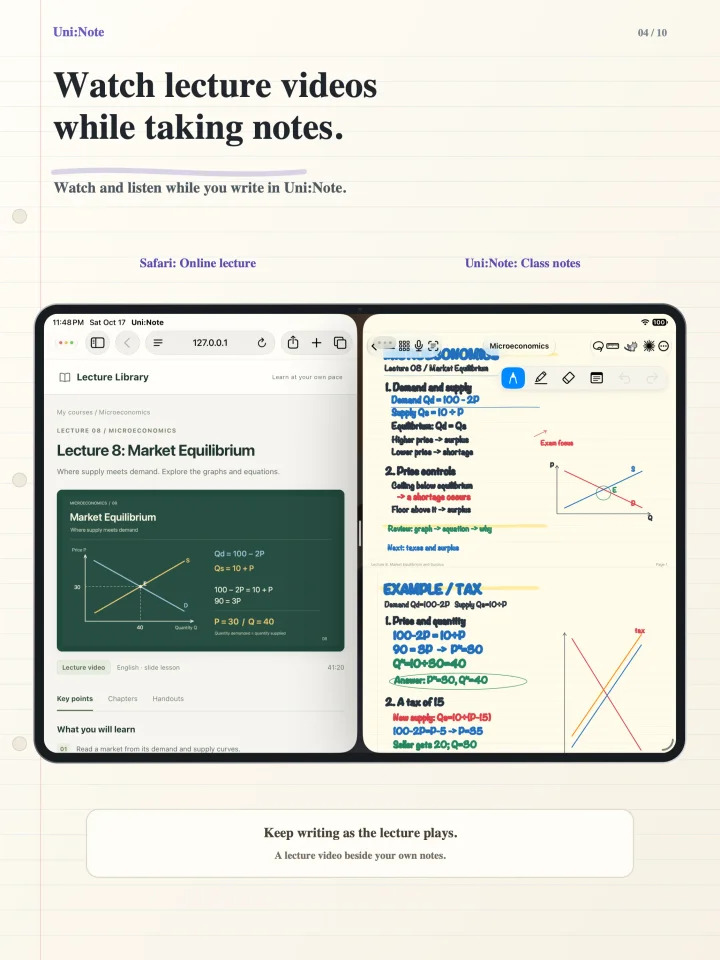
Along with Apple Pencil handwriting, it supports writing on images and PDFs, vertical notebooks, and multiple windows.
Keep taking notes while working with class handouts and PDF materials.
Use the notes you write for review.
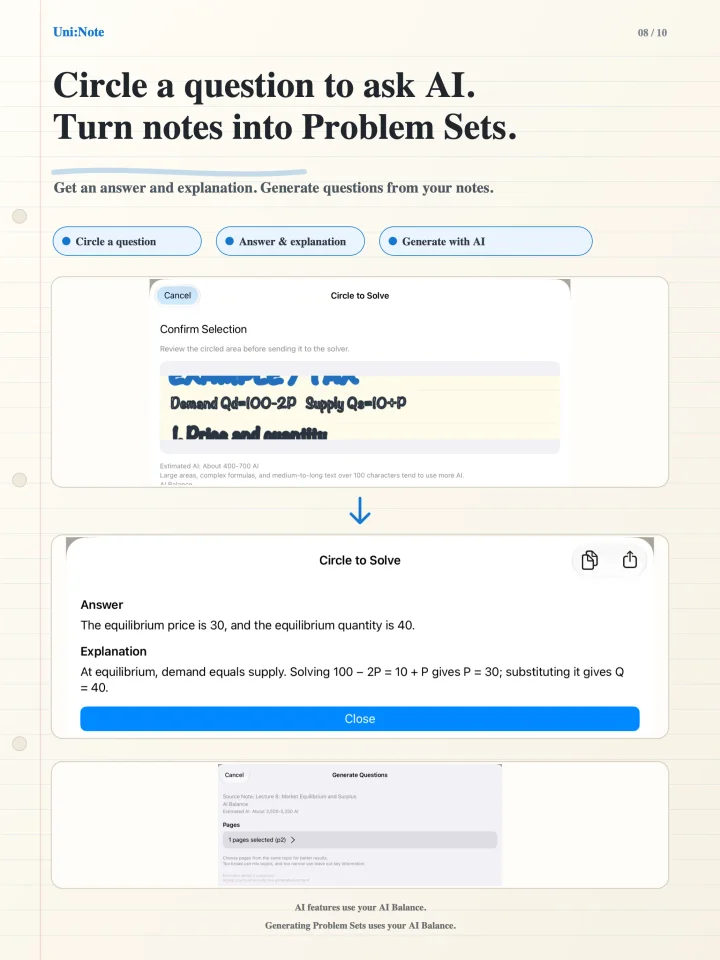
Study Assistant (AI) supports Circle to Solve, problem set generation, and AI Summary. You can also create and edit problem sets yourself.
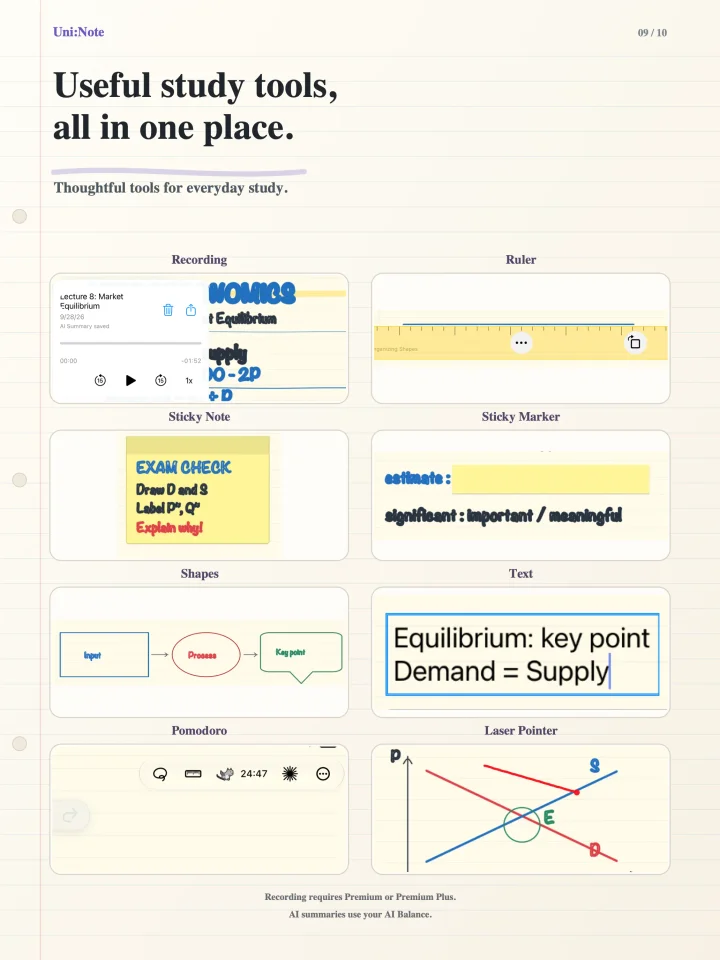
Recording and real-time transcription are also supported.
Take notes while recording a class, then use AI Summary to summarize the transcription.
Customize the navigation bar and palette to suit the tools you use most.
■Key Features
• Create and edit problem sets with handwriting, the keyboard, pasted text, or TSV/CSV files
• AI problem set generation from your notes
• Study with “Learned” and “Not Yet”, resume where you left off, and shuffle questions
• Review with your original notes displayed alongside
• Study problem sets imported from a backup in Uni:Note Pocket
• Handwriting with Apple Pencil
• Writing on images and PDFs
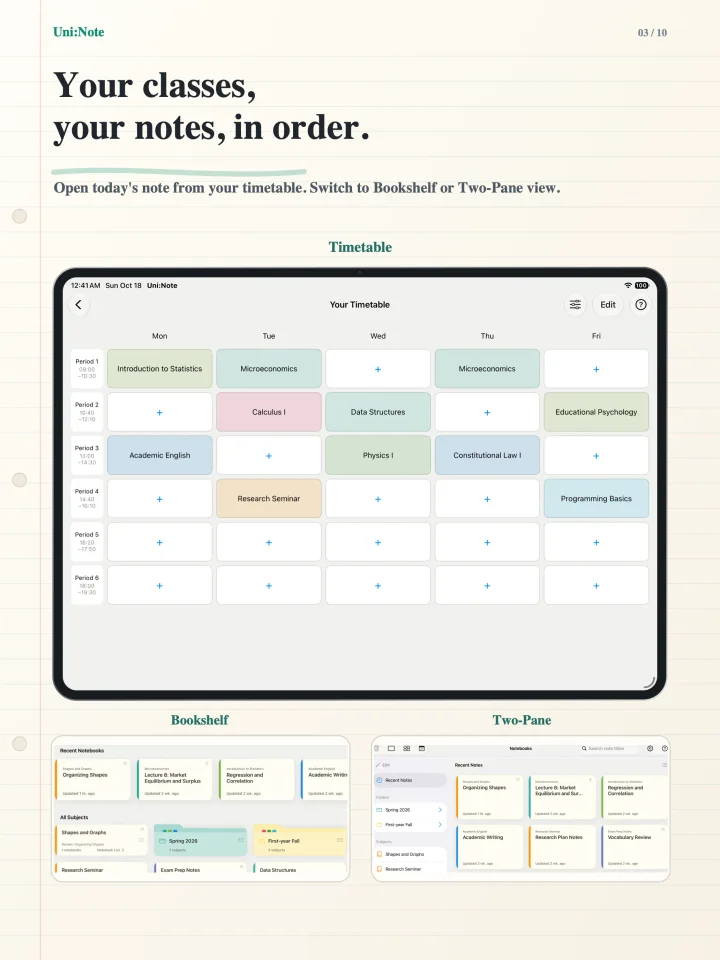
• Vertical notebooks and multiple windows
• Recording and real-time transcription
• AI Summary and Circle to Solve
• Sticky Marker
• Ruler, Move Selection
• Undo and Redo for moves and changes to shapes, pasted images and PDFs, and sticky notes, plus lines drawn with the ruler
• Open the Button Guide with “?” (from the “…” menu in a notebook)
• Pomodoro timer
• Navigation bar and palette customization
• Export PDF
• Backup and restore
■About Privacy
Uni:Note uses in-app identifiers that do not directly identify you to manage your AI Balance and purchase status.
It also collects diagnostic information, such as crash logs when the app crashes, to investigate issues.
When you use AI features, data needed for processing, such as selected note content and transcriptions, is sent to an AI service to generate answers, problem sets, summaries, and similar output.
Routine diagnostic information does not include information that directly identifies you or the contents of notes, audio, transcriptions, or attachments.
The information collected is used to provide AI features, manage their use, and improve app quality.
Terms of Use:
https://www.apple.com/legal/internet-services/itunes/dev/stdeula/
What’s new
Version 4.1.0 · Nov 20, 2026
You can now create Structured Notes from your recordings and notes.
- Structured Notes: using the note pages you choose as the core and filling in from the lecture transcript, the AI builds a note with headings, key points and terms. Copy it into a note and review it while writing on it.
- The note list now has "Structured Notes" and "Summaries" sections.
- Problem sets are more accurate, and "Add questions beyond the note" creates questions on parts of your topic that the note doesn't cover.
- Circle to Solve is more accurate.
- Problem sets and Structured Notes now use half the AI Balance. Circle to Solve uses more per use, so AI Balance packs now contain about 1.7 times as much and Premium Plus gives 30,000 AI Balance every month.
- If you have never subscribed to Premium Plus (monthly), you can try it free for 1 week.
- The price of Premium (one-time purchase) will increase on January 1, 2027.
- You can now read Structured Notes in the companion app Uni:Note Pocket too.
App privacy
What Yuya Nakamura declares on the App Store about how this app handles data.
-
Data linked to you
May be collected and linked to your identity.
- Purchases
- Identifiers
-
Data not linked to you
May be collected but is not linked to your identity.
- User content
- Usage data
- Diagnostics
Privacy practices may vary, for example with the features you use or your age.
Information
- Seller
- Yuya Nakamura
- Category
- Productivity
- Version
- 4.1.0
- Updated
- Nov 20, 2026
- Released
- Apr 12, 2026
- Size
- 15.8 MB
- Requires
- iOS 17.0 or later
- Age rating
- 4+
- In-app purchases
- Yes
- Languages
- German, English, French, Japanese, Korean, Traditional Chinese
- Copyright
- © 2026 Uni:Note
You might also like
-
 Plane NotesInfinite handwritten notebook
-
 Handwriting Journal PlannerCalendar, Journal & Daily Memo
-
 Scritch – Handwriting NotesFeels like paper. Messy's fine
-
 Simple Notes - Notepad ManagerOrganize notes with folders
-
 UnivNote: Lag-Free Note TakingPDF notebook, handwriting
-
 InfiniteNote - Canvas NotesThink in space, not in pages.
-
 Handwritten Idea NotesJot down ideas quickly!
-
 FirstSeed NotesMarkdown + AI Transcription
-
 TodoLing: Daily Todo & PlannerSimple, cute task manager
-
 Jeejee: Markdown, LaTeX & InkTake notes your way