
Vexio3D
Mobile parametric CAD
Được thiết kế cho iPhone, iPad, iPod touch
Miễn phí · Mua hàng trong ứng dụng
- Độ tuổi4+
- Danh mụcĐồ Họa & Thiết Kế
- Nhà phát triểnExzileGames LLC
- Kích thước128,2 MB
Liên kết đến trang App Store chính thức
Download.org không lưu trữ tệp nào của Vexio3D. Nút này mở trang ứng dụng trên App Store, nơi ExzileGames LLC phát hành ứng dụng. Trang được kiểm tra lần cuối: 08/11/2026.
Ảnh chụp màn hình
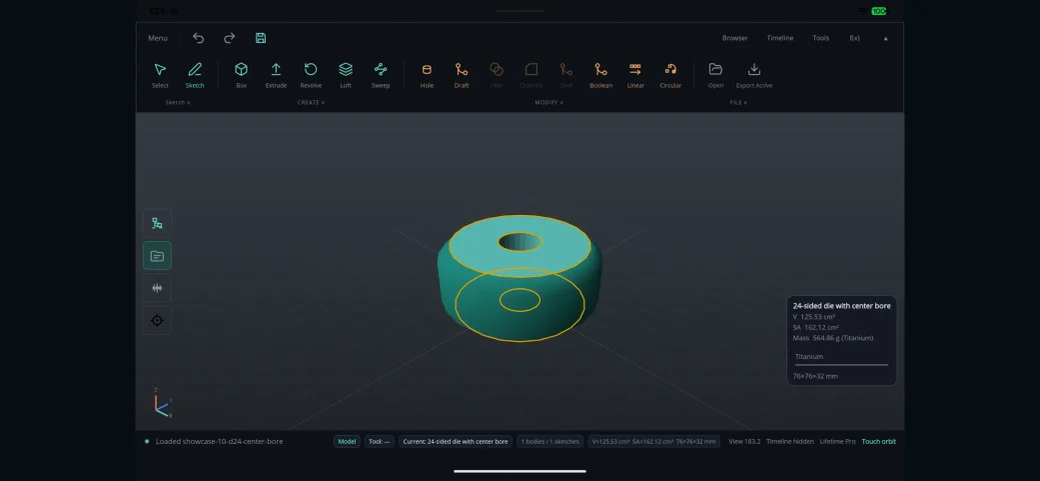
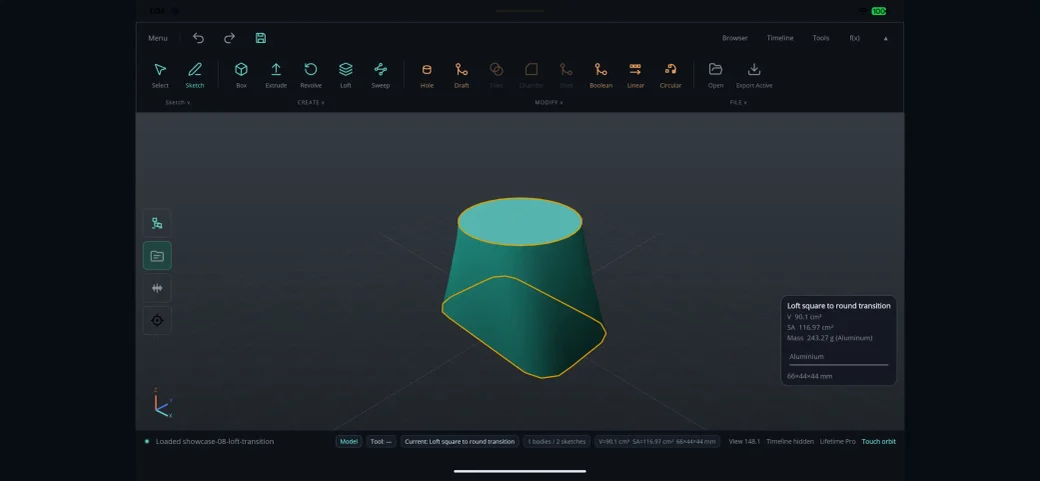
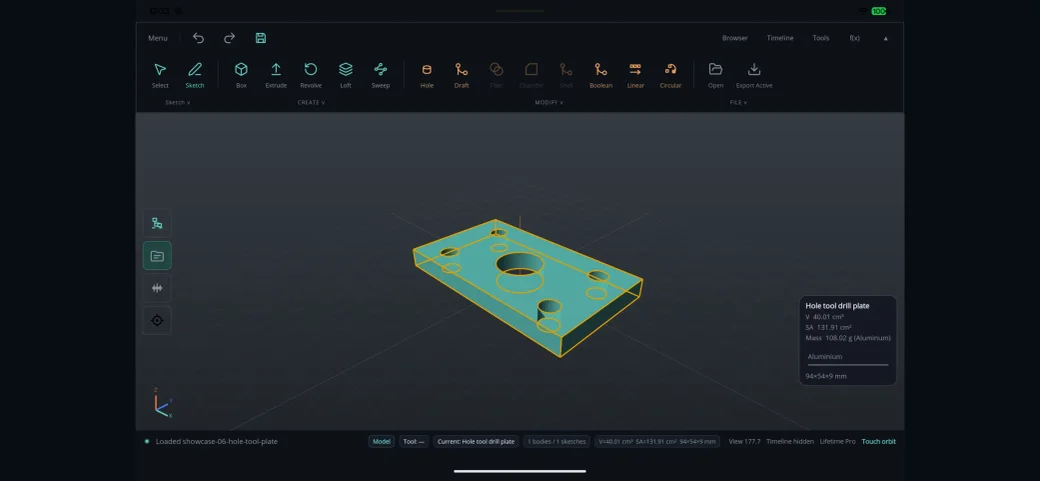
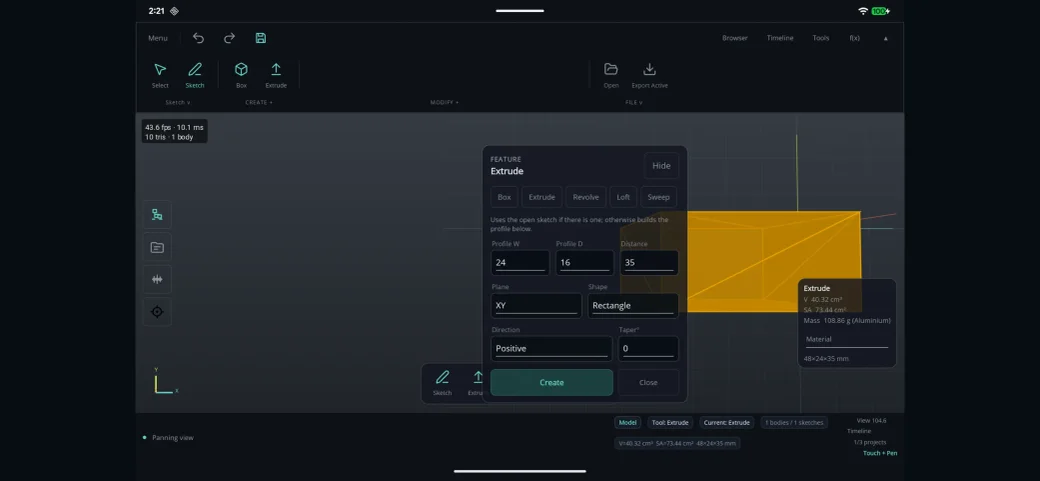

Giới thiệu
Nhà phát triển chưa cung cấp nội dung này bằng ngôn ngữ của bạn.
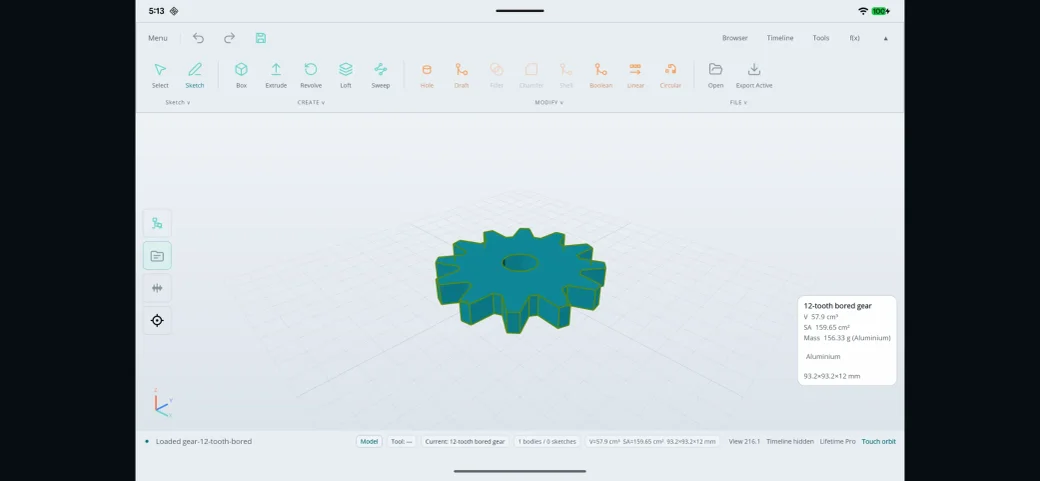
Vexio3D is a focused 3D CAD modeling workspace for designing mechanical parts, sketches, solid models, prototypes, and printable objects on tablet, phone, and desktop.
Create precise CAD sketches, shape 3D models, build solid geometry, and export files for fabrication or 3D printing. Vexio3D gives makers, students, engineers, hobbyists, and designers a practical CAD workflow for modeling parts directly on their device.
Start with a sketch, turn it into a solid, refine the shape, organize the project, and export your model when it is ready. Vexio3D is built for hands-on 3D design, mechanical modeling, product ideas, brackets, fixtures, housings, gears, concept parts, and 3D printable components.
Use Vexio3D to:
- Create 2D CAD sketches with lines, rectangles, circles, arcs, trim, extend, offset, mirror, and constraints.
- Shape 3D models from sketches using solid modeling tools.
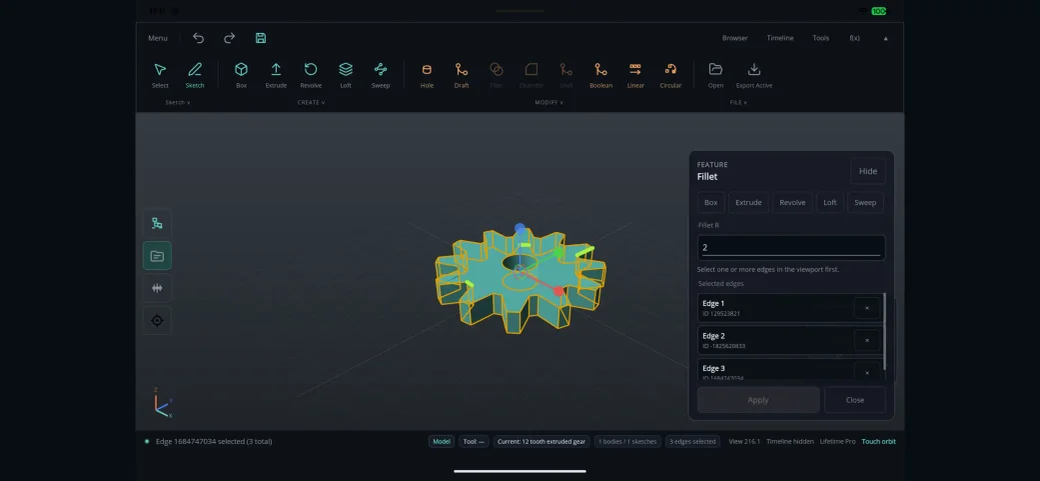
- Build solids with box, extrude, revolve, loft, sweep, fillet, chamfer, boolean tools, patterns, and more as supported by your device.
- Design mechanical parts, brackets, fixtures, enclosures, gears, mounts, prototypes, and printable models.
- Organize components, sketches, bodies, and modeling steps in a clear project browser and timeline.
- Save and reopen Vexio3D project files.
- Export OBJ and ASCII STL files for 3D printing, fabrication, and downstream modeling workflows.
- Learn CAD modeling through guided tutorials and sample projects.
Vexio3D supports a practical CAD workflow for people who want to model real shapes and parts. Sketch a profile, extrude it into a 3D solid, cut holes, add fillets or chamfers, combine bodies, and prepare the design for export. The app is designed to make CAD 3D modeling approachable while still giving you tools for structured mechanical design.
Use it as a 3D model maker for functional parts, a CAD sketching tool for early ideas, or a compact solid modeling app for turning simple shapes into usable designs. Vexio3D helps you move from concept to geometry with tools that feel direct and focused.
For 3D printing, Vexio3D helps you move from idea to model to export. Create printable shapes, check your design, save your work, and export STL or OBJ files for use with slicers, fabrication tools, or other 3D modeling workflows. It is useful for designing replacement parts, simple enclosures, workshop fixtures, mounts, hobby projects, and printable prototypes.
For learning CAD, Vexio3D provides a clear path into sketch-based modeling. Tutorials and sample projects help you understand how sketches, constraints, solids, bodies, components, and timelines work together in a modern CAD workspace. Students and beginners can practice core 3D CAD concepts while experienced users can quickly build and edit part geometry.
For makers and designers, Vexio3D is useful when you need to quickly shape a part, test a design idea, create a simple mechanical object, or build a model that can become a 3D print. It is designed for focused modeling sessions without unnecessary clutter.
Vexio3D is a CAD and 3D modeling app for:
- Mechanical part design
- 3D printable models
- Product concepts and prototypes
- Sketch-based solid modeling
- Parametric CAD workflows
- STL and OBJ export
- Maker projects
- Engineering and design practice
- CAD learning and tutorials
- Shape modeling and object design
- Tablet CAD and mobile CAD workflows
- Hobby, workshop, classroom, and prototype design
Whether you are learning CAD, designing a 3D printable part, shaping a mechanical idea, building a prototype, or creating models for fabrication, Vexio3D provides a focused workspace for CAD 3D modeling from sketch to solid to export.
Vexio3D Pro removes ads and unlocks premium workflow limits and export capabilities.
Terms of Use: https://www.apple.com/legal/internet-services/itunes/dev/stdeula/
Có gì mới
Phiên bản 1.0.4 · 28/10/2026
Added Terms of Use and Privacy Policy links to the Pro purchase flow, with clearer subscription renewal information.
Quyền riêng tư của ứng dụng
Những gì ExzileGames LLC khai báo trên App Store về cách ứng dụng này xử lý dữ liệu.
-
Dữ liệu liên kết với bạn
Có thể được thu thập và liên kết với danh tính của bạn.
- Mục mua
- Dữ liệu sử dụng
- Chẩn đoán
-
Dữ liệu không liên kết với bạn
Có thể được thu thập nhưng không liên kết với danh tính của bạn.
- Mã định danh
Phương thức đảm bảo quyền riêng tư có thể khác nhau, chẳng hạn như tuỳ theo các tính năng bạn sử dụng hoặc độ tuổi của bạn.
Thông tin
- Người bán
- Exzilegames LLC
- Danh mục
- Đồ Họa & Thiết Kế
- Phiên bản
- 1.0.4
- Cập nhật
- 28/10/2026
- Phát hành
- 26/08/2026
- Kích thước
- 128,2 MB
- Yêu cầu
- iOS 15.0 trở lên
- Độ tuổi
- 4+
- Giá
- Miễn phí
- Mua hàng trong ứng dụng
- Có
- Bản quyền
- © 2026 ExzileGames LLC
Có thể bạn cũng thích
-
 Digit 3D CADĐồ Họa & Thiết Kế
-
 MaterializrĐồ Họa & Thiết Kế
-
 Zenve3DĐồ Họa & Thiết Kế
-
 3D Model Print Simple EditĐồ Họa & Thiết Kế
-
 TopMod 3D: Design SoftwareĐồ Họa & Thiết Kế
-
 Part3D: 3D CAD & ModelingĐồ Họa & Thiết Kế
-
 3D Print Designer CADCAD Modeling for 3D Printing
-
 3D Modeling: Design & SculptĐồ Họa & Thiết Kế
-
 3D Modeling: Blender Shapeyard3D Design, 3D Model, 3D Prints
-
 3D modeling: Design my modelĐồ Họa & Thiết Kế