
WabiTime
Know where the hours went
Được thiết kế cho iPhone, iPad, Mac
Miễn phí · Mua hàng trong ứng dụng
- Độ tuổi4+
- Danh mụcHiệu Suất
- Nhà phát triểnJoseph Slomowitz
- Ngôn ngữTiếng Anh+ 10 ngôn ngữ khác
- Kích thước19,2 MB
Liên kết đến trang App Store chính thức
Download.org không lưu trữ tệp nào của WabiTime. Nút này mở trang ứng dụng trên App Store, nơi Joseph Slomowitz phát hành ứng dụng. Trang được kiểm tra lần cuối: 25/11/2026.
Ảnh chụp màn hình

Giới thiệu
Nhà phát triển chưa cung cấp nội dung này bằng ngôn ngữ của bạn.
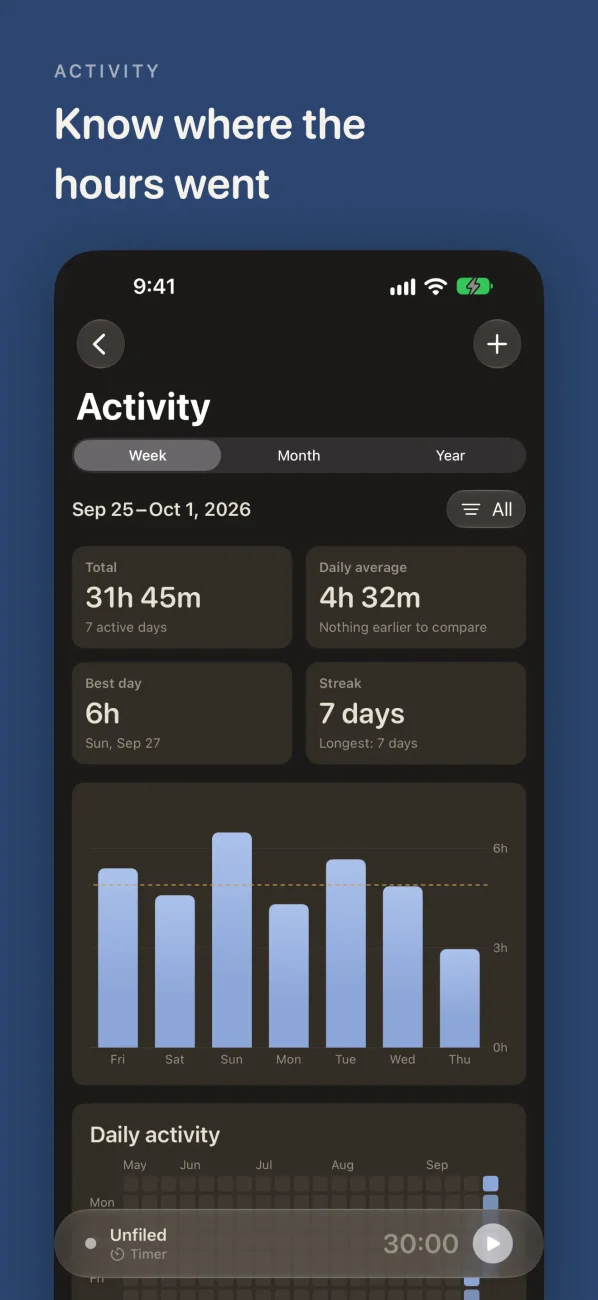
Know where the hours went.
WabiTime is a quiet timer for days split between subjects, clients or projects. Name what you're working on, start the timer, and WabiTime keeps the record.
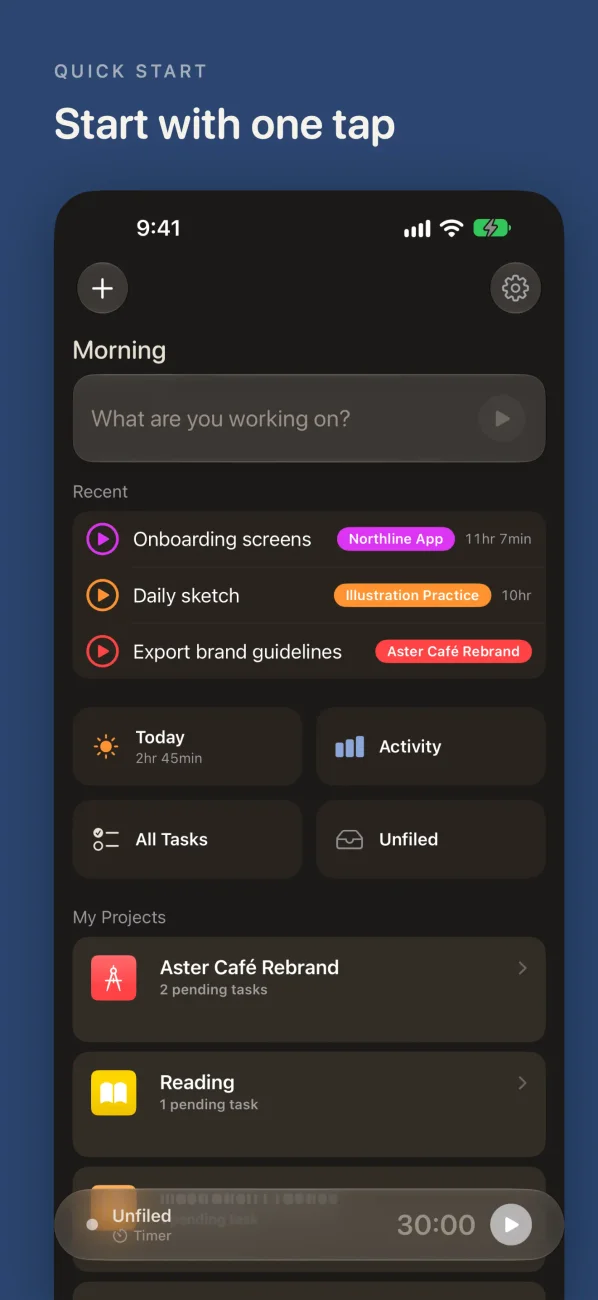
START WITH ONE TAP
Type a task into quick start and the timer runs. Projects are optional. File a task when you're ready, or leave it on its own.
THREE WAYS TO TIME
• Countdown, for a fixed block of work
• Stopwatch, for work that runs as long as it runs
• WabiCycles, alternating work and rest, with the whole session laid out around the ring
SEE WHERE THE TIME WENT
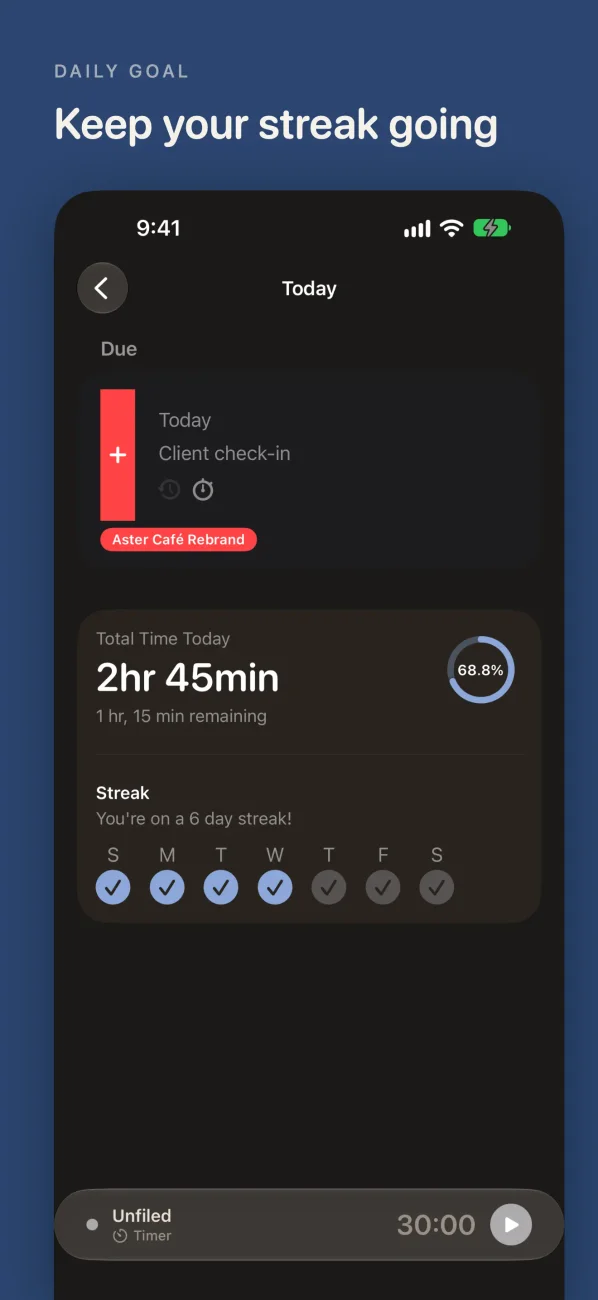
Activity shows your history on a scrolling timeline, with totals for the week, month and year. Set a daily goal and watch it fill.
ON iPHONE AND iPAD
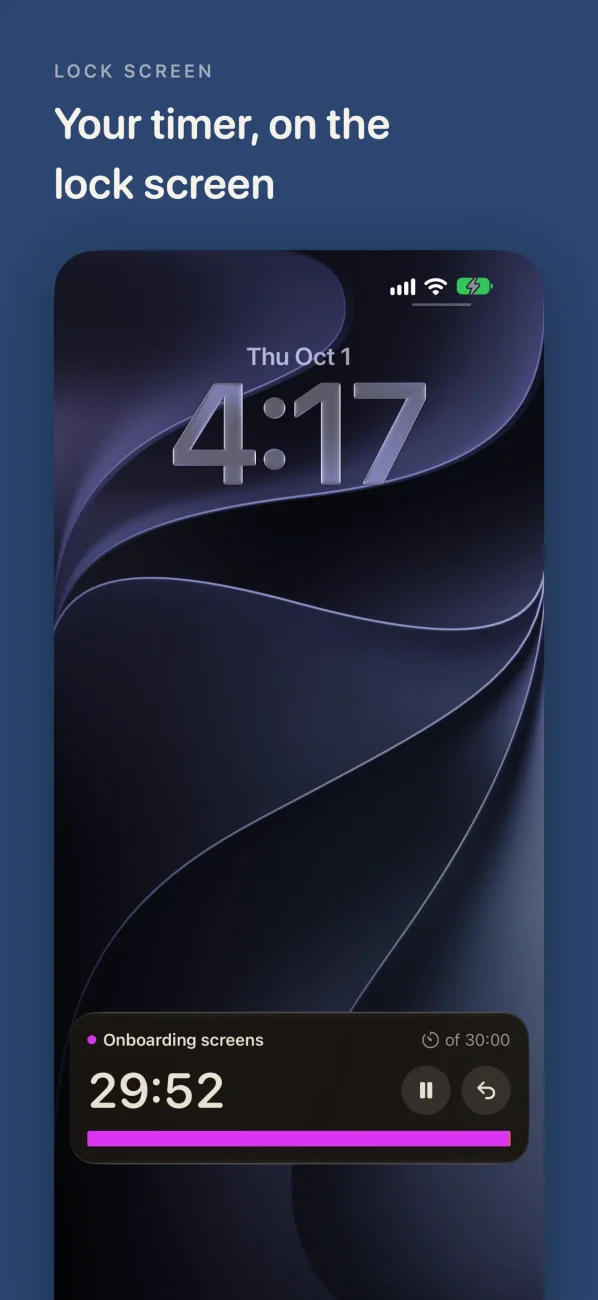
• A Live Activity and Dynamic Island for every timer mode
• Today and Quick Start widgets
• Start a task's timer with Siri and Shortcuts
• Strict mode: lay your phone face down to start, and pick it up to stop
• A full iPad layout with a sidebar, keyboard and pointer support
WABITIME PLUS
The timers, daily goals and your overall activity are free and always will be, along with one project and two tasks. WabiTime Plus adds:
• Unlimited projects and tasks
• Templates for work you repeat
• Activity broken down by project
• iCloud sync across iPhone, iPad and Mac
Every feature in WabiTime started as someone's suggestion, so tell us what you'd like next.
Made in Australia.
Terms of Use: https://www.wabitime.com/terms-of-use
Có gì mới
Phiên bản 4.1.0 · 24/11/2026
• Export a task's time as a PDF or CSV report. Choose a date range and whether to list each session. Included with WabiTime Plus.
• A task's total time now opens its sessions, grouped by day with a total for each. Open a session to edit it, or add one with +.
• Sessions in Activity open the editor too, and each day shows its total.
Quyền riêng tư của ứng dụng
Những gì Joseph Slomowitz khai báo trên App Store về cách ứng dụng này xử lý dữ liệu.
-
Dữ liệu không liên kết với bạn
Có thể được thu thập nhưng không liên kết với danh tính của bạn.
- Dữ liệu sử dụng
- Chẩn đoán
Phương thức đảm bảo quyền riêng tư có thể khác nhau, chẳng hạn như tuỳ theo các tính năng bạn sử dụng hoặc độ tuổi của bạn.
Thông tin
- Người bán
- Joseph Slomowitz
- Danh mục
- Hiệu Suất
- Phiên bản
- 4.1.0
- Cập nhật
- 24/11/2026
- Phát hành
- 06/03/2018
- Kích thước
- 19,2 MB
- Yêu cầu
- iOS 26.0 trở lên
- Độ tuổi
- 4+
- Giá
- Miễn phí
- Mua hàng trong ứng dụng
- Có
- Ngôn ngữ
- Tiếng Anh, Tiếng Hà Lan, Tiếng Pháp, Tiếng Đức, Tiếng Ý, Tiếng Nhật, Tiếng Hàn, Tiếng Bồ Đào Nha, Tiếng Nga, Tiếng Trung Giản thể, Tiếng Tây Ban Nha
- Bản quyền
- © 2026, Joseph Slomowitz
Có thể bạn cũng thích
-
 Focora: Danh Sách ViệcPomodoro Timer & Tập Trung
-
 MeetCost – Meeting TimerHiệu Suất
-
 blitzTime – 時間ログHiệu Suất
-
 Chi phí họp thời gian thựcTính lương nhân sự mỗi giây
-
 Focus Craft: ポモドーロ集中タイマーHiệu Suất
-
 Pomodoro Focus Timer: PomTimerHiệu Suất
-
 Kickstart:AI Action PlannerHiệu Suất
-
 TT NetworkHiệu Suất
-
 Versatile Notes ProHiệu Suất
-
 bubbly: Your brain dumping appHiệu Suất