
AdvancedWinServiceManager 3.0 for Windows
Lists background non-Windows processes and lets you stop or remove them
Screenshots
Description
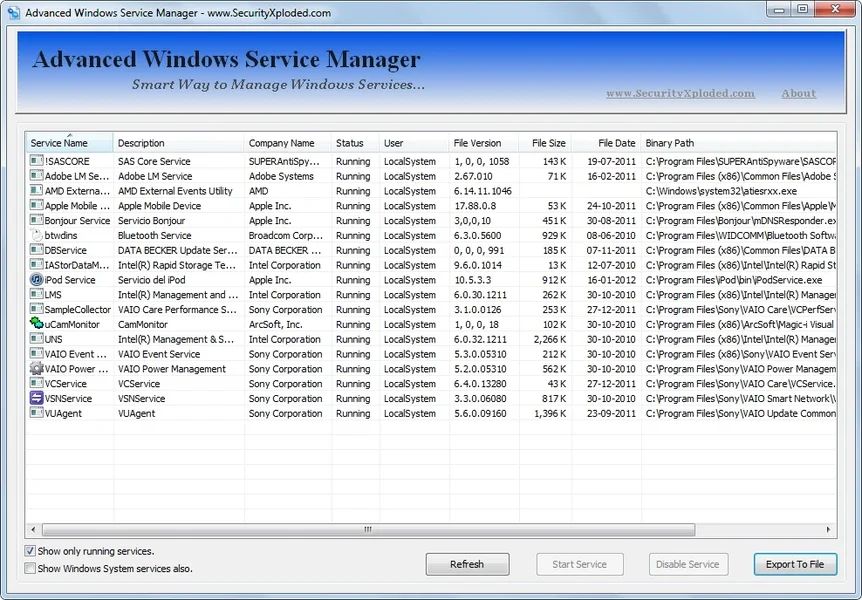
Unzip AdvancedWinServiceManager into any folder and run it. Nothing gets installed. The program lists the non-Windows processes that run in the background at startup, so you can see what is running without digging through system tools.
The list is the main view, and the interface is simple. Each entry is one of those background processes. From the list you can stop a process so it will not run at the next startup, which keeps the entry in place but disables it for the next boot. A process can also be removed completely, taking it off the list. The two actions do different things: stopping is the switch you flip and flip back, removing is the entry leaving the list. The program covers non-Windows processes only, so what you see is what was added by other software rather than by the operating system itself.
Extracting the ZIP to a folder is the whole setup. What you get in that folder is the tool and its list.
Download files
System requirements
Available on:
Additional information
Developer
Latest release
Size
Category
File type
SHA-256
391ae012b9cdd4ce53066d69cce2947c536c6ae9c55c367cf9b1e21d4bc18464





