Any Audio Grabber 7.8.7.427 for Windows
SHA-256 listed
Saves audio tracks from CDs to a folder on your PC
All ages
Age rating
Screenshots
Description
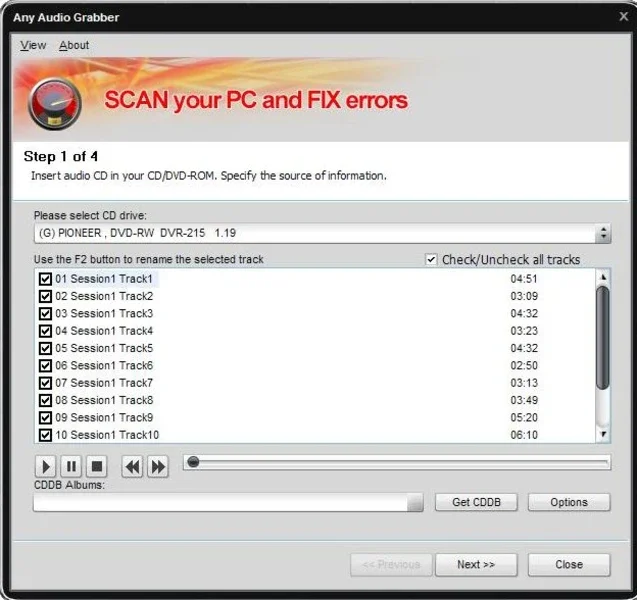
Any Audio Grabber saves audio tracks from CDs to a folder on your computer. Put the disc in, pick a folder, and the tracks land there within seconds. Once saved, they play on a device without the CD being in the drive.
Saving and naming
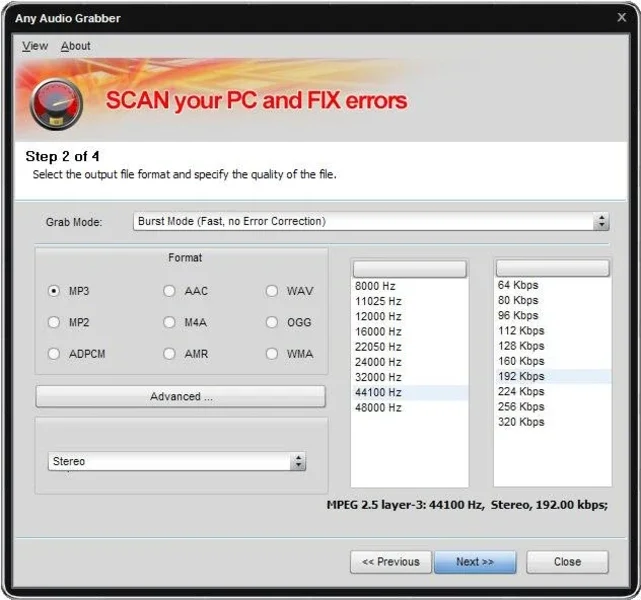
Tracks can be written in several formats, including MP3, WAV, M4A, OGG, AAC, WMA and MP2. The program renames output files automatically, using the original title and artist name, and it can search the web for information about the CD or a downloaded track.
Format conversion happens inside the program, so a separate converter is not needed. The interface is simple and easy to use.
Download files
File7.8.7.427EXE
Version7.8.7.427
ReleasedJun 15, 2020
Size30.0 MB
SHA-256
Get
7a161cc9d8b5b4d3e28fa75d29af864cc34b23786c36e78641478fc8c9394f56
Signed by Sorentio Systems Ltd · valid until Jul 12, 2020Fileany-audio-grabber-6.2.7.535.exeEXE
Version6.2.7.535
ReleasedJan 20, 2017
Size30.0 MB
SHA-256
Get
863295fb276ac1bf8208450c871dfa5f89784164713e0a590209cd22abe99b0b
Fileany-audio-grabber-6.1.1.465.exeEXE
Version6.1.1.465
ReleasedSep 20, 2016
Size29.9 MB
SHA-256
Get
78664197ea1ffe5ef2727e5564ae00ea8eb9523acd08a52661c8f693ca85a490
Fileany-audio-grabber-5.9.7.399.exeEXE
Version5.9.7.399
ReleasedJun 8, 2016
Size29.9 MB
SHA-256
Get
9653827702b90ed914e921aeb7e91db78a2ca8ed56452d36f0e3a17f871b331b
Fileany-audio-grabber-5.8.1.367.exeEXE
Version5.8.1.367
ReleasedFeb 8, 2016
Size29.9 MB
SHA-256
Get
93e6e47c5ec03d6ee81b68ef702eb518b15a1fc4cab085f3ed4873a2ae18600a
System requirements
Available on:
Additional information
Developer
Latest release
7.8.7.427 · Jun 15, 2020
Size
30.0 MB
File type
EXE
SHA-256
7a161cc9d8b5b4d3e28fa75d29af864cc34b23786c36e78641478fc8c9394f56
Digital signature
Signed by Sorentio Systems Ltd · valid until Jul 12, 2020