
Avro Keyboard 5.6.0 for Windows
SHA-256 listed
Write in Bengali on Windows with phonetic typing and a built-in spell checker
All ages
Age rating
Screenshots
Description
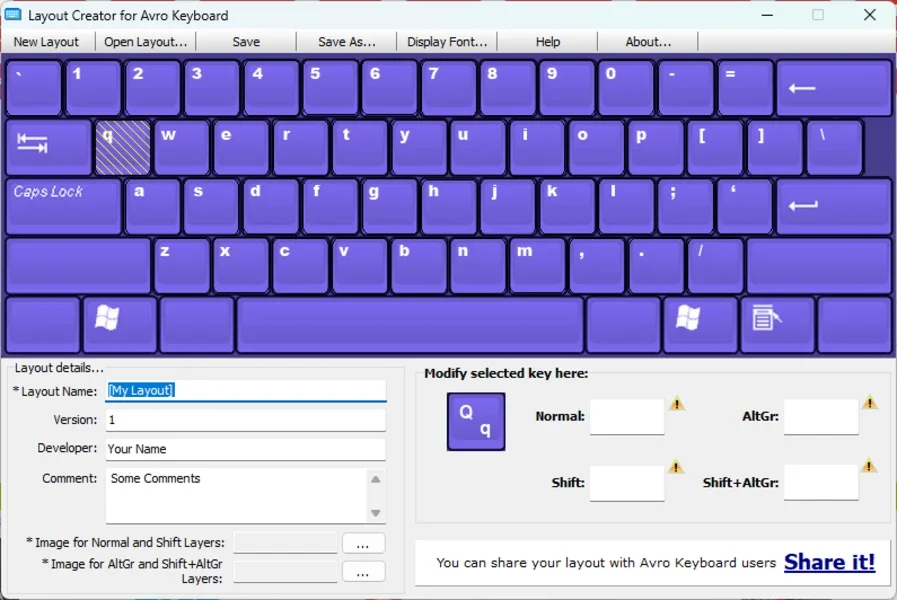
Type Bengali phonetically, and Avro Keyboard assembles the characters for you. It works in any app that supports Unicode, so you can write in a browser, an editor or a form. The built-in Bengali spell checker flags mistakes as you go. If you prefer, you can type with the mouse, or use touch typing. The typing options can be customized to your preferences. Avro Keyboard is fully Unicode compliant.
Download files
File5.6.0EXE
Version5.6.0
ReleasedApr 11, 2024
Size6.7 MB
SHA-256
Get
e617b987f1e23dedd1514fad7b5ca81e464727418b86366f0d4808e19fd47b48
Signed by Mehdi Hasan Khan · valid until Aug 25, 2020System requirements
Available on:
Minimum OS:
Windows XP or later
Additional information
Developer
Latest release
5.6.0 · Apr 11, 2024
Size
6.7 MB
File type
EXE
SHA-256
e617b987f1e23dedd1514fad7b5ca81e464727418b86366f0d4808e19fd47b48
Digital signature
Signed by Mehdi Hasan Khan · valid until Aug 25, 2020